
How to Change Time
★ Arkveld Gamma Armor | MH Stories 3 Collab
☆ Version 1.041: Sororal α Armor | Shatterseal
★ How to Unlock Proof of a Hero Quest
☆ Omega Planetes | Savage Omega | Builds vs Omega
★ Armor Set Search updated for Ver 1.041
☆ HR50+ Builds | Tier List | Weapon Guides
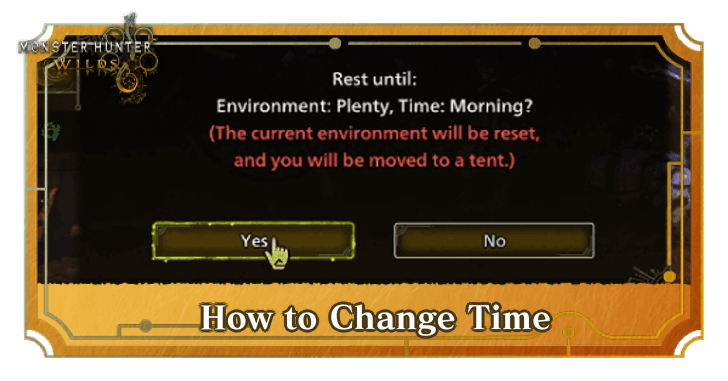
Change the time in-game by resting inside the Base Camp or Pop-Up Camp and adjusting the settings in Monster Hunter Wilds. See this guide to know how to change time, all time settings, and how time works in the game.
List of Contents
How to Change Time
| How to Change Time Guide |
|---|
|
|

Rest Inside Camps and Adjust Settings
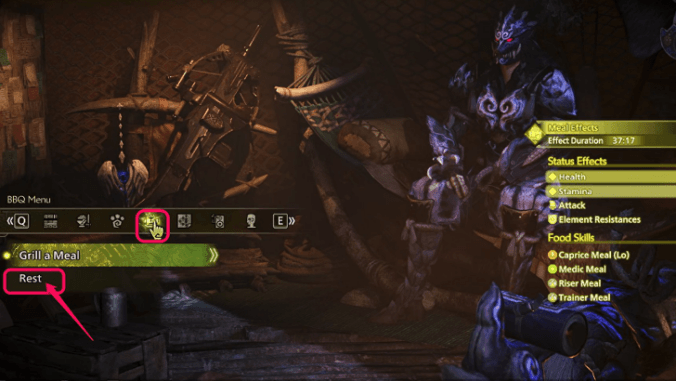
To change the time, simply fast travel to any base camp or pop-up camp and enter the tent, then navigate to the BBQ Menu and choose Rest.
After deciding and adjusting the settings, pay 500 Guild Points to apply the change. Do note that unlock the Rest feature, you must reach High Rank first.
Check Detailed Forecasts for Changes
Your Palico will also mention if the environment has changed, along with material upsurge and monster update prompts.
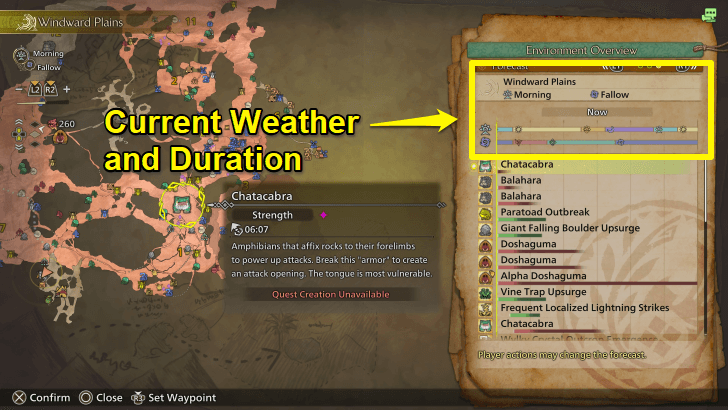
To check the current Time Zone and Weather, view the left side of the map to check the forecast for the next 60 minutes on the environment summary.
Go On Quests or Idle at Camps To Pass Time
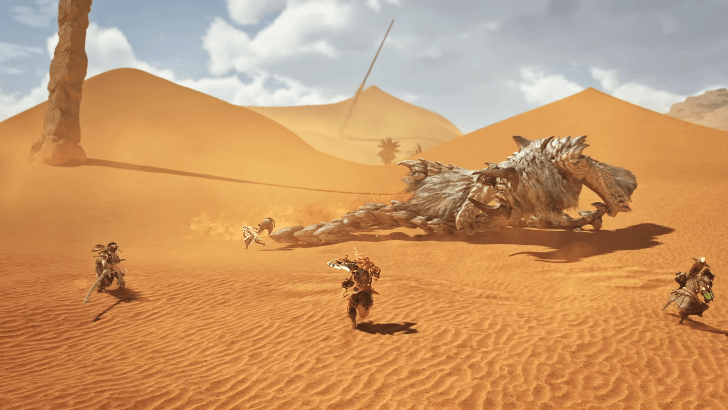
Taking on Investigations, Optional Quests, and Main Missions also pass the time naturally.
Time also passes naturally when you're idling. It's better to be idle at a safe place to avoid getting attacked or carted back to the base camp.
Environment Link with Link Party Members
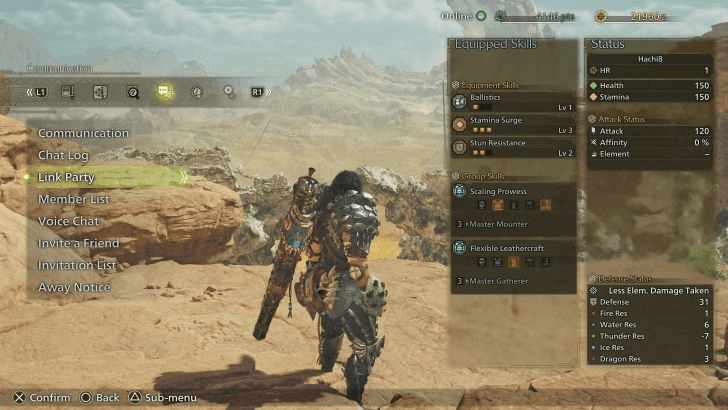
Members of the Link Party have access to an exclusive text and voice chat, as well as the Environment Link system. Environment Link lets players invite other members of the Link Party into their environment, allowing them to explore together.
This affects the whole party so you'll all be in sync with each other regardless of environment change.
Time Settings Explained
Changes From Morning to Nighttime
| All Time Settings | ||||
|---|---|---|---|---|
 Morning Morning |
 Day Day |
 Afternoon Afternoon |
 Evening Evening |
Night |
Here are all of the day and night cycles in-game. These can also be found while adjusting the settings when resting.
Take note that only some monsters and endemic life will show up despite changing the weather and time conditions. If this happens, simply keep trying again until they appear.
How Long is One Day?
| How Long is One Day? | ||||
|---|---|---|---|---|
| One day is equal to 49 minutes in-game. | ||||
| Morning | Midday | Evening | Night | Midnight |
| 7 mins. | 20 mins. | 7 mins. | 7 mins. | 8 mins. |
These are all the time durations for each time setting before it changes, and it takes 49 minutes for an entire day to pass in-game.
Time and Weather Changes As Time Passes
As time passes in-game, both time and weather changes randomly. Despite changing randomly, you can still predict the changes by checking the forecast on the detailed map.
Monster Hunter Wilds Related Guides
All Tips and Tricks Guides
Comment



Author

How to Change Time

Premium Articles
Rankings
Gaming News




![Monster Hunter Stories 3 Review [First Impressions] | Simply Rejuvenating](https://img.game8.co/4438641/2a31b7702bd70e78ec8efd24661dacda.jpeg/thumb)
Popular Games

Genshin Impact Walkthrough & Guides Wiki
Honkai: Star Rail Walkthrough & Guides Wiki
Umamusume: Pretty Derby Walkthrough & Guides Wiki
Pokemon Pokopia Walkthrough & Guides Wiki
Resident Evil Requiem (RE9) Walkthrough & Guides Wiki
Monster Hunter Wilds Walkthrough & Guides Wiki
Wuthering Waves Walkthrough & Guides Wiki
Arknights: Endfield Walkthrough & Guides Wiki
Pokemon FireRed and LeafGreen (FRLG) Walkthrough & Guides Wiki
Pokemon TCG Pocket (PTCGP) Strategies & Guides Wiki









Recommended Games
Diablo 4: Vessel of Hatred Walkthrough & Guides Wiki
Cyberpunk 2077: Ultimate Edition Walkthrough & Guides Wiki
Fire Emblem Heroes (FEH) Walkthrough & Guides Wiki
Yu-Gi-Oh! Master Duel Walkthrough & Guides Wiki
Super Smash Bros. Ultimate Walkthrough & Guides Wiki
Pokemon Brilliant Diamond and Shining Pearl (BDSP) Walkthrough & Guides Wiki
Elden Ring Shadow of the Erdtree Walkthrough & Guides Wiki
Monster Hunter World Walkthrough & Guides Wiki
The Legend of Zelda: Tears of the Kingdom Walkthrough & Guides Wiki
Persona 3 Reload Walkthrough & Guides Wiki










All rights reserved
©CAPCOM
The copyrights of videos of games used in our content and other intellectual property rights belong to the provider of the game.
The contents we provide on this site were created personally by members of the Game8 editorial department.
We refuse the right to reuse or repost content taken without our permission such as data or images to other sites.