
How to Claim Free Blossomtide Cosmetics
★ Arkveld Gamma Armor | MH Stories 3 Collab
☆ Version 1.041: Sororal α Armor | Shatterseal
★ How to Unlock Proof of a Hero Quest
☆ Omega Planetes | Savage Omega | Builds vs Omega
★ Armor Set Search updated for Ver 1.041
☆ HR50+ Builds | Tier List | Weapon Guides
Free Cosmetics for your Seikret, Character Profile, and more are available during the Blossomtide Event in Monster Hunter Wilds! See how to get the Free Blossomtide cosmetics as well as their appearances in game.
How to Claim Free Blossomtide Cosmetics
Claim Login Bonus During Event
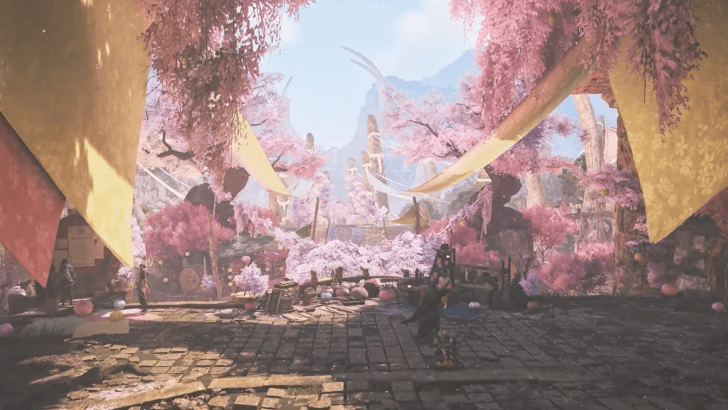
To obtain the Free Blossomtide Cosmetics, simply claim the Blossomdance Login Bonus, then head to the respective Cosmetic menus to find your free cosmetics.
The Free Blossomtide Cosmetics will only appear in your inventory after claiming your Login Bonus, so make sure to claim your Login Bonus during the event!
Automatically Unlocked in Respective Menus
Even if the Login Bonus only displays the Vouchers and other items, after you claim the Login Bonus, all Blossomtide Cosmetics will be unlocked and can be equipped through their respective menus.
Available From April 22 to May 6
The Login Bonus and Cosmetics will only be available for a Limited Time, and can only be claimed from the start of the Blossomdance Event, April 22, until May 6, 8:00PM ET.
Festival of Accord: Blossomdance Event Guide
All Free Blossomtide Cosmetics
Sakura Felyne Teddy
| Sakura Felyne Teddy Preview |
|---|
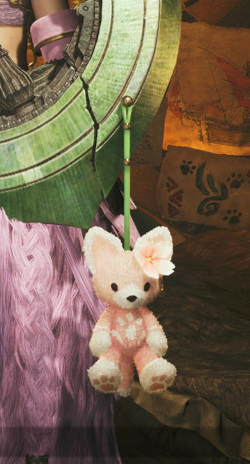 |
The Sakura Felyne Teddy is a Weapon Pendant that can be equipped from your Equipment Appearance menu.
Claim From Support Desk
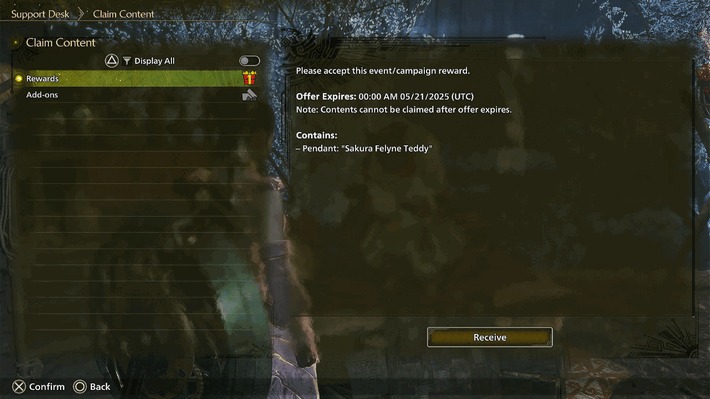
To obtain the Sakura Felyne Teddy pendant, simply talk to the Palico at the Support Desk. Keep in mind that to access the Claim Content menu, you must first be connected to the internet.
The Pendant will only appear in your inventory after claiming your Login Bonus, so make sure to claim your Login Bonus either before or after claiming the Pendant!
How to Claim Sakura Felyne Teddy Pendant
Lustrous Lion's Caparison
| Lustrous Lion's Caparison Preview |
|---|
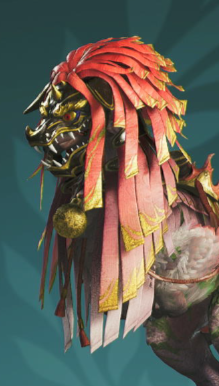 |
The Lustrous Lion's Caparison is a Seikret Decoration that can be equipped from your Customize Seikret menu.
Blossom Blizzard Gesture
| Blossom Blizzard Preview |
|---|
The Blossom Blizzard gesture features the hunter and your Palico throwing Sakura blossoms while running around in a circle.
Head to the Communication tab to equip this Gesture to your radial menu!
Profile Cosmetics
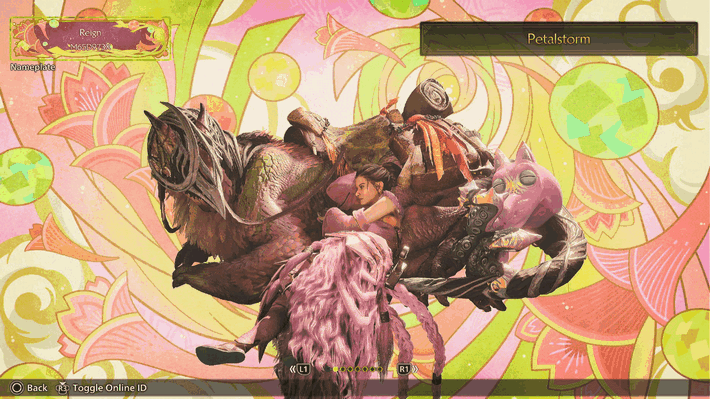
The Free Blossomtide Hunter Profile cosmetics include the Nap Time Pose, Temari in Spring Background, Festival Frame - Blossomdance, and various Blossomdance related Titles.
The Hunters' Secret Spring BGM
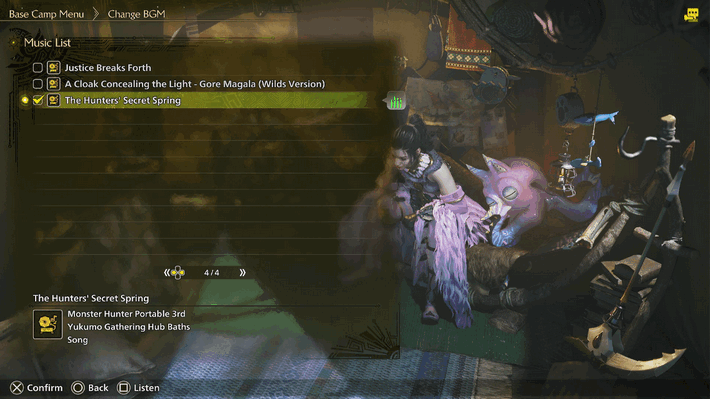
Players can also choose the Hunters' Secret Spring BGM, from the Change BGM menu from your Tent.
This BGM is the Background Music from Monster Hunter Portable 3, from the Yukumo Gathering Hub Baths.
Pop-Up Camp Customization
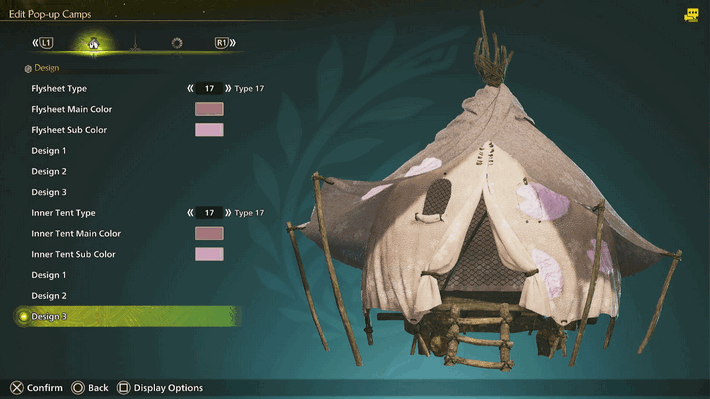
Players can also customize their Pop-Up Camps to have a Blossomtide Theme from the Manage Pop-up Camps menu from the Support Desk.
The Blossomdance cosmetics for Flysheet and Inner Tent Types are labeled Type 17.
Monster Hunter Wilds Related Guides
Hunter Cosmetics
| Hunter Cosmetics | |
|---|---|
 Layered Armor Layered Armor |
 Pendants Pendants |
 Titles Titles |
 Nameplates Nameplates |
 Sticker Sets Sticker Sets |
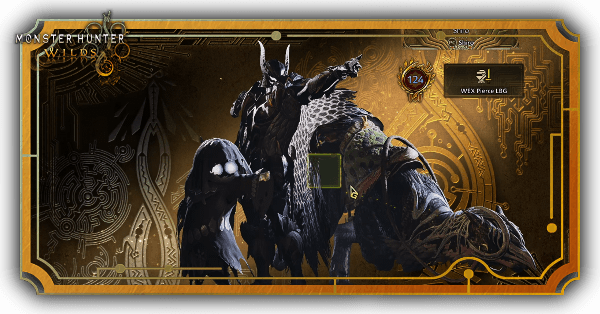 Profile Backgrounds Profile Backgrounds |
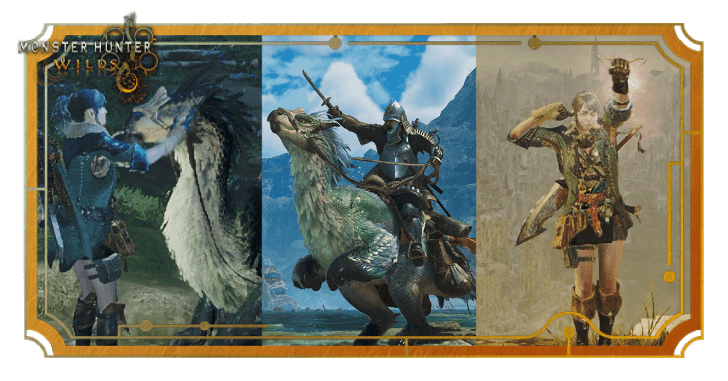 Gestures Gestures |
 BGM BGM |
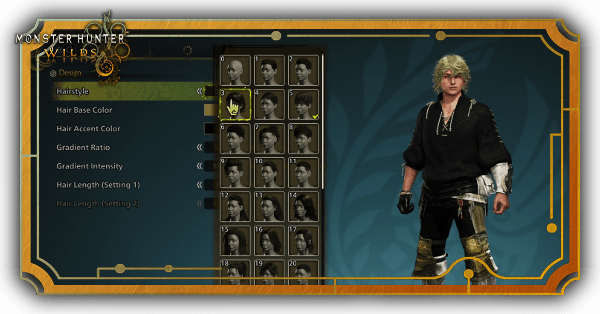 Hairstyles and Makeup Hairstyles and Makeup |
 Layered Weapons Layered Weapons |
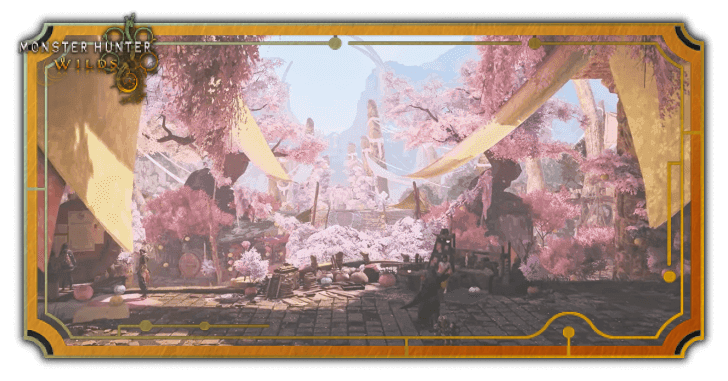 Blossomtide Cosmetics Blossomtide Cosmetics |
|
Palico and Seikret Cosmetics
| Palico and Seikret Cosmetics | |
|---|---|
 Palico Layered Equipment Palico Layered Equipment |
 Seikret Decorations Seikret Decorations |
Comment



Author

How to Claim Free Blossomtide Cosmetics

Premium Articles
Rankings
Gaming News




![Monster Hunter Stories 3 Review [First Impressions] | Simply Rejuvenating](https://img.game8.co/4438641/2a31b7702bd70e78ec8efd24661dacda.jpeg/thumb)
Popular Games

Genshin Impact Walkthrough & Guides Wiki
Honkai: Star Rail Walkthrough & Guides Wiki
Umamusume: Pretty Derby Walkthrough & Guides Wiki
Pokemon Pokopia Walkthrough & Guides Wiki
Resident Evil Requiem (RE9) Walkthrough & Guides Wiki
Monster Hunter Wilds Walkthrough & Guides Wiki
Wuthering Waves Walkthrough & Guides Wiki
Arknights: Endfield Walkthrough & Guides Wiki
Pokemon FireRed and LeafGreen (FRLG) Walkthrough & Guides Wiki
Pokemon TCG Pocket (PTCGP) Strategies & Guides Wiki









Recommended Games
Diablo 4: Vessel of Hatred Walkthrough & Guides Wiki
Cyberpunk 2077: Ultimate Edition Walkthrough & Guides Wiki
Fire Emblem Heroes (FEH) Walkthrough & Guides Wiki
Yu-Gi-Oh! Master Duel Walkthrough & Guides Wiki
Super Smash Bros. Ultimate Walkthrough & Guides Wiki
Pokemon Brilliant Diamond and Shining Pearl (BDSP) Walkthrough & Guides Wiki
Elden Ring Shadow of the Erdtree Walkthrough & Guides Wiki
Monster Hunter World Walkthrough & Guides Wiki
The Legend of Zelda: Tears of the Kingdom Walkthrough & Guides Wiki
Persona 3 Reload Walkthrough & Guides Wiki










All rights reserved
©CAPCOM
The copyrights of videos of games used in our content and other intellectual property rights belong to the provider of the game.
The contents we provide on this site were created personally by members of the Game8 editorial department.
We refuse the right to reuse or repost content taken without our permission such as data or images to other sites.