
Multiplayer Story: How to Play Campaign Co-op
★ Arkveld Gamma Armor | MH Stories 3 Collab
☆ Version 1.041: Sororal α Armor | Shatterseal
★ How to Unlock Proof of a Hero Quest
☆ Omega Planetes | Savage Omega | Builds vs Omega
★ Armor Set Search updated for Ver 1.041
☆ HR50+ Builds | Tier List | Weapon Guides
Multiplayer Story allows you to progress through story chapters in Monster Hunter Wilds with other hunters in co-op mode. Learn how to play campaign co-op, when you can play with friends, and when multiplayer unlocks in this guide.
List of Contents
How to Play Campaign Co-op
| Steps to Play with Friends in the Campaign Crossplay is possible! |
|
|---|---|
| 1 | Set Up a Link Party |
| 2 | Finish Cutscenes |
| 3 | Call Friends Over to the Quests |
| 4 | Repeat on Next Quests and Chapters |
Set Up a Link Party
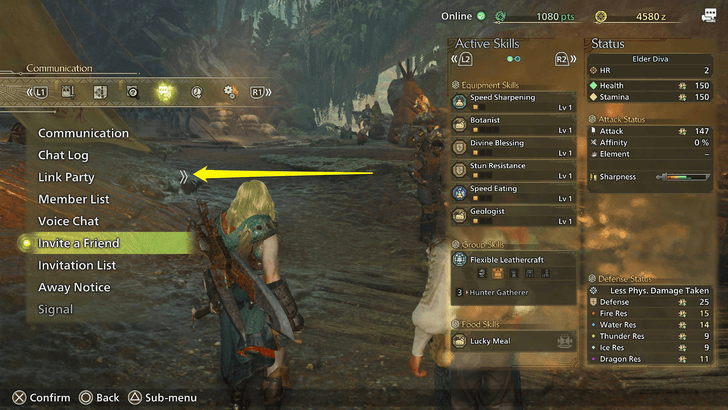
To play Multiplayer Story or Campaign Co-op, set up a Link Party with your friends first. This option is found under the Communications tab and will be available as long as you're online.
Multiplayer Guide: How to Play with Friends
Set Up Private Lobby for Faster Communications
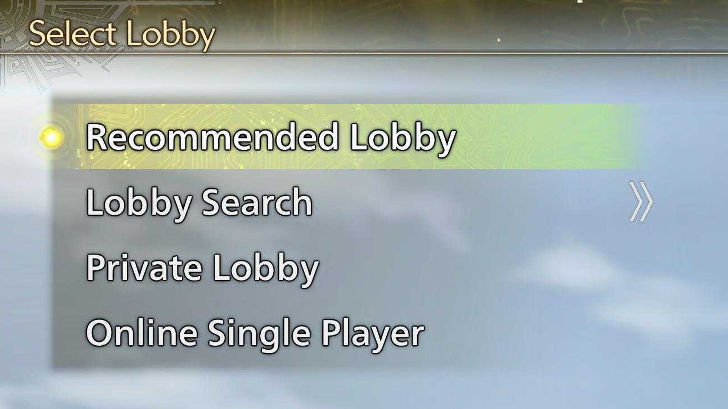
Setting up a private lobby is a good alternative to limit the hunters you interact with. It also allows you to rotate more players since Link Parties can only accommodate four.
You can set up a private lobby in the title menu or talk to Alma if you're already in-game.
Finish Cutscenes

Once you have a Link Party, progress through the game as intended. Watch all the cutscenes along the way, and when a quest is about to begin, you'll have the option to invite your friends.
Everyone must watch or skip the cutscene to progress and anyone who hasn't watched a specific cutscene from before that quest won't be able to join so it's important for everyone's campaign progress to be the same.
Walkthrough and List of Main Story Chapters
Call Friends Over to the Quests
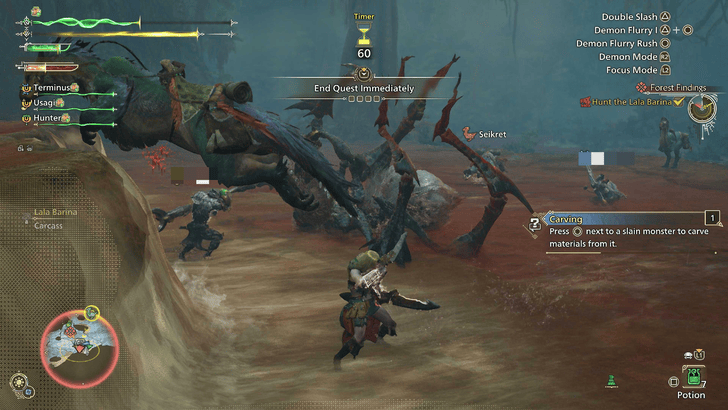
After watching cutscenes and when quests are about to begin, you can invite your friends to help with the next objectives.
Keep Link Party Members on Standby

Make sure your Link Party members aren’t bound to a mission that prevents them from leaving an area, such as the events before the A Stage of Rose and Thorn fight in the Forest Findings mission, as this is the first time you’ll access Scarlet Forest, and you won’t be able to leave until you defeat Lala Barina.
Repeat on Next Quests and Chapters
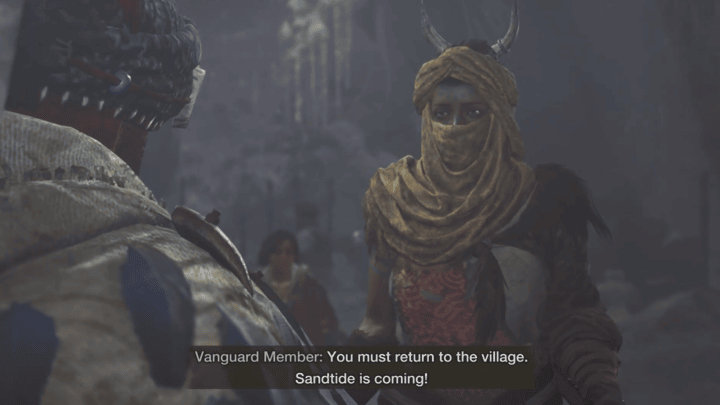
After completing the quest, keep progressing through the chapter without leaving the Link Party to continue playing Multiplayer Story.
If a player gets disconnected, everyone should wait for a downtime point again, as any mission that prevents fast travel will lock them in the area.
When Can You Play With Friends
Defeat Chatacabra
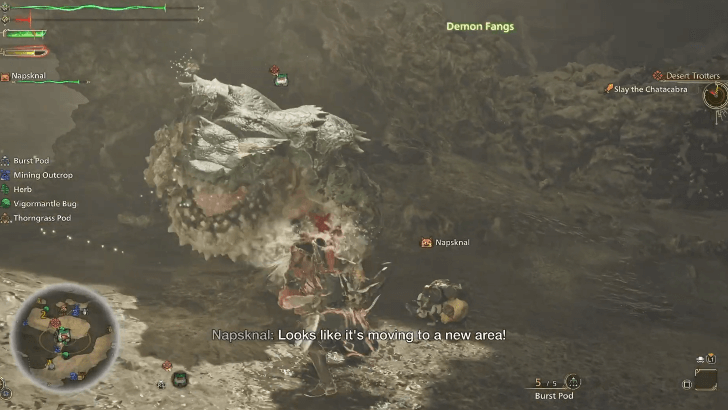
After defeating Chatacabra, progress a bit further until you reach the camp. Once you get some downtime with your hunter, you can start inviting other players to join you in Multiplayer Story.
Check the Communication Tab
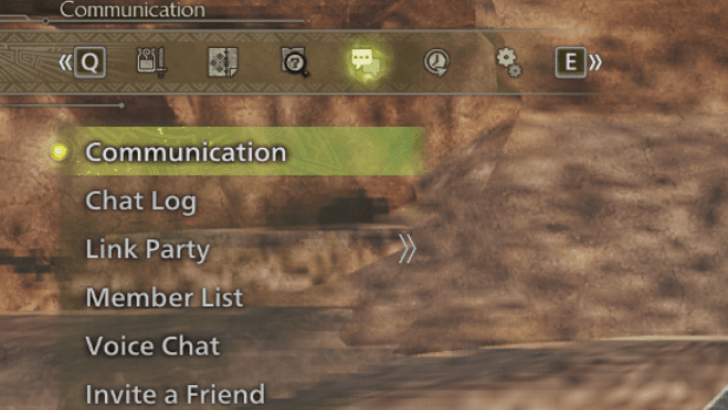
Open the in-game options and go to the Communication tab, where you'll find all multiplayer options. Feel free to explore them, but the one you'll use the most is the Link Party.
Set up a Link Party and use an Environment Link to bring friends into your world.
Multiplayer Story Explained
Campaign Co-op Mode
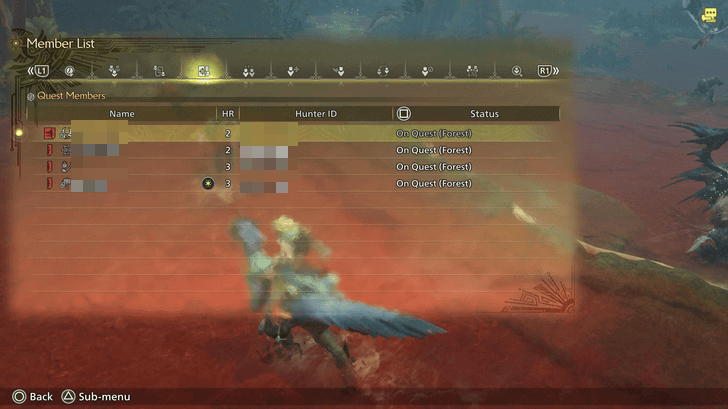
Multiplayer Story allows you to progress through campaigns with your friends or Link Party. While cutscenes and some objectives are done solo, most combat can be tackled with fellow hunters, making progress faster!
Feel free to check our message boards if you're looking for hunters to join you in Multiplayer Story!
Monster Hunter Related Guides
All Tips and Tricks Guides
Comment



Author

Multiplayer Story: How to Play Campaign Co-op

Premium Articles
Rankings
Gaming News




![Monster Hunter Stories 3 Review [First Impressions] | Simply Rejuvenating](https://img.game8.co/4438641/2a31b7702bd70e78ec8efd24661dacda.jpeg/thumb)
Popular Games

Genshin Impact Walkthrough & Guides Wiki
Honkai: Star Rail Walkthrough & Guides Wiki
Umamusume: Pretty Derby Walkthrough & Guides Wiki
Pokemon Pokopia Walkthrough & Guides Wiki
Resident Evil Requiem (RE9) Walkthrough & Guides Wiki
Monster Hunter Wilds Walkthrough & Guides Wiki
Wuthering Waves Walkthrough & Guides Wiki
Arknights: Endfield Walkthrough & Guides Wiki
Pokemon FireRed and LeafGreen (FRLG) Walkthrough & Guides Wiki
Pokemon TCG Pocket (PTCGP) Strategies & Guides Wiki









Recommended Games
Diablo 4: Vessel of Hatred Walkthrough & Guides Wiki
Cyberpunk 2077: Ultimate Edition Walkthrough & Guides Wiki
Fire Emblem Heroes (FEH) Walkthrough & Guides Wiki
Yu-Gi-Oh! Master Duel Walkthrough & Guides Wiki
Super Smash Bros. Ultimate Walkthrough & Guides Wiki
Pokemon Brilliant Diamond and Shining Pearl (BDSP) Walkthrough & Guides Wiki
Elden Ring Shadow of the Erdtree Walkthrough & Guides Wiki
Monster Hunter World Walkthrough & Guides Wiki
The Legend of Zelda: Tears of the Kingdom Walkthrough & Guides Wiki
Persona 3 Reload Walkthrough & Guides Wiki










All rights reserved
©CAPCOM
The copyrights of videos of games used in our content and other intellectual property rights belong to the provider of the game.
The contents we provide on this site were created personally by members of the Game8 editorial department.
We refuse the right to reuse or repost content taken without our permission such as data or images to other sites.