
Open Beta and Save File Bonuses
★ Arkveld Gamma Armor | MH Stories 3 Collab
☆ Version 1.041: Sororal α Armor | Shatterseal
★ How to Unlock Proof of a Hero Quest
☆ Omega Planetes | Savage Omega | Builds vs Omega
★ Armor Set Search updated for Ver 1.041
☆ HR50+ Builds | Tier List | Weapon Guides
Players with save data for Monster Hunter Wilds' Open Betas, as well as previous games, can claim rewards in the live game by carrying that data over. Learn how to claim all Open Beta save file bonuses and their contents in this guide!
List of Contents
How to Claim Open Beta Save File Bonuses
Claim Bonuses From a Support Desk Palico
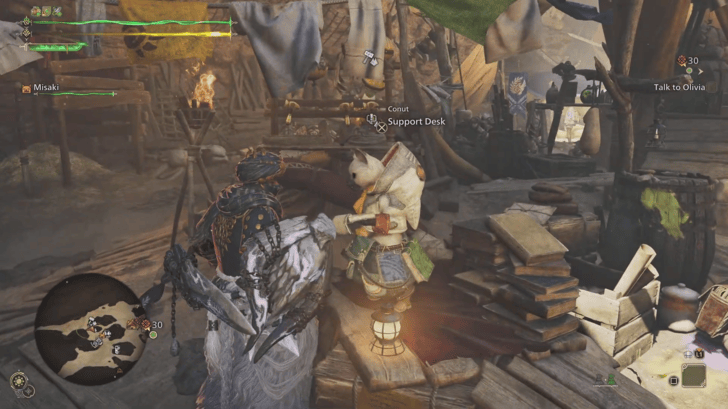
You can claim all Open Beta Save File Bonuses from a Support Desk Palico found at any Base Camp across all map locations. The earliest Support Desk Palico you can speak with will be Conut, who is located at the Windward Plains Base Camp, likely after you have unlocked the area and finished the opening tutorial portion of the game.
Select Claim Content
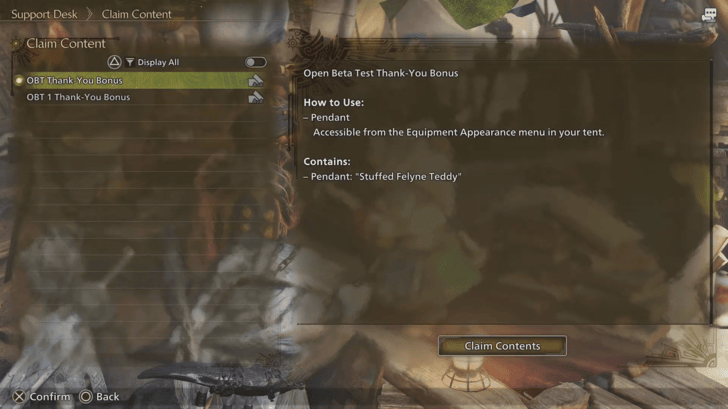
Upon speaking to a Support Desk Palico, choose the I'd like to request support option, and navigate down to the Claim Content tab. Selecting this will open an inbox where you can claim all of your Open Beta save file bonuses at any time!
Open Beta Save File Bonuses
Open Beta Players Get Free Items
| Beta Test Save Data Rewards | |
|---|---|
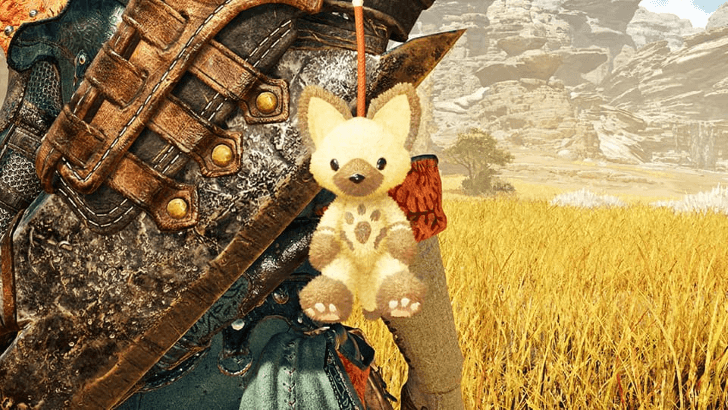 Open Beta Test Reward |
・A pendant for Weapon/Seikret. Purely cosmetic, it will appear on the models and provides no other effects. |
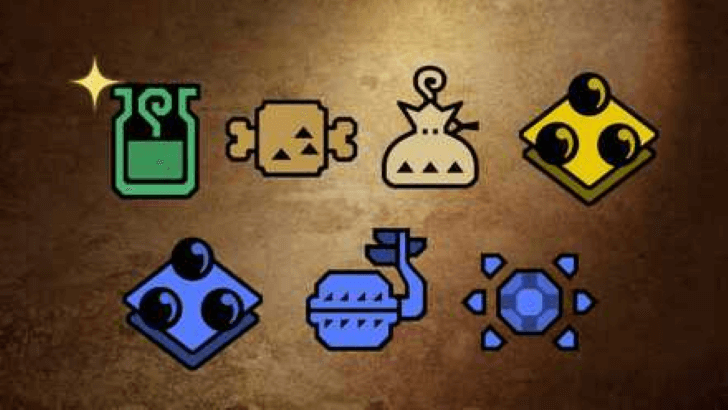 November 2024 Beta Reward |
・Mega Potion x10 ・Ration x5 ・Lifepowder x5 ・Max Potion x2 ・Herbal Medicine x2 ・Nulberry x2 ・Armor Sphere x5 |
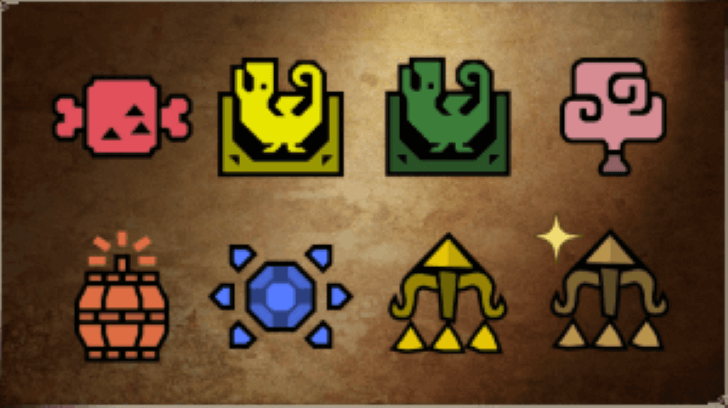 February 2025 Beta Reward |
・Raw Meat x10 ・Shock Trap x3 ・Pitfall Trap x3 ・Tranquilizer Bomb x10 ・Large Barrel Bomb x3 ・Armor Sphere x5 ・Slinger Flash Pods x10 ・Large Slinger Dung Pod x10 |
Players with save data from the Open Beta will be provided with additional free items on the release of the live game. They will need to carry over that data by playing on the same console that they did for the beta, in order to receive the rewards above.
Only the Hunter is Carried Over
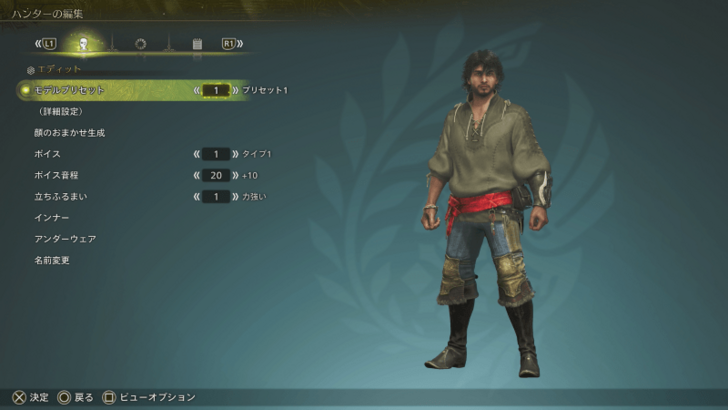
Note that only the created Hunter's appearance will actually carry over. The player's story progress, acquired items, and equipment will all be reset for the live game.
Edit the Hunter's Appearance in Beta
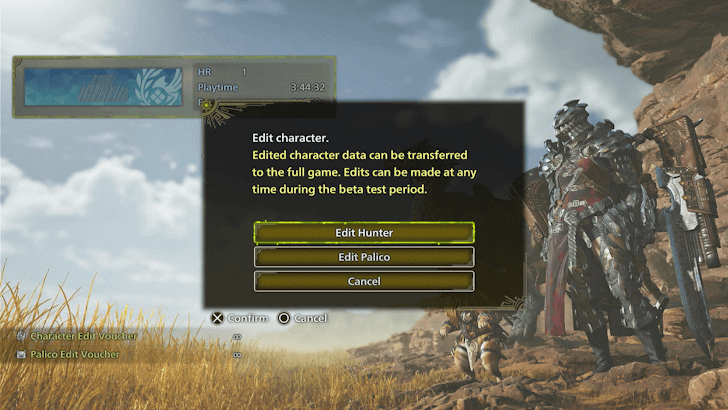
Players can edit the Hunter's appearance an unlimited amount of times in the Beta, but will need Character Edit Vouchers to do so in the live game.
Once the Beta Tests end, players will no longer be able to edit their character. Be sure to find a look you're comfortable with before the beta closes!
Previous Game Save File Bonuses
Save Data Bonuses for World/Iceborne
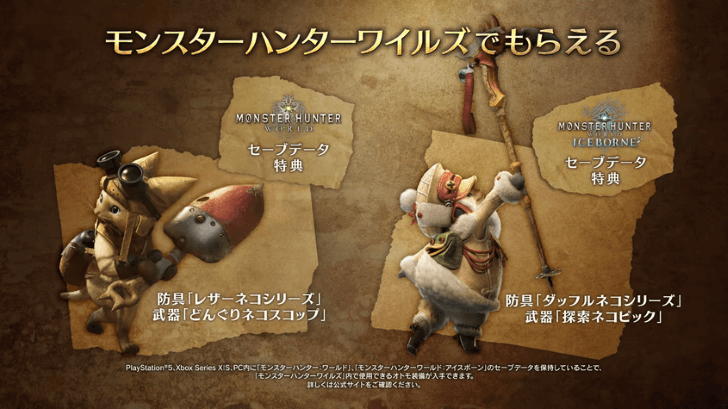
| Previous Title | Requirements |
|---|---|
| Monster Hunter World | Create a Hunter and a Palico, and ensure that the save data for them is available. |
| Monster Hunter World: Iceborne | Complete the Final Mission of Monster Hunter World, and head to the Asteria hub to go on a quest with the Feisty Fiver. Once you've gotten to Hoarfrost Reach, ensure that you've saved your data. |
There are also bonuses for players with Monster Hunter: World and Iceborne save data! Similarly to the Beta save data, players will need to run Monster Hunter Wilds on the same console that has their previous data.
Monster Hunter World Save Data Rewards
No Save Data Bonus for Rise

Unfortunately, there has been no announcement of any bonuses for players with save data from Monster Hunter Rise. Should new information be released, this section will be updated accordingly, so stay tuned!
Monster Hunter Wilds Related Guides
All Tips and Tricks Guides
Comment



Author

Open Beta and Save File Bonuses

Premium Articles
Rankings
- We could not find the message board you were looking for.
Gaming News




![Monster Hunter Stories 3 Review [First Impressions] | Simply Rejuvenating](https://img.game8.co/4438641/2a31b7702bd70e78ec8efd24661dacda.jpeg/thumb)
Popular Games

Genshin Impact Walkthrough & Guides Wiki
Honkai: Star Rail Walkthrough & Guides Wiki
Umamusume: Pretty Derby Walkthrough & Guides Wiki
Pokemon Pokopia Walkthrough & Guides Wiki
Resident Evil Requiem (RE9) Walkthrough & Guides Wiki
Monster Hunter Wilds Walkthrough & Guides Wiki
Wuthering Waves Walkthrough & Guides Wiki
Arknights: Endfield Walkthrough & Guides Wiki
Pokemon FireRed and LeafGreen (FRLG) Walkthrough & Guides Wiki
Pokemon TCG Pocket (PTCGP) Strategies & Guides Wiki









Recommended Games
Diablo 4: Vessel of Hatred Walkthrough & Guides Wiki
Cyberpunk 2077: Ultimate Edition Walkthrough & Guides Wiki
Fire Emblem Heroes (FEH) Walkthrough & Guides Wiki
Yu-Gi-Oh! Master Duel Walkthrough & Guides Wiki
Super Smash Bros. Ultimate Walkthrough & Guides Wiki
Pokemon Brilliant Diamond and Shining Pearl (BDSP) Walkthrough & Guides Wiki
Elden Ring Shadow of the Erdtree Walkthrough & Guides Wiki
Monster Hunter World Walkthrough & Guides Wiki
The Legend of Zelda: Tears of the Kingdom Walkthrough & Guides Wiki
Persona 3 Reload Walkthrough & Guides Wiki










All rights reserved
©CAPCOM
The copyrights of videos of games used in our content and other intellectual property rights belong to the provider of the game.
The contents we provide on this site were created personally by members of the Game8 editorial department.
We refuse the right to reuse or repost content taken without our permission such as data or images to other sites.