
Squad System Explained
★ Arkveld Gamma Armor | MH Stories 3 Collab
☆ Version 1.041: Sororal α Armor | Shatterseal
★ How to Unlock Proof of a Hero Quest
☆ Omega Planetes | Savage Omega | Builds vs Omega
★ Armor Set Search updated for Ver 1.041
☆ HR50+ Builds | Tier List | Weapon Guides
Squad System allows you to form a more personalized team in Monster Hunter Wilds. Learn more about the Squad System here and how to make or join a squad in this guide.
New Squad System Features
Squad Information Counter Now in Grand Hub
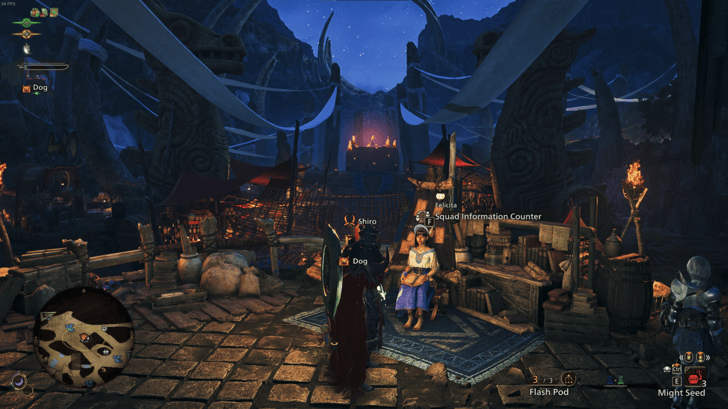
As of Title Update 1, the Squad Information Counter has been relocated to the Grand Hub, moving from its original spot at the Windward Plains Base Camp.
This change takes effect once you unlock the Grand Hub by reaching HR 16 and speaking to Tatsuzan in Suja. From that point on, all Squad-related features and information will be accessed at its new location.
How to Join a Squad
Select Join a New Squad
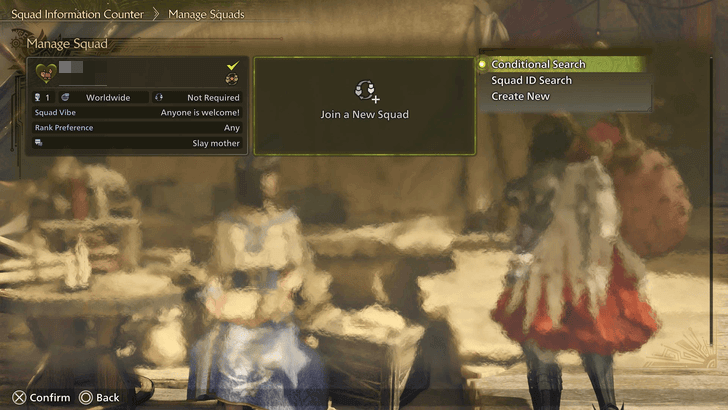
To start, talk to Felicita at the Windward Plains Base Camp or Grand Hub and select Join a New Squad. You'll be presented with three options here: search for an existing squad, join a private one, or create your own.
Felicita Location
| Windward Plains | Grand Hub |
|---|---|
 |
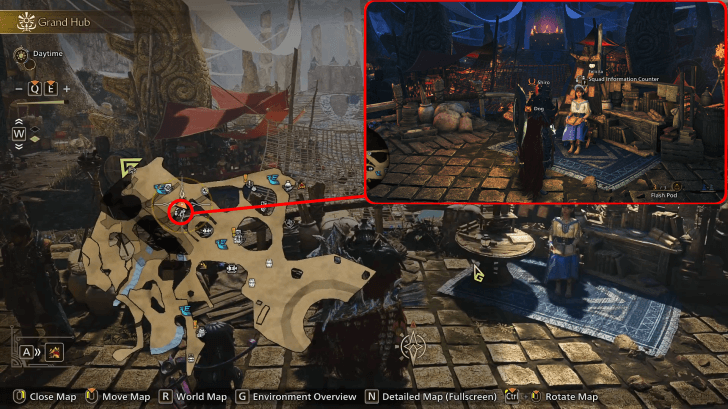 |
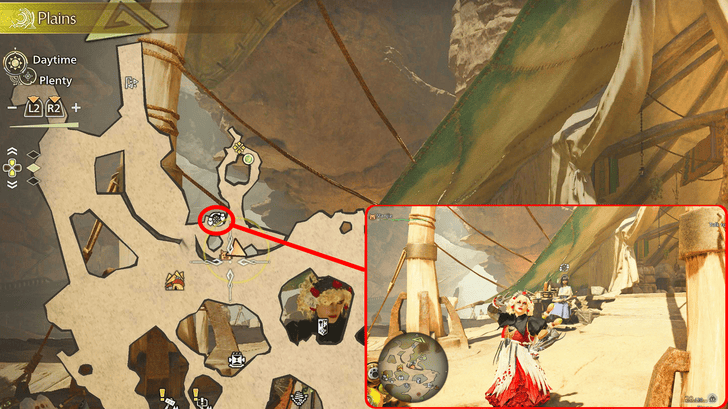
You can find Felicita at your Base Camp in Windward Plains, though she will permanently move to the Grand Hub once you have it unlocked. Her Squad services are only available in these locations, as she does not appear in other Base Camps.
Interactive Map and List of Locations
Use Conditional Search
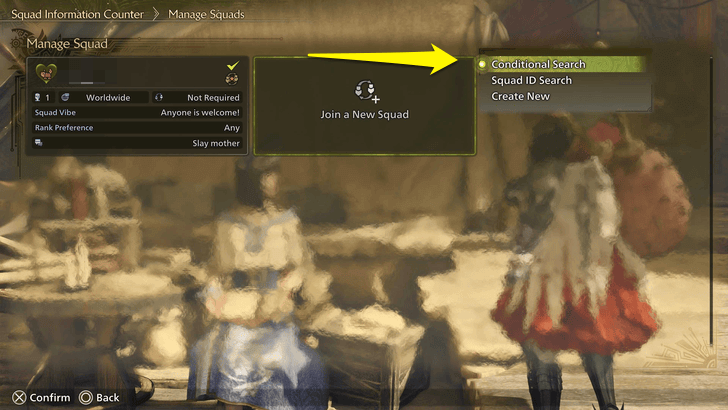
If you're looking to join a public squad, use Conditional Search. You can further filter this based on your preferences, such as the squad's vibe, platform, or language. The system will then find a squad for you.
Search Squad ID
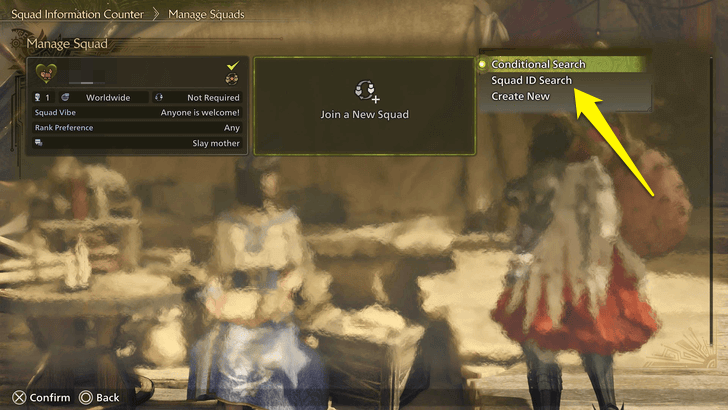
If you want to join a squad made by a friend and have the code for it, select Search Squad ID instead. Enter the Squad ID code, and you should be able to join shortly.
How to Create a Squad
Select Create New
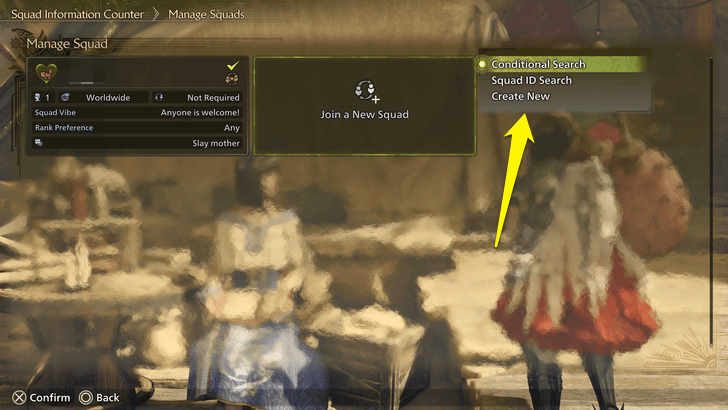
Speak to Felicita again, but this time, instead of looking for a public squad or inputting a code, choose the last option, Create New, to start making your own squad.
Customize Squad Features
| Squad Features |
|---|
|
|

The Squad System offers plenty of customization options, from filtering specific members to customizing your icon and even setting a tagline for everyone to use. Feel free to personalize it however you want!
Approval Condition
When setting the approval condition, you can choose to either let members join freely or require your approval first. If you're planning to recruit publicly, you can set it to open entry. Otherwise, if you want to have control over which members join, turn on the approval setting instead.
Squad Vibe
| Squad Vibe | Player Type |
|---|---|
| Anyone is welcome! | Choose this if you don't have any particular condition in mind. |
| Seeking hunters with similar HR! | Choose this if you want to form a squad with players with the same HR. |
| New hunters welcome! | Choose this if you want to form a squad with newbies or hunters of lower ranks. |
| Looking for veterans! | Choose this if you want to match up with players with experience from previous Monster Hunter titles. |
Squad Vibes sets up the general theme of your squad! You can choose to either only house newbies, veterans, low ranks, or anyone if you want variety.
Rank Preference
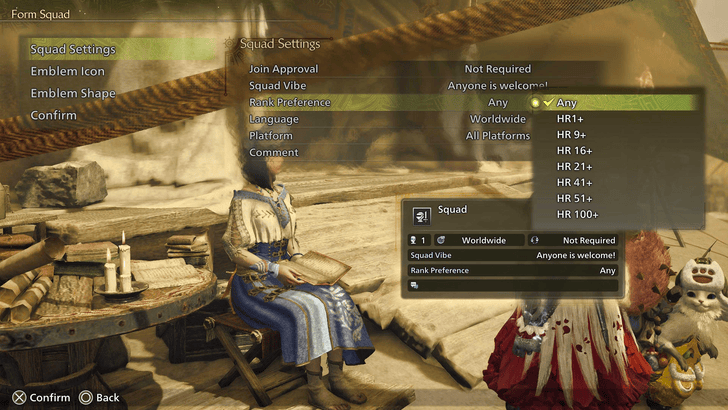
You can further filter the members based on their current ranks. In the rank preference, you can set it to any of the options to only allow players of certain ranks. You can also choose to not put a limit if you want a more varied squad in terms of Hunter Rank.
Hunter Rank Farm Guide and Unlocks
Language
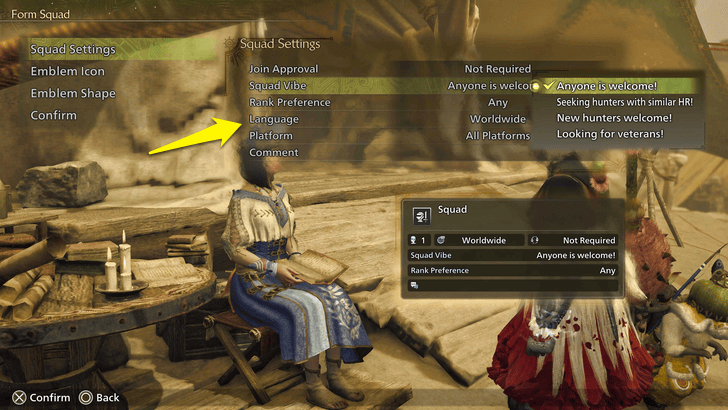
You can also set the main language of your group. If you prefer a squad that uses a specific language, go ahead and set it here. This makes communication easier since you won’t have to translate anything.
Platform
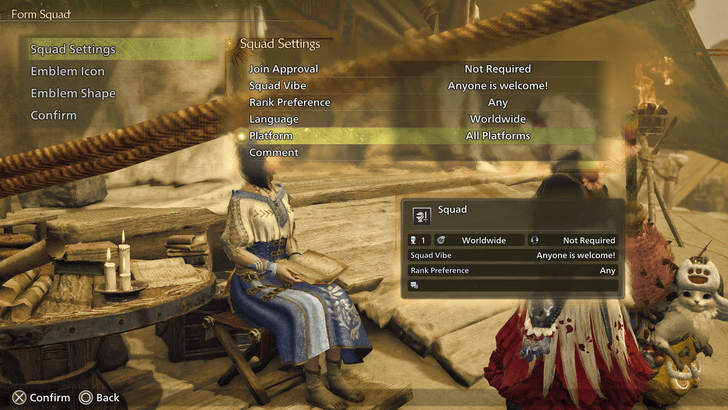
If you want to gather squad members who are using the same platform as you, you can set that option here. However, you can’t choose specific platforms—only either the same as yours or no filter at all.
Available Platforms and Consoles Guide
Comment
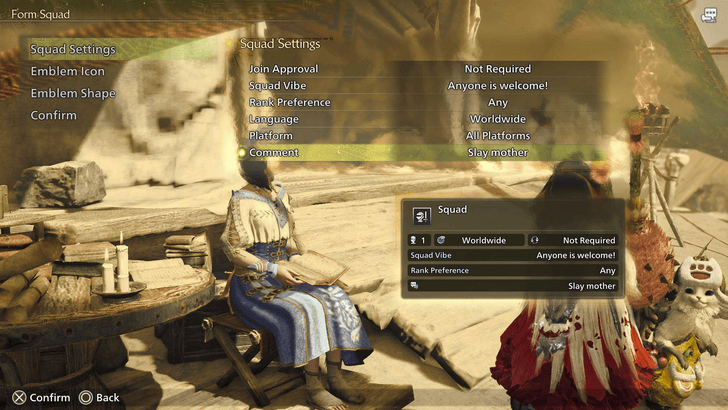
In the comment section, you can also set up a tagline for your squad. This will appear when defeating a monster, so feel free to personalize it as well!
Emblem Icon
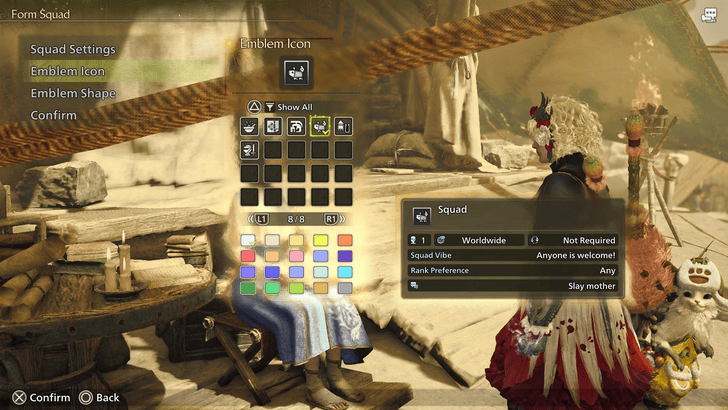
You can also set up an emblem for your squad! The emblem maker has tons of options, so create one that best represents your squad's personality.
Name Your Squad
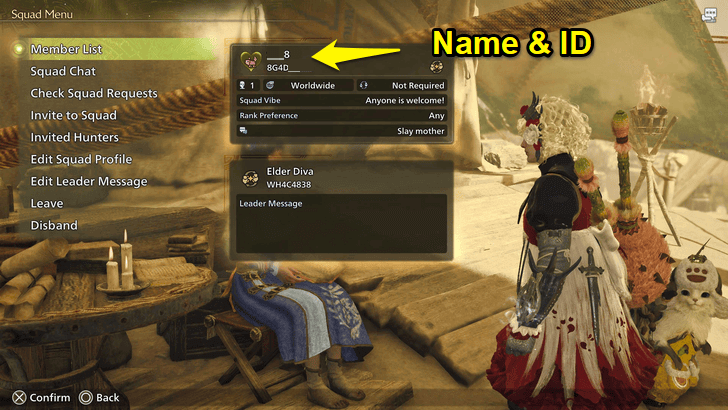
Once everything is set, choose a name for your Squad. You can name it however you want, as long as it's not offensive.
Invite Players
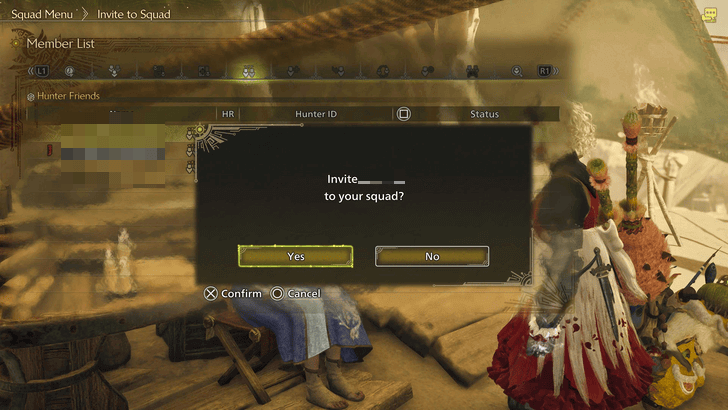
After setting up the squad, you can start inviting players. In the Manage Squad screen, click on your squad to see multiplayer options like checking the member list, inviting friends, or managing your own invitations. Use any of these to invite people to your squad.
If you're looking for a place to advertise your Squad, use the link below to check out our message boards. Feel free to recruit fellow hunters!
Squad System Explained
A More Personalized Link Party
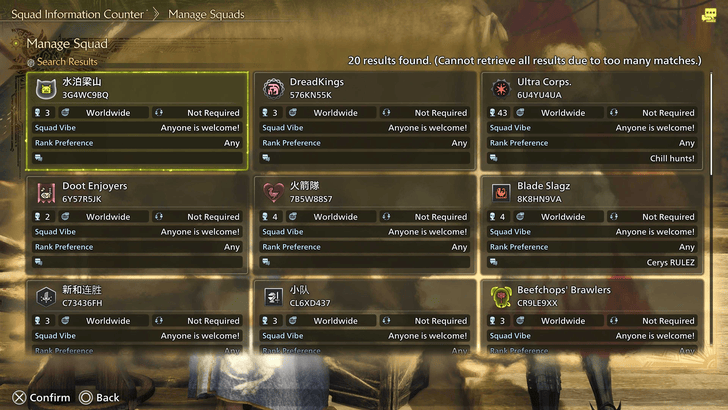
Squad System is a more personalized version of Link Parties, giving a guild-like experience compared to the quick matchmaking of other game modes. You can even name your squad and create a custom logo to showcase its personality!
Monster Hunter Wilds Related Guides
All Tips and Tricks Guides
Comment



Author

Squad System Explained

Premium Articles
Rankings
- We could not find the message board you were looking for.
Gaming News




![Monster Hunter Stories 3 Review [First Impressions] | Simply Rejuvenating](https://img.game8.co/4438641/2a31b7702bd70e78ec8efd24661dacda.jpeg/thumb)
Popular Games

Genshin Impact Walkthrough & Guides Wiki
Honkai: Star Rail Walkthrough & Guides Wiki
Umamusume: Pretty Derby Walkthrough & Guides Wiki
Pokemon Pokopia Walkthrough & Guides Wiki
Resident Evil Requiem (RE9) Walkthrough & Guides Wiki
Monster Hunter Wilds Walkthrough & Guides Wiki
Wuthering Waves Walkthrough & Guides Wiki
Arknights: Endfield Walkthrough & Guides Wiki
Pokemon FireRed and LeafGreen (FRLG) Walkthrough & Guides Wiki
Pokemon TCG Pocket (PTCGP) Strategies & Guides Wiki









Recommended Games
Diablo 4: Vessel of Hatred Walkthrough & Guides Wiki
Cyberpunk 2077: Ultimate Edition Walkthrough & Guides Wiki
Fire Emblem Heroes (FEH) Walkthrough & Guides Wiki
Yu-Gi-Oh! Master Duel Walkthrough & Guides Wiki
Super Smash Bros. Ultimate Walkthrough & Guides Wiki
Pokemon Brilliant Diamond and Shining Pearl (BDSP) Walkthrough & Guides Wiki
Elden Ring Shadow of the Erdtree Walkthrough & Guides Wiki
Monster Hunter World Walkthrough & Guides Wiki
The Legend of Zelda: Tears of the Kingdom Walkthrough & Guides Wiki
Persona 3 Reload Walkthrough & Guides Wiki










All rights reserved
©CAPCOM
The copyrights of videos of games used in our content and other intellectual property rights belong to the provider of the game.
The contents we provide on this site were created personally by members of the Game8 editorial department.
We refuse the right to reuse or repost content taken without our permission such as data or images to other sites.