
List of Controls
★ Arkveld Gamma Armor | MH Stories 3 Collab
☆ Version 1.041: Sororal α Armor | Shatterseal
★ How to Unlock Proof of a Hero Quest
☆ Omega Planetes | Savage Omega | Builds vs Omega
★ Armor Set Search updated for Ver 1.041
☆ HR50+ Builds | Tier List | Weapon Guides
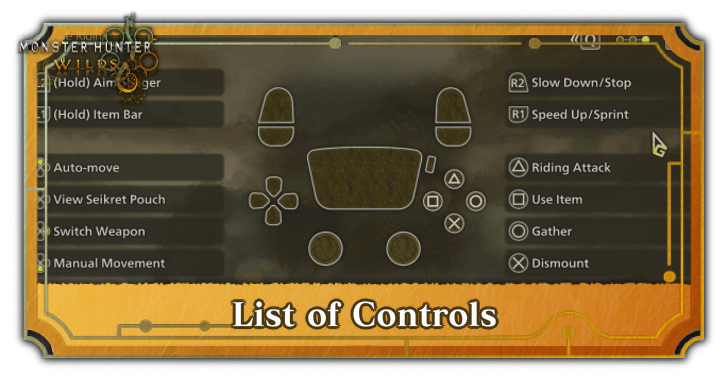
This is a guide to all the controls for Playstation, Xbox, and PC for Monster Hunter Wilds. See all of the general control list as well as controls for the slinger and seikret mount.
List of Contents
List of Controls
Sheathed Weapon Controls
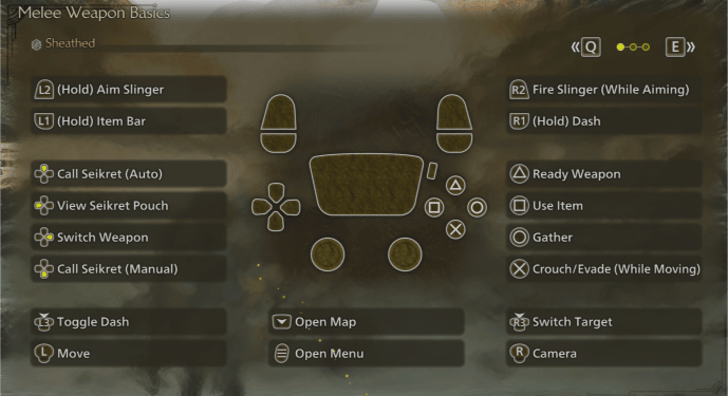
| Commands | PS4 | PC | XBOX |
|---|---|---|---|
| Gather |  |
 |
 |
| Jump |  |
 |
 |
| Use Item |  |
 |
 |
| Unsheathe |  or or |
 or or  |
 or or |
| Move |  |
    |
 |
| Dash Toggle |  |
 |
 |
| Camera |  |
 |
 |
| Lock On |  |
 |
 |
| Display Items |  |
 |
 |
| Aim Slinger |  |
 |
 |
| Sprint |  |
 |
 |
| Seikret |  |
 or or  |
|
| Menu |  |
 |
 |
| Map |  |
 |

|
Control List is based on the default settings and may be changed in-game.
Unsheathed Weapon Controls
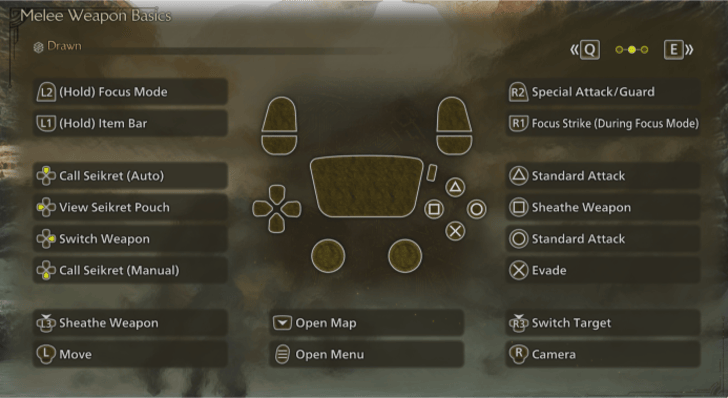
| Commands | PS4 | PC | XBOX |
|---|---|---|---|
| Attack Reload/Coating |
|
|
|
| Attack Switch Mode/ Special Ammo |
|
|
|
| Dodge | |
|
|
| Sheathe Weapon | or |
or |
or |
| Focus Strike | + |
+ |
+ |
| Guard/Special Attack Shoot |
|
|
|
| Move | |
|
|
| Camera | |
|
|
| Display Items | |
|
|
| Focus Mode | |
|
|
| Seikret | |
or |
|
| Shoot Slinger | + |
 + + |
+ |
| Lock On | |
|
|
| Menu | |
|
|
| Map | |
|
|
All controls are based on the default settings.
Seikret Controls
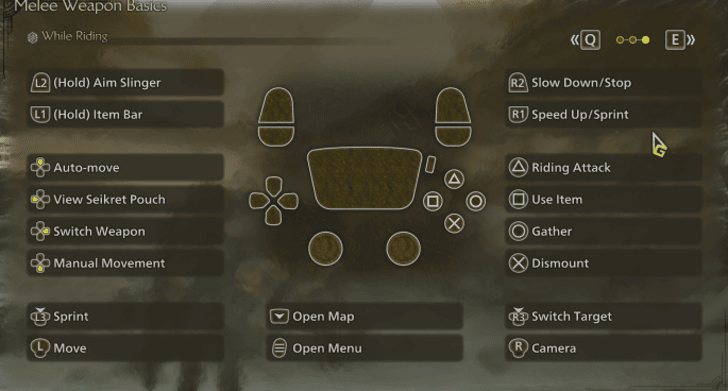
| Commands | PS4 | PC | XBOX |
|---|---|---|---|
| Mounted Attack | |
|
|
| Dismount Attack | + |
+ |
+ |
| Gather | |
|
|
| Dismount | |
|
|
| Sprint | |
|
|
| Slow Down/Stop | |
 |
|
| Move | |
|
|
| Camera | |
|
|
| Display Items | |
|
|
| Aim Slinger | |
|
|
| Shoot Slinger (While Aiming) | |
|
|
| Sprint Toggle | |
(Hold) |
|
| Lock On | |
|
|
| Menu | |
|
|
| Map | |
|
|
All controls are based on the default settings.
Item Controls
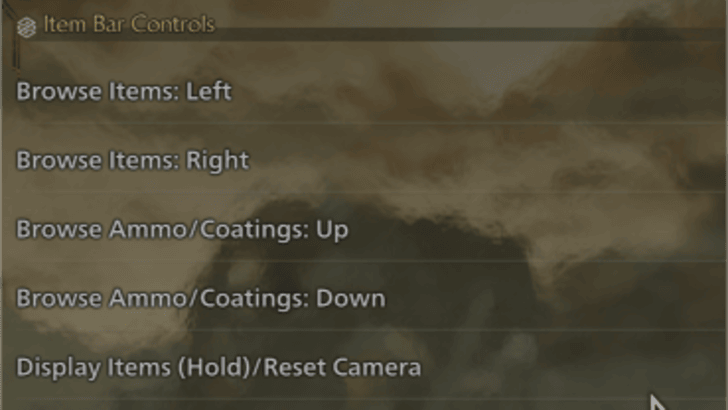
| Commands | PS4 | PC | XBOX |
|---|---|---|---|
| Mounted Attack | |
|
|
| Dismount Attack | + |
+ |
+ |
| Use Item | |
|
|
| Display Items | |
|
|
| Select Items | or |
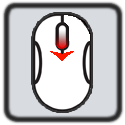 or or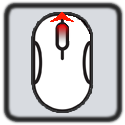 |
or |
| Select Items (Expanded View) | + |
+ |
+ |
| Radial Menu | ↓or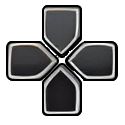 + + |
↓or+F Keys |
↓or + + |
All controls are based on the default settings.
Mounting Controls
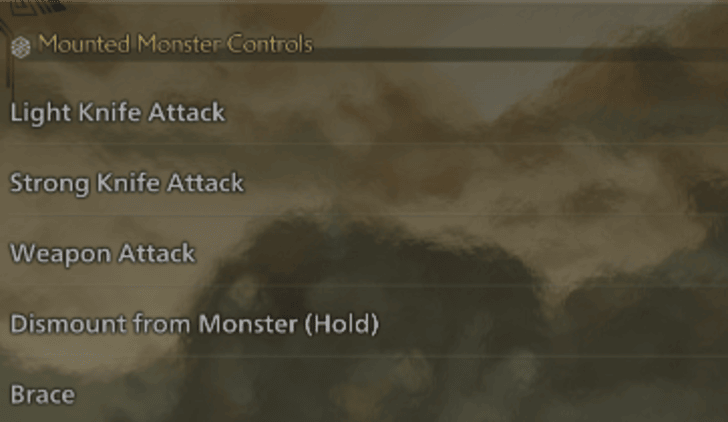
| Commands | PS4 | PC | XBOX |
|---|---|---|---|
| All inputs are executed only while mounted on a monster. | |||
| Light Knife Attack | |
|
|
| Strong Knife Attack |
| |
|
| Weapon Attack | |
|
|
| Brace |
| |
|
| Dismount | |
|
|
All controls are based on the default settings.
Miscellaneous Controls
| Commands | PS4 | PC | XBOX |
|---|---|---|---|
| Sneak Attack (While Undetected) |
|
|
|
| Power Clash Counter Input | |
|
|
All Weapon Guides
All Weapon Guides
| All Weapon Tutorials | |||||
|---|---|---|---|---|---|
 Great Sword Great Sword |
 Long Sword Long Sword |
 Sword & Shield Sword & Shield |
|||
 Dual Blades Dual Blades |
 Hammer Hammer |
 Hunting Horn Hunting Horn |
|||
 Lance Lance |
 Gunlance Gunlance |
 Switch Axe Switch Axe |
|||
 Charge Blade Charge Blade |
 Insect Glaive Insect Glaive |
 Light Bowgun Light Bowgun |
|||
 Heavy Bowgun Heavy Bowgun |
 Bow Bow |
||||
All Weapon Trees
| All Weapon Trees | |||||
|---|---|---|---|---|---|
 Great Sword Great Sword |
 Long Sword Long Sword |
 Sword & Shield Sword & Shield |
|||
 Dual Blades Dual Blades |
 Hammer Hammer |
 Hunting Horn Hunting Horn |
|||
 Lance Lance |
 Gunlance Gunlance |
 Switch Axe Switch Axe |
|||
 Charge Blade Charge Blade |
 Insect Glaive Insect Glaive |
 Kinsects Kinsects |
|||
 Light Bowgun Light Bowgun |
 Heavy Bowgun Heavy Bowgun |
 Bow Bow |
|||
Can You Change Controls
Some Controls Can Be Changed for Controllers
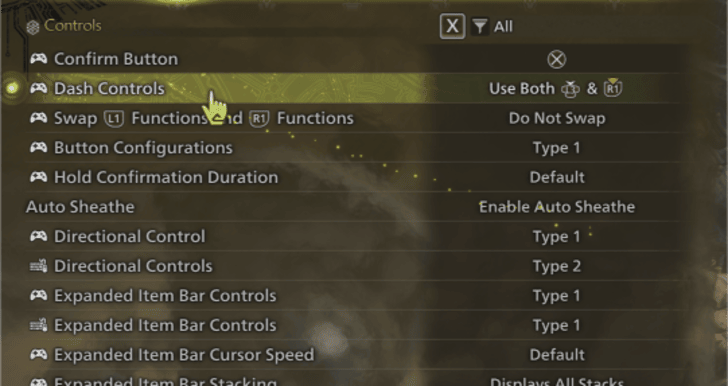
If you're playing on a controller or game pad, you will be able to change your controls to some degree such as commands for the directional pad as well as other multitude of other setups on the controls options.
However, you won't be able to manually change each input via configuration.
Settings that Can be Changed for Gamepad Settings
| Changable Controller Settings |
|---|
|
・Confirm Button ・Sprint Button ・Swapping Left trigger and Right trigger commands ・Directional Key via analog stick movement. |
These are the major customizable input settings available for the gamepad. There are other settings you can change but these options provide other effects to your inputs such as making your weapon sheathe automatically, slinger reloads, etc.
Keyboard Controls Can be Changed
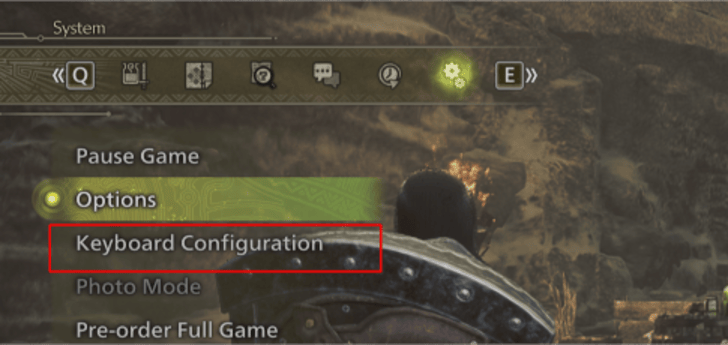 For PC/ Keyboard and Mouse players, you'll be able to change to Systems then Keyboard Configuration. Each button can be assigned a primary key and a secondary key that you can use to further customize your hunting experience!
Best Keyboard Settings and Key Bindings
Monster Hunter Wild Related Guides
All Tips and Tricks Guides
Comment



Author

List of Controls

Premium Articles
Rankings
- We could not find the message board you were looking for.
Gaming News




![Monster Hunter Stories 3 Review [First Impressions] | Simply Rejuvenating](https://img.game8.co/4438641/2a31b7702bd70e78ec8efd24661dacda.jpeg/thumb)
Popular Games

Genshin Impact Walkthrough & Guides Wiki
Honkai: Star Rail Walkthrough & Guides Wiki
Umamusume: Pretty Derby Walkthrough & Guides Wiki
Pokemon Pokopia Walkthrough & Guides Wiki
Resident Evil Requiem (RE9) Walkthrough & Guides Wiki
Monster Hunter Wilds Walkthrough & Guides Wiki
Wuthering Waves Walkthrough & Guides Wiki
Arknights: Endfield Walkthrough & Guides Wiki
Pokemon FireRed and LeafGreen (FRLG) Walkthrough & Guides Wiki
Pokemon TCG Pocket (PTCGP) Strategies & Guides Wiki









Recommended Games
Diablo 4: Vessel of Hatred Walkthrough & Guides Wiki
Cyberpunk 2077: Ultimate Edition Walkthrough & Guides Wiki
Fire Emblem Heroes (FEH) Walkthrough & Guides Wiki
Yu-Gi-Oh! Master Duel Walkthrough & Guides Wiki
Super Smash Bros. Ultimate Walkthrough & Guides Wiki
Pokemon Brilliant Diamond and Shining Pearl (BDSP) Walkthrough & Guides Wiki
Elden Ring Shadow of the Erdtree Walkthrough & Guides Wiki
Monster Hunter World Walkthrough & Guides Wiki
The Legend of Zelda: Tears of the Kingdom Walkthrough & Guides Wiki
Persona 3 Reload Walkthrough & Guides Wiki










All rights reserved
©CAPCOM
The copyrights of videos of games used in our content and other intellectual property rights belong to the provider of the game.
The contents we provide on this site were created personally by members of the Game8 editorial department.
We refuse the right to reuse or repost content taken without our permission such as data or images to other sites.