
How to Save the Game
★ Arkveld Gamma Armor | MH Stories 3 Collab
☆ Version 1.041: Sororal α Armor | Shatterseal
★ How to Unlock Proof of a Hero Quest
☆ Omega Planetes | Savage Omega | Builds vs Omega
★ Armor Set Search updated for Ver 1.041
☆ HR50+ Builds | Tier List | Weapon Guides
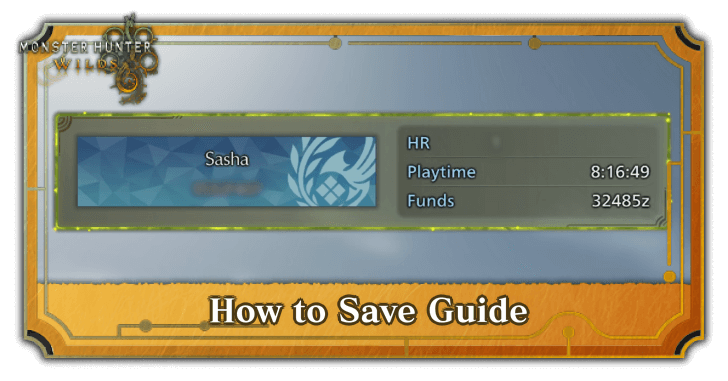
Manually save the game through the Systems tab to save your game in Monster Hunter Wilds (MH Wilds). Find out how to save and delete data with this guide!
List of Contents
How to Save
Save Manually From the Systems Menu
To save your game manually, navigate to the Main Menu and toggle to Systems then select Save. You can do this at any point except when you are in a quest.
Autosave Feature is Enabled
Monster Hunter Wilds has an autosave feature which automatically saves your progress whenever you finish a quest. This feature was present in the previous game in the series, Monster Hunter Rise.
Currently, the autosave feature is permanent and cannot be toggled, although this feature may be changed in the future.
Autosave vs. Manual Save Features
| Autosave | Manual Save |
|---|---|
| This feature automatically saves your progress after finishing a quest. | Players will be prompted to save manually after finishing a quest. |
| Overwrites previous save state. | Does not save progress unless you save manually. |
| Items, materials, and gil are saved automatically after finishing a quest. | Items, materials, and gil are not saved automatically. |
Save Manually After Finishing the Game
After finishing the game, select Return to Title or End Game. A prompt will appear afterwards, so manually save your game progress there.
How to Delete Save Files
Delete Save Files From the Title Screen
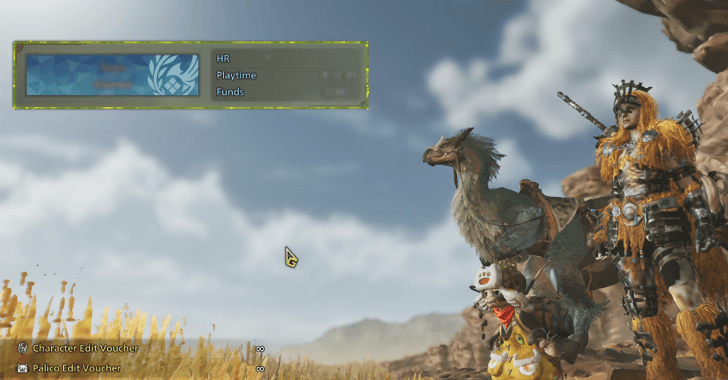
You can delete save files by accessing the save menu from the title screen. Select a save file then choose Delete Save to delete it.
Take note that If you participated in the Closed Beta Test (CBT), you will also receive bonus items in the full version of the game, so do not delete your save file from the closed beta test!
Monster Hunter Wilds Related Guides
All Tips and Tricks Guides
Comment



Author

How to Save the Game

Premium Articles
Rankings
Gaming News




![Monster Hunter Stories 3 Review [First Impressions] | Simply Rejuvenating](https://img.game8.co/4438641/2a31b7702bd70e78ec8efd24661dacda.jpeg/thumb)
Popular Games

Genshin Impact Walkthrough & Guides Wiki
Honkai: Star Rail Walkthrough & Guides Wiki
Umamusume: Pretty Derby Walkthrough & Guides Wiki
Pokemon Pokopia Walkthrough & Guides Wiki
Resident Evil Requiem (RE9) Walkthrough & Guides Wiki
Monster Hunter Wilds Walkthrough & Guides Wiki
Wuthering Waves Walkthrough & Guides Wiki
Arknights: Endfield Walkthrough & Guides Wiki
Pokemon FireRed and LeafGreen (FRLG) Walkthrough & Guides Wiki
Pokemon TCG Pocket (PTCGP) Strategies & Guides Wiki









Recommended Games
Diablo 4: Vessel of Hatred Walkthrough & Guides Wiki
Cyberpunk 2077: Ultimate Edition Walkthrough & Guides Wiki
Fire Emblem Heroes (FEH) Walkthrough & Guides Wiki
Yu-Gi-Oh! Master Duel Walkthrough & Guides Wiki
Super Smash Bros. Ultimate Walkthrough & Guides Wiki
Pokemon Brilliant Diamond and Shining Pearl (BDSP) Walkthrough & Guides Wiki
Elden Ring Shadow of the Erdtree Walkthrough & Guides Wiki
Monster Hunter World Walkthrough & Guides Wiki
The Legend of Zelda: Tears of the Kingdom Walkthrough & Guides Wiki
Persona 3 Reload Walkthrough & Guides Wiki










All rights reserved
©CAPCOM
The copyrights of videos of games used in our content and other intellectual property rights belong to the provider of the game.
The contents we provide on this site were created personally by members of the Game8 editorial department.
We refuse the right to reuse or repost content taken without our permission such as data or images to other sites.