
Design Codes Sharing Board
★ Arkveld Gamma Armor | MH Stories 3 Collab
☆ Version 1.041: Sororal α Armor | Shatterseal
★ How to Unlock Proof of a Hero Quest
☆ Omega Planetes | Savage Omega | Builds vs Omega
★ Armor Set Search updated for Ver 1.041
☆ HR50+ Builds | Tier List | Weapon Guides
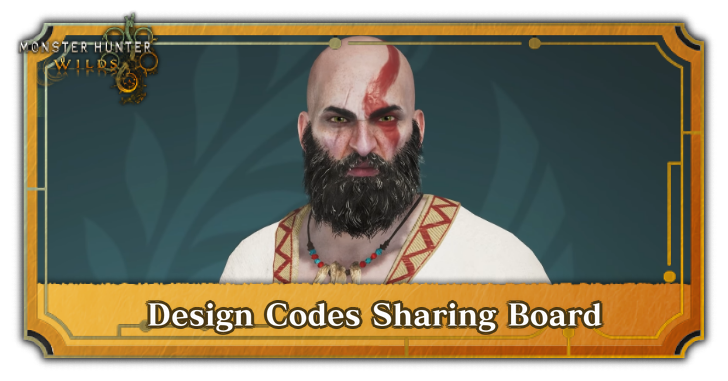
Design Codes let you share your custom-made Hunters in Monster Hunter Wilds. Learn how to share and download a Design Code, and see all the best Design Codes to try in-game!
| Character Design Codes | |
|---|---|
| How to Upload/Download | Design Codes Sharing Board |
List of Contents
Best Design Codes
| Jump to a Section! | ||
|---|---|---|
| Hunters | Palicoes | Hunter and Palico Set |
Hunter Design Codes
Fandom Recreations
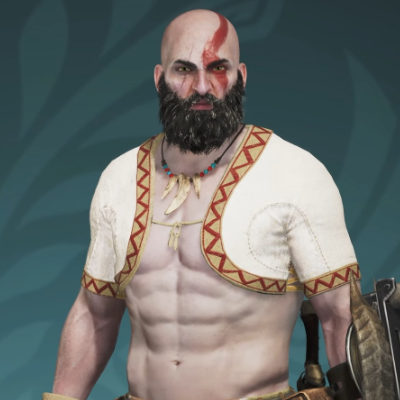 Code: AQ9MW9FM8NC8 Creator: @onshiftgaming |
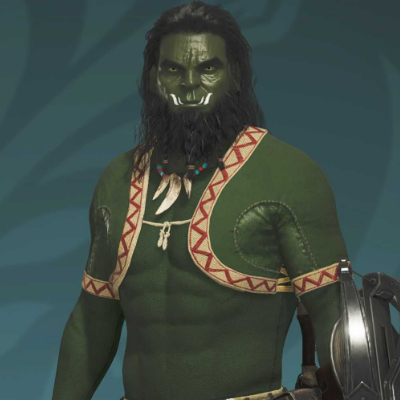 Code: JM3HS9R88RB4 Creator: u/KSims007 |
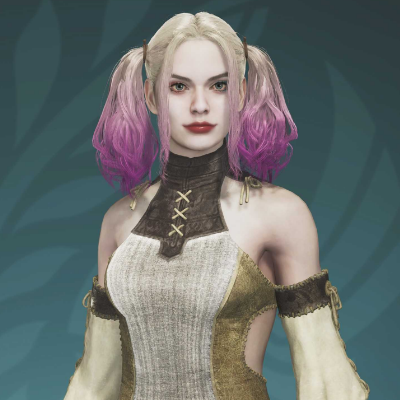 Code: WH37E5JA5GM6 Creator: @GAME CC |
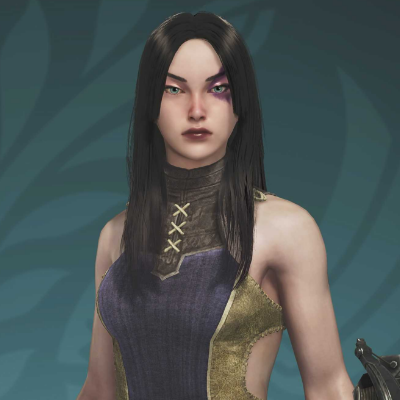 Code: H77HW3QK8H99 Creator: u/Sad_Morning1665 |
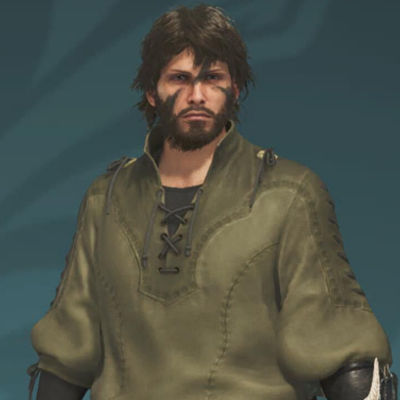 Code: 973Q34NJ5845 Creator: Jackz-R97 |
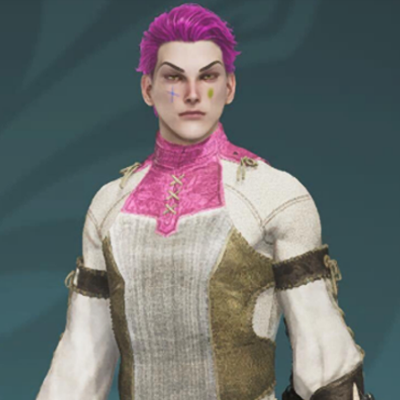 Code: MW3BJ6QD33Q5 Creator: 36 Pball |
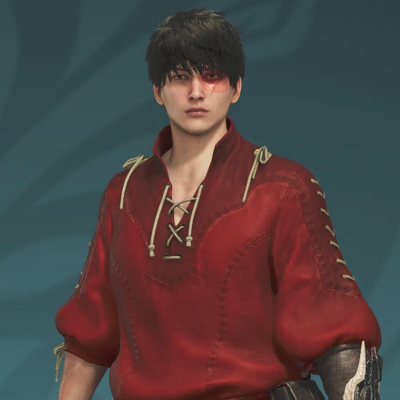 Code: BM6QV6TK3897 Creator: Dawnlock |
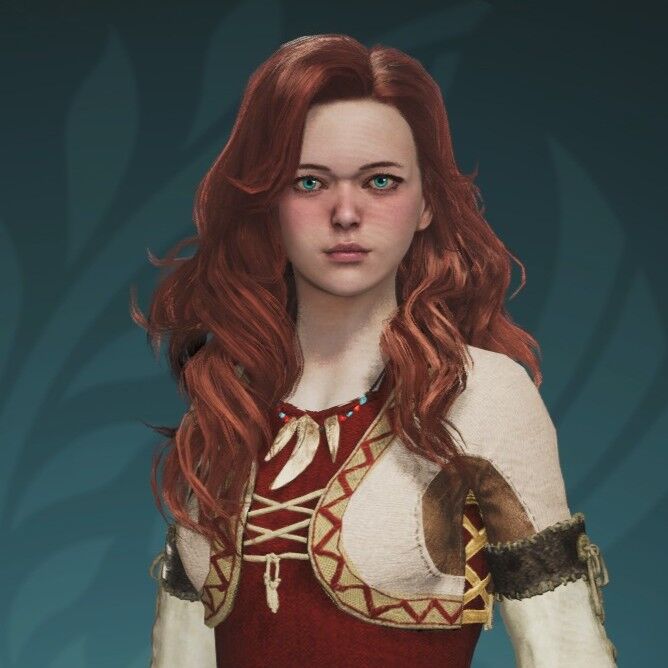 Code: 6M9EP9RX5T98 Creator: MackSEpique |
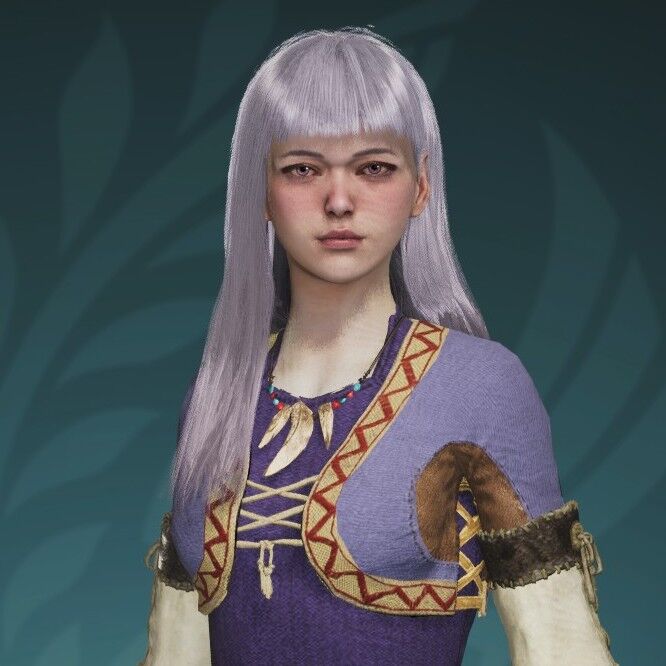 Code: DY7BD5638AN5 Creator: MackSEpique |
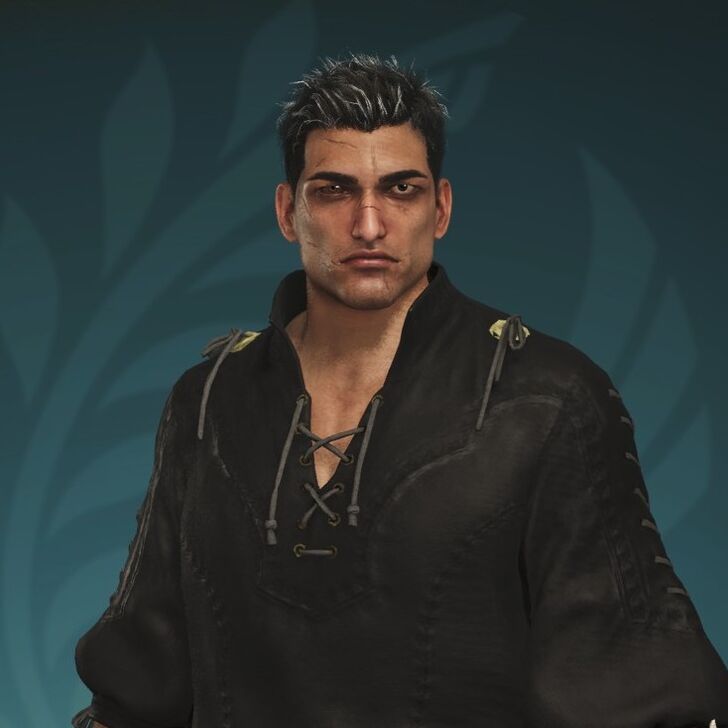 Code: S38ED3LY58A4 Creator: MackSEpique |
Original Hunter Designs
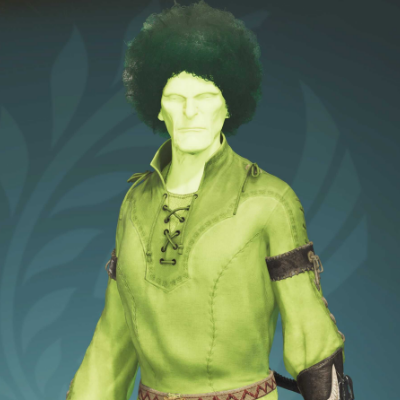 Code: F99PE4N38B64 Creator: @burokkoly_01c |
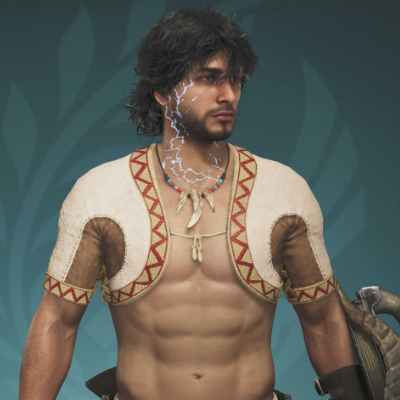 Code: 6C9873MC4C38 Creator: u/Bobsplosion |
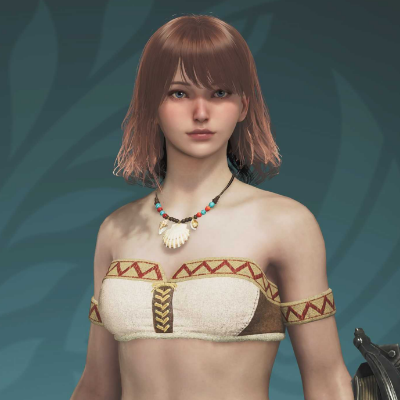 Code: 4X4N43TE4FB3 Creator: u/Jumpy_Sympathy66 |
Palico Design Codes
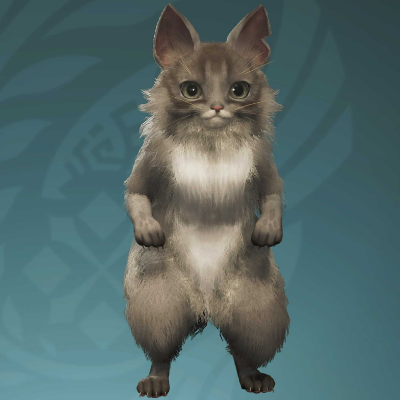 Code: 6H8H47SK8KH9 Creator: u/Sables_F |
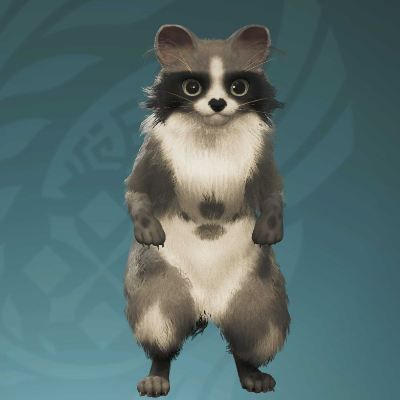 Code: JL5QH4JK37N6 Creator: u/lebulon7 |
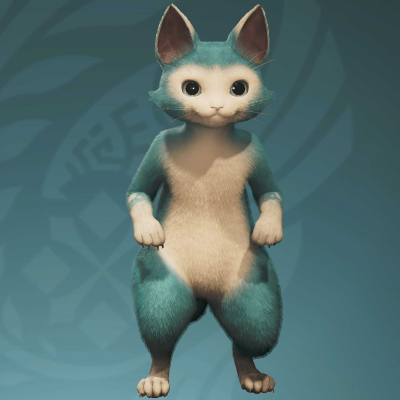 Code: HE6MH4EB5YV8 Creator: u/TomaBKR |
Hunter and Palico Set Design Codes
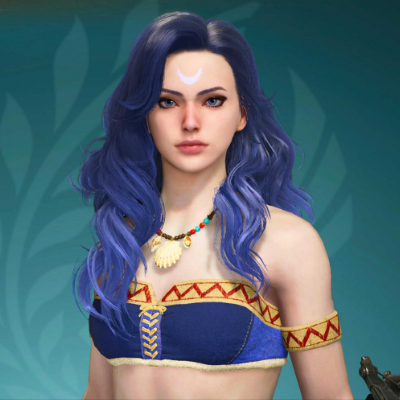 Code: 5Q3RP8L86SQ4 Creator: u/Kasucy |
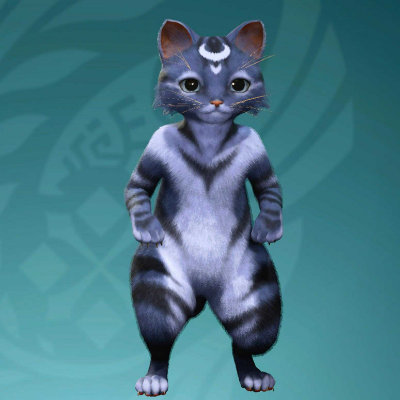 Code: CL9CA8S673G7 Creator: u/Kasucy |
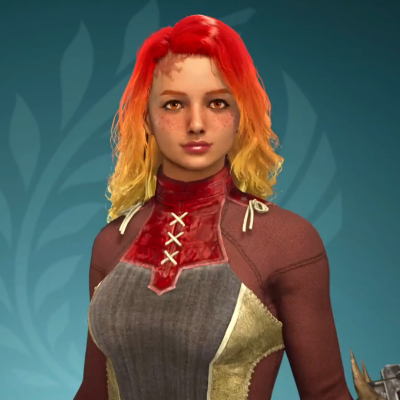 Code: 4D6WQ68K5JY7 Creator: u/Kasucy |
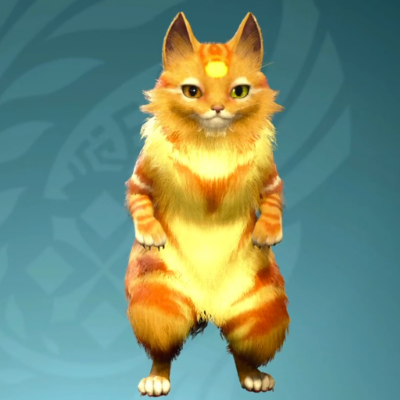 Code: LM5YR5VY9AK8 Creator: u/Kasucy |
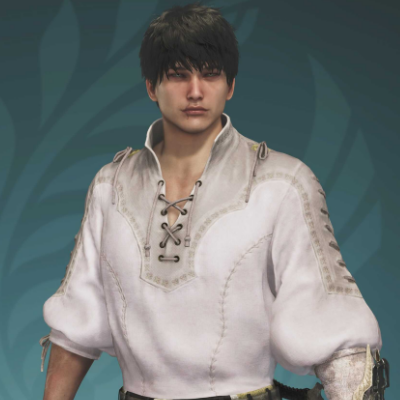 Code: CF4EQ9HS3973 Creator: u/redBaron06 |
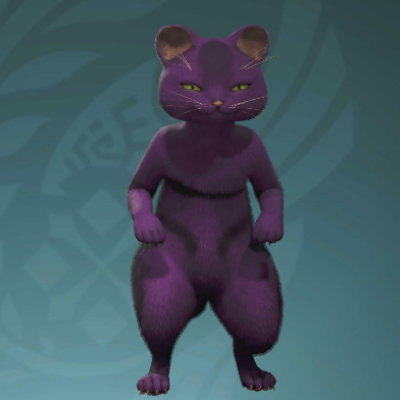 Code: 8T6T76J96AK6 Creator: u/redBaron06 |
How to Download a Design Code
Design Codes can be downloaded through the Character Creation screen when creating or editing an existing hunter. Follow the steps below to successfully download a design!
| 1 | 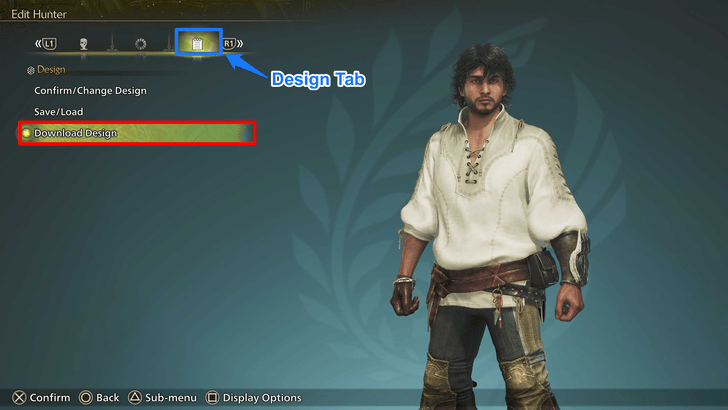 On the Character Creation or Edit screen, navigate to the Design tab and select Download Design. |
|---|---|
| 2 | 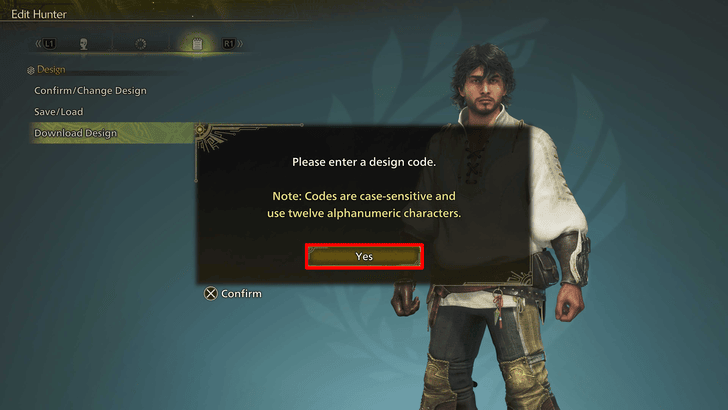 Enter the 12-digit Design Code you would like to apply and hit Confirm. The codes are case-sensitive so be sure to copy them over exactly as they are written! |
| 3 | 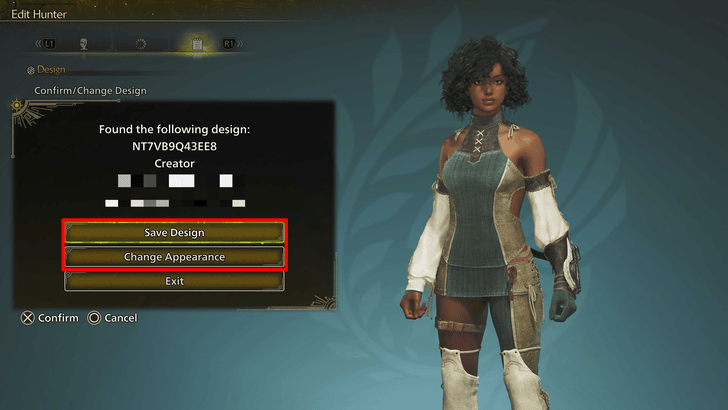 Choose either Save Design to save it in one of your Design slots, or choose Edit Appearance to immediately apply it on your hunter without having to save it first. |
Design Code Sharing Board Guidelines
How to Create a Design Code
Design Codes can only be generated by changing your character appearance upon obtaining an Edit Voucher. The steps detailed below will ensure that you can create Design Codes without having to spend a Character Edit Voucher!
| 1 | 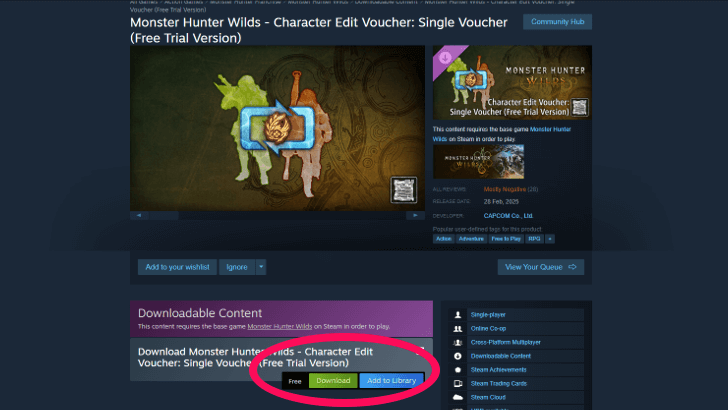 Obtain 1 free Hunter or Palico Edit Voucher through your designated platform's store, and select Start Game on Monster Hunter Wilds' Main Menu. |
|---|---|
| 2 | 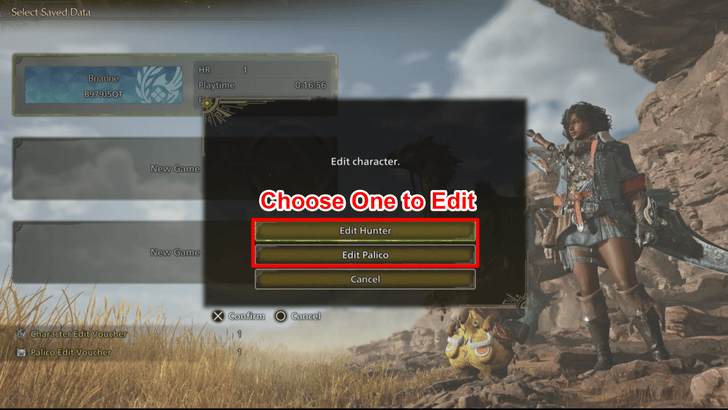 Select any save file you have available and press the corresponding button that prompts Edit Character. Agree to the pop-ups that appear on screen and begin designing your new Hunter or Palico! Don't worry about overwriting your initial Hunter as you can always exit out of the edit character screen once you have generated a Design Code! |
| 3 | 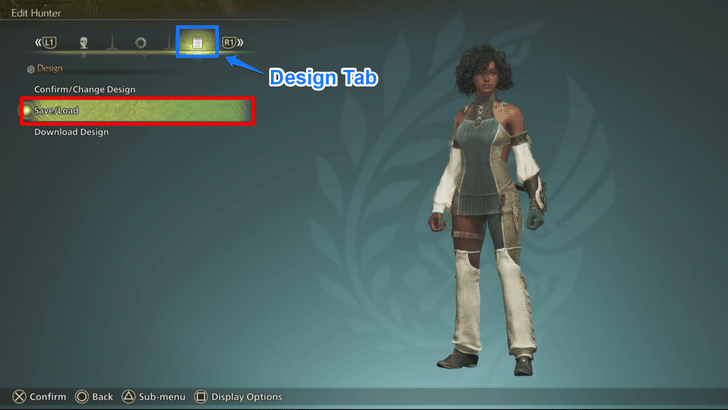 After you are content with your creation, navigate to the Design tab and select Save/Load. |
| 4 | 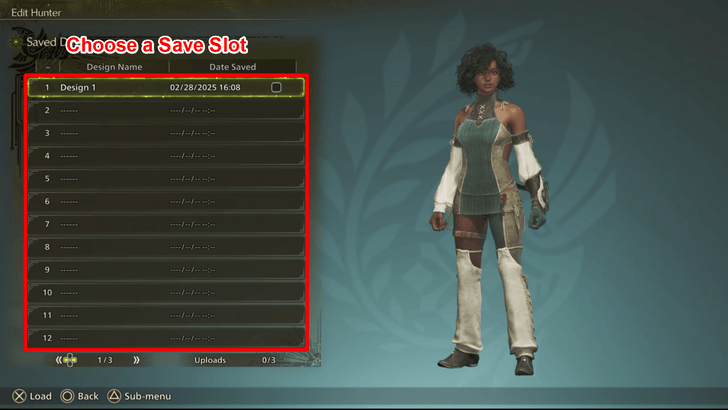 Choose a slot you'd like to save your creation in, and hit save! |
| 5 | 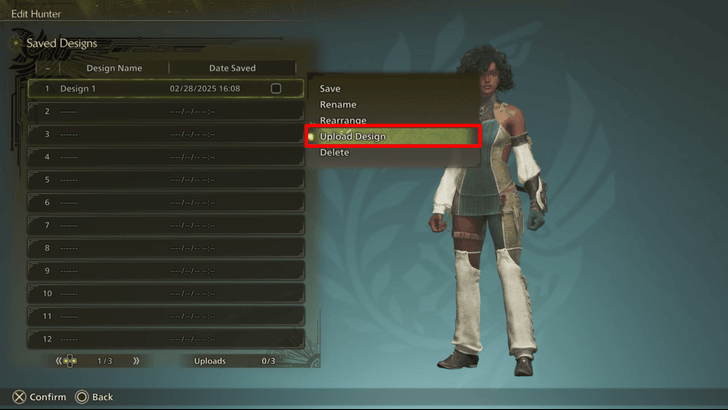 Select the same character save file, open its Sub-menu, and select Upload. |
| 6 | 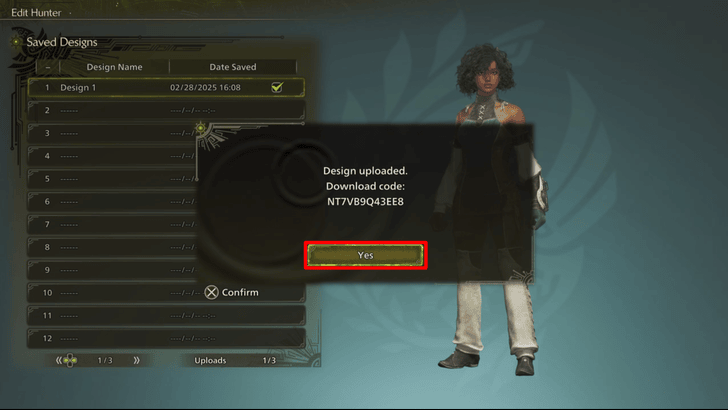 After successfully uploading your Design, the game will give you a 12-Character Design Code which you may now share with other players! |
| 7 | Once the process is complete, you can now safely exit out of the character edit screen without overwriting your existing Hunter Design! |
Only Three Design Codes Can be Uploaded per Player
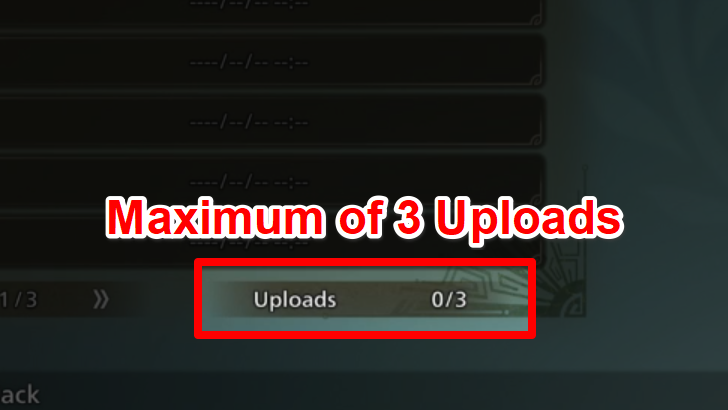
Only three Design Codes per player can be generated at a time! If you want to upload a new one after hitting the maximum threshold, you'll need to delete an existing upload.
But don’t worry—this process only invalidates the deleted Design Code and won’t erase your created design!
How to Upload More Design Codes (PS5 Only)
If you've already exhausted all of your Design Code upload slots, but would still love to share more without unlinking your previous designs, follow the steps below!
| 1 | 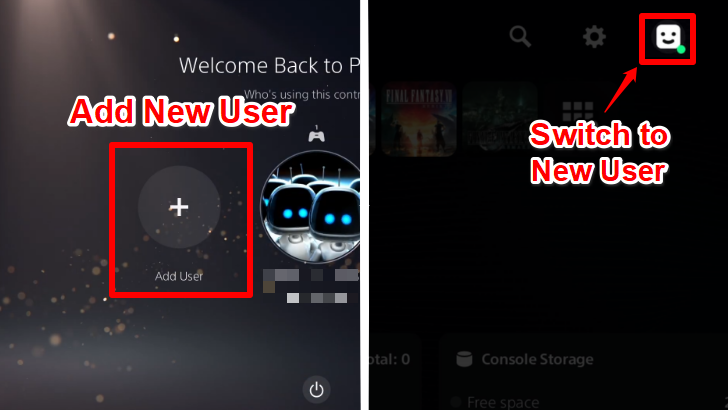 Upon opening the PS5, Select the Add User option on the far left, to add another profile to your console. If you already have your PS5 open, you can navigate toward your profile photo at the top right side of the screen and select Switch User and select Add User. |
|---|---|
| 2 | Sign-in manually to a secondary PlayStation Network account and follow the steps that appear on the screen to set up the profile. If you do not have a secondary PlayStation Network account to sign-in to, you may create a new account using a different email! Having an account is crucial to uploading the Design Codes, so be sure to connect one! |
| 3 | 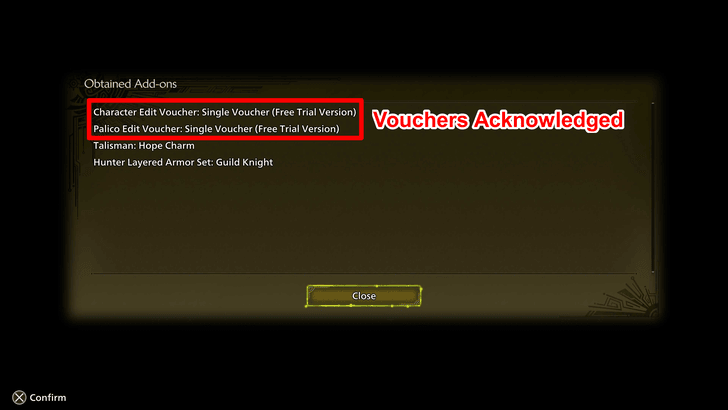 After the new profile is set up, open Monster Hunter Wilds. As this is a new profile, the game will create a new save file and reward you with the same Hunter and Palico Edit Vouchers you have previously obtained. |
| 4 | 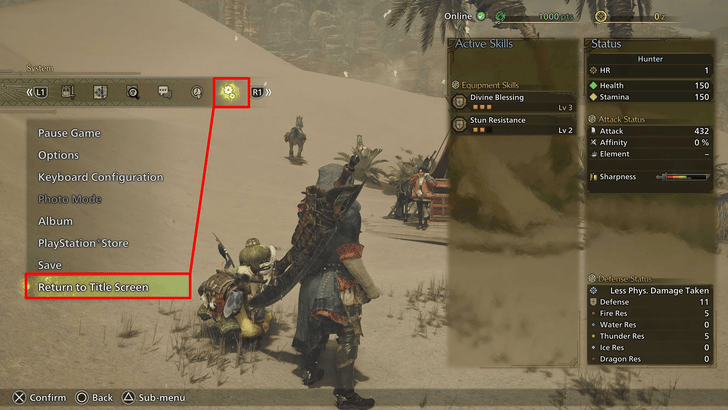 Proceed through the game's initial setup and opening sequences. Once you've made it to the point before Alma asks you about your weapon choice, press the Options button to open the main menu and navigate to --, then select Return to Title Screen. |
| 5 | 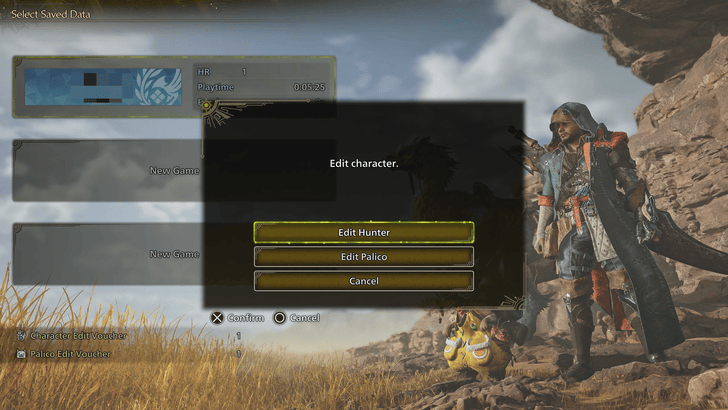 At the Title Screen, select Start Game, press the Square Button on your controller to open the Edit Character Screen, and create more designs with a fresh set of empty upload slots! Do note that if all three slots fill up again, you will have to go through the steps of creating a new profile once more. |
Design Code Sharing Board Rules
|
Note: If you violate any of these conditions, your submission may be deleted and you may be banned from posting.
Design Code Sharing Board
Share your greatest creations below! The most awesome codes will be added to our Best Design lists above. If you have an account on any social media, youtube, or other link you want us to include, post a link together with your code and we'll list the link together with your creation!
NOTE: Images over 300KB will sometimes fail to upload. If your image is over 300KB, please resize it and try reuploading. Thank you!

This is my character Brianne, not based on anything just my design! Code: U368M94S6QD8
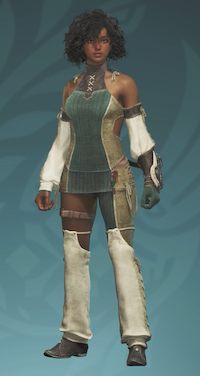
Thank you for your submission! You've already successfully posted your Design Code by sharing the 12-digit code on the message board. Feel free to post more of your creations!
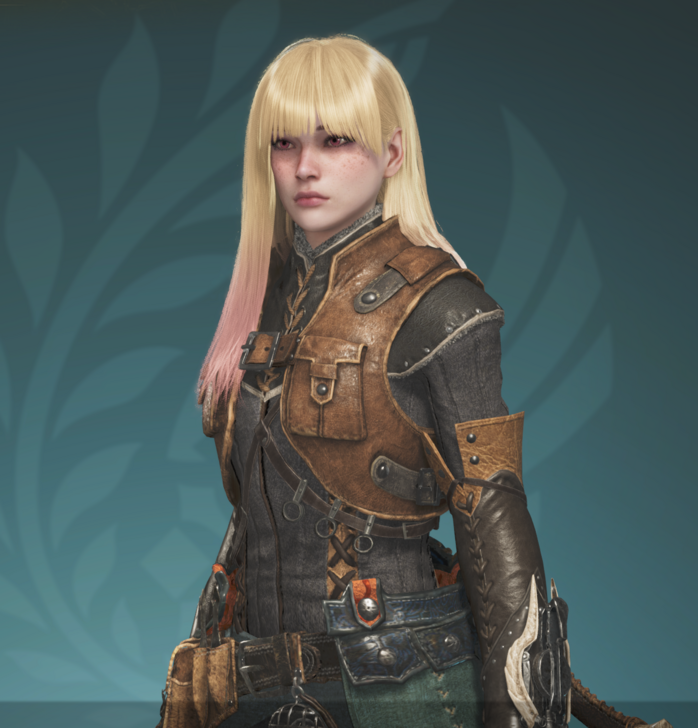
How do I post mine? Marin Kitagawa ML5Y54J49AE7



Author

Design Codes Sharing Board

Premium Articles
Rankings
Gaming News



![Monster Hunter Stories 3 Review [First Impressions] | Simply Rejuvenating](https://img.game8.co/4438641/2a31b7702bd70e78ec8efd24661dacda.jpeg/thumb)
Popular Games

Genshin Impact Walkthrough & Guides Wiki
Honkai: Star Rail Walkthrough & Guides Wiki
Umamusume: Pretty Derby Walkthrough & Guides Wiki
Pokemon Pokopia Walkthrough & Guides Wiki
Resident Evil Requiem (RE9) Walkthrough & Guides Wiki
Monster Hunter Wilds Walkthrough & Guides Wiki
Wuthering Waves Walkthrough & Guides Wiki
Arknights: Endfield Walkthrough & Guides Wiki
Pokemon FireRed and LeafGreen (FRLG) Walkthrough & Guides Wiki
Pokemon TCG Pocket (PTCGP) Strategies & Guides Wiki









Recommended Games
Diablo 4: Vessel of Hatred Walkthrough & Guides Wiki
Cyberpunk 2077: Ultimate Edition Walkthrough & Guides Wiki
Fire Emblem Heroes (FEH) Walkthrough & Guides Wiki
Yu-Gi-Oh! Master Duel Walkthrough & Guides Wiki
Super Smash Bros. Ultimate Walkthrough & Guides Wiki
Pokemon Brilliant Diamond and Shining Pearl (BDSP) Walkthrough & Guides Wiki
Elden Ring Shadow of the Erdtree Walkthrough & Guides Wiki
Monster Hunter World Walkthrough & Guides Wiki
The Legend of Zelda: Tears of the Kingdom Walkthrough & Guides Wiki
Persona 3 Reload Walkthrough & Guides Wiki










All rights reserved
©CAPCOM
The copyrights of videos of games used in our content and other intellectual property rights belong to the provider of the game.
The contents we provide on this site were created personally by members of the Game8 editorial department.
We refuse the right to reuse or repost content taken without our permission such as data or images to other sites.
Message Board