
 Day 2
Day 2


This survey will take about 1 minute.
Your answers will help us to improve our website.
Genshin Impact
3.2 Outside the Canvas, Inside the Lens Greenery Chapter Event Guide
✉ Send your thoughts in our Genshin 6.4 Patch Survey!
★ Exclusive: Dive back in time with the Meta History
◆ Hot: Version 6.4, Luna 5 Codes
◆ Builds: Varka, Flins, Skirk, Escoffier
◆ Events: Travelers' Tales, He Who Caught the Wind
◆ Future: Linnea, Version 6.5 Luna VI

The Greenery Chapter is the 3.2 Outside the Canvas, Inside the Lens rerun in Genshin Impact. Here are the event dates, the full Greenery Chapter gameplay guide, how to unlock the event, and the event rewards!
| 3.2 Outside the Canvas, Inside the Lens Guide | |||
|---|---|---|---|
 Event Guide Event Guide |
 Day 1 Day 1 |
 Day 2 Day 2 |
 Day 3 Day 3 |
 Day 4 Day 4 |
 Day 5 Day 5 |
 Day 6 Day 6 |
 Day 7 Day 7 |
| How to Angle to Span Photo-Taking Points | |||
List of Contents
3.2 Rerun Outside the Canvas, Inside the Lens Information
Selfie Event 3.2 Rerun Details

| Event Start | November 16, 2022 |
|---|---|
| Event End | December 5, 2022 |
| Official Details | 3.2 Official Announcement |
| How to Unlock |
Prerequisites: ● Reach Adventure Rank 30+ ● Complete the Snapshots World Quest ● Complete Chapter 2: Act 1 - Ritou Escape Plan Archon Quest Skippable with Quick Start: ● Tartaglia (Childe) Story Quest ● Yoimiya Story Quest |
| Rewards |


|
What is the Outside the Canvas: Greenery Chapter?
The Outside the Canvas, Inside the Lens: Greenery Chapter is the version 3.2 rerun of the event that debuted in Version 2.6. In this run, you'll be choosing a pose and taking a photo!
Other Current & Upcoming Events
How to Unlock Outside the Canvas: Greenery Chapter
Complete the Prerequisites

To unlock Outside the Canvas, Inside the Lens: Greenery Chapter, you need to reach Adventure Rank 30, complete the Snapshots World Quest, and the Chapter 2 Act 1 - Ritou Escape Plan Archon Quest!
Use the Quick Start Button
You also need to complete Tartaglia (Chide) Story Quest and Yoimiya Story Quest, but you can skip that with the Quick Start Button!
Greenery Chapter Release Date
| Genshin Impact Version 3.2 | |
|---|---|
 |
|
| Release Date | November 02, 2022 |
Outside the Canvas, Inside the Lens: Greenery Chapter was announced during the 3.2 Livestream and released on November 16, 2022!
Version 3.2 Release Date & Patch Notes
3.2 Outside the Canvas Rerun Stages
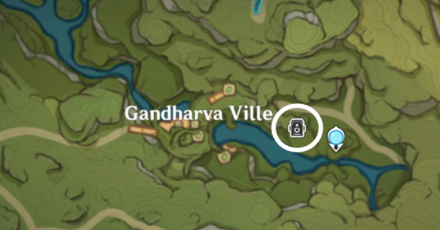
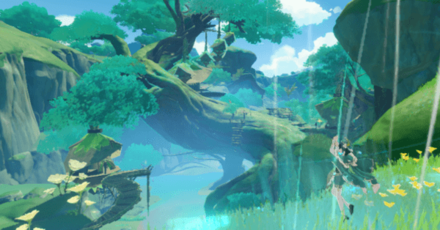
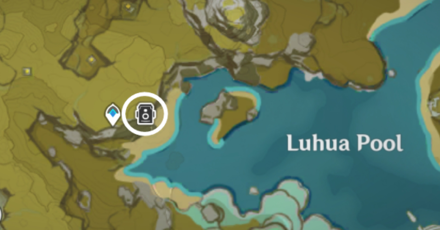
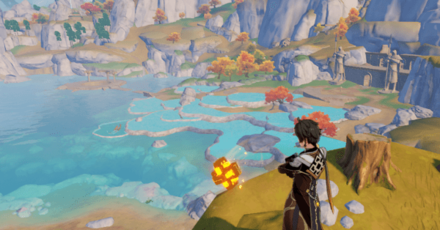
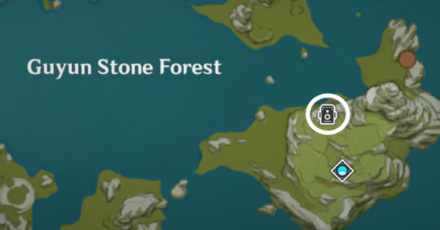
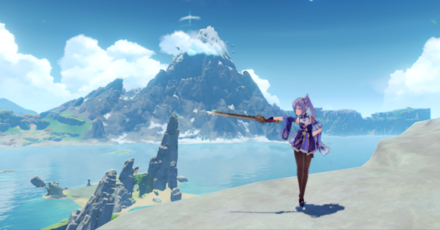
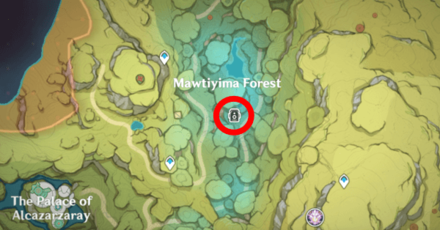
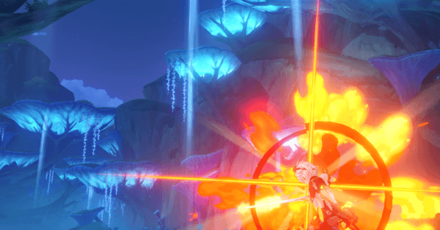
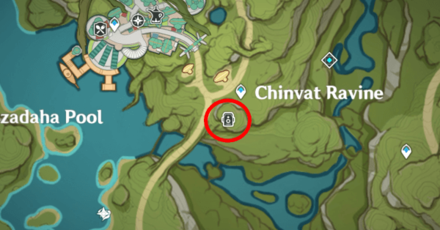
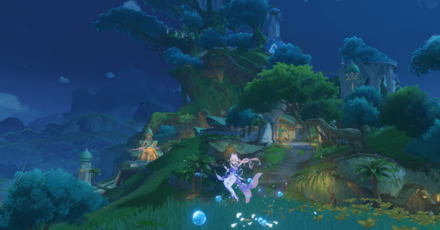
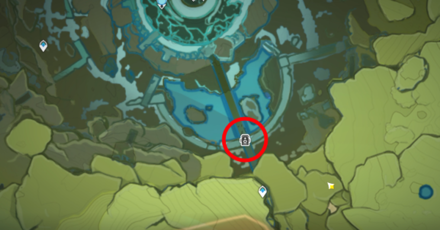
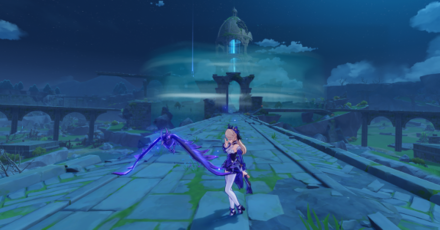
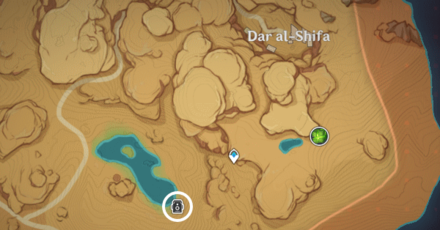
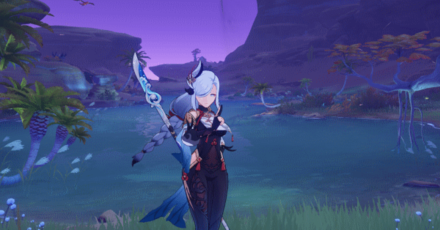
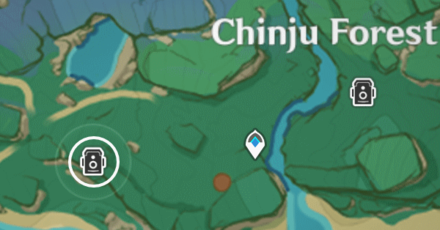
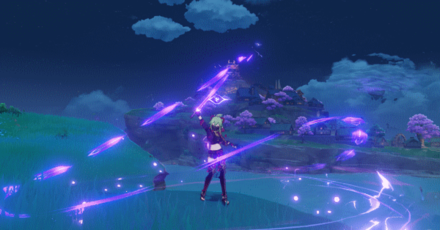
3.2 Rerun Unlock Dates and Photo Stages
| Unlock | Stage Location | Example Photo |
|---|---|---|
| Day 1 Nov. 16 |
 |
 |
 |
 |
|
| Day 2 Nov. 17 |
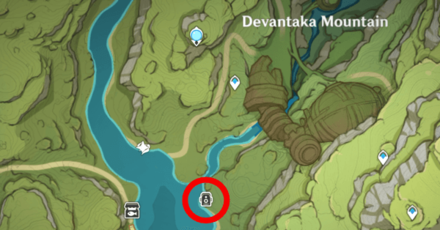 |
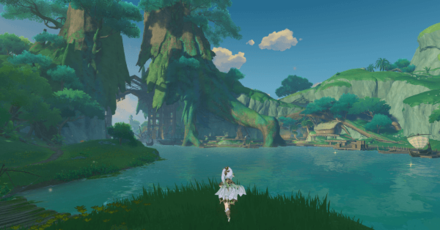 |
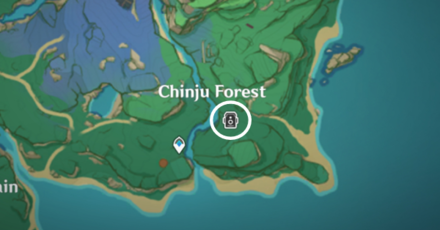 |
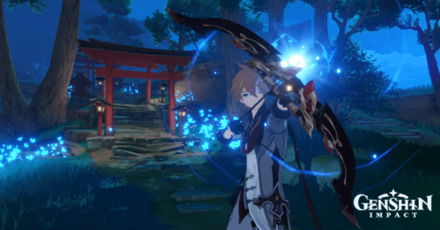 |
|
| Day 3 Nov. 18 |
 |
 |
 |
 |
|
| Day 4 Nov. 19 |
 |
 |
 |
 |
|
| Day 5 Nov. 20 |
 |
 |
 |
 |
|
| Day 6 Nov. 21 |
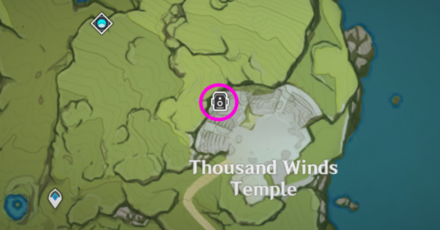 |
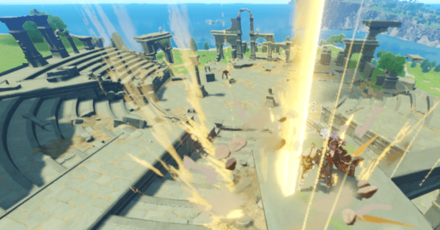 |
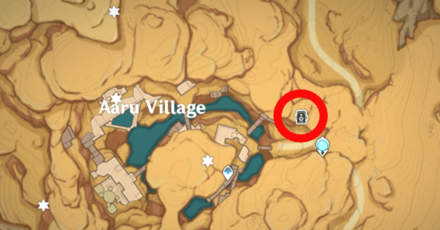 |
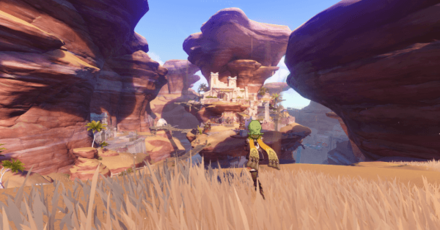 |
|
| Day 7 Nov. 22 |
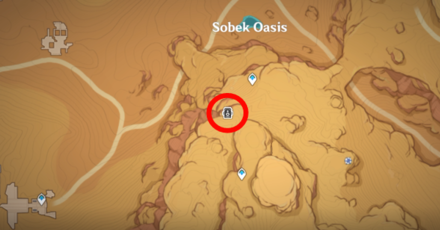 |
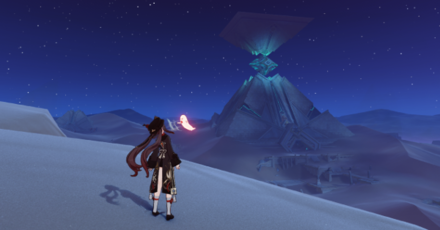 |
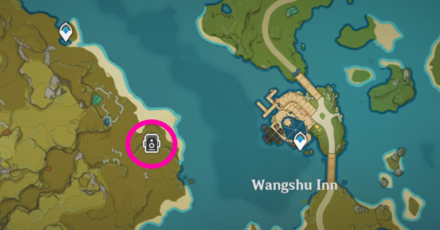 |
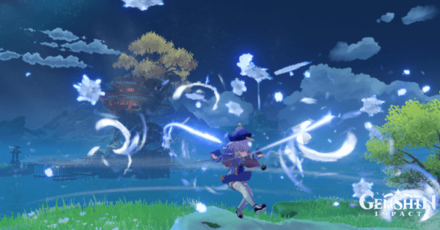 |
How to Play 3.2 Rerun Outside the Canvas: Greenery Chapter
Selfie Event 3.2 Rerun Event Guide
| How to Play Outside the Canvas 3.2 Rerun | |
|---|---|
| 1 | To start, complete the unlock quest first. |
| 2 | Equip your trusty Kamera! |
| 3 | Head various areas for photo backgrounds! |
| 4 | Select the required character for the shoot. |
| 5 | Select one angle for the photoshoot! |
| 6 | Move or wait for your character to move. |
| 7 | Capture the photo at the moment! |
| 8 | Change your Kamera Settings if needed! |
Complete the Unlock Quest
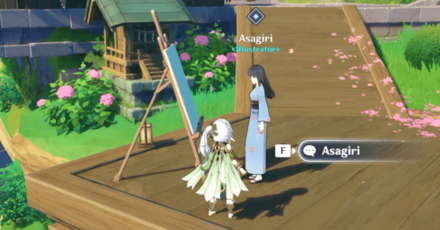
To start the Greenery Chapter of the Outside the Canvas, Inside the Lens 3.2 Rerun, you need to complete the unlock quest of the same name! Head over to Inazuma and talk to Asagiri to finish it.
Equip the Kamera
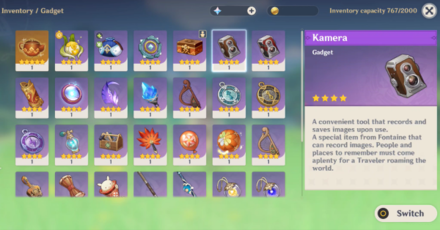
Before you can take photos, you need to equip the Kamera first! You can get this Kamera gadget by completing the Snapshots World Quest.
Head to the Designated Area
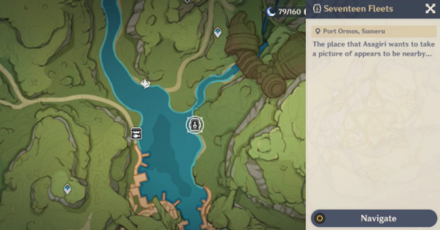
Each day will have two photo-taking targets in different areas of Teyvat. Check out Asagiri's Notes and instructions then head to the designated area. After arriving in the area, interact with the Prepare to Photograph Button to start adjusting your camera!
Choose Characters According to Needs
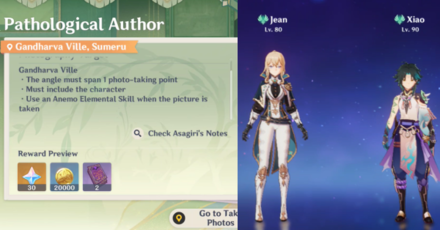
Asagiri will instruct you on what character to bring during the challenges. It will range from a character with a certain Element or a character using a specific type of weapon!
Three Angles for the Photo Points
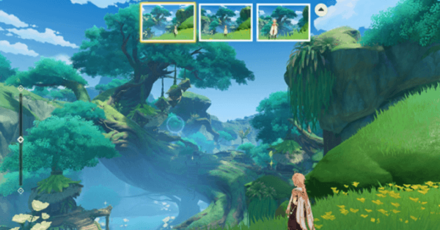
Once you've interacted with the "Prepare to Photograph Button," you'll enter the photo adjustment phase. In this phase, you can select one of the three camera angles to showcase the photo-taking points then press the "Confirm Kamera Settings" button!
Adjust How Far or Near the Landscape is
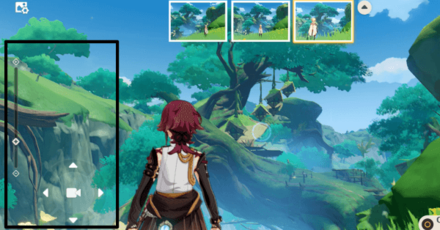
In the Kamera Settings phase, you can adjust the zoomed-in or zoomed-out landscape by using the scroller on the far left of the screen. You can also shift the frame left or right but you need to remember to keep the photo-taking points and the character within the frame!
Remove Player UID If Needed
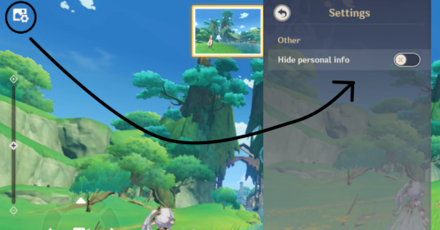
By clicking on the photo settings button on the upper left corner of the camera function, you'll see that you can choose to have your UID shown or not on the photo!
Notes About the Angle
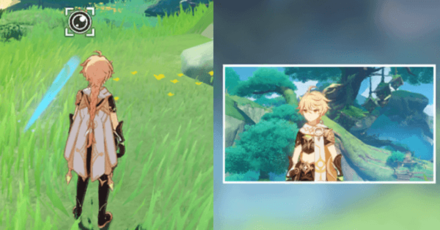
The angle you chose will be fixed and will not change as you grab photos unless you change it again by exiting the photo-taking mode. Keep in mind what goes in the frame before executing an Elemental Skill, Burst, Attacks, and Idle Animations!
How to Angle to Span Photo-Taking Points
Execute or Wait for Movement
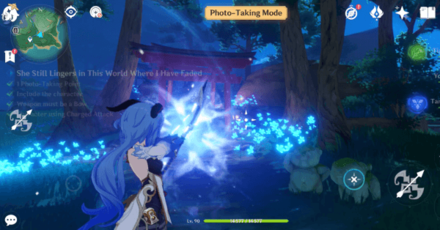
Once you've adjusted your angle, you need to execute an action that ranges from Skills to Normal Attacks to Idle Animations depending on Asagiri's request!
Capture the Photo in the Moment
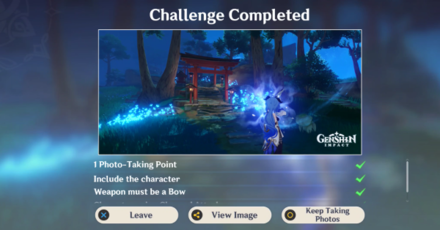
As soon as your character moves the way that you want, press on the Kamera Gadget to capture the moment! If you're unsure about where your character should face, follow the photoshoot symbol.
How to Change Kamera Settings
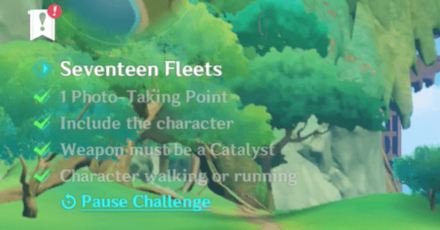
To readjust your Kamera Settings, press on the Pause Challenge on the left side of the screen to start over again with a new angle or character! You can also use the leave option after taking a photo to readjust the settings.
3.2 Photography Event Unlock Quest
Outside the Canvas, Inside the Lens: Greenery Chapter Quest
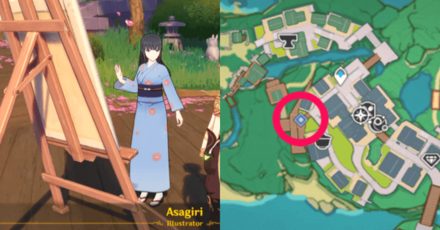
Start talking to the Inazuman illustrator, Asagiri, to unlock the Greenery Chapter quest and start taking pictures in the photography event!
Event Quest Details
| Quest Type | World Quest |
|---|---|
| Location | Inazuma City, Inazuma |
| Required AR | Adventure Rank 30+ |
| Quest Giver | Asagiri |
3.2 Photography Event Quest Guide
| Event Quest Walkthrough | |
|---|---|
| 1 | 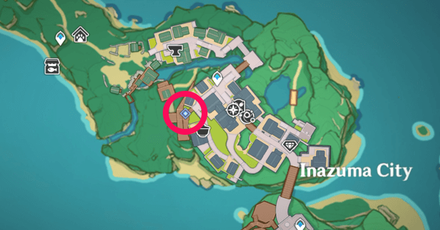 Head to Inazuma City, Inazuma, and look for Asagiri. |
| 2 | Talk to Asagiri and ask what's troubling her. |
| 3 | 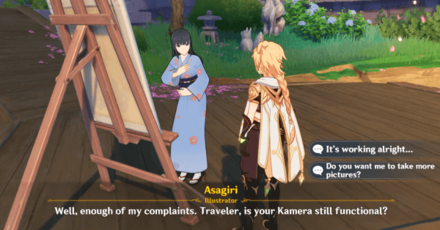 Finish talking to Asagiri to complete the quest and unlock the Photography Stages! |
Event Quest 3.2 Rewards
| Quest Rewards | |
|---|---|
 Adventurer's Experience
x4 Adventurer's Experience
x4 |
Mora
x10,000 |
3.2 Rerun Outside the Canvas Rewards
Total Event Rewards
| All Outside the Canvas, Inside the Lens 3.2 Rewards | ||
|---|---|---|
|
Primogem
|
Hero's Wit
|
Mora
|
We'll update this with the total rewards soon once the information is available!
Battle Pass / Mission Rewards
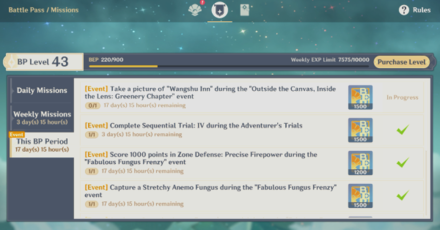
During the Outside the Canvas, Inside the Lens: Greenery Chapter, take a snapshot of Wangshu Inn in one of the Day 7's Photography Stages and get 1,500 Battlepass points!
Breakdown of Rewards
| Stages | Rewards |
|---|---|
| • Photo Note 1 • Photo Note 2 |
Primogem
x60 Mora
x40,000 Hero's Wit
x4 |
| • Photo Note 3 • Photo Note 4 |
Primogem
x60 Mora
x40,000 Hero's Wit
x4 |
| • Photo Note 5 • Photo Note 6 |
Primogem
x60 Mora
x40,000 Hero's Wit
x4 |
| • Photo Note 7 • Photo Note 8 |
Primogem
x60 Mora
x40,000 Hero's Wit
x4 |
| • Photo Note 9 • Photo Note 10 |
Primogem
x60 Mora
x40,000 Hero's Wit
x4 |
| • Photo Note 11 • Photo Note 12 |
Primogem
x60 Mora
x40,000 Hero's Wit
x4 |
| • Photo Note 13 • Photo Note 14 |
Primogem
x60 Mora
x40,000 Hero's Wit
x4 |
| Quest |
Mora
x10,000 |
Genshin Impact Related Guides

Current Events
| Event Guide | Date and Rewards |
|---|---|
 Homeward, He Who Caught the Wind Homeward, He Who Caught the Wind
|
02/27/2026 - 03/16/2026


+ Weapon and Talent Up Materials + Catalyst Weapon Skin |
Upcoming Events
| Event Guide | Date and Rewards |
|---|---|
 Sightseeing With Friends Sightseeing With Friends
|
03/16/2026 - 03/26/2026
|
 Operation Stronghold Defense Operation Stronghold Defense
|
03/23/2026 - 04/02/2026
|
 Overflowing Abundance 6.4 Rerun Overflowing Abundance 6.4 Rerun
|
03/30/2026 - 04/06/2026
Weapon and Talent Up Materials
|
Permanent/Recurring Events
| Event Guide | Date and Rewards |
|---|---|
 To Temper Thyself and Journey Far To Temper Thyself and Journey Far
|
02/23/2026 - 05/18/2026

+ 5-Star Stella Fortuna |
 Stygian Onslaught Stygian Onslaught
|
03/04/2026 - 04/07/2026
+ Dust of Enlightenment |
 Travelers' Tales Travelers' Tales
|
Permanently Available after Version 6.0
|
 Repertoire of Myriad Melodies Repertoire of Myriad Melodies
|
Permanently Available
|
 Test Run Test Run
|
Permanently Available
+ Ascension Materials |
 Hangout Events Hangout Events
|
Permanently Available after Version 1.4

+ Talent Materials + Specialty Dish |
 Baptism of Song Baptism of Song
|
Permanently Available
+ Free Barbara
|
 Daily Check-In Daily Check-In
|
2021/03/01 - Permanently Available

|
 Stellar Reunion Returnee Event Stellar Reunion Returnee Event
|
Permanently Available
+ Prototype Rancour |
Past Events
Comment
Author

3.2 Outside the Canvas, Inside the Lens Greenery Chapter Event Guide

Please participate in our site
improvement survey
03/2026
improvement survey
03/2026
Would you assist in
improving Game8's site?
improving Game8's site?

×
We are listening to our users' valuable opinions and discussing how to act on them.
The information collected through this survey will be used for the purpose of improving our services. In addition, the information will only be disclosed a part of a statistic in a format that will not allow identification of personal information.
Begin Survey
Not Now
×
Please rate each item regarding Game8.co's Advertisements.
Amount of Ads
Very Dissatisfied
Somewhat Dissatisfied
Fine
Somewhat Satisfied
Highly Satisfied
Placement of Ads
Timing of Ad Display
Ad Loading Speed
Safeness of Ads
Content of Ads
×
Please rate each item regarding Game8.co's Quality of Articles.
Amount of information
Very Dissatisfied
Somewhat Dissatisfied
Fine
Somewhat Satisfied
Highly Satisfied
Frequency of updates
Speed of new information
Accuracy of articles
Understandibility of articles
Readability of sentences
×
Please rate each item regarding Game8.co's Usability of the Site.
Ease of finding information
Very Dissatisfied
Somewhat Dissatisfied
Fine
Somewhat Satisfied
Highly Satisfied
Loading Speed
Use of Color
Font Size
Visibility of Images
Easy to Understand Layout
×
Please rate each item regarding Game8.co's Message Boards, Comments.
Ease of Writing
Very Dissatisfied
Somewhat Dissatisfied
Fine
Somewhat Satisfied
Highly Satisfied
Readability
Ease in Finding Information
Comment Quality
Comment Quantity
Admin Response
×
Please rate each item regarding Game8.co's Site's new design.
Please rate our site's new design
Very Dissatisfied
Somewhat Dissatisfied
Fine
Somewhat Satisfied
Highly Satisfied
Do you think that the website's design change makes the site easier to use?
Has the new design made it easier for you to find information on the site?
Has the new design improved the overall visual appeal of the site?
How would you rate your overall satisfaction with the new design of the site?
×
How likely are you to recommend Game8 to someone you know?
Very Unlikely
0
1
2
3
4
5
6
7
8
9
10
Very Likely
If you have other opinions regarding potential improvement to the website, please share them with us. We would appreciate your honest opinion.
Note: This is a free response section, so you can proceed without entering anything.
Note: Please be sure not to enter any kind of personal information into your response.
Note: Please be sure not to enter any kind of personal information into your response.
×
Thank You
×
Thank you for participating in our survey! Your answers will help us to improve the quality of our website and services.
We hope you continue to make use of Game8.
We hope you continue to make use of Game8.
Close
Rankings
- We could not find the message board you were looking for.
Gaming News




![Monster Hunter Stories 3 Review [First Impressions] | Simply Rejuvenating](https://img.game8.co/4438641/2a31b7702bd70e78ec8efd24661dacda.jpeg/thumb)
Popular Games

Genshin Impact Walkthrough & Guides Wiki
Honkai: Star Rail Walkthrough & Guides Wiki
Umamusume: Pretty Derby Walkthrough & Guides Wiki
Pokemon Pokopia Walkthrough & Guides Wiki
Resident Evil Requiem (RE9) Walkthrough & Guides Wiki
Monster Hunter Wilds Walkthrough & Guides Wiki
Wuthering Waves Walkthrough & Guides Wiki
Arknights: Endfield Walkthrough & Guides Wiki
Pokemon FireRed and LeafGreen (FRLG) Walkthrough & Guides Wiki
Pokemon TCG Pocket (PTCGP) Strategies & Guides Wiki









Recommended Games
Diablo 4: Vessel of Hatred Walkthrough & Guides Wiki
Cyberpunk 2077: Ultimate Edition Walkthrough & Guides Wiki
Fire Emblem Heroes (FEH) Walkthrough & Guides Wiki
Yu-Gi-Oh! Master Duel Walkthrough & Guides Wiki
Super Smash Bros. Ultimate Walkthrough & Guides Wiki
Pokemon Brilliant Diamond and Shining Pearl (BDSP) Walkthrough & Guides Wiki
Elden Ring Shadow of the Erdtree Walkthrough & Guides Wiki
Monster Hunter World Walkthrough & Guides Wiki
The Legend of Zelda: Tears of the Kingdom Walkthrough & Guides Wiki
Persona 3 Reload Walkthrough & Guides Wiki










All rights reserved
Copyright© 2012-2024 HoYoverse — COGNOSPHERE. All Rights Reserved.
The copyrights of videos of games used in our content and other intellectual property rights belong to the provider of the game.
The contents we provide on this site were created personally by members of the Game8 editorial department.
We refuse the right to reuse or repost content taken without our permission such as data or images to other sites.