
Auto-Battle Guide
☆ TCG Mechanics We Can Expect for TCGP
★ Paldean Wonders (B2a) out now!
☆ New Decks: Bellibolt ex, Chien Pao ex
Meowscarada ex, Armarouge ex
★ Events: Wonder Pick | Drop Event | 30 Days of Gifts
☆ Trading Board: B2a Available for Trading!
Auto-battle is a solo battle feature in Pokemon Trading Card Game Pocket (PTCG Pocket) that allows a CPU to play on behalf of a player. Learn more about how to use auto-battle and its best decks here!
List of Contents
How to Use Auto-Battle
Auto-Battle Can Only Be Used in Solo Battles

The auto-battle function can only be used in solo battles against AI. It cannot be used against other players in versus battles.
Auto-Battle is Recommended for Beginner and Intermediate Battle Tasks
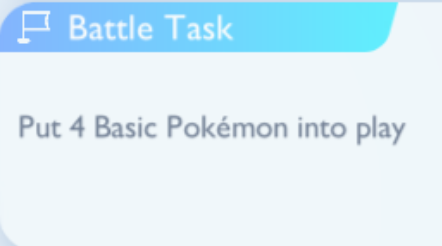
We recommend using the auto-battle feature to quickly complete early level battle tasks. Beginner to intermediate battle tasks have simpler win conditions such as knocking out pokemon or putting stage 1 pokemon into play. These are easy missions that can be accomplished through the auto-battle feature alone.
Solo Battle Guides: All Decks, Battle Tasks and Counters
Do Advanced and Expert Battle Tasks by Yourself
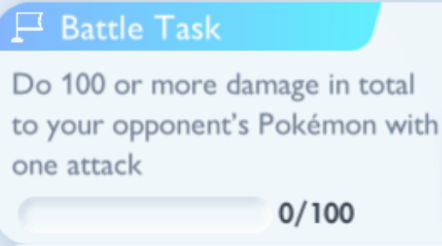
Advanced and Expert Battle Tasks are difficult to accomplish through auto-battle. Higher level battle tasks have more complicated win conditions that require strategic plays which cannot be made by the auto-battle AI.
Auto-Battle Can Only Make Simple Moves
The auto-battle AI only uses simple strategies to determine what to do. It may not always make the most effective plays, so build decks that are strong but easy to use.
Deck Building Guide
Best Auto-Battle Decks
| Deck | Features |
|---|---|
 Silvally and Rampardos Deck Silvally and Rampardos Deck
|
Deck Difficulty: ★★ Type:    Type: Null is guaranteed to be your first Basic Pokemon. Several cards in the deck can help quickly evolve Type:Null and the Skull Fossil to their fully evolved forms. This deck does not require a lot of Energy. Type: Null is guaranteed to be your first Basic Pokemon. Several cards in the deck can help quickly evolve Type:Null and the Skull Fossil to their fully evolved forms. This deck does not require a lot of Energy. |
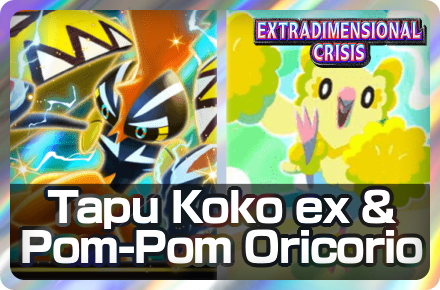 Tapu Koko ex and Pom-Pom Oricorio Deck Tapu Koko ex and Pom-Pom Oricorio Deck
|
Deck Difficulty: ★★ Type:  Tapu Koko ex can set itself up with Plasma Hurricane, enabling a turn 2 Mach Bolt. Oricorio nullifies damage from ex Pokemon. The Pokemon in this deck do not require evolutions. Tapu Koko ex can set itself up with Plasma Hurricane, enabling a turn 2 Mach Bolt. Oricorio nullifies damage from ex Pokemon. The Pokemon in this deck do not require evolutions. |
How to Turn On Auto-Battle
Auto-Battle Can be Toggled Before and During Battles
| Before Battle | During Battle |
|---|---|
 |
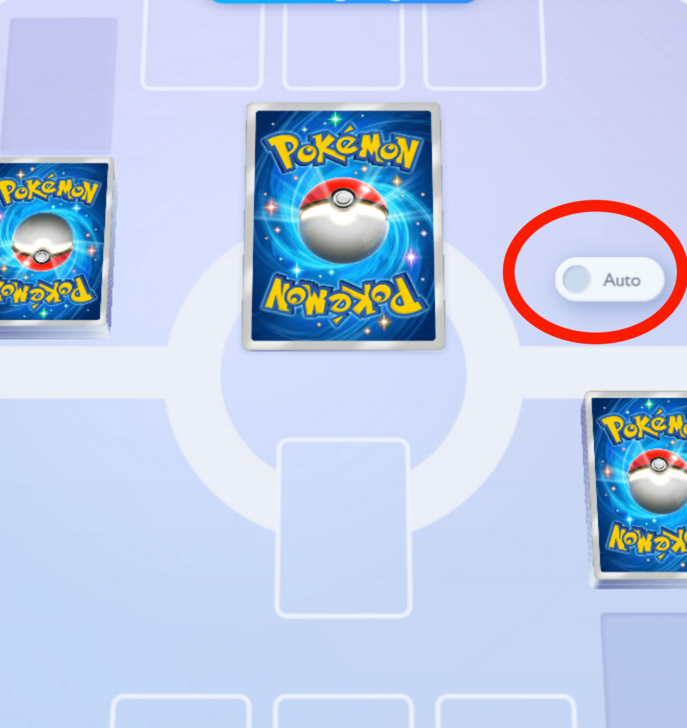 |
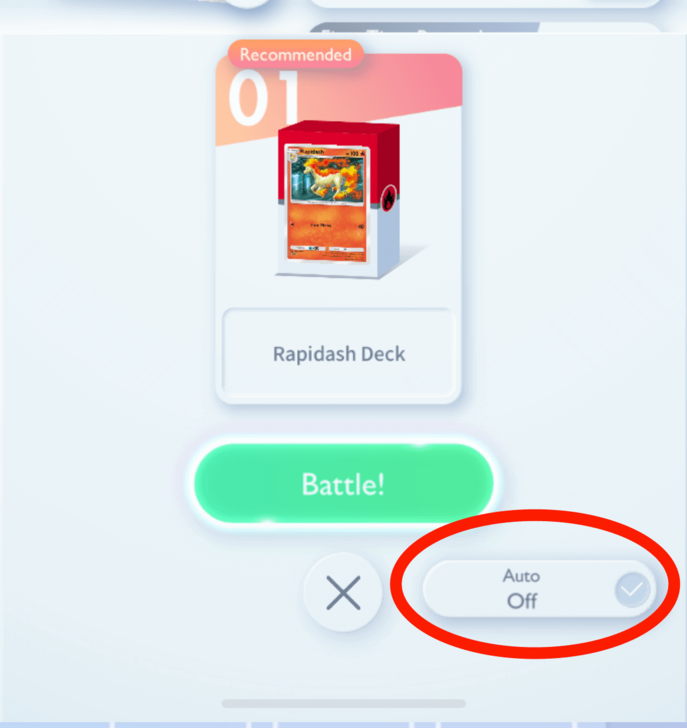
Auto-battle can be switched on before and during card battles. Before the battle, the auto-battle icon is located on the lower right corner of the screen. During battle, the auto-battle icon is located above your card pile.
Pokemon TCG Pocket Related Guides

Battle Guides
Status Effect Guides
| All Status Effects Explained | ||
|---|---|---|
 Poison Poison |
 Sleep Sleep |
 Paralysis Paralysis |
 Confusion Confusion |
 Burn Burn |
|
Comment



Author

Auto-Battle Guide

Premium Articles
Rankings
- We could not find the message board you were looking for.
Gaming News




![Monster Hunter Stories 3 Review [First Impressions] | Simply Rejuvenating](https://img.game8.co/4438641/2a31b7702bd70e78ec8efd24661dacda.jpeg/thumb)
Popular Games

Genshin Impact Walkthrough & Guides Wiki
Honkai: Star Rail Walkthrough & Guides Wiki
Umamusume: Pretty Derby Walkthrough & Guides Wiki
Pokemon Pokopia Walkthrough & Guides Wiki
Resident Evil Requiem (RE9) Walkthrough & Guides Wiki
Monster Hunter Wilds Walkthrough & Guides Wiki
Wuthering Waves Walkthrough & Guides Wiki
Arknights: Endfield Walkthrough & Guides Wiki
Pokemon FireRed and LeafGreen (FRLG) Walkthrough & Guides Wiki
Pokemon TCG Pocket (PTCGP) Strategies & Guides Wiki









Recommended Games
Diablo 4: Vessel of Hatred Walkthrough & Guides Wiki
Cyberpunk 2077: Ultimate Edition Walkthrough & Guides Wiki
Fire Emblem Heroes (FEH) Walkthrough & Guides Wiki
Yu-Gi-Oh! Master Duel Walkthrough & Guides Wiki
Super Smash Bros. Ultimate Walkthrough & Guides Wiki
Pokemon Brilliant Diamond and Shining Pearl (BDSP) Walkthrough & Guides Wiki
Elden Ring Shadow of the Erdtree Walkthrough & Guides Wiki
Monster Hunter World Walkthrough & Guides Wiki
The Legend of Zelda: Tears of the Kingdom Walkthrough & Guides Wiki
Persona 3 Reload Walkthrough & Guides Wiki










All rights reserved
© 2024 Pokémon. ©1995–2024 Nintendo / Creatures Inc. / GAME FREAK inc.
© 2024 DeNA Co., Ltd.
Pokémon is a registered trademark of Nintendo, Creatures, and GAME FREAK.
The copyrights of videos of games used in our content and other intellectual property rights belong to the provider of the game.
The contents we provide on this site were created personally by members of the Game8 editorial department.
We refuse the right to reuse or repost content taken without our permission such as data or images to other sites.