
Photo Mode Sharing Board and Tips
NEW: Hexi Map | Chapter 3 | Flute Mystic Skill
★ Unfettered and Everspring Build
☆ Liangzhou | Cat Fever | Prismatic Essence
✪ Updated: Best Weapon | Best Builds
☆ WWM Game8 Twitter: New tips daily!
Recruit using our Guild Recruitment Board!
Use the Pro settings to take the best pictures in Photo Mode in Where Winds Meet. See all the tips and tricks when taking photos, and send in your best photos with the sharing board here.
List of Contents
Photo Mode Tips
Switch to Pro Mode to Use More Features
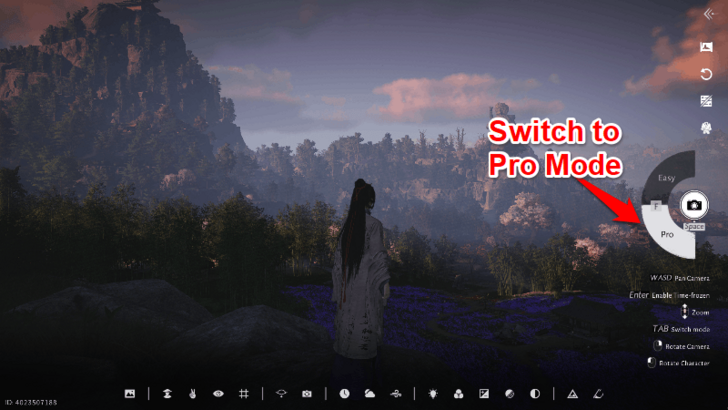
To make use of all of Photo Mode's features, click the Pro button on the right hand corner. This enables you to use camera features such as adjusting the aperture and focal length. It also lets you change your character's pose, expression, time, and weather.
Make Use of the Gridlines
 |
 |
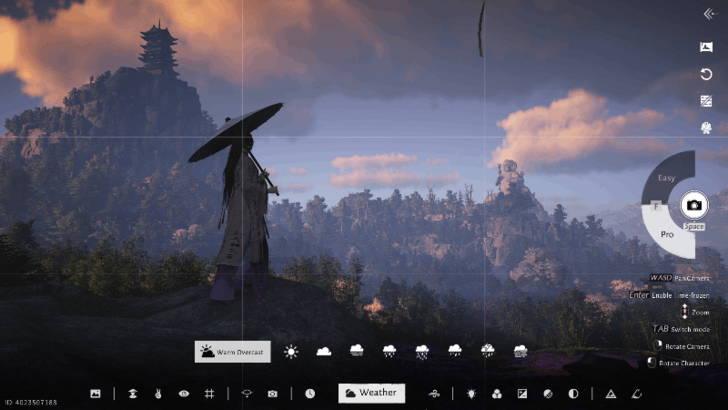
Use the gridlines to help you align your photo properly to get a good composition. The gridlines in the game allow you to apply the Rule of Thirds in photography to create scenic photos and portraits.
To apply the Rule of Thirds, place your main subject where the grid lines intersect. Using the two photos above, the Young Master is the main subject of the photo so the intersected grid lines are aligned on her head.
Change Focal Length to Create Portraits
 |
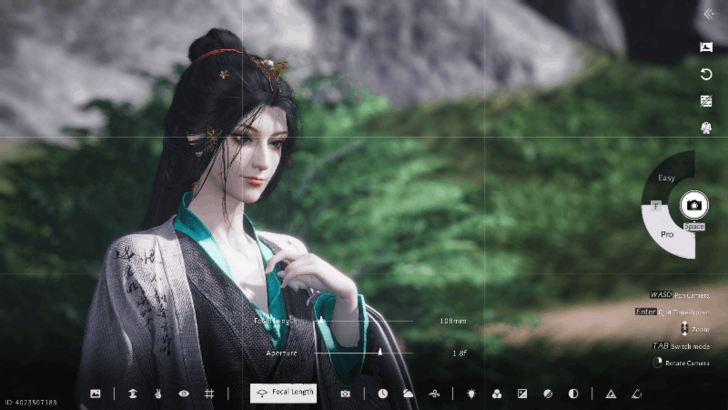 |
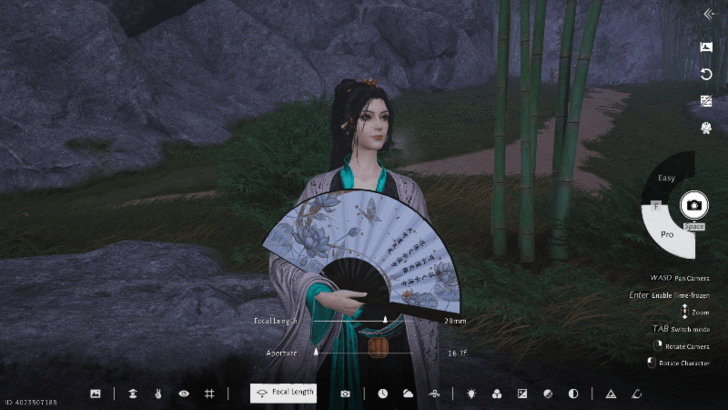
When creating portraits, it is recommended to change the focal length to around 100mm - 130mm. This is the focal length often used for portraits.
The default focal length (29mm) is best used for photographing landscape and architecture but it is too far when capturing portraits.
How to Activate Photo Mode
Press the Camera Button on the Main Menu
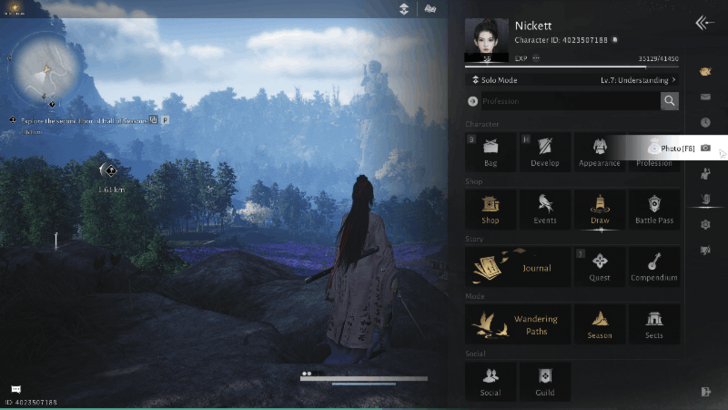
Open the main menu and select the camera button on the right side to activate Photo Mode. If you are playing the game on a keyboard or mouse, press the F8 key as a shortcut to activate Photo Mode.
Note that Photo Mode does not freeze time when activating it and despawns some NPCs such as enemies. This makes it impossible to create combat themed photos involving enemies and bosses.
List of All Console and PC Controls
How to Use the Sharing Board
| How to Use the Sharing Board | |
|---|---|
| 1 |
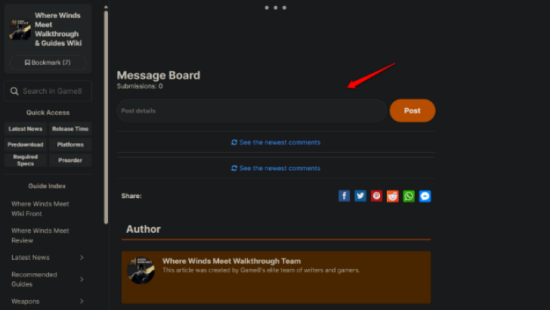 Click on the Post details comment box. |
| 2 |
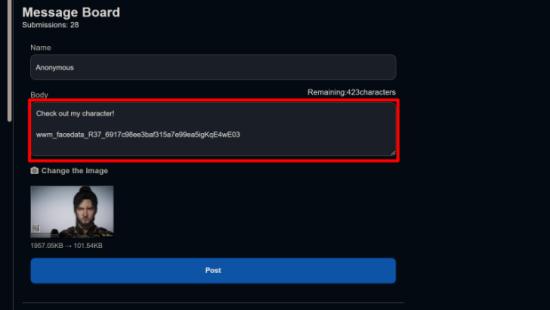 Attach the image of your photo. You can use online image compressors such as TinyPNG to compress the photo down to 300KB. |
| 3 |
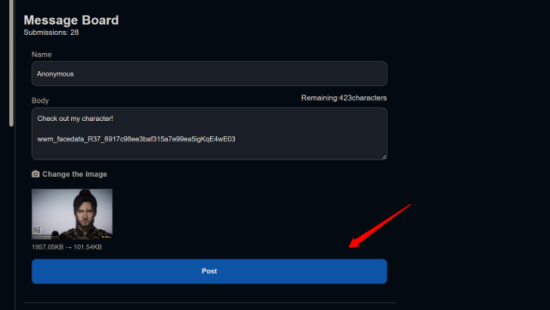 Click on Post and the message should show under the message board. ※All messages are public. ※Do not reveal any personal information or use derogatory language in the Message Boards. |
Share Your Photos In the Comments!
Photo Mode Sharing Board Rules
Photo Mode Rules and Guidelines
|
・ No submissions that are offensive toward other users. ・ No slander or harassment. ・ No posting of images that violate public standards. ・ No posting submissions irrelevant to this board. ・ No posting of the same contents repeatedly. ・ No advertising for other sites or apps. ・ No posting for financial gain (via RMT, etc.) |
Note: If you violate any of these conditions, your submission may be deleted and you may be banned from posting.
Photo Mode Sharing Board
NOTE: If you're planning to add images over 300 KB, they will sometimes fail to upload. If your image is over 300KB, please resize it using TinyPNG and try reuploading. Thank you!

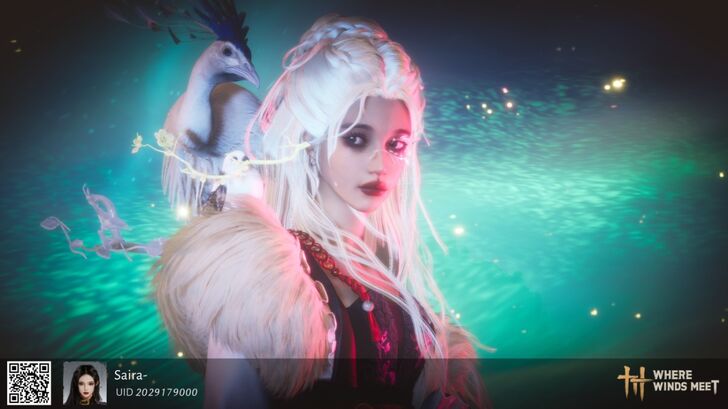
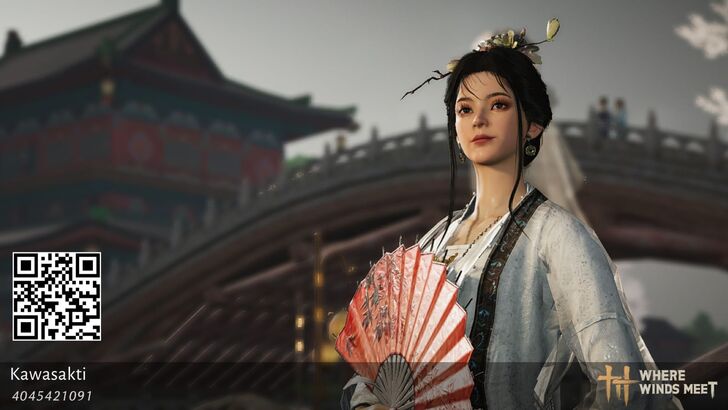
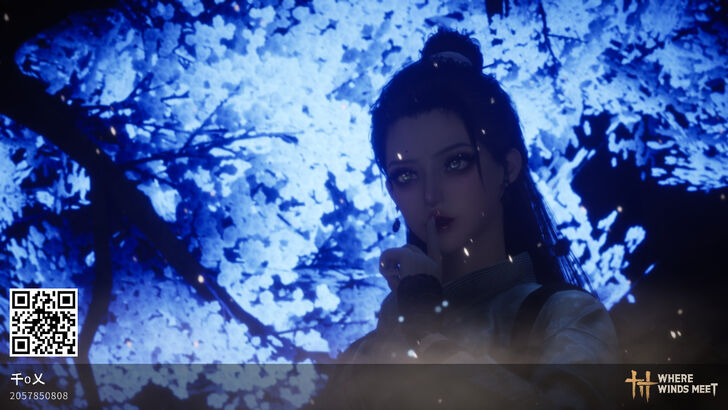



Author
Photo Mode Sharing Board and Tips

Rankings
Gaming News

![The Liar Princess and the Blind Prince Review [PC] | Lovely to Look at but Tedious to Play](https://img.game8.co/4442586/8d95f5faf05780f1765ce7e0938bd825.jpeg/show)
![Monster Hunter Stories 3 Review [First Impressions] | Simply Rejuvenating](https://img.game8.co/4438641/2a31b7702bd70e78ec8efd24661dacda.jpeg/thumb)

![The Seven Deadly Sins: Origin [First Impressions] | A Promising Start](https://img.game8.co/4440581/584e0bfb87908f12c4eab6e846eb1afd.png/thumb)
Popular Games

Genshin Impact Walkthrough & Guides Wiki
Umamusume: Pretty Derby Walkthrough & Guides Wiki
Pokemon Pokopia Walkthrough & Guides Wiki
Honkai: Star Rail Walkthrough & Guides Wiki
Monster Hunter Stories 3: Twisted Reflection Walkthrough & Guides Wiki
Arknights: Endfield Walkthrough & Guides Wiki
Wuthering Waves Walkthrough & Guides Wiki
Zenless Zone Zero Walkthrough & Guides Wiki
Pokemon TCG Pocket (PTCGP) Strategies & Guides Wiki
Monster Hunter Wilds Walkthrough & Guides Wiki










Recommended Games
Diablo 4: Vessel of Hatred Walkthrough & Guides Wiki
Cyberpunk 2077: Ultimate Edition Walkthrough & Guides Wiki
Fire Emblem Heroes (FEH) Walkthrough & Guides Wiki
Yu-Gi-Oh! Master Duel Walkthrough & Guides Wiki
Super Smash Bros. Ultimate Walkthrough & Guides Wiki
Pokemon Brilliant Diamond and Shining Pearl (BDSP) Walkthrough & Guides Wiki
Elden Ring Shadow of the Erdtree Walkthrough & Guides Wiki
Monster Hunter World Walkthrough & Guides Wiki
The Legend of Zelda: Tears of the Kingdom Walkthrough & Guides Wiki
Persona 3 Reload Walkthrough & Guides Wiki










All rights reserved
©1997-2025 NetEase, Inc. All Rights Reserved
The copyrights of videos of games used in our content and other intellectual property rights belong to the provider of the game.
The contents we provide on this site were created personally by members of the Game8 editorial department.
We refuse the right to reuse or repost content taken without our permission such as data or images to other sites.
Message Board