
Player Housing Guide: How to Unlock Base Building
NEW: Hexi Map | Chapter 3 | Flute Mystic Skill
★ Unfettered and Everspring Build
☆ Liangzhou | Cat Fever | Prismatic Essence
✪ Updated: Best Weapon | Best Builds
☆ WWM Game8 Twitter: New tips daily!
Recruit using our Guild Recruitment Board!
The Player Housing Guide is unlocked through the Exploration Quest, Building: One Last Job. Learn more about how to complete the quest and how to activate construction mode in this guide!
List of Contents
How to Unlock Player Housing
Complete Building: One Last Job Exploration Quest
Upon reaching Level 25, Building: One Last Job will become an available Exploration Quest in the Quest tab. This quest is found in Halo Peak, which is located in the middle of the Sundara Land area of Qinghe.
Speak to Yang Yuan near Halo Peak's Boundary Stone to start the quest and begin the Player Housing tutorial.
How to Build Player Housing
Use the Cradle Blueprint
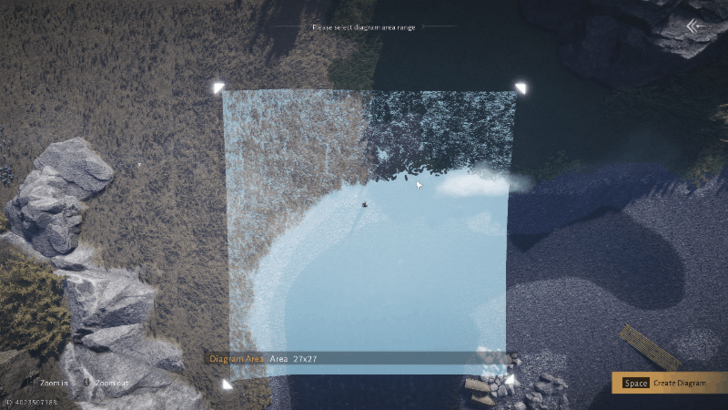
Make use of the Cradle Blueprint to get an estimate of your building range. Hold on to the corners of the Diagram Area to extend your desired working scope. Afterwards, press the Create Diagram button to start building houses.
Craft Construction Components
| # | Crafting Construction Components |
|---|---|
| 1 |
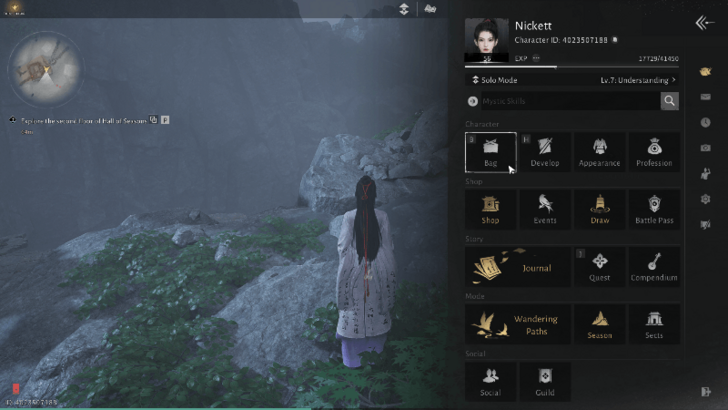 Open the Main Menu and select the Bag icon. |
| 2 |
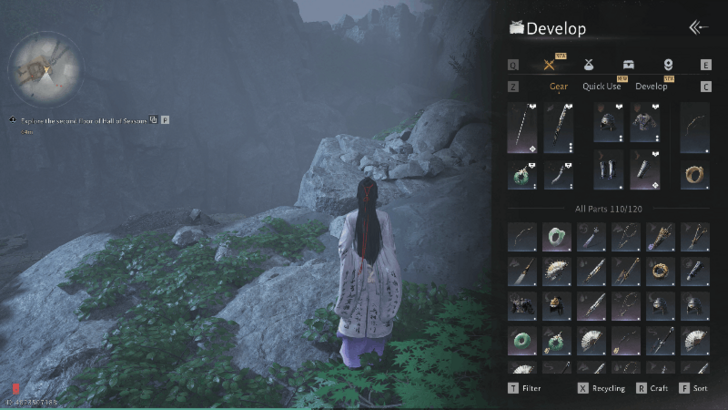 Switch to Inventory tab, then select the Craft Button. |
| 3 |
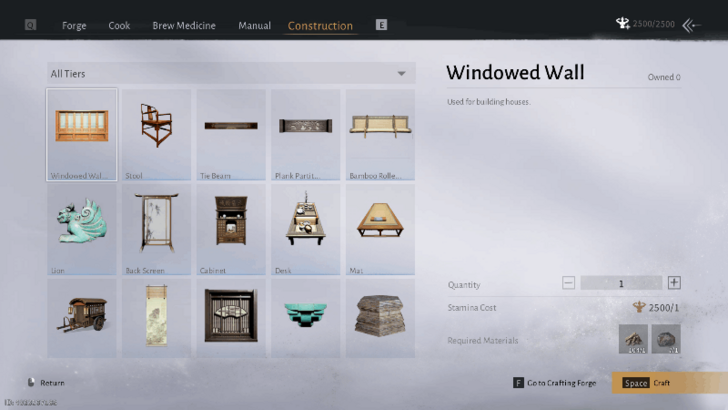 |
To begin crafting construction components, go to your Bag in the Main Menu and craft the item in the Inventory tab. You can select any of the available components on the list, provided that you have sufficient materials for these.
Activate Construction Mode
| # | Construction Mode on the PS5 |
|---|---|
| 1 |
 Press the Function Wheel + R2 on the controller or F4 on the keyboard to activate Construction Mode. Select any of the available components that you have below the screen. |
| 2 |
 Optionally, you can enable Free Camera to have more flexibility in building your Base. Press on L3 for the controller or the - key on your keyboard to access this. |
Switch to Construction Mode by pressing the Function Wheel + R2 for the PS5 or the F4 Key for the PC. You can set any available components in the area by selecting from the available list below the screen.
For an easier and smoother way to build bases or houses, enable the Free Camera feature by pressing L3 for the PS5 or the - key on the keyboard.
How to Remove Building Components
Enter Recycle Mode
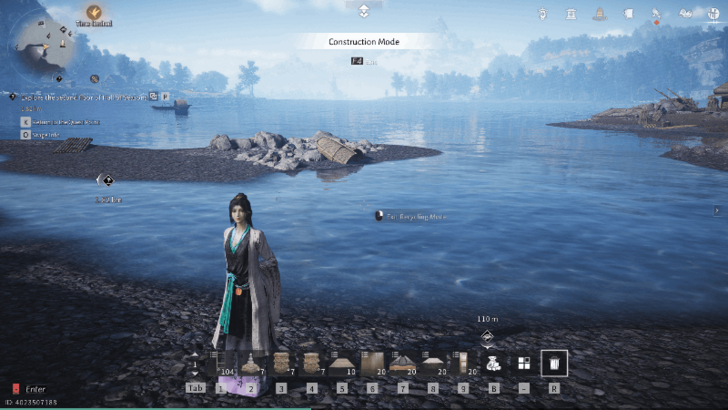
If you are using the PS5, press R3 to enter Recycle Mode. On the other hand, if you are using a keyboard and a mouse, press the R key or click on the Trash Can icon.
Go near the components that you placed to be given a Recycle prompt. This will remove the component from its position and return it to your Inventory.
Can You Build Bases Anywhere?
Can Build Anywhere Except for Quest Locations
It is possible to place construction components and build houses anywhere in Where Winds Meet. For example, you can build ladders to reach the Redmist Beetles Oddities in Qinghe.
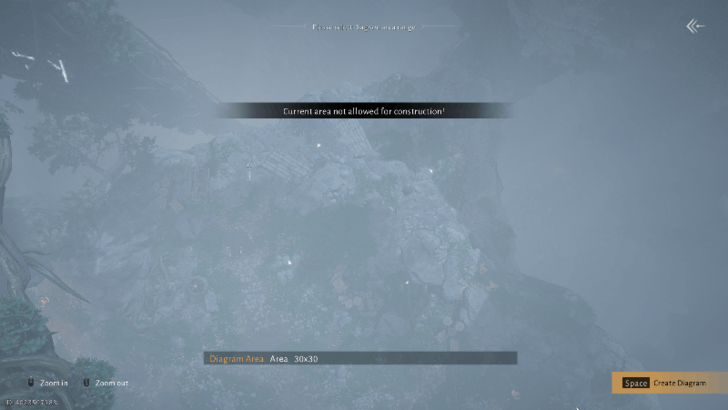
The only exceptions to this are specific locations where quests take place. You can check if you cannot build at a specific place if the notification "Current area not allowed for construction!"appears when placing a Cradle Blueprint.
Where Winds Meet Related Guides
Meta Guides
 Weapons Martial Arts Tier List Weapons Martial Arts Tier List |
 Best Mystic Arts to Unlock Early Best Mystic Arts to Unlock Early |
 Best Inner Ways Tier List Best Inner Ways Tier List |
 Best Gear Sets Best Gear Sets |
 Best Starting Weapon Best Starting Weapon |
 Best Companions to Summon Best Companions to Summon |
Message Boards
 Character Sharing Board Character Sharing Board |
 Guild Recruitment Board Guild Recruitment Board |
 Photo Mode Sharing Board Photo Mode Sharing Board |
Beginner Guides
 Beginner's Guide and Best Starting Tips
 All Redeem Codes
 Difficulty Settings Guide
 How to Progress Efficiently
 Daily Reset Timer and Cap Unlocks
 Dailies and Weeklies Guide
 How to Increase World Level
 Story Explained
 How to Play Co-Op and Online Mode
 How to Self-Heal Illness
 How to Change Time
 How to Place Signposts
 How to Use Stored EXP
 Battle Pass Guide
 How To Use Wind Sense
 List of Achievements
 How To Farm Enlightenment Points
 How to Save Game Data
 How to Upgrade Healing Potions
 How to Rest
 Best Sect to Join
 Stamina System Explained
 Best Activities to Spend Energy
 Best Side Quests
 How to Level Up Fast
 Skill Theft Guide
 How to Get Commerce Coins
 How to Crouch
 List of Characters
Exploration Guides
 All Puzzle Solutions
 How To Farm Exploration Points
 How to Get Mount Early
 How to Fly
 How to Repair Bell of Demoncalm
 How to Get to Ghostlight Market
 How to Unlock Beastheart
 How to Negate Fall Damage
 Jumping Explained
 Lock Picking Guide
 How to Unlock Roaring Sands
 How to Talk to Animals
 How to Play Mahjong
 List of All Gear Sets
 Should You Kill Night Asura?
 Cascading Water Ruins
 Anti-Fraud Manual Guide
 Seven-Day Promise Guide
 Solve the Puzzle on the Wall
 How to Head to Liangzhou
Combat Guides
 How to Parry Attacks and Parrying Tips
 PvP Guide
 Advanced Combat Guide
 How to Unlock Mystic Skill Slots
 Stats Explained
 What is Affinity Damage?
 Gear Durability Explained
 Gear Rarity Explained
 Gear Tuning Guide
 How to Upgrade Weapons
 How to Unlock Arsenal
 How to Increase Vitality
 Animation Canceling Guide
 Taiping Mausoleum Guide
 Perception Forest Guide
 How to Increase Perception
 How to Increase Mindset
 How to Increase Coordination
Character Creation Guides
 Character Creation Guide
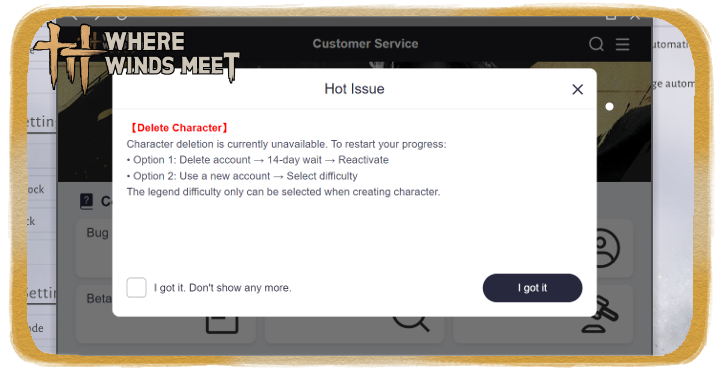 How to Delete Characters
 Best Starting Choices
 Can You Change Gender?
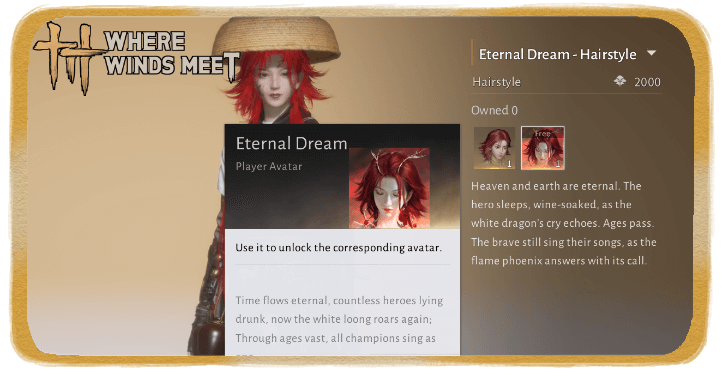 How to Change Hair Color
 Can You Have Multiple Characters?
 Should You Choose Legends Difficulty?
 How to Change Name
Common Questions and Technical Guides
 Should You Use DirectX 12?
 How Long is Where Winds Meet?
 What is the Max Level?
 What To Do With Old Gear?
 What are Pardon Parades?
 Death Penalty Explained
 All Missables and Points of No Return
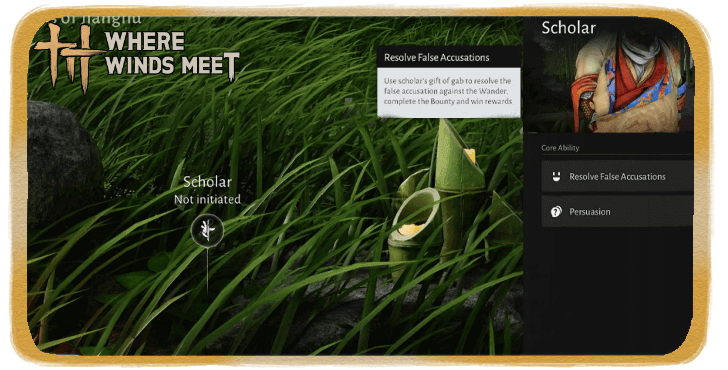 False Accusation Explained
 Endgame Guide
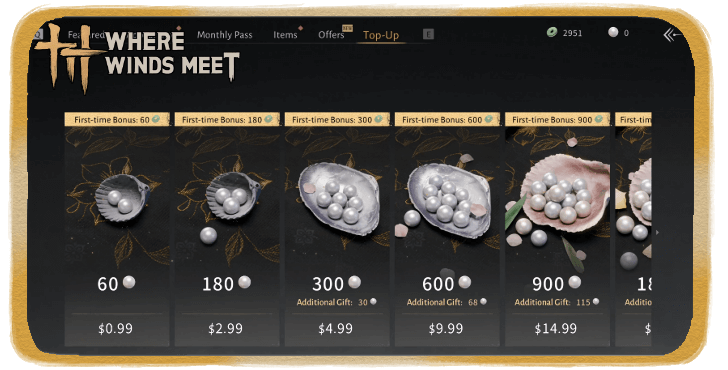 How to Top Up
 How to Change Language
 How to Get Unstuck
 Best Settings Guide
 List of All Controls
 How to Hide Bow and Weapons
 How to Skip Cutscenes
 Microtransaction Guide
 Upcoming Weapons and Martial Arts
Gameplay Features
 Gacha System Explained
 How to Unlock Fishing
 How to Disguise
 Wanted System and Law Violation
 Guild System Guide
 How to Leave Guild
 How to Leave Sect
 Romance System Explained
 How to Increase Intimacy
 Guild Wars Guide
 Season Challenges Guide
 Eastern Herald Quiz Answers
 Training Dummy Guide
 Spotlight Mode
Lore
 The Story of Blissful Retreat The Story of Blissful Retreat |
- | - |
Comment



Author

Player Housing Guide: How to Unlock Base Building

Rankings
Gaming News




Popular Games

Genshin Impact Walkthrough & Guides Wiki
Umamusume: Pretty Derby Walkthrough & Guides Wiki
Pokemon Pokopia Walkthrough & Guides Wiki
Honkai: Star Rail Walkthrough & Guides Wiki
Monster Hunter Stories 3: Twisted Reflection Walkthrough & Guides Wiki
Arknights: Endfield Walkthrough & Guides Wiki
Wuthering Waves Walkthrough & Guides Wiki
Zenless Zone Zero Walkthrough & Guides Wiki
Pokemon TCG Pocket (PTCGP) Strategies & Guides Wiki
Monster Hunter Wilds Walkthrough & Guides Wiki










Recommended Games
Diablo 4: Vessel of Hatred Walkthrough & Guides Wiki
Cyberpunk 2077: Ultimate Edition Walkthrough & Guides Wiki
Fire Emblem Heroes (FEH) Walkthrough & Guides Wiki
Yu-Gi-Oh! Master Duel Walkthrough & Guides Wiki
Super Smash Bros. Ultimate Walkthrough & Guides Wiki
Pokemon Brilliant Diamond and Shining Pearl (BDSP) Walkthrough & Guides Wiki
Elden Ring Shadow of the Erdtree Walkthrough & Guides Wiki
Monster Hunter World Walkthrough & Guides Wiki
The Legend of Zelda: Tears of the Kingdom Walkthrough & Guides Wiki
Persona 3 Reload Walkthrough & Guides Wiki










All rights reserved
©1997-2025 NetEase, Inc. All Rights Reserved
The copyrights of videos of games used in our content and other intellectual property rights belong to the provider of the game.
The contents we provide on this site were created personally by members of the Game8 editorial department.
We refuse the right to reuse or repost content taken without our permission such as data or images to other sites.