
How to Unlock Trading and Link Play
★ New Mystery Gift: Portal for Mega Garchomp Z!
☆ Mega Dimension DLC & Version 2.0.1 released!
★ See the Returning Pokemon & New DLC Megas.
☆ Season 8 runs Mar 12 ~ Apr 02
★ Interactive Map: Screws, TMs, Mint Shops
☆ Find your desired Pokemon at the Trading Board.
In Pokemon Legends: Z-A trainers can trade their Pokemon and compete against other trainers in the Z-A Battle Club through Link Play. Learn about how and when trading and Link Play are unlocked in the story.
List of Contents
How to Unlock Trading and Link Play
Unlocked During A New Life in Lumiose City
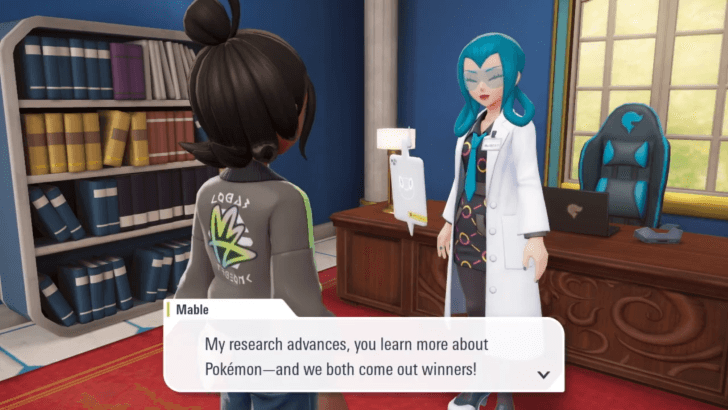
Link Play and Trading are unlocked during A New Life in Lumiose City after speaking with Mabel at the Pokemon Research Lab. This happens after completing the five-Pokemon Challenge and after Mable explains Mable's Research.
How Trade Online
Accessed Through Link Play
| Walkthrough | |
|---|---|
| 1 | 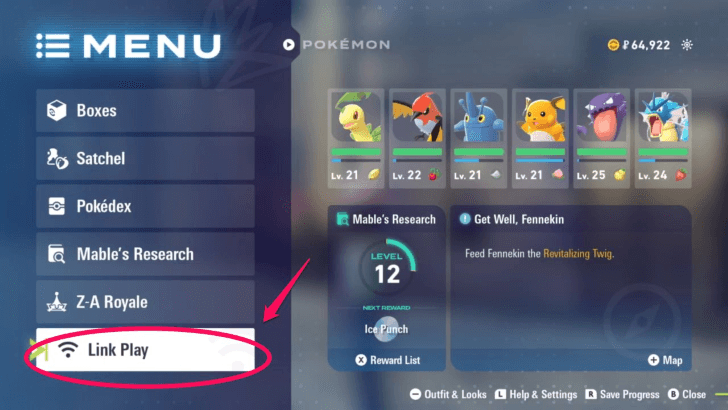 Press X to open the menu and select link play at the bottom left. |
| 2 | 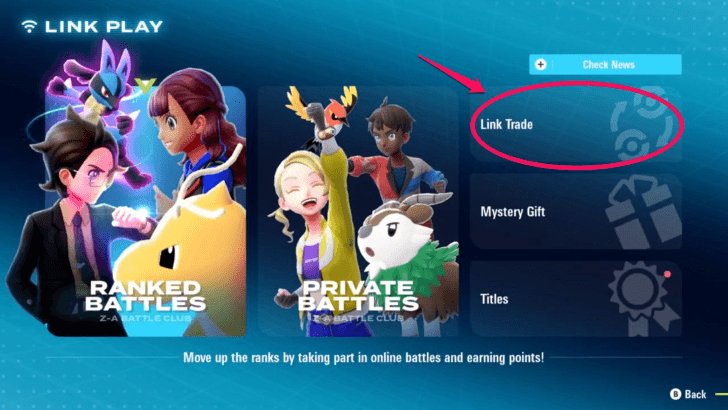 Select link trade in the top right. |
| 3 | 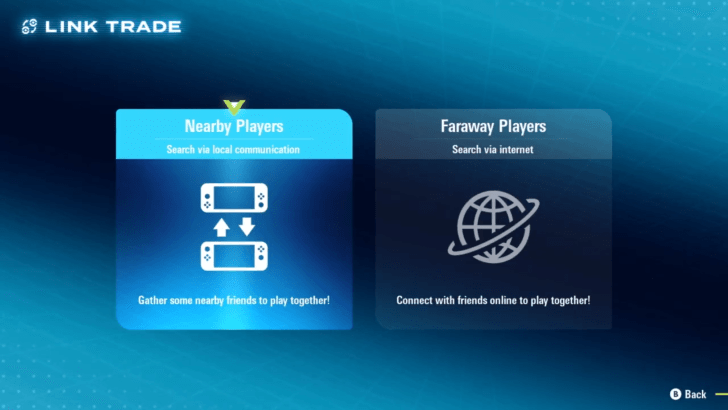 Select your preferred mode of trading either locally or via the internet. Note that connecting the game to the internet requires a Nintendo Switch Online account. Your game will be saved after it connects to the internet. |
| 4 | 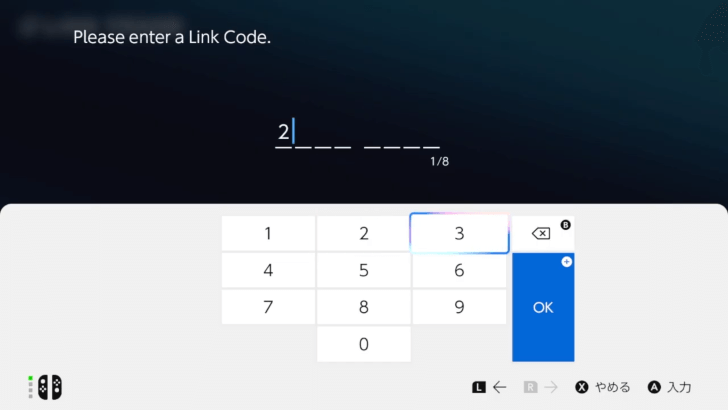 Enter your preferred Link Code consisting of 8 digits. |
| 5 | 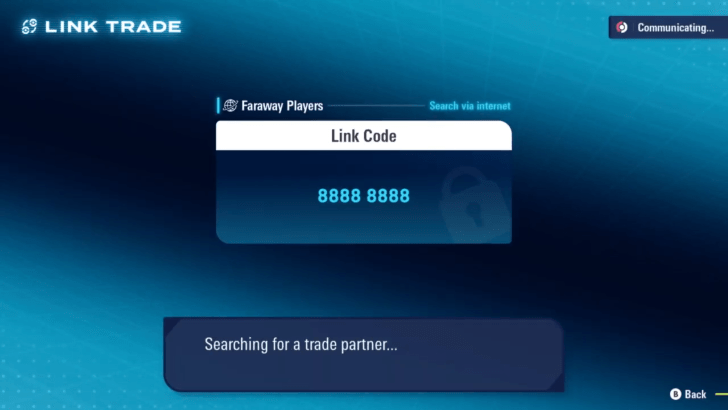 The game will search for your trading partner that enters this same link code. |
| 6 | 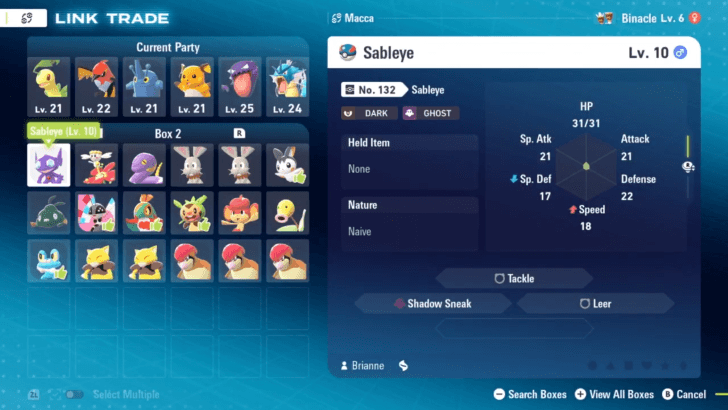 After a successful exchange of codes, a screen showing your box and party Pokemon will show up. This screen will also show each Pokemon's stats, moveset, held item and nature if you hover over them. A green thumb icon will show up next to Pokemon that are not in your trading partner's Pokedex. Note that: • This thumbs up will not show for Pokemon that are currently in your party. • If you trade a Pokemon that your trading partner does not have then trade it back in the same session it will still show the thumbs up. Players need to exit the current session of the link trade and reenter a different one for this mark to disappear. |
| 7 | 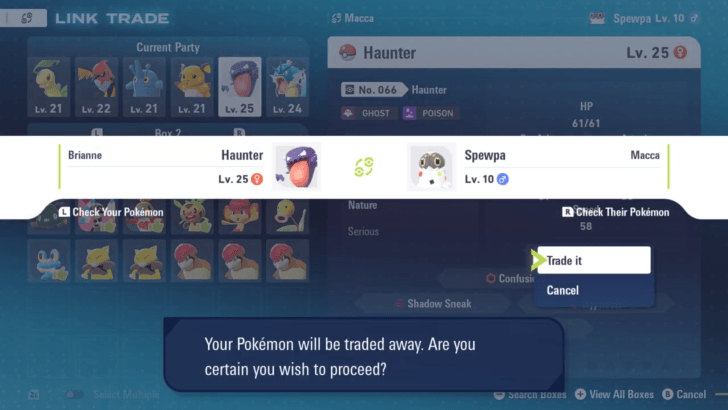 Select your chosen Pokemon and select "offer up". A banner will show your trading partner's offer as well as a confirmation alert to proceed with the trade. Select "trade it" to proceed. |
| 8 |  An animation will show up showing the two Pokemon being traded. |
| 9 | 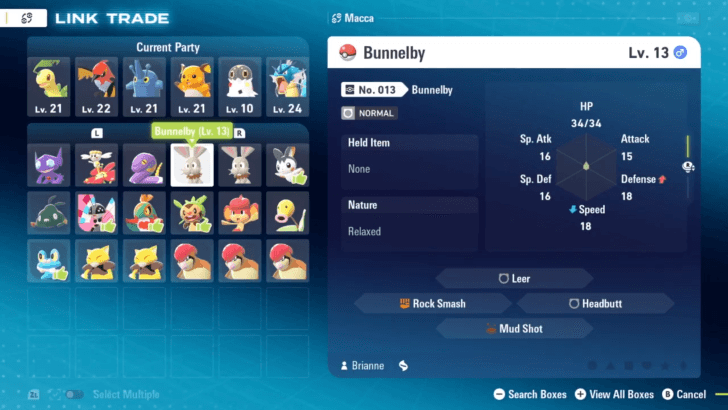 After the trade, it will take you back to the screen of your party and box Pokemon. You can trade Pokemon again without leaving the session. |
Pokemon Legends: Z-A Related Guides
Beginner's Guide to Pokemon Z-A
Gameplay Features
How-To Guides
Farming Guides
| Farming Guides | |
|---|---|
| EXP Farming Guide: How to Level Up Fast | How to Farm Money Fast |
| How to Get Prize Medals | How to Get Ticket Points Fast |
| How to Get More Berries | - |



Author
How to Unlock Trading and Link Play

Rankings

Gaming News





Popular Games

Genshin Impact Walkthrough & Guides Wiki
Umamusume: Pretty Derby Walkthrough & Guides Wiki
Crimson Desert Walkthrough & Guides Wiki
Monster Hunter Stories 3: Twisted Reflection Walkthrough & Guides Wiki
Honkai: Star Rail Walkthrough & Guides Wiki
Pokemon Pokopia Walkthrough & Guides Wiki
The Seven Deadly Sins: Origin Walkthrough & Guides Wiki
Wuthering Waves Walkthrough & Guides Wiki
Zenless Zone Zero Walkthrough & Guides Wiki
Arknights: Endfield Walkthrough & Guides Wiki










Recommended Games
Fire Emblem Heroes (FEH) Walkthrough & Guides Wiki
Diablo 4: Vessel of Hatred Walkthrough & Guides Wiki
Cyberpunk 2077: Ultimate Edition Walkthrough & Guides Wiki
Yu-Gi-Oh! Master Duel Walkthrough & Guides Wiki
Super Smash Bros. Ultimate Walkthrough & Guides Wiki
Pokemon Brilliant Diamond and Shining Pearl (BDSP) Walkthrough & Guides Wiki
Elden Ring Shadow of the Erdtree Walkthrough & Guides Wiki
Monster Hunter World Walkthrough & Guides Wiki
The Legend of Zelda: Tears of the Kingdom Walkthrough & Guides Wiki
Persona 3 Reload Walkthrough & Guides Wiki










All rights reserved
©2025 Pokémon. ©1995-2019 Nintendo/Creatures Inc. /GAME FREAK inc.
The copyrights of videos of games used in our content and other intellectual property rights belong to the provider of the game.
The contents we provide on this site were created personally by members of the Game8 editorial department.
We refuse the right to reuse or repost content taken without our permission such as data or images to other sites.
Can someone please help me shiny hunt? And I also found a shiny patrat yesterday but it scared and disappeared. Does it ever come back?