
How to Get and Set Up Merchants Tab
Latest: 0.5.0 Release Date
☆ Fate of the Vaal ▶︎ The Last of the Druids
┗ Bonded Mods | 0.4 Mystery Box
★ Druid: Class Overview | Builds
☆ NEW: Disciple of Varashta Ascendancy!
★ Best Class | Best Builds | Leveling Builds
The Merchants Tab is purchasable microtransaction in Path of Exile 2 (PoE 2). See how to get the Merchant Tab, how to use, its overview and all available information here in this guide!
List of Contents
How to Get Merchants Tab
Buy From the Microtransactions Shop
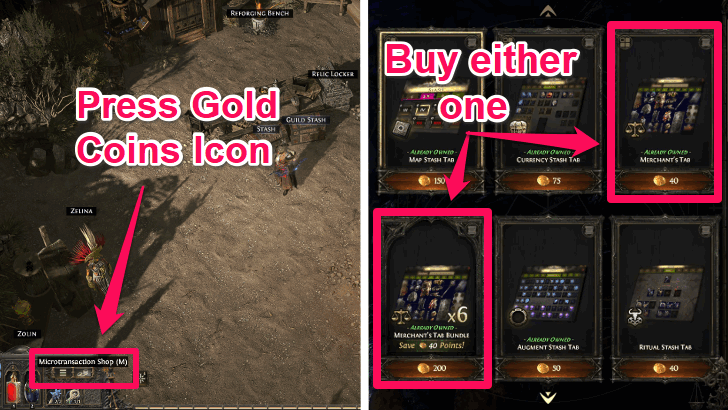
| Item | Price |
|---|---|
| Merchant's Tab | 40 Points |
| Merchant's Tab Bundle | 200 Points |
Obtain Merchant Tabs by buying them in the Microtransactions Shop for either 40 Points for 1x Merchant Tab or 200 Points for 6x Merchant's Tab, in a Merchant's Tab Bundle.
Shop Bundles and Microtransactions
How to Access the Microtransactions Shop
| Opening Microtransactions Shop Step-by-Step |
|---|
|
1. Players can use either one of these ways for the first step: ㅤ└ Press the "M" button on the keyboard. ㅤ└ Press the Coins Icon at the lower left of the screen. 2. Click on Stash Tabs on the left side of the screen. 3. Scroll down and locate the Merchant's Tab on the right side of the screen. |
The Microtransactions Shop can be accessed by either pressing the M button or pressing the coins icon at the lower left of the main screen.
Obtain Points By Using Real Life Money
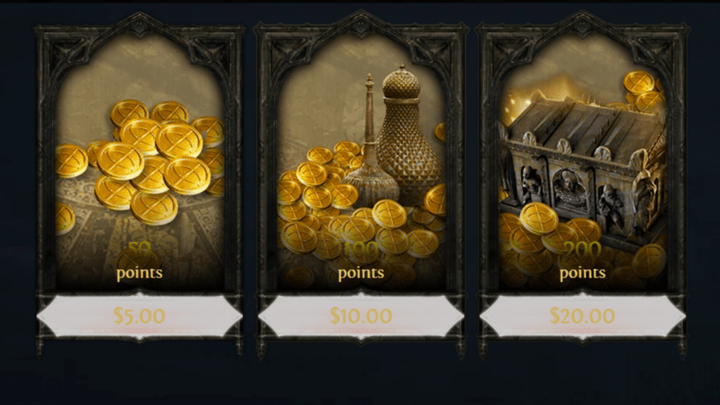
You can obtain Points by purchasing them in the official Microtransaction Shop in-game or in the official website in exchange for real life money.
You can either purchase a small amount of Points or Supporter Packs which contain the same amount of Points you would've gotten for its price plus additional Cosmetics.
How to Use the Merchants Tab
| Steps on How to Use the Merchant Tab |
|---|
|
|
 1.
1. Talk to Ange At Your Hideout
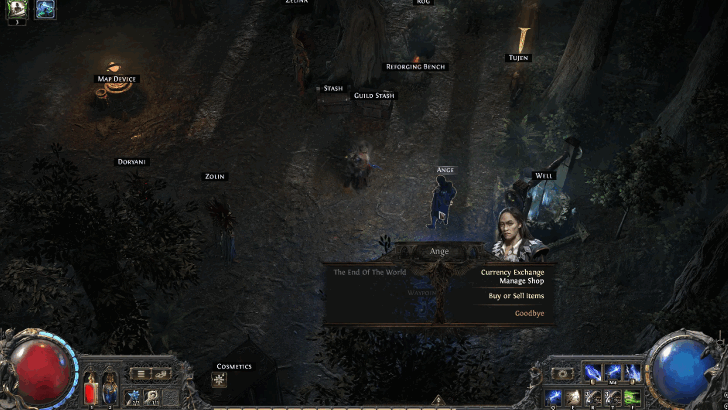
The Merchant Tab can be used after talking to Ange at your hideout. Ange is found at Kingsmarch and can be invited to your hideout after completing her quest in Act 4.
Ange Location and How to Unlock
Sell Items at the Price You Want

Put the selected items you want to sell in the Merchant Tab. You may also set it at any basic currency you want.
Collect Earnings from Ange
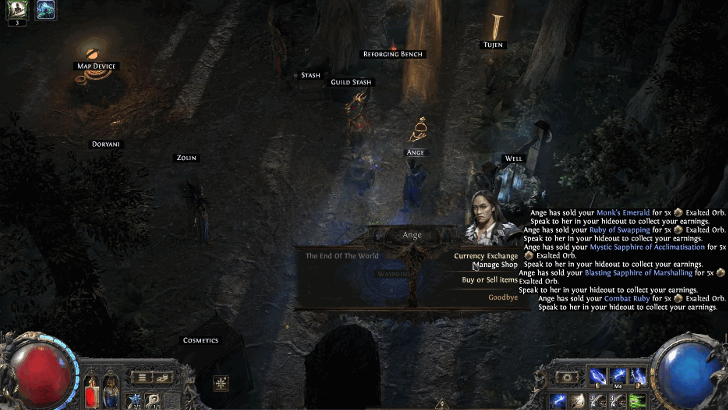
After an item gets sold in your Merchant Tab, you may collect your earning from Ange. You may also check the sales history to see which items got sold.
Buy Items from Other Players
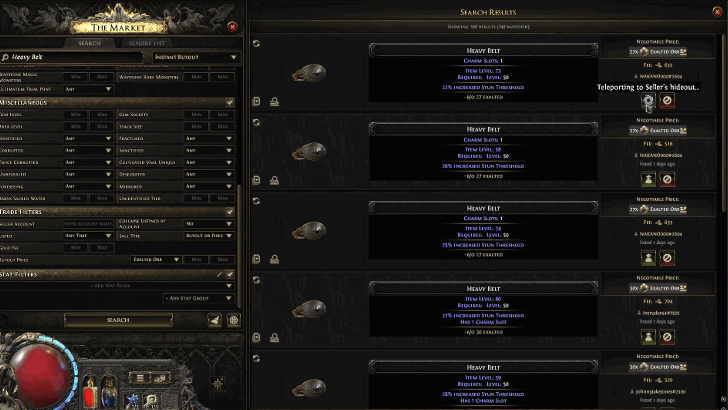
You may search for listed items in the Market Menu by pressing the / button on the keyboard or while setting up the Merchant Tab. At the top right of the Market Menu, change the option to Instant Buyout to buy items from other player's merchant tabs.
The In Person option may also be selected to trade items manually. Then, click Travel to Hideout to teleport to other player's hideout and take a look at their inventory.
Merchants Tab Overview
Merchants Tab Details
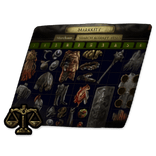 Adds a Merchant's Tab to your account. |
Purchasing the Merchants Tab Stash Tab microtransaction allows you to sell your items to other players without being present for the sale. Find Ange in Kingsmarch to establish a hideout, then begin managing your shop and selling your items.
Path of Exile 2 (PoE 2) Related Guides

Shop Bundles and Microtransactions
List of All Microtransactions
 Currency Stash Tab
 Cursor Pack
 Dawn of the Hunt Mystery Box
 Delirium Stash Tab
 Essence Stash Tab
 Extra Character Slot
 Extra Stash Tab
 Flask Stash Tab
 Gem Stash Tab
 Guild Currency Stash Tab
 Guild Delirium Stash Tab
 Guild Essence Stash Tab
 Guild Gem Stash Tab
 Guild Hideout Music Player
 Guild Map Stash Tab
 Guild Quad Stash Tab
 Guild Ritual Stash Tab
 Guild Socketable Stash Tab
 Guild Unique Collection Tab
 Hideout Music Player
 Invisible Buff Effect
 Map Stash Tab
 Premium Guild Stash Tab
 Premium Quad Stash Tab
 Premium Stash Tab
 Skin Transfer
 The Last of the Druids Mystery Box
 The Third Edict Mystery Box
 Tracking Scroll of Abysses
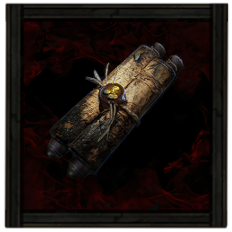 Tracking Scroll of Bounty
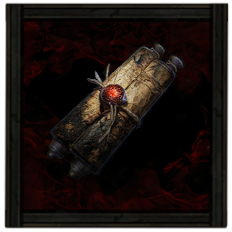 Tracking Scroll of Headhunting
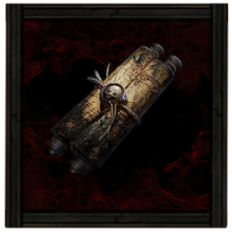 Tracking Scroll of Hunting
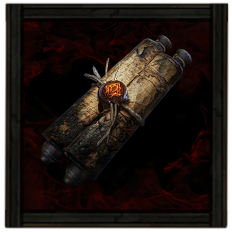 Tracking Scroll of Treasures
 Unique Collection Tab
 Upgrade to Premium Stash Tab
 Vanishing Dye
List of All Shop Bundles
 Arachnamagus Bundle
 Breachlord Quarterstaff Skill Effect Bundle
 Currency Collectors's Bundle
 Currency Hoarder's Bundle
 Delirium Occult Skill Effect Bundle
 Demonfire Elemental Skill Effect Bundle
 Exile's Stash Bundle
 Faridun Bow Skill Effect Bundle
 Kitava Mace Skill Effect Bundle
 Legion Commander Bundle
 Mapper's Azmeri Starter Kit
 Merchants Tab Bundle
 Premium Stash Tab Bundle (x6)
 Quad Tab
 Sanguine Occult Skill Effect Bundle
 Scourge Commander Bundle
 Speedrunner's Mapping Bundle
 Stash Tab Bundle
 Thaumaturge's Crossbow Skill Effect Bundle
 Valkyrie Spear Skill Effect Bundle
Comment



Author

How to Get and Set Up Merchants Tab

Rankings
- We could not find the message board you were looking for.
Gaming News




![Monster Hunter Stories 3 Review [First Impressions] | Simply Rejuvenating](https://img.game8.co/4438641/2a31b7702bd70e78ec8efd24661dacda.jpeg/thumb)
Popular Games

Genshin Impact Walkthrough & Guides Wiki
Umamusume: Pretty Derby Walkthrough & Guides Wiki
Pokemon Pokopia Walkthrough & Guides Wiki
Honkai: Star Rail Walkthrough & Guides Wiki
Monster Hunter Stories 3: Twisted Reflection Walkthrough & Guides Wiki
Arknights: Endfield Walkthrough & Guides Wiki
Wuthering Waves Walkthrough & Guides Wiki
Zenless Zone Zero Walkthrough & Guides Wiki
Pokemon TCG Pocket (PTCGP) Strategies & Guides Wiki
Monster Hunter Wilds Walkthrough & Guides Wiki










Recommended Games
Diablo 4: Vessel of Hatred Walkthrough & Guides Wiki
Cyberpunk 2077: Ultimate Edition Walkthrough & Guides Wiki
Fire Emblem Heroes (FEH) Walkthrough & Guides Wiki
Yu-Gi-Oh! Master Duel Walkthrough & Guides Wiki
Super Smash Bros. Ultimate Walkthrough & Guides Wiki
Pokemon Brilliant Diamond and Shining Pearl (BDSP) Walkthrough & Guides Wiki
Elden Ring Shadow of the Erdtree Walkthrough & Guides Wiki
Monster Hunter World Walkthrough & Guides Wiki
The Legend of Zelda: Tears of the Kingdom Walkthrough & Guides Wiki
Persona 3 Reload Walkthrough & Guides Wiki










All rights reserved
© 2010 - 2024 Grinding Gear Games
The copyrights of videos of games used in our content and other intellectual property rights belong to the provider of the game.
The contents we provide on this site were created personally by members of the Game8 editorial department.
We refuse the right to reuse or repost content taken without our permission such as data or images to other sites.