
Switch 2 Edition New Features and Upgrade Price
★ Update 3.0 and NS2 Editions are out now!
┗ Unlock the Hotel & the Special Nintendo Catalog.
┗ Collab Guides with LEGO, Splatoon, and Zelda
☆ Switch 2 Edition Features and Price
★ Enjoy sandbox building in Slumber Islands.
☆ New Villagers: Cece, Viche, Tulin, and Mineru!
The Switch 2 Edition of Animal Crossing: New Horizons (ACNH) introduces new features such as the return of the Megaphone, expanded online gameplay, graphics upgrades, and Joy-Con 2 compatibility. See all the new features, edition differences, and the Switch 2 upgrade price here.
List of Contents
Switch 2 Edition New Features
- Return of the Megaphone
- Expanded Online Features
- Improved Graphics and Resolution
- Joy-Con 2 Mouse Compatibility
- Free Switch 2 Upgrade
Return of the Megaphone
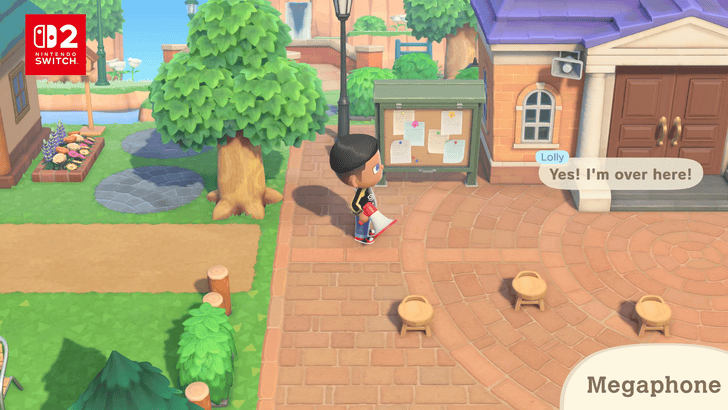
One of the most exciting features added to the Nintendo Switch 2 edition of Animal Crossing: New Horizons is the return of the Megaphone. In previous games such as Animal Crossing: New Leaf, you could use it to call out to any of your villagers and find out their exact location.
With the Nintendo Switch 2 featuring microphone support, it's no surprise that this feature has been added. Previously, the only way to locate villagers was by exploring your island or checking inside buildings. This saves you time from running around and makes it much easier to befriend your villagers!
How to Get and Use the Megaphone on Switch 2
Expanded Online Features
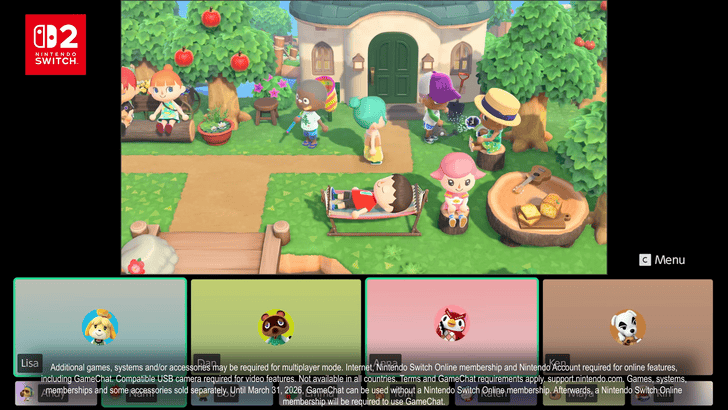
The Switch 2 Edition features a variety of online gameplay improvements that enhance the multiplayer experience, from an expanded player count to new ways to communicate with other players!
12 Players Gameplay
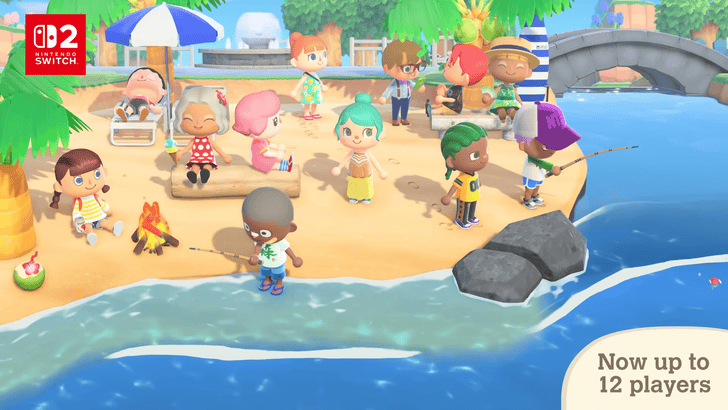
If all players have the Nintendo Switch 2 Edition of the game, you can host up to 12 players on your island! However, for Switch 1 users, the maximum remains capped at 8 players.
How to Play Online Multiplayer with Friends
CameraPlay Support
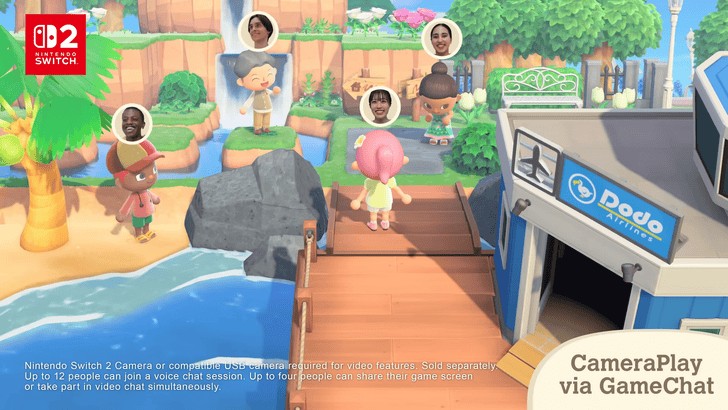
You can also connect a supported webcam to show your actual face while playing the game. This will appear on top of your character, and you’ll also see your friends if they have theirs turned on.
GameChat
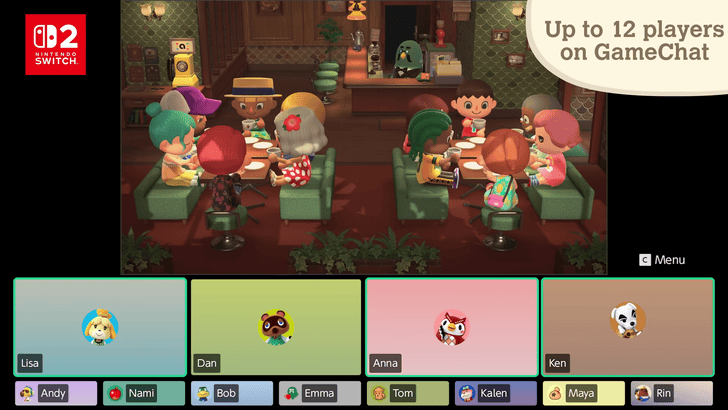
You can also use the Switch 2's GameChat feature to talk to your friends via voice call. This removes the need to use third-party apps when communicating with friends.
How to Make Messages for Visitors
Improved Graphics and Resolution
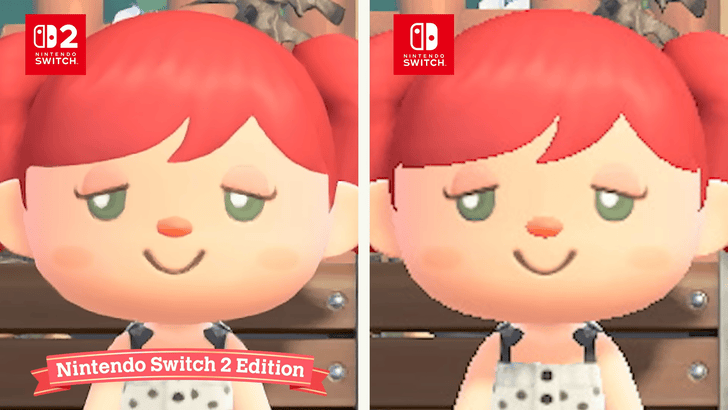
Other features include improved graphics and resolution, allowing you to play in 4K resolution. Just make sure your screen supports this resolution to fully take advantage of the improvement.
Joy-Con 2 Mouse Compatibility
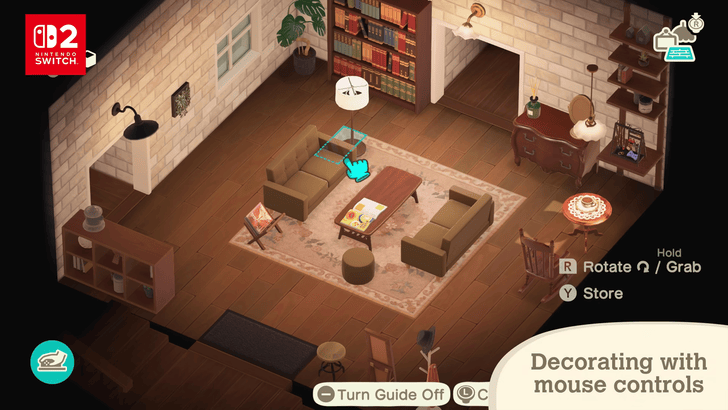
The Switch 2 Edition also supports Joy-Con 2 mouse compatibility, allowing you to navigate the island using the mouse feature, especially when decorating homes.
List of House Customization Options
Can Also Be Used On Making Custom Designs
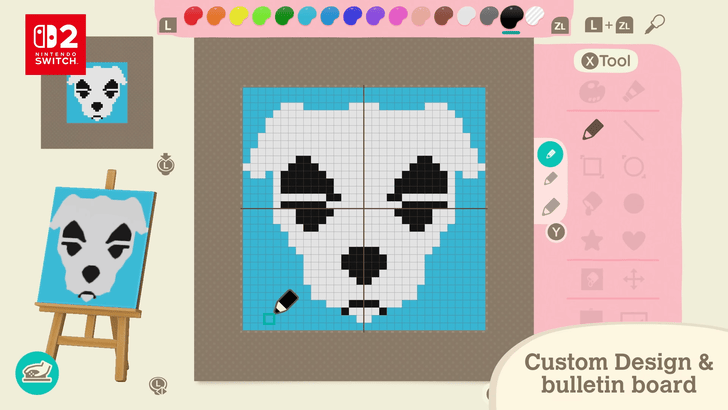
The mouse feature also makes custom designing easier, allowing you to create faster and more accurate patterns. You can also use it to design bulletin board messages for your visitors and villagers.
Free Switch 2 Upgrade
A Nintendo Switch 2 upgrade is also available for those who did not purchase the Nintendo Switch 2 edition of the game. This upgrade only includes a resolution boost when playing in portable mode; it does not include any other features from the paid upgrade.
Switch 2 vs Switch 1 Edition Differences
Content Differences
| Content | Switch 1 | Switch 2 |
|---|---|---|
| Access to 3.0 content | ✔️ | ✔️ |
| Zelda, Splatoon, and LEGO Collabs | ✔️ | ✔️ |
| 12-Player Multiplayer | ❌ | ✔️ |
| Improved Graphics | ❌* | ✔️ |
| Mouse Controls | ❌ | ✔️ |
| Megaphone Access | ❌ | ✔️ |
The table above lists the differences between the Switch 1 and Switch 2 versions of the game. Those who get the Switch 2 edition of the game will get improved graphics and multiplayer, but everyone can enjoy 3.0 content, which includes the hotel and new items.
Resolution Upgrade for Switch 2 Players
Those who are playing on the Switch 2 can get a free resolution upgrade while playing in handheld mode even if the Switch 2 edition is not purchased. This does not apply to those playing on the Switch 1.
Switch 2 Edition Upgrade Price
$4.99 (USD)
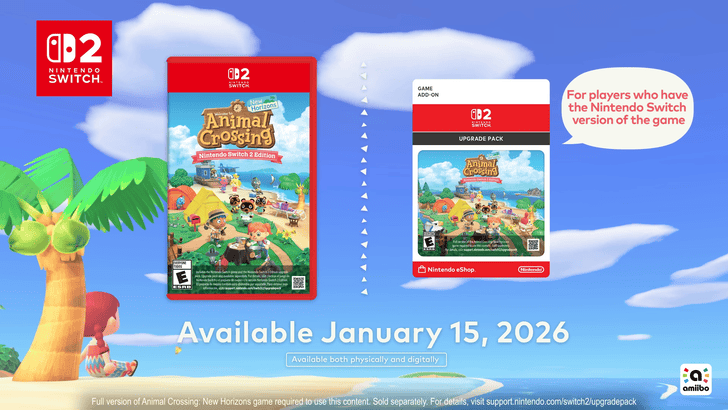
The Switch 2 Edition upgrade costs $4.99 (USD) for players who already own the base game. This update will be released on January 15, 2026, alongside the Version 3.0.0 update.
$64.99 (USD) for NS2 Base Game
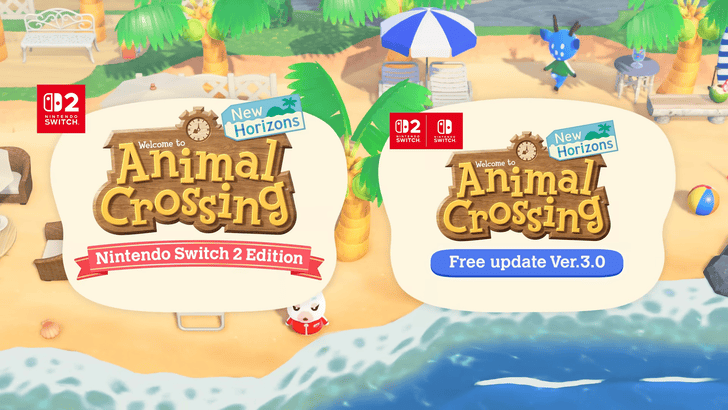
If you do not own the base game, you can purchase the Switch 2 Edition for $64.99 (USD) with no upgrade required!
ACNH - Animal Crossing: New Horizons Related Guides

Version 3.0 News
| Version 3.0 News | |
|---|---|
 Switch 2 New Features and Upgrade Price Switch 2 New Features and Upgrade Price
|
 Version 3.0 All New Content and Features Version 3.0 All New Content and Features |
 Version 3.0 Release Date and Time Version 3.0 Release Date and Time
|
 All amiibo Rewards and Unlocks All amiibo Rewards and Unlocks |
 LEGO Collaboration Guide LEGO Collaboration Guide |
 Zelda Collaboration Guide Zelda Collaboration Guide
|
 Splatoon Collaboration Guide Splatoon Collaboration Guide |
 How to Get Nintendo Collab Items How to Get Nintendo Collab Items |
All News and Updates
 List of New Features
 List of New Horizons DLC
 April Ver 1.2 Update
 July Ver 1.3 Update
 August Ver 1.4 Update
 September Ver 1.5 Update
 November Ver 1.6 Update
 January Ver 1.7 Update
 February Ver 1.8.0 Update
 1st Anniversary Event
 March Ver 1.9.0 Update
 April Ver 1.10.0 Update
 April Ver 1.11.0 Update
 ACNH Direct and November Update
 Nintendo Switch Online + Expansion Pack
 November Ver 2.0.1 Update
 November Ver 2.0.2 Update
 November Version 2.0.3 Update
 December Ver 2.0.4 Update
 Sanrio amiibo Pack
 Build-A-Bear Collection
 How to Use the Island Tour Creator
 Original Soundtrack and Sheet Music
 UNIQLO Collection
 PUMA x ACNH Collab
 Maintenance | Fix Errors
 How to Update and Update Patch Notes
 How to Climb the 4th Cliff Level
 How to Plant Trees on Clifftop Edges
 1x1 Item Duplication Glitch
 2x1 Item Duplication Glitch
 Mailbox Item Duplication Glitch
 How to Plant Trees on Paths
 How to Swim in Rivers | How to Sit in Pools
 How to Center Items on Tables Outside
 Animal Crossing Direct
 Is there a Demo?
 Pre-order Bonuses
 Giveaways
 How to Pre-load
Comment



Author
Switch 2 Edition New Features and Upgrade Price

Rankings
- We could not find the message board you were looking for.
Gaming News

![The Liar Princess and the Blind Prince Review [PC] | Lovely to Look at but Tedious to Play](https://img.game8.co/4442586/8d95f5faf05780f1765ce7e0938bd825.jpeg/show)
![Monster Hunter Stories 3 Review [First Impressions] | Simply Rejuvenating](https://img.game8.co/4438641/2a31b7702bd70e78ec8efd24661dacda.jpeg/thumb)
![The Seven Deadly Sins: Origin [First Impressions] | A Promising Start](https://img.game8.co/4440581/584e0bfb87908f12c4eab6e846eb1afd.png/thumb)

Popular Games

Genshin Impact Walkthrough & Guides Wiki
Umamusume: Pretty Derby Walkthrough & Guides Wiki
Pokemon Pokopia Walkthrough & Guides Wiki
Honkai: Star Rail Walkthrough & Guides Wiki
Monster Hunter Stories 3: Twisted Reflection Walkthrough & Guides Wiki
Arknights: Endfield Walkthrough & Guides Wiki
Wuthering Waves Walkthrough & Guides Wiki
Zenless Zone Zero Walkthrough & Guides Wiki
Pokemon TCG Pocket (PTCGP) Strategies & Guides Wiki
Monster Hunter Wilds Walkthrough & Guides Wiki










Recommended Games
Fire Emblem Heroes (FEH) Walkthrough & Guides Wiki
Diablo 4: Vessel of Hatred Walkthrough & Guides Wiki
Cyberpunk 2077: Ultimate Edition Walkthrough & Guides Wiki
Yu-Gi-Oh! Master Duel Walkthrough & Guides Wiki
Super Smash Bros. Ultimate Walkthrough & Guides Wiki
Pokemon Brilliant Diamond and Shining Pearl (BDSP) Walkthrough & Guides Wiki
Elden Ring Shadow of the Erdtree Walkthrough & Guides Wiki
Monster Hunter World Walkthrough & Guides Wiki
The Legend of Zelda: Tears of the Kingdom Walkthrough & Guides Wiki
Persona 3 Reload Walkthrough & Guides Wiki










All rights reserved
©2020 Nintendo
The copyrights of videos of games used in our content and other intellectual property rights belong to the provider of the game.
The contents we provide on this site were created personally by members of the Game8 editorial department.
We refuse the right to reuse or repost content taken without our permission such as data or images to other sites.