
How to Jump, Skip, and Sidestep
★ Update 3.0 and NS2 Editions are out now!
┗ Unlock the Hotel & the Special Nintendo Catalog.
┗ Collab Guides with LEGO, Splatoon, and Zelda
☆ Switch 2 Edition Features and Price
★ Enjoy sandbox building in Slumber Islands.
☆ New Villagers: Cece, Viche, Tulin, and Mineru!
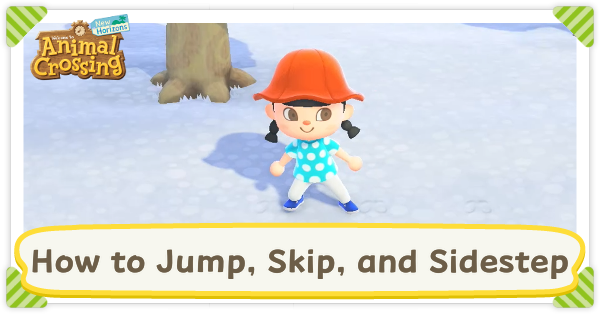
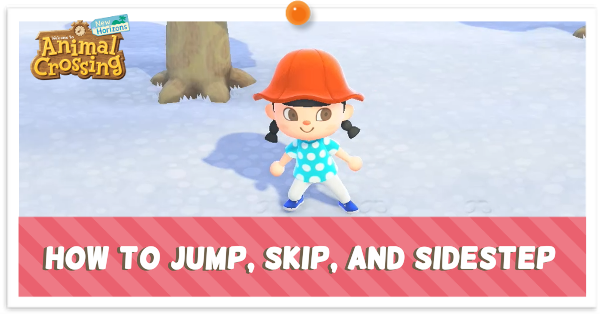
You can use the L button to jump, skip, and sidestep in Animal Crossing: New Horizons (ACNH). Read on to learn more about how to jump, skip, and sidestep, and when to use these movement options.
How to Jump, Skip, and Sidestep
Press the L Button to Jump or Skip
As of the Version 3.0 update, your character will jump or skip when pressing the L Button outdoors. If your character is not centered on a tile or facing diagonally, they will slightly adjust their position.
Hold L and Use the Left Stick to Sidestep
You can sidestep or slide by holding the L button and using the left analog stick to move. Your character will only be able to move along the grid, and will jump into position first when needed.
When to Jump, Skip, and Sidestep
Use When Terraforming or Decorating Your Island
You will be able to customize your island more efficiently by pressing the A button while sidestepping.
You may use this feature while placing cliffs, rivers, and paths, digging holes, and planting flowers.
Animal Crossing: New Horizons (ACNH) Related Guides
All Tips and Tricks Guides
 What to Do Before the 3.0 Update
 How to Get Zelda Items
 How to Jump, Skip, and Sidestep
 How to Invite Guests Using amiibo
 How to Farm Hotel Tickets
 Bulk Crafting Guide
 Hotel Guide
 Slumber Island Guide
 How to Get and Use the Megaphone on Switch 2
 How to Decorate Hotel Rooms
 DIY Item Requests Guide
 Resetti's Reset Service Guide
 How to Get Splatoon Items
 All Grams Souvenir Shop Items
 ACNH 100% Checklist
 Daily & Weekly To-Do List
 How to Increase Inventory Space
 How to Get Presents from Balloons
 Island Designer Unlock Walkthrough
 How to Raise Your Island's Star Rating
 How to Kick Out Villagers
 How to Get New Villagers
 How to Get Specific Villagers You Want
 How to Get Villager Photos and Posters
 Jolly Redd's Treasure Trawler
 List of Haunted Art
 How to Get Infinite Tarantula Island
 How to Get Infinite Scorpion Island
 Stalk Market Guide
 Time Traveling Guide
 Secrets and Hidden Content
 What is Luck?
 How to Use the Warp Pipe
 Message in a Bottle Spawn Time
Comment



Author
How to Jump, Skip, and Sidestep

Rankings
Gaming News


![Monster Hunter Stories 3 Review [First Impressions] | Simply Rejuvenating](https://img.game8.co/4438641/2a31b7702bd70e78ec8efd24661dacda.jpeg/thumb)
![The Seven Deadly Sins: Origin [First Impressions] | A Promising Start](https://img.game8.co/4440581/584e0bfb87908f12c4eab6e846eb1afd.png/thumb)

Popular Games

Genshin Impact Walkthrough & Guides Wiki
Umamusume: Pretty Derby Walkthrough & Guides Wiki
Pokemon Pokopia Walkthrough & Guides Wiki
Honkai: Star Rail Walkthrough & Guides Wiki
Monster Hunter Stories 3: Twisted Reflection Walkthrough & Guides Wiki
Arknights: Endfield Walkthrough & Guides Wiki
Wuthering Waves Walkthrough & Guides Wiki
Zenless Zone Zero Walkthrough & Guides Wiki
Pokemon TCG Pocket (PTCGP) Strategies & Guides Wiki
Monster Hunter Wilds Walkthrough & Guides Wiki










Recommended Games
Fire Emblem Heroes (FEH) Walkthrough & Guides Wiki
Diablo 4: Vessel of Hatred Walkthrough & Guides Wiki
Cyberpunk 2077: Ultimate Edition Walkthrough & Guides Wiki
Yu-Gi-Oh! Master Duel Walkthrough & Guides Wiki
Super Smash Bros. Ultimate Walkthrough & Guides Wiki
Pokemon Brilliant Diamond and Shining Pearl (BDSP) Walkthrough & Guides Wiki
Elden Ring Shadow of the Erdtree Walkthrough & Guides Wiki
Monster Hunter World Walkthrough & Guides Wiki
The Legend of Zelda: Tears of the Kingdom Walkthrough & Guides Wiki
Persona 3 Reload Walkthrough & Guides Wiki










All rights reserved
©2020 Nintendo
The copyrights of videos of games used in our content and other intellectual property rights belong to the provider of the game.
The contents we provide on this site were created personally by members of the Game8 editorial department.
We refuse the right to reuse or repost content taken without our permission such as data or images to other sites.