
Birthday Gift Rewards and How to Get
★ Version 3.2 Banners → Livestream Codes
┣ Sigrika → Materials, Weapon, Banner
┣ Qiuyuan → Builds, Materials, Weapon
┗ Phase 2 → Lynae, Zani, Phoebe
★ Tapes of Last Words | Soliskin | 3.1 Trophies
★ Exclusives: Tier Maker | State of the Meta
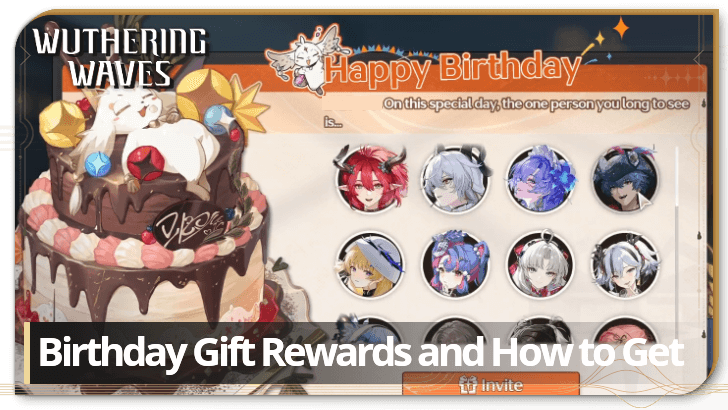
Players can now receive a Birthday gift on their birthday in Wuthering Waves. See all birthday gift rewards and how to get and use them here!
List of Contents
Birthday Gift Rewards
All Birthday Gift Rewards
| Birthday Gift Rewards | |
|---|---|
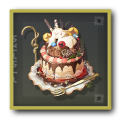 Supermassive Birthday Cake (2025) Supermassive Birthday Cake (2025)
|
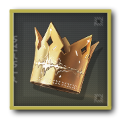 The Stars that Shine For You The Stars that Shine For You
|
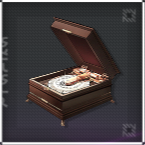 Happie Birthdaie! Happie Birthdaie!
|
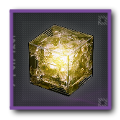 Crystal Solvent
x2 Crystal Solvent
x2 |
These are all of the Birthday Gifts players can expect to receive on their special day. This includes a Birthday Cake, a special cosmetic Crown, a Birthday Music Box, and two Crystal Solvents!
Special Resonator Birthday Greeting
In addition to the tangible gifts, you’ll also receive a voiced birthday greeting from the Resonator you choose! Note that this is the extent of the birthday celebration, as you won’t be able to celebrate with any of the characters directly in-game.
How to Use Supermassive Birthday Cake (2025)
| How to Use Supermassive Cake | |
|---|---|
| 1 | 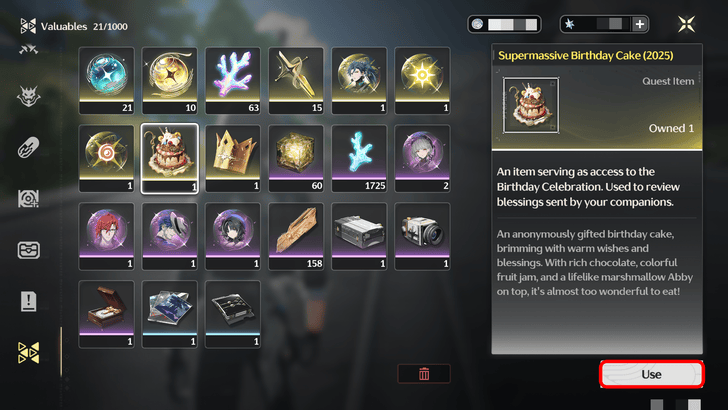 Open your Backpack and head to the Valuables category. Select the Supermassive Birthday Cake (2025) in your inventory and press the Use button on the bottom right corner of the screen. |
| 2 | 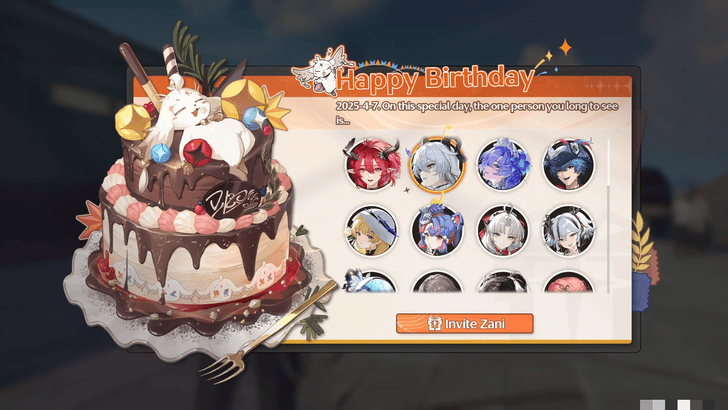 Select one out of the many available resonators to invite to your celebration and greet you a happy birthday! Note that you can only choose one character, and your selection is final. Once chosen, it cannot be changed so be sure to invite your favorite character! |
| 3 | 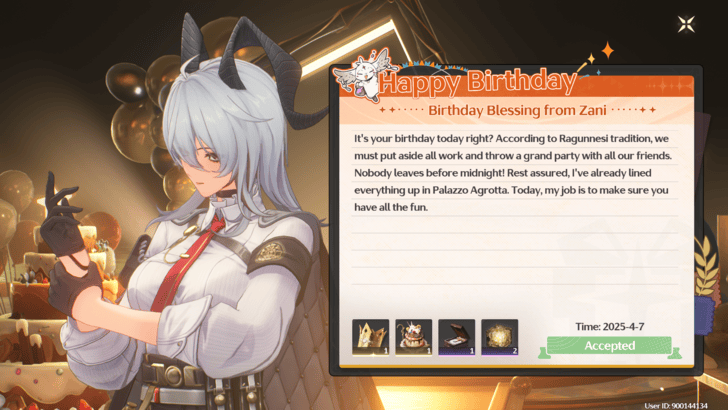 On the celebration screen, your chosen Resonator will read their birthday greetings to you, and you will be able to take a photo of them afterward! You can keep using this item from your Backpack to revisit your favorite Resonator's birthday greeting through this method! |
How to Use The Stars that Shine For You

In your Backpack, navigate to the Valuables tab and select The Stars that Shine For You. Press the Wear button at the bottom right corner of the screen to equip this accessory on your Rover.
You can unequip the Crown at any time by returning to your Backpack, and pressing the Remove button underneath the item description!
How to Use Happie Birthdaie! Music Box
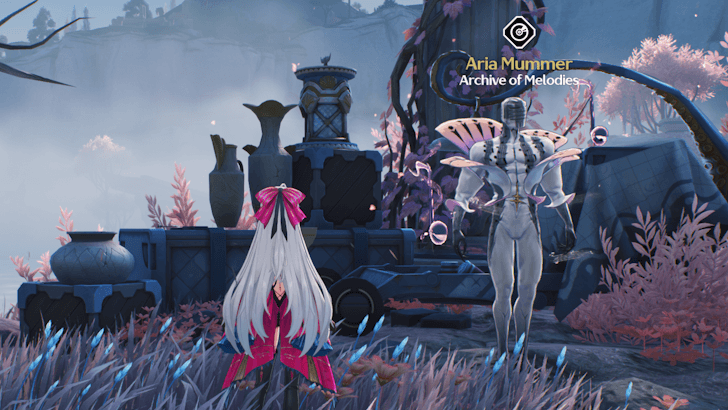
Approach any Aria Mummer at any location within Rinascita and select the Happie Birthdaie! Music Box from the selection of music to hear this wonderfully crafted composition!
How to Get a Birthday Gift
Set Your Birthday
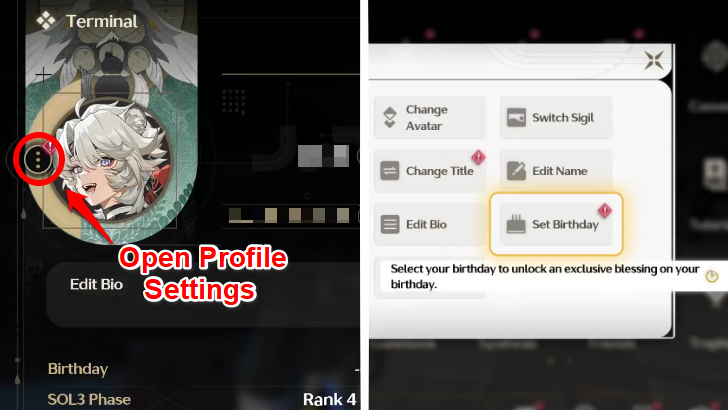
From the Main Menu, press the three vertical dots next to your profile photo and select Set Birthday. Enter your date of birth carefully, as you can only set it once. You can also use the Show Birthday toggle above to choose whether your birthday is visible on your profile.
Log-in on Your Birthday
Once your birthday arrives, you’ll be greeted by the Resonator invitation screen, and rewarded Birthday Gifts upon logging in based on the date you set!
Birthday Gifts Still Available Within 7 to 30 Days
If you happen to miss your birthday login, don’t worry as you’ll still have 7 days to log-in and enjoy the surprise of being greeted by the Resonator invitation screen!
If you miss that 7-day window but log-in within 30 days of your birthday, you’ll still receive a Birthday Gift via in-game mail. Although, instead of being greeted immediately by the invitation screen, you'll have to use the Birthday Cake from your Backpack to choose a Resonator to invite.
Birthday Gifts Can be Received Retroactively
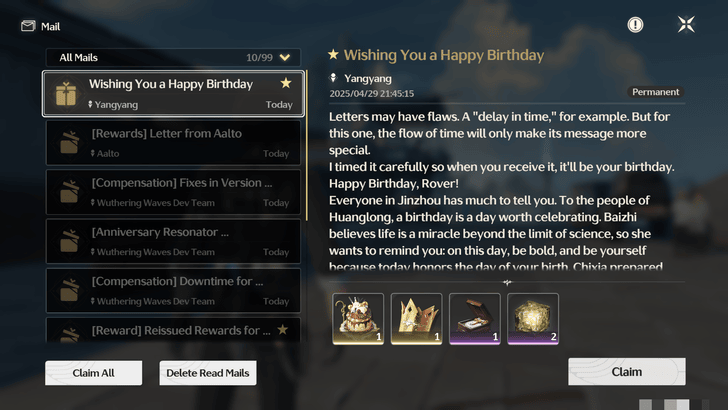
If your birthday passed before the Birthday Gift feature was introduced in Version 2.3, you’ll still receive your gifts via in-game mail as soon as you set your birthdate!
Birthday Gift Release Date
Available From Version 2.3 Onwards
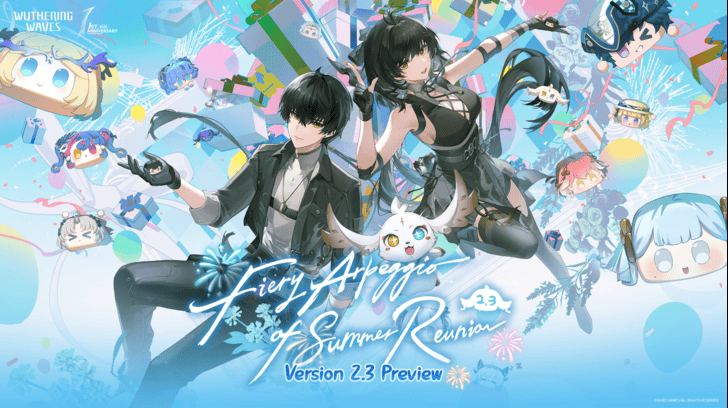
The Birthday Gift feature was introduced in Wuthering Waves Version 2.3. Starting April 29, 2025, players who set their birthdate will receive a special Birthday Gift upon logging in on their birthday, or even retroactively via in-game mail if their birthday has already passed!
2.3 Anniversary Release Date and Summary
Wuthering Waves Related Guides

Beginner's Guide: Tips and Tricks
Tips and Tricks
Echo Guides
Puzzle Guides
Utilities
| Utilities | |
|---|---|
| All Utilities | Grappling Hook |
| Sensor | Waypoint |
| Casket Sonar | Levitator |
| Projector | Lootmapper |
| Camera | Ultrasonic Pulse Chip |
| New Flight Mechanics | Expedition Motorbike |
Unmarked Challenges
| Unmarked Challenges | |
|---|---|
| Unmarked Challenge Locations | How to Complete the Backflip Challenge |
| Travel in Jinzhou Gulpuff Challenge | Mingming and Doudou Hide And Seek |
FAQs
Comment
 avator123 6 months
Honestly, that congrats felt pretty off. I thought I'd get the actual character I picked, but it was just some greetings. Bit disappointing, tbh.



Author

Birthday Gift Rewards and How to Get

Premium Articles
Rankings
- We could not find the message board you were looking for.

Gaming News




![Monster Hunter Stories 3 Review [First Impressions] | Simply Rejuvenating](https://img.game8.co/4438641/2a31b7702bd70e78ec8efd24661dacda.jpeg/thumb)
Popular Games

Genshin Impact Walkthrough & Guides Wiki
Honkai: Star Rail Walkthrough & Guides Wiki
Umamusume: Pretty Derby Walkthrough & Guides Wiki
Pokemon Pokopia Walkthrough & Guides Wiki
Resident Evil Requiem (RE9) Walkthrough & Guides Wiki
Monster Hunter Wilds Walkthrough & Guides Wiki
Wuthering Waves Walkthrough & Guides Wiki
Arknights: Endfield Walkthrough & Guides Wiki
Pokemon FireRed and LeafGreen (FRLG) Walkthrough & Guides Wiki
Pokemon TCG Pocket (PTCGP) Strategies & Guides Wiki









Recommended Games
Diablo 4: Vessel of Hatred Walkthrough & Guides Wiki
Cyberpunk 2077: Ultimate Edition Walkthrough & Guides Wiki
Fire Emblem Heroes (FEH) Walkthrough & Guides Wiki
Yu-Gi-Oh! Master Duel Walkthrough & Guides Wiki
Super Smash Bros. Ultimate Walkthrough & Guides Wiki
Pokemon Brilliant Diamond and Shining Pearl (BDSP) Walkthrough & Guides Wiki
Elden Ring Shadow of the Erdtree Walkthrough & Guides Wiki
Monster Hunter World Walkthrough & Guides Wiki
The Legend of Zelda: Tears of the Kingdom Walkthrough & Guides Wiki
Persona 3 Reload Walkthrough & Guides Wiki










All rights reserved
Copyright© 2024-2025 Kuro Games. All Rights Reserved.
The copyrights of videos of games used in our content and other intellectual property rights belong to the provider of the game.
The contents we provide on this site were created personally by members of the Game8 editorial department.
We refuse the right to reuse or repost content taken without our permission such as data or images to other sites.
Unsure if it was changed but on here it says the character you select when you use the cake can't be changed, this is false you can choose characters multiple times to hear all of their birthday wishes and take photos with them