



This survey will take about 1 minute.
Your answers will help us to improve our website.
Wuthering Waves (WuWa)
How to Get Firecracker Jewelweed
★ Version 3.2 Banners → Livestream Codes
┣ Sigrika → Materials, Weapon, Banner
┣ Qiuyuan → Builds, Materials, Weapon
┗ Phase 2 → Lynae, Zani, Phoebe
★ Tapes of Last Words | Soliskin | 3.1 Trophies
★ Exclusives: Tier Maker | State of the Meta
Firecracker Jewelweed is a Resource in Wuthering Waves. Check out where to find Firecracker Jewelweed, maps for its location, how to use it, and other information in this guide!
List of Contents
Firecracker Jewelweed Interactive Map
| ★ Press the icons on the right side to show collectibles and points of interest on the map.
★ Toggle the Full On icon to expand the map. ★ Select a new map from the drop down menu to see other locations, like Mt. Firmament. |
The Interactive Map both shows the location of key points on the map, and doubles as a collectible checker.
- Click an icon on the right side to show all the pins of a specific type, or click the magnifying glass button to search for a specific pin by name.
- Click a pin on the map to see its name and description, and a relevant picture or video if available.
- From here, click Mark as Acquired to indicate that you've gotten a collectible already. This will change its icon on the map to show that it has been collected, and add 1 to that pin type's Counter.
- To undo this, click on the same pin and click Restore to unclaimed.
- To check how many pins you have marked so far, check the Counter in the bottom left, and click the icon that looks like a checklist to see counters for all pin types.
- If the collected pins start to get in the way, you can hide them all by clicking the green Show Pins button on the left side.
| Icon | How to Use |
|---|---|
 | Show Names This button reveals the Name of every icon currently shown. |
 | Show Pins This button will toggle between showing and hiding all the pins which you have already marked as acquired. |
 | Fullscreen This button will change the map display to fill the screen. |
 | Search Mode Toggle This button will display a searchbar which you can use to search for an individual pin by its name. |
 | Icon Mode Toggle In Search Mode, this button will toggle you back to Icon Mode, removing the search bar and displaying the icons again. |
 | All Pins This button is shown along with the Icons on the right when there are over 6 types of pins. Click it for a full selection of all available pin types. |
 | Counter Tracks the number of pins you have of a certain type. The pin type shown is set to the page and currently cannot be changed; however, all pin type counters can be viewed by clicking the checklist icon on the right side. |
 | View All Counters This icon is found on the right side of the Counter. When a map has more than one pin type, click this icon to see Counters for all pin types. |
 | Zoom In / Zoom Out This icon is found on the top left side of the map. You can press these buttons, or use your scroll wheel while hovering, to Zoom In and Out of the interactive map. |
How to Get Firecracker Jewelweed
Collect Around Rinascita
The Firecracker Jewelweed can be found throughout Rinascita. Keep exploring the area to get more of this item.
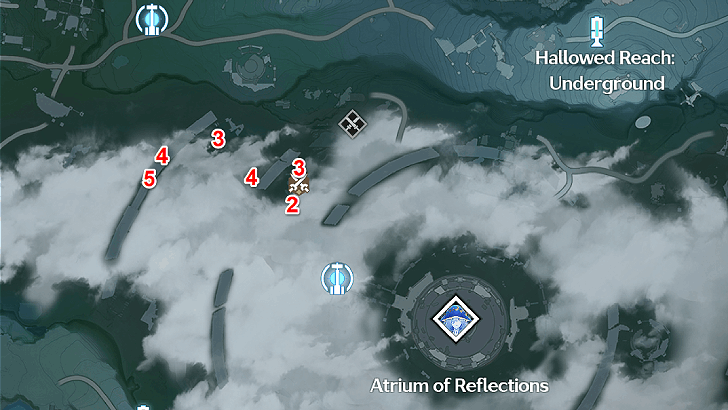
Nimbus Sanctum Locations
 |
|
| No. of Firecracker Jewelweed | 21 |
|---|---|
There are a total of 21 Firecracker Jewelweed in this area.
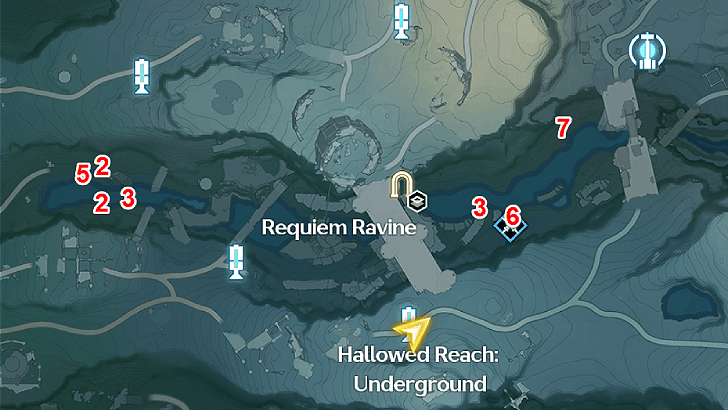
Requiem Ravine Locations
 |
|
| No. of Firecracker Jewelweed | 28 |
|---|---|
There are a total of 28 Firecracker Jewelweed in this area.
You can collect a total of 49 Firecracker Jewelweed across all areas. These collection nodes will respawn after every daily reset.
Rinascita Interactive Map and 100% Guide
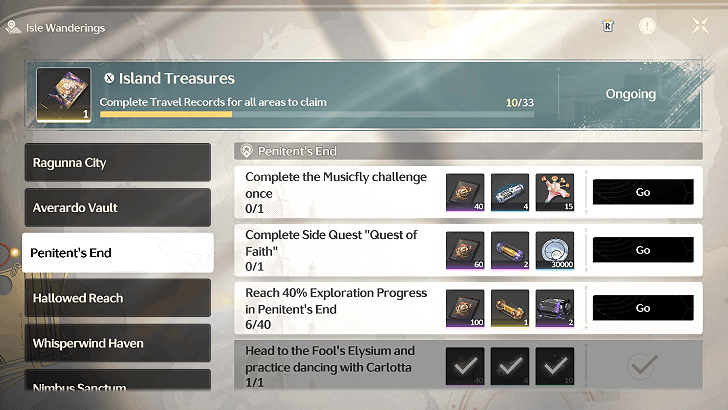
Tales of the Isles Event Rewards
| Area | Objective | Amount |
|---|---|---|
| Penitent's End | Complete the Musicfly Challenge once | 15 |
| Fagaceae Peninsula | Pass the Wailing Ascent | 15 |
Tales of the Isles is a permanent event where reaching certain objectives will reward players with various items.
Purchase at Rosemary's Apothecary
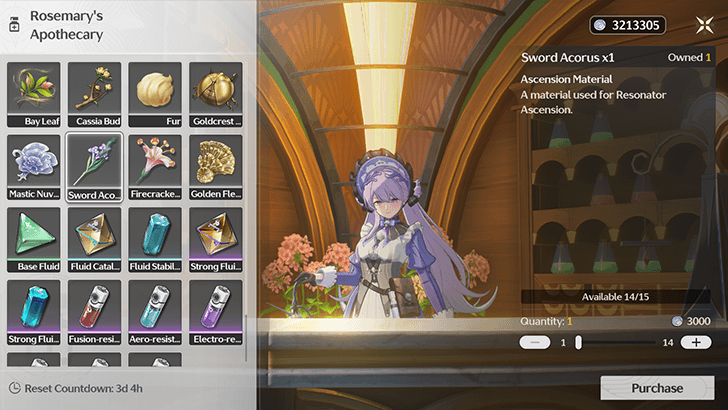
You can also buy Firecracker Jewelweed at Rosemary's Apothecary in Ragunna City for 3000 Shell Credits. Note that you can only purchase up to 15 a week.
Firecracker Jewelweed Effects and How to Use
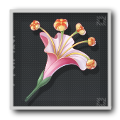 Firecracker Jewelweed Firecracker Jewelweed
|
Rarity | 1 |
|---|---|---|
| Type | Resource | |
| Effect | A material used for Resonator Ascension. | |
| A vividly colored flower shaped like an unfurling firework. Give a Firecracker Jewelweed a gentle shake, and its swollen capsules will burst open... The seeds scatter in all directions, resembling the colorful burst of a firecracker. | ||
Used for Character Ascension
 Phoebe Phoebe
|
 Roccia Roccia
|
Firecracker Jewelweed is used as a Resonator Ascension material for the characters shown above.
Wuthering Waves Related Guides

All Item Types
| Types of Items and Materials | ||
|---|---|---|
| Supplies | Development Materials | Valuables |
| Resources | Mission Items | |
All Ascension Materials
 Afterlife Afterlife
|
 Arithmetic Shell Arithmetic Shell
|
 Bamboo Iris Bamboo Iris
|
 Belle Poppy Belle Poppy
|
 Bloodleaf Viburnum Bloodleaf Viburnum
|
 Coriolus Coriolus
|
|
Firecracker Jewelweed
|
 Gemini Spore Gemini Spore
|
 Golden Fleece Golden Fleece
|
 Iris Iris
|
 Lanternberry Lanternberry
|
 Loong's Pearl Loong's Pearl
|
 Luminous Calendula Luminous Calendula
|
 Nova Nova
|
 Pavo Plum Pavo Plum
|
 Pecok Flower Pecok Flower
|
 Rimewisp Rimewisp
|
 Seaside Cendrelis Seaside Cendrelis
|
 Sliverglow Bloom Sliverglow Bloom
|
 Stone Rose Stone Rose
|
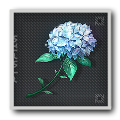 Summer Flower Summer Flower
|
 Sword Acorus Sword Acorus
|
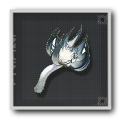 Terraspawn Fungus Terraspawn Fungus
|
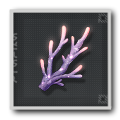 Violet Coral Violet Coral
|
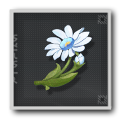 Wintry Bell Wintry Bell
|
Author

How to Get Firecracker Jewelweed

Please participate in our site
improvement survey
03/2026
improvement survey
03/2026
Would you assist in
improving Game8's site?
improving Game8's site?

×
We are listening to our users' valuable opinions and discussing how to act on them.
The information collected through this survey will be used for the purpose of improving our services. In addition, the information will only be disclosed a part of a statistic in a format that will not allow identification of personal information.
Begin Survey
Not Now
×
Please rate each item regarding Game8.co's Advertisements.
Amount of Ads
Very Dissatisfied
Somewhat Dissatisfied
Fine
Somewhat Satisfied
Highly Satisfied
Placement of Ads
Timing of Ad Display
Ad Loading Speed
Safeness of Ads
Content of Ads
×
Please rate each item regarding Game8.co's Quality of Articles.
Amount of information
Very Dissatisfied
Somewhat Dissatisfied
Fine
Somewhat Satisfied
Highly Satisfied
Frequency of updates
Speed of new information
Accuracy of articles
Understandibility of articles
Readability of sentences
×
Please rate each item regarding Game8.co's Usability of the Site.
Ease of finding information
Very Dissatisfied
Somewhat Dissatisfied
Fine
Somewhat Satisfied
Highly Satisfied
Loading Speed
Use of Color
Font Size
Visibility of Images
Easy to Understand Layout
×
Please rate each item regarding Game8.co's Message Boards, Comments.
Ease of Writing
Very Dissatisfied
Somewhat Dissatisfied
Fine
Somewhat Satisfied
Highly Satisfied
Readability
Ease in Finding Information
Comment Quality
Comment Quantity
Admin Response
×
Please rate each item regarding Game8.co's Site's new design.
Please rate our site's new design
Very Dissatisfied
Somewhat Dissatisfied
Fine
Somewhat Satisfied
Highly Satisfied
Do you think that the website's design change makes the site easier to use?
Has the new design made it easier for you to find information on the site?
Has the new design improved the overall visual appeal of the site?
How would you rate your overall satisfaction with the new design of the site?
×
How likely are you to recommend Game8 to someone you know?
Very Unlikely
0
1
2
3
4
5
6
7
8
9
10
Very Likely
If you have other opinions regarding potential improvement to the website, please share them with us. We would appreciate your honest opinion.
Note: This is a free response section, so you can proceed without entering anything.
Note: Please be sure not to enter any kind of personal information into your response.
Note: Please be sure not to enter any kind of personal information into your response.
×
Thank You
×
Thank you for participating in our survey! Your answers will help us to improve the quality of our website and services.
We hope you continue to make use of Game8.
We hope you continue to make use of Game8.
Close
Premium Articles
Rankings

Gaming News




![Monster Hunter Stories 3 Review [First Impressions] | Simply Rejuvenating](https://img.game8.co/4438641/2a31b7702bd70e78ec8efd24661dacda.jpeg/thumb)
Popular Games

Genshin Impact Walkthrough & Guides Wiki
Honkai: Star Rail Walkthrough & Guides Wiki
Umamusume: Pretty Derby Walkthrough & Guides Wiki
Pokemon Pokopia Walkthrough & Guides Wiki
Resident Evil Requiem (RE9) Walkthrough & Guides Wiki
Monster Hunter Wilds Walkthrough & Guides Wiki
Wuthering Waves Walkthrough & Guides Wiki
Arknights: Endfield Walkthrough & Guides Wiki
Pokemon FireRed and LeafGreen (FRLG) Walkthrough & Guides Wiki
Pokemon TCG Pocket (PTCGP) Strategies & Guides Wiki









Recommended Games
Diablo 4: Vessel of Hatred Walkthrough & Guides Wiki
Cyberpunk 2077: Ultimate Edition Walkthrough & Guides Wiki
Fire Emblem Heroes (FEH) Walkthrough & Guides Wiki
Yu-Gi-Oh! Master Duel Walkthrough & Guides Wiki
Super Smash Bros. Ultimate Walkthrough & Guides Wiki
Pokemon Brilliant Diamond and Shining Pearl (BDSP) Walkthrough & Guides Wiki
Elden Ring Shadow of the Erdtree Walkthrough & Guides Wiki
Monster Hunter World Walkthrough & Guides Wiki
The Legend of Zelda: Tears of the Kingdom Walkthrough & Guides Wiki
Persona 3 Reload Walkthrough & Guides Wiki










All rights reserved
Copyright© 2024-2025 Kuro Games. All Rights Reserved.
The copyrights of videos of games used in our content and other intellectual property rights belong to the provider of the game.
The contents we provide on this site were created personally by members of the Game8 editorial department.
We refuse the right to reuse or repost content taken without our permission such as data or images to other sites.
Used for Phoebe Ascension