
Zelda Notes Features
▲ Get Pristine Weapons from the depths!
△ All 1000 Koroks | All 4 Great Fairies
▲ 81 Addison Signs | 147 Caves | 58 Wells
△ Tips: Farm Rupees | Starting Armor
▲ Best Weapons | Best Armor | Best Food
A list of all features of the Zelda Notes app for The Legend of Zelda: Tears of the Kingdom (TotK) Switch 2 Edition. See all exclusive features of Zelda Notes, as well as how to download the app in this guide.
All Zelda Notes Features
- Voice Guided Navigation
- Track Progress for 100% Completion
- Voice Memories
- Item Sharing
- Photo Studio
- My Play Data
- Global Play Data
- Daily Bonus
- Scan Amiibo
Voice Guided Navigation

Navigation is a Voice Guidance System to help you find your way to locations like shrines, hidden objects like Korok Seeds, and many more.
Track Progress for 100% Completion
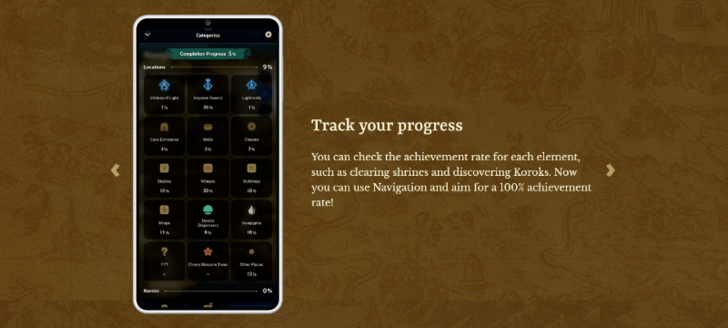
Zelda Notes also lets you track the progress of each element such as shrines, locations, and Koroks and helps you achieve a 100% completion rate.
Voice Memories
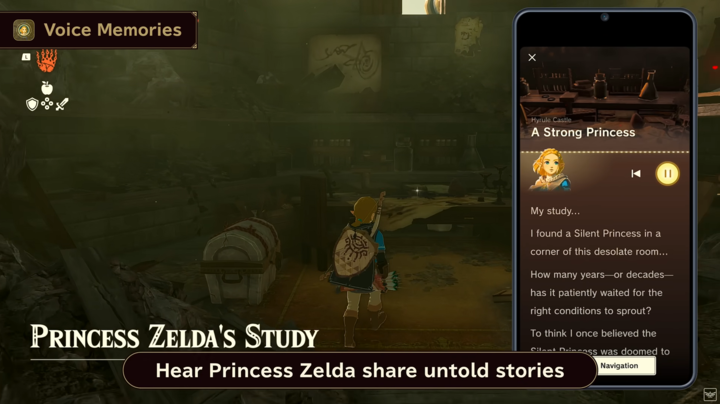
Voice Memories let you listen to commentary about specific locations from different beloved characters such as Princess Zelda. You can find these Voice Memories via the Navigation feature.
Item Sharing
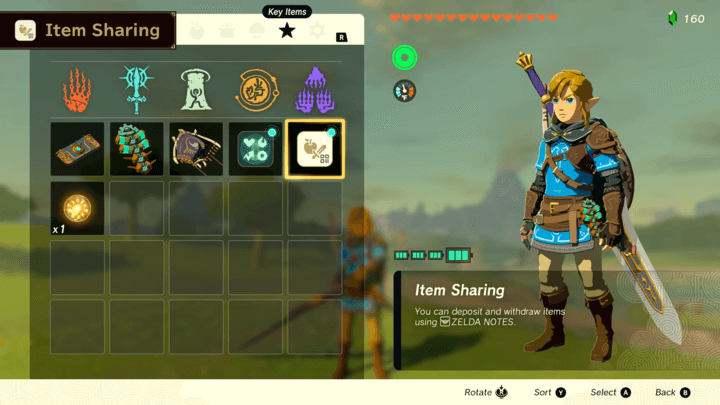
Deposit in-game items from Tears of the Kingdom to transfer them to the Zelda Notes item box.
From there, you can send a QR code to share the items with other players. Players can then scan the QR code to have Zelda Notes import them to the game.
Photo Studio
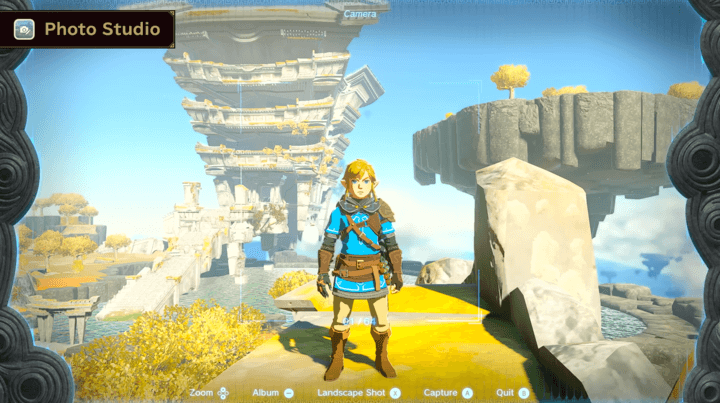
Photo Studio lets you send your in-game screenshots and photos from the Camera Rune to Zelda Notes to decorate them further. You can also use this feature to attach your item box QR codes to the photos.
My Play Data

My Play Data shows detailed information about your play. These include time spent in game, number of enemies defeated, number of items collected, and more. You can also earn medals for reaching certain milestones.
Global Play Data

Global Play Data shows your stats to compare it with others from around the world and see how you rank in the community.
Daily Bonus
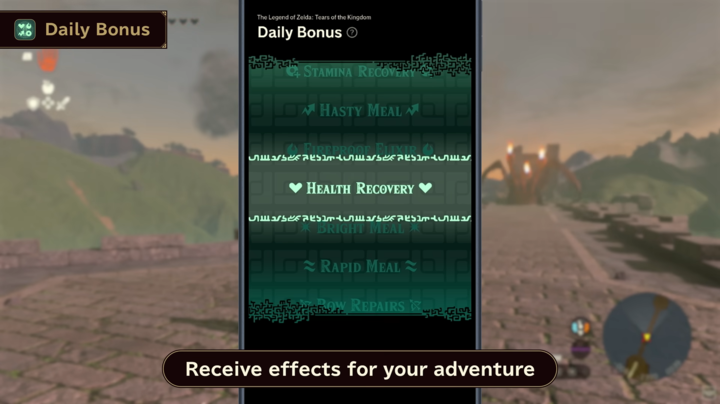
Once a day, you can use Zelda Notes to spin for a random benefit as a Daily Bonus. This benefit can give you hearts, meals, or other effects-based results.
Scan Amiibo
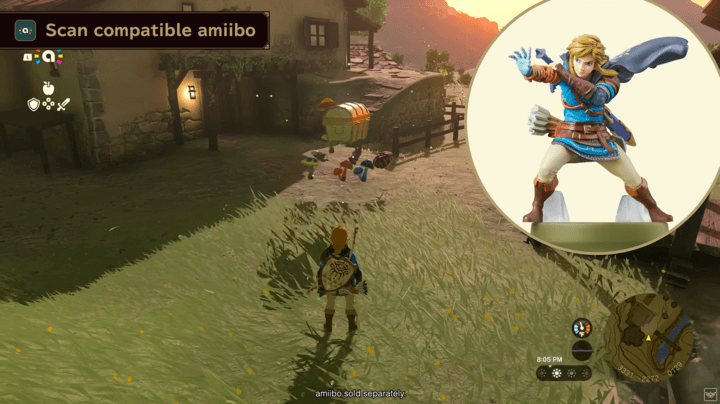
You can scan your amiibo in Zelda Notes to obtain in-game items once per day. In addition, scanning an amiibo five times in the app gives you an additional bonus use of that amiibo for a second scan.
All amiibo Rewards and Unlocks
How to Download Zelda Notes
Download Nintendo Switch App on Mobile Device
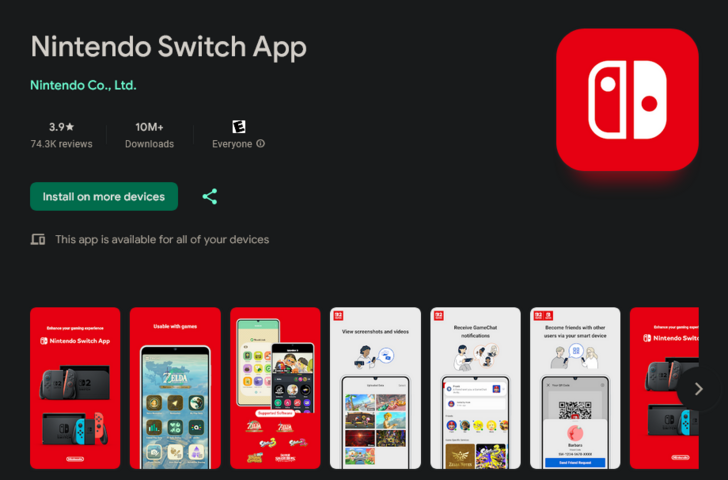
Download the Nintendo Switch app on the Apple App Store and on Google Play. Sign in your Nintendo account on the app to proceed to the home page.
A Nintendo Switch Online membership is not required to use Zelda Notes. You can use the app as long as you have the Switch 2 Edition of Tears of the Kingdom and internet connection.
Open Zelda Notes from the App
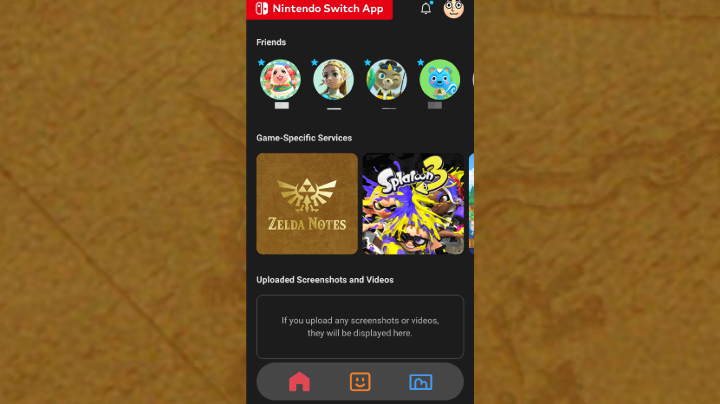
On the game-specific service, tap Zelda Notes to open it. From there, choose the Switch 2 version of Tears of the Kingdom to proceed.
The Legend of Zelda: Tears of the Kingdom (TotK) Related Guides
The Legend of Zelda: Tears of the Kingdom
Walkthrough Top Page
 Zelda Notes
 Main Quests
 Tips and Tricks
 Side Adventures
 Side Quests
 Maps
Maps Towers
 Shrines
 Temples and Dungeons
 Caves
Caves Wells
Wells Stables
 Armor
Armor Weapons and Equipment
 Items
Items Cooking
 Bosses
 Enemies
 Abilities
 Schematics
 Characters
 News
News Message Boards
Comment



Author

The Legend of Zelda: Tears of the Kingdom Walkthrough & Guides Wiki
Zelda Notes Features

Rankings
- We could not find the message board you were looking for.
Gaming News





Popular Games

Genshin Impact Walkthrough & Guides Wiki
Umamusume: Pretty Derby Walkthrough & Guides Wiki
Pokemon Pokopia Walkthrough & Guides Wiki
Honkai: Star Rail Walkthrough & Guides Wiki
Monster Hunter Stories 3: Twisted Reflection Walkthrough & Guides Wiki
Arknights: Endfield Walkthrough & Guides Wiki
Wuthering Waves Walkthrough & Guides Wiki
Zenless Zone Zero Walkthrough & Guides Wiki
Pokemon TCG Pocket (PTCGP) Strategies & Guides Wiki
Monster Hunter Wilds Walkthrough & Guides Wiki










Recommended Games
Fire Emblem Heroes (FEH) Walkthrough & Guides Wiki
Diablo 4: Vessel of Hatred Walkthrough & Guides Wiki
Cyberpunk 2077: Ultimate Edition Walkthrough & Guides Wiki
Yu-Gi-Oh! Master Duel Walkthrough & Guides Wiki
Super Smash Bros. Ultimate Walkthrough & Guides Wiki
Pokemon Brilliant Diamond and Shining Pearl (BDSP) Walkthrough & Guides Wiki
Elden Ring Shadow of the Erdtree Walkthrough & Guides Wiki
Monster Hunter World Walkthrough & Guides Wiki
The Legend of Zelda: Tears of the Kingdom Walkthrough & Guides Wiki
Persona 3 Reload Walkthrough & Guides Wiki









All rights reserved
© Nintendo. The Legend of Zelda and Nintendo Switch are trademarks of Nintendo.
The copyrights of videos of games used in our content and other intellectual property rights belong to the provider of the game.
The contents we provide on this site were created personally by members of the Game8 editorial department.
We refuse the right to reuse or repost content taken without our permission such as data or images to other sites.