
Item Sharing Guide
▲ Get Pristine Weapons from the depths!
△ All 1000 Koroks | All 4 Great Fairies
▲ 81 Addison Signs | 147 Caves | 58 Wells
△ Tips: Farm Rupees | Starting Armor
▲ Best Weapons | Best Armor | Best Food
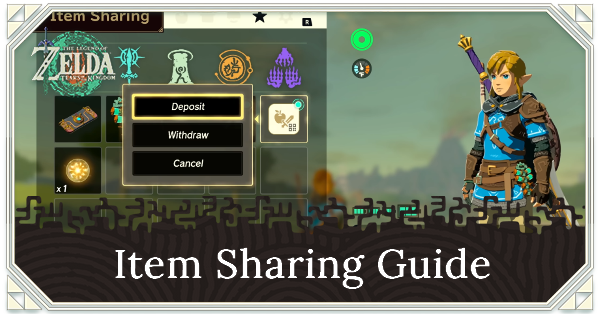
Item Sharing lets you store and share items from Zelda Notes in The Legend of Zelda: Tears of the Kingdom (TotK) Switch 2 Edition. See how to store and share items in Zelda Notes in this guide.
List of Contents
How Does Item Sharing Work?
Use Zelda Notes to Deposit and Withdraw Items
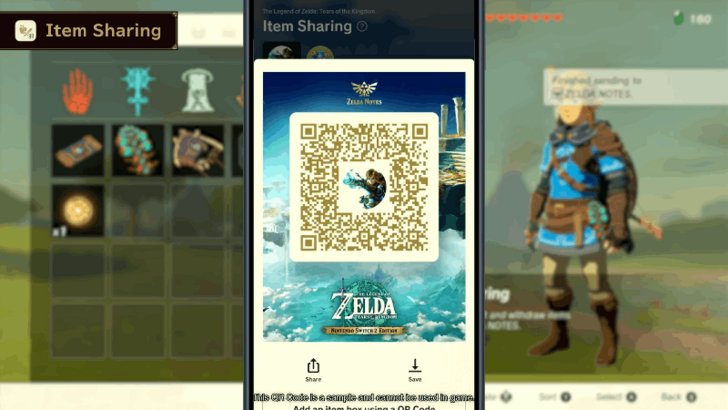
Item Sharing is a feature within the Zelda Notes app. You can deposit weapons, armor, and materials from Tears of the Kingdom to Zelda Notes to free up your slots and also withdraw them to add them in-game.
Item Sharing also allows you to send and receive items from your friends as long as you enable sharing between friends on the app.
How to Deposit Items in Your Item Sharing Box
Deposit Items to Zelda Notes
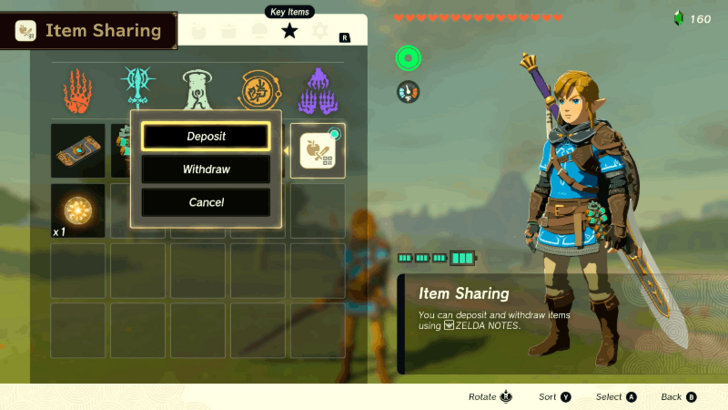
Select the Item Sharing key item in-game and choose the Deposit option. Another menu will popup where it allows you to select and deposit weapons, armor, and materials.
You can only deposit 10 different items for each transaction, so you need to select the Item Sharing key item again if you want to deposit more.
How to Withdraw Items in Your Item Sharing Box
Send Items In-Game from Zelda Notes
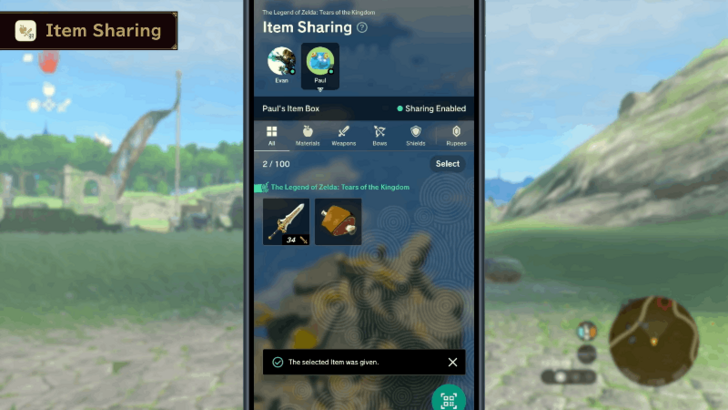
With the Zelda Notes app open, tap Item Sharing to open your Item Box. Tap an item that you want to transfer in-game and tap Send to Game. You will receive a notification if the item has been successfully sent in Breath of the Wild.
Select Withdraw from the Item Sharing Key Item
Once you have sent the items from Zelda Notes, go to the Key Items menu in Breath of the Wild and select the Item Sharing key item. Choose the Withdraw option so all your items will be added in your inventory in-game.
Note that the item may not get transferred in-game if you lack weapon, armor, or item slots.
How to Share Your Item Box
Enable Item Box Sharing on Zelda Notes
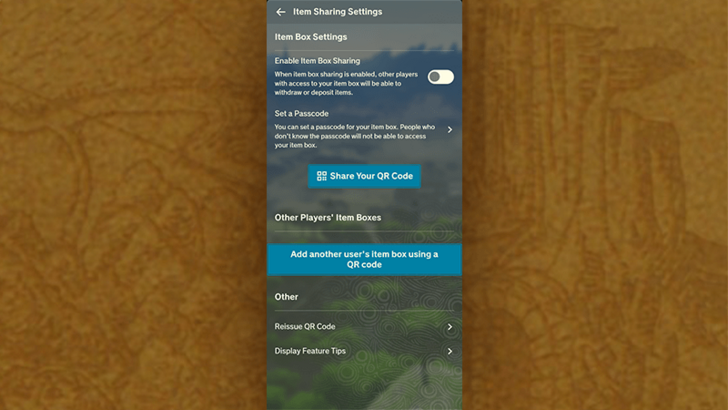
If you have sharing enabled, you can share your item box with your friends that also use the Zelda Notes app.
Go to Item Sharing Settings and toggle Enable Item Box Sharing. Share your QR Code to your friend to add your Item Box to their Zelda Notes app.
You can also go to this settings menu to scan your friend's QR code to add their Item Sharing Box.
Send and Receive Items from Friends
Once you have your friend's Item Sharing Box on the Item Sharing menu, tap their profile picture to show the contents of their Item Box.
From there, you can choose an item from their Item Box and tap Receive to transfer that item to your Item Box. You can also send items to your friends by tapping the Gift option.
The Legend of Zelda: Tears of the Kingdom (TotK) Related Guides
All Zelda Notes Guides
| All Zelda Notes Guides | |
|---|---|
| How to Access Voice Memories | How to Use Navigation |
| How to Use Photo Studio | How to Share Autobuild Designs |
| Item Sharing Guide | |
Comment



Author


Rankings
- We could not find the message board you were looking for.
Gaming News




Popular Games

Genshin Impact Walkthrough & Guides Wiki
Umamusume: Pretty Derby Walkthrough & Guides Wiki
Pokemon Pokopia Walkthrough & Guides Wiki
Honkai: Star Rail Walkthrough & Guides Wiki
Monster Hunter Stories 3: Twisted Reflection Walkthrough & Guides Wiki
Arknights: Endfield Walkthrough & Guides Wiki
Wuthering Waves Walkthrough & Guides Wiki
Zenless Zone Zero Walkthrough & Guides Wiki
Pokemon TCG Pocket (PTCGP) Strategies & Guides Wiki
Monster Hunter Wilds Walkthrough & Guides Wiki










Recommended Games
Fire Emblem Heroes (FEH) Walkthrough & Guides Wiki
Diablo 4: Vessel of Hatred Walkthrough & Guides Wiki
Cyberpunk 2077: Ultimate Edition Walkthrough & Guides Wiki
Yu-Gi-Oh! Master Duel Walkthrough & Guides Wiki
Super Smash Bros. Ultimate Walkthrough & Guides Wiki
Pokemon Brilliant Diamond and Shining Pearl (BDSP) Walkthrough & Guides Wiki
Elden Ring Shadow of the Erdtree Walkthrough & Guides Wiki
Monster Hunter World Walkthrough & Guides Wiki
The Legend of Zelda: Tears of the Kingdom Walkthrough & Guides Wiki
Persona 3 Reload Walkthrough & Guides Wiki









All rights reserved
© Nintendo. The Legend of Zelda and Nintendo Switch are trademarks of Nintendo.
The copyrights of videos of games used in our content and other intellectual property rights belong to the provider of the game.
The contents we provide on this site were created personally by members of the Game8 editorial department.
We refuse the right to reuse or repost content taken without our permission such as data or images to other sites.