
How to Unlock Forsaken Hollows DLC
★ Team up using our Multiplayer Board!
☆ The Forsaken Hollows DLC: Scholar | Undertaker
★ The Great Hollow Guide and Rewards
☆ New Bosses: Balancers | Dreglord
★ Best Class Tier List and Best Teams
☆ How to Unlock Forsaken Hollows DLC

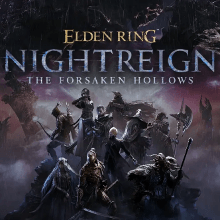
This is a guide on unlocking The Forsaken Hollows DLC in Elden Ring Nightreign. Learn on how to unlock the Forsaken Hollows DLC, the two new Nightfarers, along with the new Shifting Earth and expedition boss.
How to Unlock Forsaken Hollows DLC
| Attention |
|---|
| Owning The Forsaken Hollows DLC is a prerequisite to this guide.
To check if you own the DLC, you can check on the lower right corner of the title screen for the DLC indicator. This indicator is available if you have patched your game to Update 1.03. |
|
|

Unlock Nightfarers: Scholar and Undertaker

To unlock the new Nightfarers Scholar and Undertaker, you must first have defeated the Gladius, Beast of the Night (Tricephalos). Having defeated this boss in the base game previously will count, so it's not necessary to beat him again.
- With the Tricephalos defeated, the Iron Menial will speak to you in the Roundtable Hold. He will inform you of a message from the Small Jar Merchant.
- Head over to the Small Jar Merchant. Talk to him, then interact with the nearby door he motions next to him.
- Interacting with the door will trigger a mock fight with the Dreglord. You do not have to win this fight to progress the DLC.
- When you return to the Roundtable Hold, head to the newly opened room. Talk to the 2 Nightfarers inside to unlock them as playable characters.
Unlock The Great Hollows and Balancers

To access The Great Hollows Shifting Earth event and undertake the boss expedition involving the Balancers, you must have both:
- Unlocked the new Nightfarers Scholar and Undertaker.
- Have defeated 2 base game bosses (this includes the Tricephalos you have beaten previously).
From inside the chapel room, head to the center. A scene with a ray of light will grant you the Shifting Earth event, The Great Hollows.
Activating DLC on Each Platform
| PlayStation | Xbox | PC (Steam) |
Unlocking the DLC on PlayStation
The Forsaken Hollows may have to be downloaded manually for PS4/PS5.
You can do this by going over to the Game Library > Your Collection > search ELDEN RING NIGHTREIGN and enter it > then scroll down until you see Add-Ons. Select on The Forsaken Hollows DLC, then check if it can be downloaded.
Unlocking the DLC on Xbox

For Xbox, you may need to download the The Forsaken Hollows DLC manually. You can check ELDEN RING NIGHTREIGN on the console Xbox Store to see if The Forsaken Hollows DLC can be downloaded.
Alternatively, check My Collection and hover over ELDEN RING NIGHTREIGN. From there, press the Menu button and select 'Manage Games & Addons'. Select the ELDEN RING NIGHTREIGN game icon, then checkmark ELDEN RING NIGHTREIGN The Forsaken Hollows under Add-ons.
If the option is not available. You can try restarting the Xbox to check again if the DLC is available.
Unlocking the DLC on Steam

On the release of The Forsaken Hollows DLC, the update should automatically install when you start the game on Steam. Otherwise, you can verify your ownership of the game if:
- In your library, check ELDEN RING NIGHTREIGN > DLC > check if Deluxe Upgrade Pack is labelled as 'IN LIBRARY'.
- Selecting your profile name > Account Details > View purchase history then check if 'ELDEN RING NIGHTREIGN The Forsaken Hollows' is listed.
Elden Ring Nightreign Related Guides

The Forsaken Hollows DLC Guide
All Forsaken Hollows DLC Guides
| How to Unlock Forsaken Hollows DLC | List of All DLC Skins |
| How to Unlock New Characters | The Great Hollow Guide |
| List of All DLC Bosses |
Comment



Author
How to Unlock Forsaken Hollows DLC

Rankings
- We could not find the message board you were looking for.
Gaming News





Popular Games

Genshin Impact Walkthrough & Guides Wiki
Umamusume: Pretty Derby Walkthrough & Guides Wiki
Crimson Desert Walkthrough & Guides Wiki
Monster Hunter Stories 3: Twisted Reflection Walkthrough & Guides Wiki
Honkai: Star Rail Walkthrough & Guides Wiki
Pokemon Pokopia Walkthrough & Guides Wiki
The Seven Deadly Sins: Origin Walkthrough & Guides Wiki
Wuthering Waves Walkthrough & Guides Wiki
Zenless Zone Zero Walkthrough & Guides Wiki
Arknights: Endfield Walkthrough & Guides Wiki










Recommended Games
Fire Emblem Heroes (FEH) Walkthrough & Guides Wiki
Diablo 4: Vessel of Hatred Walkthrough & Guides Wiki
Cyberpunk 2077: Ultimate Edition Walkthrough & Guides Wiki
Yu-Gi-Oh! Master Duel Walkthrough & Guides Wiki
Super Smash Bros. Ultimate Walkthrough & Guides Wiki
Pokemon Brilliant Diamond and Shining Pearl (BDSP) Walkthrough & Guides Wiki
Elden Ring Shadow of the Erdtree Walkthrough & Guides Wiki
Monster Hunter World Walkthrough & Guides Wiki
The Legend of Zelda: Tears of the Kingdom Walkthrough & Guides Wiki
Persona 3 Reload Walkthrough & Guides Wiki










All rights reserved
© 2010 - 2024 Bandai Namco Entertainment Europe S.A.S
The copyrights of videos of games used in our content and other intellectual property rights belong to the provider of the game.
The contents we provide on this site were created personally by members of the Game8 editorial department.
We refuse the right to reuse or repost content taken without our permission such as data or images to other sites.