




This survey will take about 1 minute.
Your answers will help us to improve our website.
Xenoblade Chronicles 3
Beginner's Guide
Want to know how to get the best start in Xenoblade Chronicles 3? Don't fret! With our comprehensive beginner's guide, you'll be set on the right track! Learn all about Combat, Arts, Exploration, and more!
List of Contents
Getting Started in Xenoblade Chronicles 3
| Getting Started | |
|---|---|
|
|
|
Know Your Roles
| Class | Role |
|---|---|
 Attacker Attacker |
Attackers are your primary damage-dealing classes, they find and exploit enemy weak spots. |
 Defender Defender |
Defenders are used to draw out enemy aggro so Attackers can maneuver to weakpoints and deal critical blows. |
 Healer Healer |
Healers are your support classes, providing aid in the form of heals and buffs. |
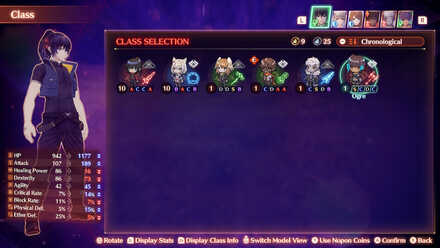
All Classes will fall under one of these three major Roles. At first, characters will only have their starting class to work with, but later on you will have access to classes outside your starting class. Be sure to experiment with what suits your playstyle!
Know Your Controls
| Combat | Exploration |
|---|---|
 - Move Character - Move Character  / / / / - Use Art - Use Art  - Use Talent Art - Use Talent Art  / / / / - Use Master Art - Use Master Art  - Select Fusion Art - Select Fusion Art  - Interlink(while Interlinked) - Switch Interlinked Character(while Interlinked) - Cancel Interlink - Interlink(while Interlinked) - Switch Interlinked Character(while Interlinked) - Cancel Interlink  - Select Tactics+ - Any Combo + - Focus Attack + - Fusion First + - Follow Leader + - Select Tactics+ - Any Combo + - Focus Attack + - Fusion First + - Follow Leader + / / - Switch Characters - Switch Characters  - Use Chain Attack - Use Chain Attack |
- Move Character - Jump - Open Menu - Show / Hide Objectives - Interact / Talk  - Enlarge Minimap + - Open Map - Lure Enemy - Draw Enemy Attention / - Switch Characters + - Edit Shortcuts - Show Shortcuts + /// - Shortcuts + - Enlarge Minimap + - Open Map - Lure Enemy - Draw Enemy Attention / - Switch Characters + - Edit Shortcuts - Show Shortcuts + /// - Shortcuts +  - Camera Position and Direction + - Reset Camera - Camera Position and Direction + - Reset Camera |
You can still however change the button mapping of your controller on the Nintendo Switch system itself. This has been made possible since the V10.0.0 system update last April 13, 2020. However, this is only compatible with official Nintendo Joy-Con and Pro Controllers, and the Nintendo Switch Lite.
Learn How to Use Arts
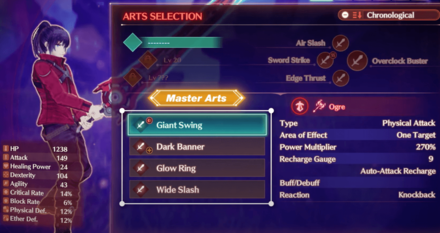
Arts are the bread and butter of combat in Xenoblade 3. Though you can rely on auto-attack, using Arts will deal more damage as well as provide buffs for you and your team. Arts come in different types, each with their own use.
| Art Type | Info |
|---|---|
| Combat | Generally geared towards offense, ranging from buffing attack, or even healing. |
| Talent | Special skills that can be unleashed upon filling up the charge gauge around its Arts icon |
| Master | Skills that are unlocked upon maxing out a class, however, these are not class-locked. |
| Fusion | Skills that combine two Arts and stack its effects together. |
| Ouroboros | Skills that can be unleashed only when characters are in their Ouroboros forms |
Using Field Skills
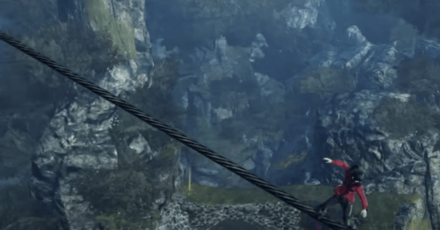
Fields Skills are special actions that enable the player to navigate terrain you wouldn't be able to go through, such as walking through tightropes or climbing walls. To use Field Skills, press  to interact with obstacles you cannot normally traverse. Unlock more Field Skills as you progress the story by talking to people.
to interact with obstacles you cannot normally traverse. Unlock more Field Skills as you progress the story by talking to people. Complete Side Quests
|
||
 Hero Quest
 |
 Standard Quest
 |
 Collectopaedia
 |
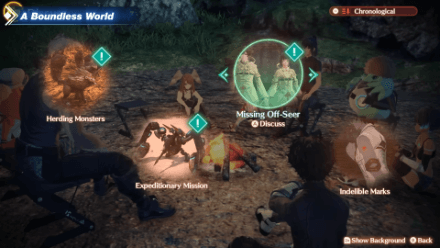
Xenoblade 3 offers lots of side content to keep you hooked for hours on end. Some Standard Quests are needed to progress through the main story. Hero Quests are special quests that allow you to meet new heroes, learn their classes, learn Field Skills, and more. Collectopaedia Cards are useful in gaining more Affinity with colonies and getting accessories in exchange for items you find in the overworld.
How to Heal
In Combat
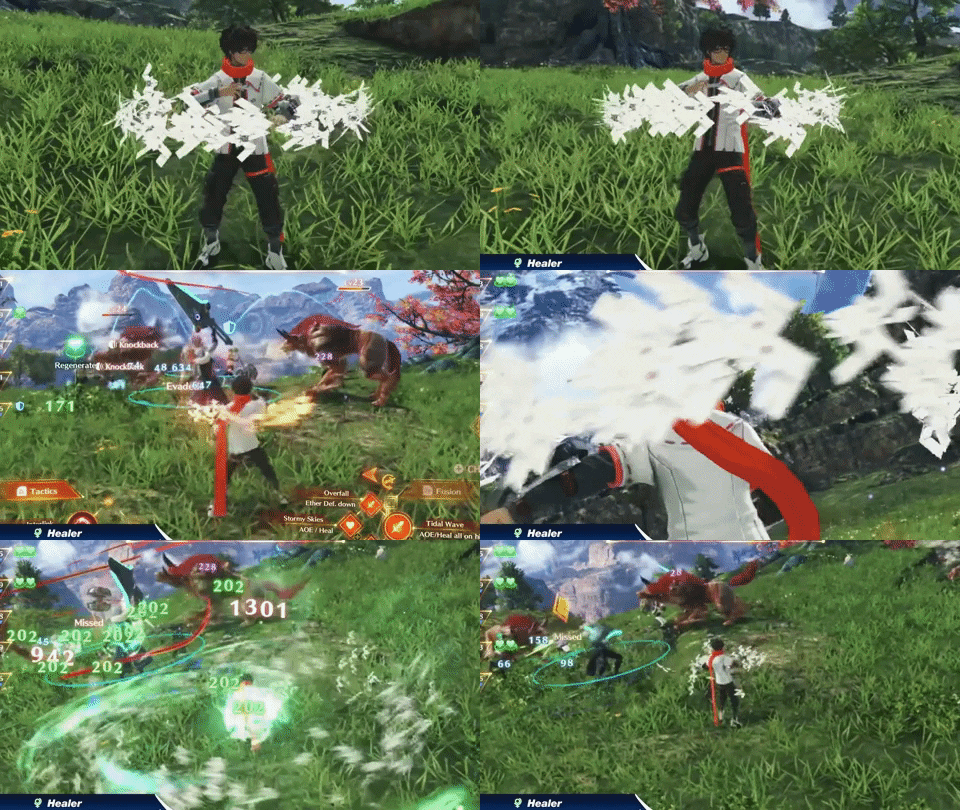
Team members assigned to a Healer class will automatically use Arts that can heal surrounding teammates when you are not controlling them directly.
While Exploring
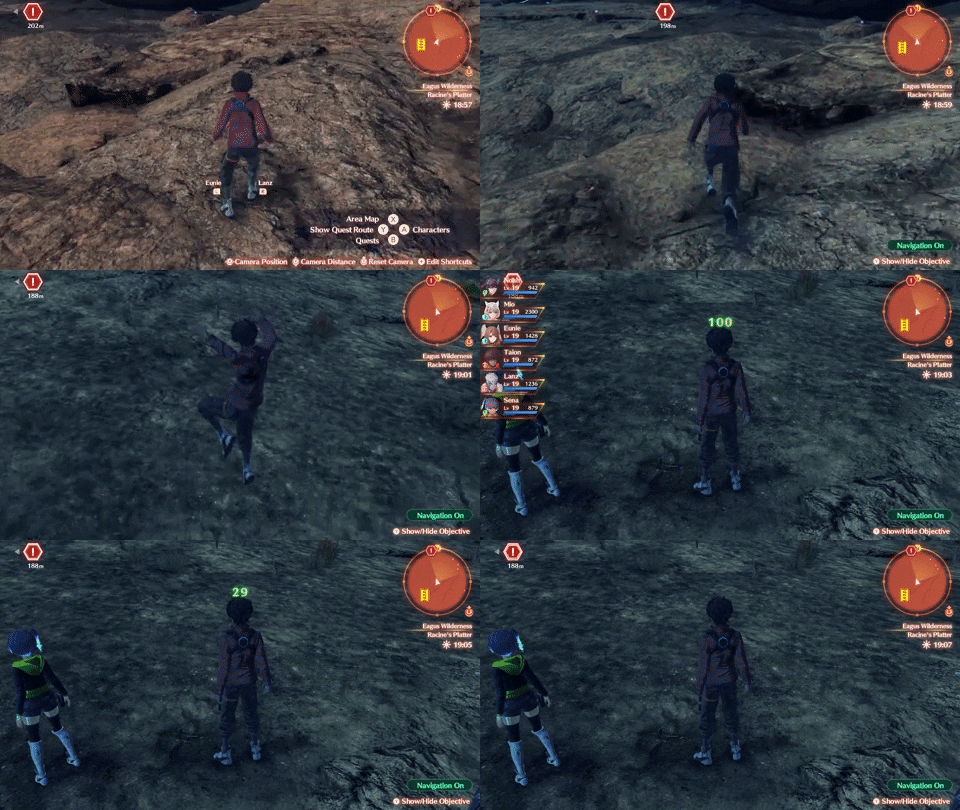
There are no consumables in the game that will heal you outside of combat. Instead, healers will constantly heal you even as you take fall damage from cliffs and ledges.
Familiarize Yourself with Combat
Time your Arts with Auto-Attack
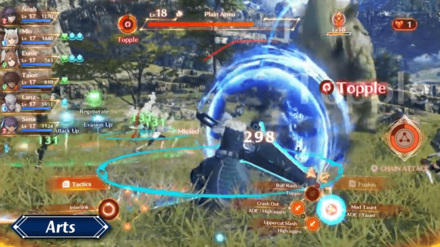
You won't have to button mash to attack enemies as the game implements an auto-attack system. However, you should use this auto-attack function to your advantage as you plan out strategies for combat, as some Arts will deal more damage when done from a certain position or if the enemy is in a certain status effect.
Avoid High Level Enemies
Do Not Engage the Giant Enemies
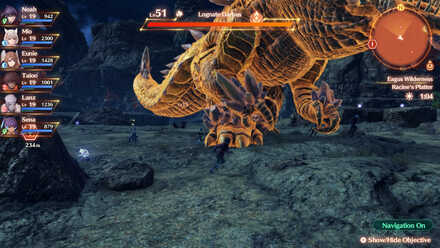
In the world of Aionios, monsters of different levels can be seen roaming around in the same general area. This means that even though you are only starting out, you might see a giant monster that is 20, or even 40, levels above you in the same area!
Take Note of the Icons Beside Enemy Levels
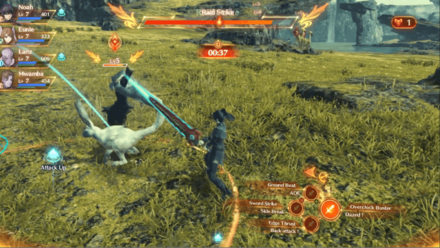
Some monsters will have icons next to their levels, even though they may seem low-levelled, these are Elite and Unique monsters and will give you a run for your money.
Useful Beginner Information
| Other Beginner Essentials | |
|---|---|
| |
|
Difficulty Settings

The game allows you to choose from 3 playable difficulties, each catering to a specific player type. Lowering the difficulty will significantly affect how much damage you take from enemy attacks, while not affecting how much damage you can deal, as well as the rewards you can get.
| Easy | For those who want an easier time during combat, preferring to focus on progressing the story. |
|---|---|
| Normal | For those who want moderately-difficult, generously-balanced combat. |
| Hard | For those who enjoy challenging themselves with fairly difficult combat. |
Use Nopon Coins Efficiently
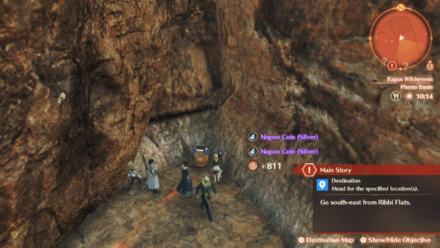
Throughout your journey, you will encounter containers containing Silver Nopon Coins and Gold Nopon Coins. These coins can also be obtained from assisting one side in Skirmishes, and defeating Unique Monsters. These special coins can act as another form of currency in-game that allows you to craft Gems, cook meals at rest stops, and even unlock new Classes!
How to Fast Travel
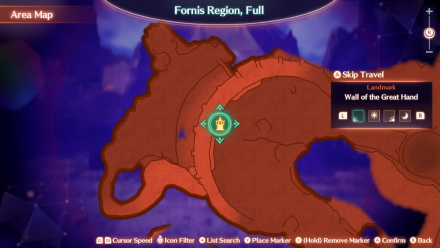
You can freely traverse the open world from the Map menu and fast travel to any point or landmark in the map that you have already unlocked. In addition to fast travel, you can also choose the time of day when you arrive at the next waypoint.
How to Flee
In Combat
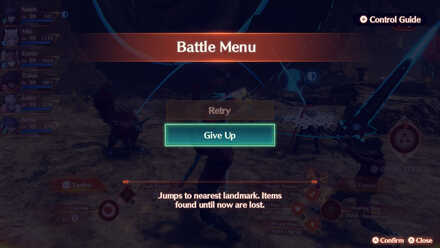
If you hold while in battle, this Battle menu will pop up. You can give up the fight and be transported back to the nearest landmark, but you will lose all the items you have found up until that point.
 while in battle, this Battle menu will pop up. You can give up the fight and be transported back to the nearest landmark, but you will lose all the items you have found up until that point.
 While Exploring
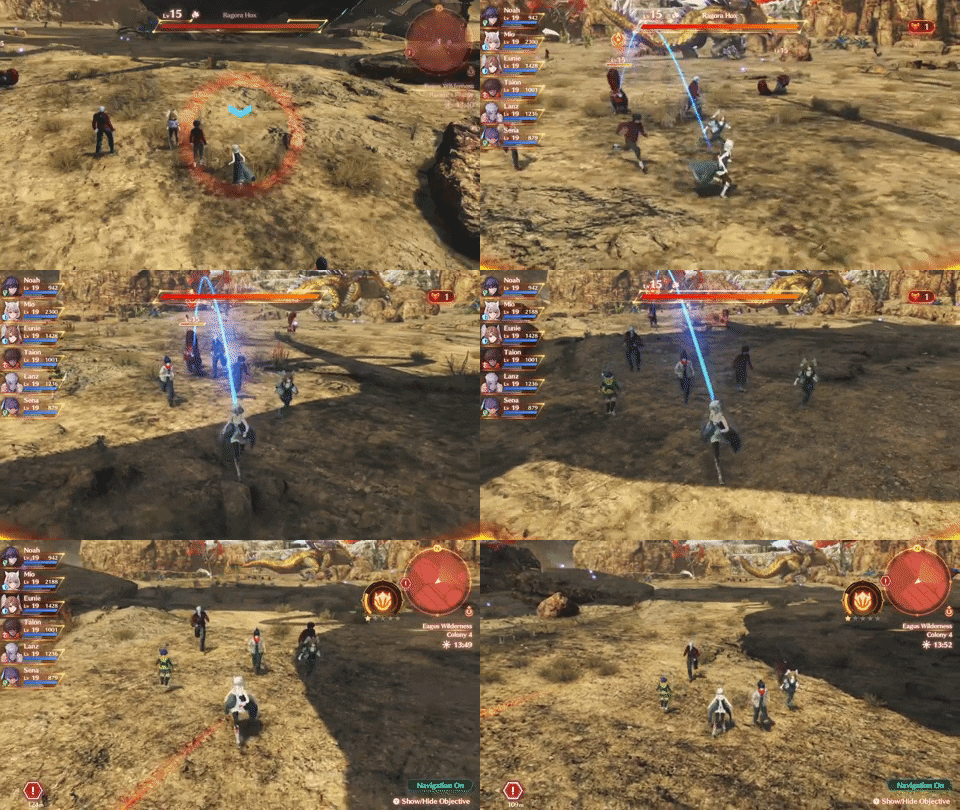
While you are exploring the world, it is inevitable that you will catch the attention of some of the monsters roaming around. You can choose to engage them in combat, but if you want to flee, all you need to do is to run the opposite direction! In most cases, enemies can only run a limited distance where they try to chase you.
How to Change Classes
Class Changing is Unlocked in Chapter 2
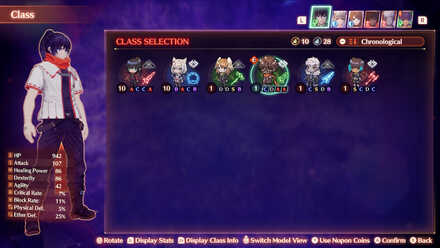
The ability to change classes is unlocked in Chapter 2 after completing the Standard Quest: The Hillside Hulk. After a short tutorial, you can now change classes in the Characters menu to better suit your taste and playstyle.
Increase EXP and Rewards With Cooking
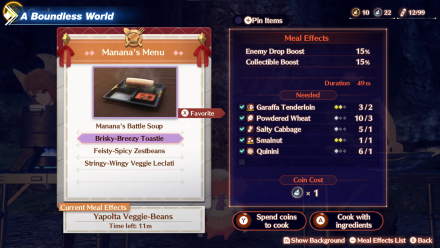
You can cook meals at Rest Stops to provide temporary buffs ranging from increased EXP rewards to increased Drop Rates and even increased CP rewards for a short period of time. While you can cook meals with the Collectible ingredients you will find in the overworld, you can also cook meals using Nopon Coins if you do not have all the necessary ingredients.
How to Save the Game
3 Ways to Save the Game
| Ways to Save the Game | |
|---|---|
| A | 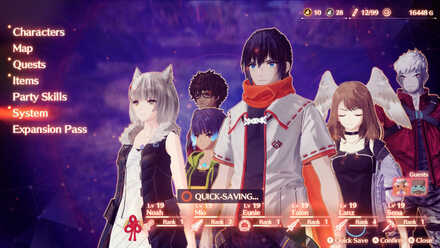
Quick-Saving Quick-saving from the Main Menu is done by holding
immediately when you open the Main Menu |
| B | 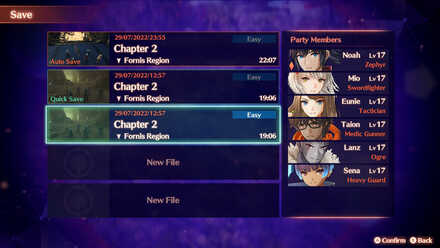
Manual Saving Manual Saving is done by: Opening the Main Menu > System > Save. |
| C | 
Rest Stop Saving Rest Spot Saving is done by choosing "Save" while stationed at a Rest Spot. |
The game allows you to save in 3 ways. These methods are merely options for players to choose from as there is virtually no difference saving from the Main Menu, System Menu, or Rest Spot.
Going Ouroboros
Interlink to Gain the Power of Ouroboros
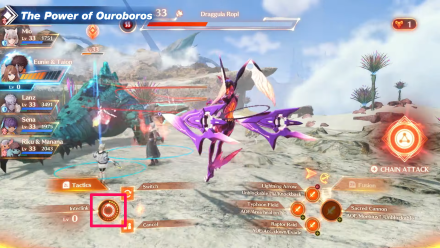
Ouroboros Form is a new form introduced to Xenoblade Chronicles 3 that allows two partner characters to fuse into one stronger being during battle! This unlocks stronger and unique moves and its form can even be swapped between two forms to adjust in the heat of battle!
| Ouroboros Interlink Partners | ||
|---|---|---|
 Noah Noah
|
⟷ |
 Mio Mio
|
 Eunie Eunie
|
⟷ |
 Taion Taion
|
 Lanz Lanz
|
⟷ |
 Sena Sena
|
Ouroboros Form and Strength Depends on the Dominant Link
| Ouroboros Form | |
|---|---|
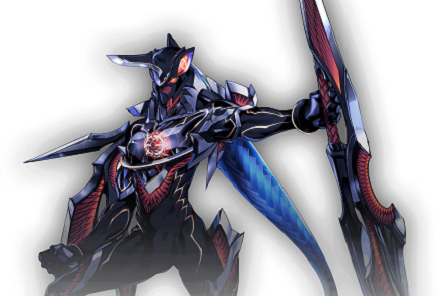 Noah Form Noah FormSpecializes in high-damage attacks |
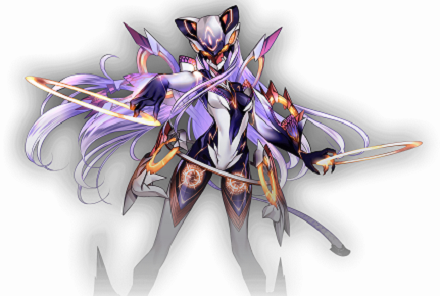 Mio Form Mio FormSpecializes in highly evasive movements |
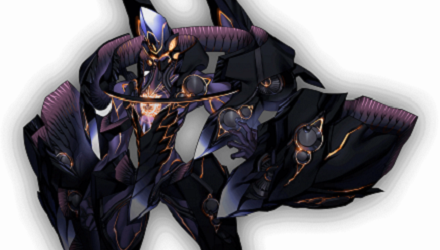 Lanz Form Lanz FormFIghting style prioritizes defending |
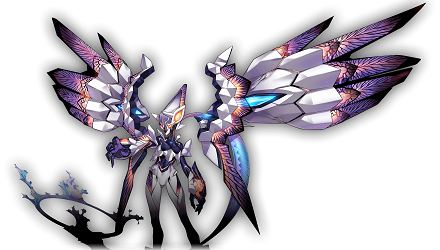 Sena Form Sena FormUnleashes attacks that ignore defense |
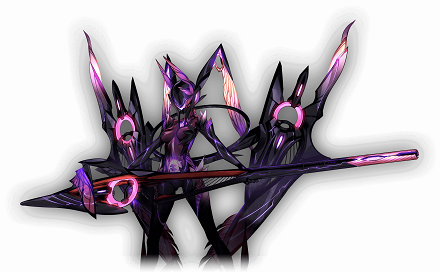 Eunie Form Eunie FormSpecializes in healing |
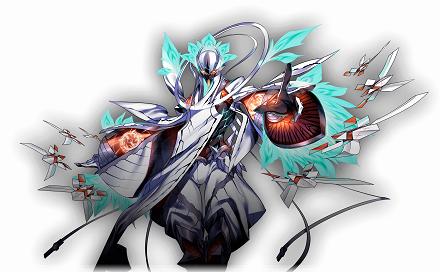 Taion Form Taion FormSpecializes in status effects |
The form and specialty of the Ouroboros is determined by the leader, which can be changed during the fusion process. Make sure to pick the appropriate form to cater to your current strategy.
Other Tips and Tricks

Tips and Tricks
Xenoblade Chronicles 3 Related Guides
Xenoblade Chronicles 3 Wiki Front
| Xenoblade Chronicles 3 Guides | |
|---|---|
 Story Walkthrough Story Walkthrough |
 Side Quests Side Quests |
 Classes Classes |
 Tips and Tricks Tips and Tricks |
 Characters Characters |
 List of All Arts List of All Arts |
 Maps Maps |
 Food and Dishes Food and Dishes |
 Accessories Accessories |
 Enemies Enemies |
 Items Items |
 Skills Skills |
 Message Boards Message Boards |
 News and Events News and Events |
Author
Beginner's Guide

Please participate in our site
improvement survey
03/2026
improvement survey
03/2026
Would you assist in
improving Game8's site?
improving Game8's site?

×
We are listening to our users' valuable opinions and discussing how to act on them.
The information collected through this survey will be used for the purpose of improving our services. In addition, the information will only be disclosed a part of a statistic in a format that will not allow identification of personal information.
Begin Survey
Not Now
×
Please rate each item regarding Game8.co's Advertisements.
Amount of Ads
Very Dissatisfied
Somewhat Dissatisfied
Fine
Somewhat Satisfied
Highly Satisfied
Placement of Ads
Timing of Ad Display
Ad Loading Speed
Safeness of Ads
Content of Ads
×
Please rate each item regarding Game8.co's Quality of Articles.
Amount of information
Very Dissatisfied
Somewhat Dissatisfied
Fine
Somewhat Satisfied
Highly Satisfied
Frequency of updates
Speed of new information
Accuracy of articles
Understandibility of articles
Readability of sentences
×
Please rate each item regarding Game8.co's Usability of the Site.
Ease of finding information
Very Dissatisfied
Somewhat Dissatisfied
Fine
Somewhat Satisfied
Highly Satisfied
Loading Speed
Use of Color
Font Size
Visibility of Images
Easy to Understand Layout
×
Please rate each item regarding Game8.co's Message Boards, Comments.
Ease of Writing
Very Dissatisfied
Somewhat Dissatisfied
Fine
Somewhat Satisfied
Highly Satisfied
Readability
Ease in Finding Information
Comment Quality
Comment Quantity
Admin Response
×
Please rate each item regarding Game8.co's Site's new design.
Please rate our site's new design
Very Dissatisfied
Somewhat Dissatisfied
Fine
Somewhat Satisfied
Highly Satisfied
Do you think that the website's design change makes the site easier to use?
Has the new design made it easier for you to find information on the site?
Has the new design improved the overall visual appeal of the site?
How would you rate your overall satisfaction with the new design of the site?
×
How likely are you to recommend Game8 to someone you know?
Very Unlikely
0
1
2
3
4
5
6
7
8
9
10
Very Likely
If you have other opinions regarding potential improvement to the website, please share them with us. We would appreciate your honest opinion.
Note: This is a free response section, so you can proceed without entering anything.
Note: Please be sure not to enter any kind of personal information into your response.
Note: Please be sure not to enter any kind of personal information into your response.
×
Thank You
×
Thank you for participating in our survey! Your answers will help us to improve the quality of our website and services.
We hope you continue to make use of Game8.
We hope you continue to make use of Game8.
Close
Rankings
- We could not find the message board you were looking for.





Popular Games
Genshin Impact Walkthrough & Guides Wiki
Honkai: Star Rail Walkthrough & Guides Wiki
Umamusume: Pretty Derby Walkthrough & Guides Wiki
Pokemon Pokopia Walkthrough & Guides Wiki
Resident Evil Requiem (RE9) Walkthrough & Guides Wiki
Monster Hunter Wilds Walkthrough & Guides Wiki
Wuthering Waves Walkthrough & Guides Wiki
Arknights: Endfield Walkthrough & Guides Wiki
Pokemon FireRed and LeafGreen (FRLG) Walkthrough & Guides Wiki
Pokemon TCG Pocket (PTCGP) Strategies & Guides Wiki










Recommended Games
Fire Emblem Heroes (FEH) Walkthrough & Guides Wiki
Diablo 4: Vessel of Hatred Walkthrough & Guides Wiki
Yu-Gi-Oh! Master Duel Walkthrough & Guides Wiki
Super Smash Bros. Ultimate Walkthrough & Guides Wiki
Pokemon Brilliant Diamond and Shining Pearl (BDSP) Walkthrough & Guides Wiki
Elden Ring Shadow of the Erdtree Walkthrough & Guides Wiki
Monster Hunter World Walkthrough & Guides Wiki
The Legend of Zelda: Tears of the Kingdom Walkthrough & Guides Wiki
Persona 3 Reload Walkthrough & Guides Wiki
Cyberpunk 2077: Ultimate Edition Walkthrough & Guides Wiki










All rights reserved
© Nintendo / MONOLITHSOFT
The copyrights of videos of games used in our content and other intellectual property rights belong to the provider of the game.
The contents we provide on this site were created personally by members of the Game8 editorial department.
We refuse the right to reuse or repost content taken without our permission such as data or images to other sites.