
Belt Integration Simulation Guide
✪ Check Game8 Endfield Twitter for daily tips!
★ Exclusive: Endfield's Connection to Arknights
★ Ver. 1.1: Release Date | Livestream | Maintenance
★ Tangtang (Build | Banner) | Rossi (Build | Banner)
★ Best Builds: Yvonne | Last Rite | Laevatain
★ Hot: Essence Tool | Blueprint | Best Dijiang Setup
Belt Integration is a simulation factory tutorial in Arknights: Endfield. Learn how to solve this simulation, the solution to get 3/min of HC Valley Battery, and more!
List of Contents
How to Solve Belt Integration
Sandleaf Infinite Loop
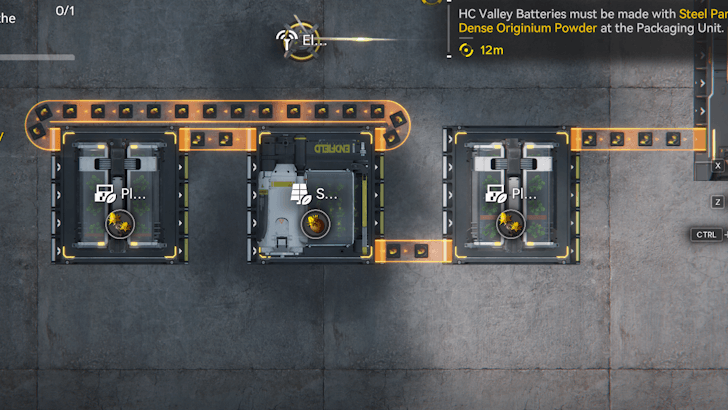
The first task for this simulation is to create a Sandleaf Infinite Loop setup using the provided machines. To do this:
| 1 | Connect the Seed-Picking Unit to the Planting Unit furthest away from the Automation-Core. |
|---|---|
| 2 | Connect that Planting Unit back to the Seed-Picking Unit to create a loop. |
| 3 | Connect the Seed-Picking Unit to the Planting Unit close to the Automation-Core. |
| 4 | Finally, connect that Planting Unit to the Automation Core. |
HC Valley Battery Production
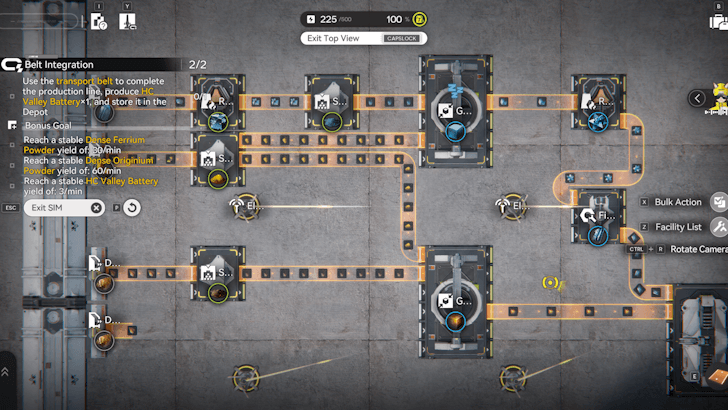
The second task for this mission is to create one HC Valley Battery using the provided machines. Rotate the camera so that the Depot Unloaders are to the left of the screen, then do the following:
| 1 | Connect the Sandleaf Depot Unloader to the Shredding Unit to the right. Attach one output to each of the two Grinding Units. |
|---|---|
| 2 | Connect the Originium Ore Depot Unloader to the Shredding Unit to its right. Connect one of its outputs to the Grinding Unit beside it, and feed one of the Grinding Unit outputs to the Packing Unit. |
| 3 | Connect the Ferrium Ore Depot Unloader to the Refining Unit to its right, then connect its output to the Grinding Unit. |
| 4 | Feed the Grinding Unit's output to the Refining Unit, then connect its output to the nearby Fitting Unit. Finally, connect the Fitting Unit to the Packing Unit. |
3/min for HC Valley Battery Solution
Dense Ferrium Powder Solution (Top Side)
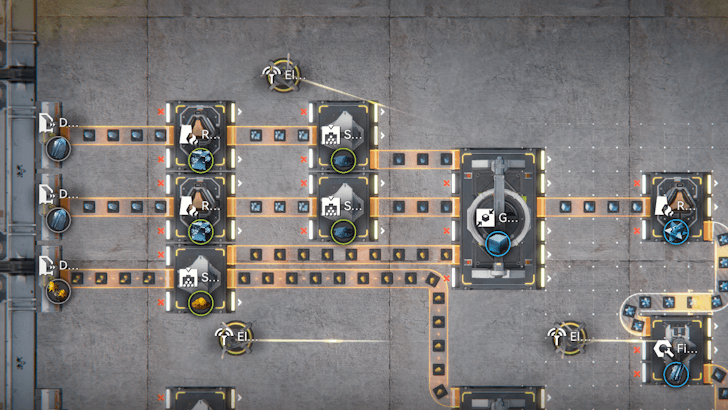
The goal for this side is to increase the Grinding Unit's Dense Ferrium Powder output to 30/min. To do so:
| 1 | Place a Depot Unloader, Refining Unit, and Shredding Unit right beside the original ones. Place the Electric Pylon near them to provide power to them. |
|---|---|
| 2 | Set the Depot Unloader to output Ferrium Ore, then connect it in the same way as the other one: first to the Refining Unit, then to the Shredding Unit, before finally connecting to the Grinding Unit. |
| 3 | Let the production line run for a while until the Dense Ferrium Powder production increases to 30/min. |
Dense Originium Powder Solution (Bottom Side)
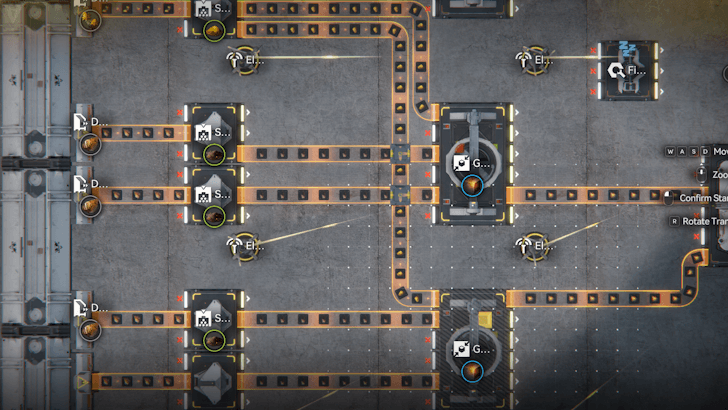
For this section, we aim to increase the Dense Originium Powder output to 60/min. To do so:
| 1 | Place down the missing facilities: place a Depot Unloader beside the single Depot Unloader, another Shredding Unit beside the lone one, and the Grinding Unit below the current one. |
|---|---|
| 2 | Set the Depot Unloader to output Originium Ore, then connect it to the Shredding Unit beside it. Afterward, connect that Shredding Unit's output to the Grinding Unit. |
| 3 | Connect the last free Depot Unloader to the new Shredding Unit, then to the Grinding Unit. |
| 4 | Connect the last Sandleaf Powder output to the new Grinding Unit. Make sure to use Belt Bridges so that the output belt can pass through other conveyor belts. Once that is connected, feed the Grinding Unit's output to the Packing Unit. |
| 3 | Let the production line run for a while until the Dense Originium Powder production increases to 60/min. |
Arknights: Endfield Related Guides
AIC Progression Guides
| Valley IV Progression | ||
|---|---|---|
| Early Game Layout | Mid Game Layout | Late Game Layout |
| Wuling Progression | ||
| Starter Factory in Wuling | Mid Game Factory in Wuling | - |
AIC Factory Guides
 Best Blueprint Codes and AIC Layouts
 Best Zipline Locations
 Best Gear Blueprints
 All AIC Buildings
 All AIC Factory Locations
 How to Create and Share Blueprints
 How to Increase Power Output
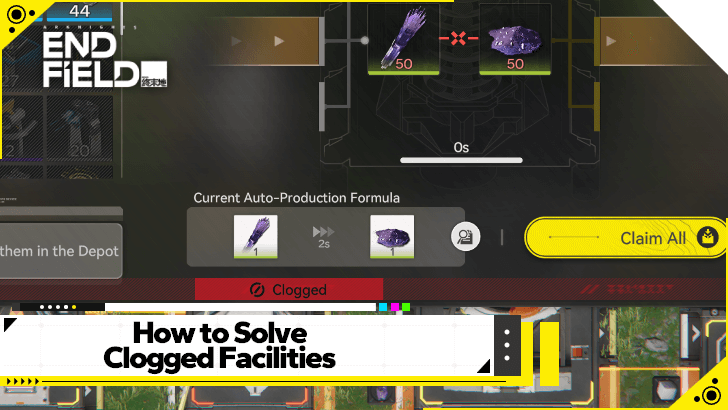 How to Solve Clogged Facilities
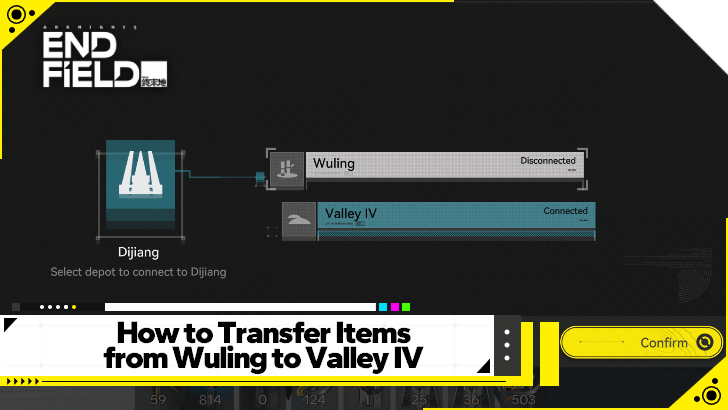 How to Move Items Between Regions
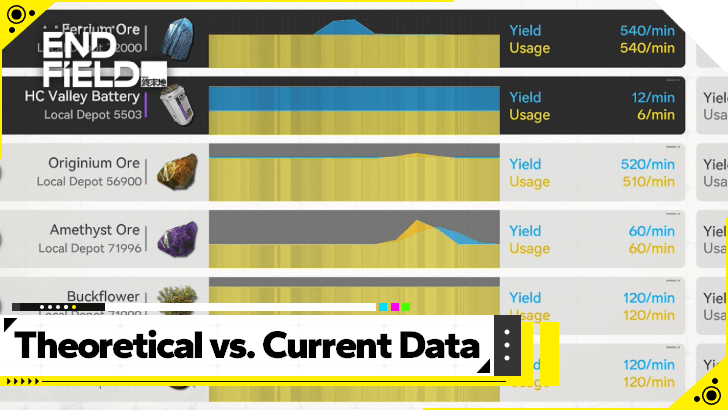 Theoretical Data Explained
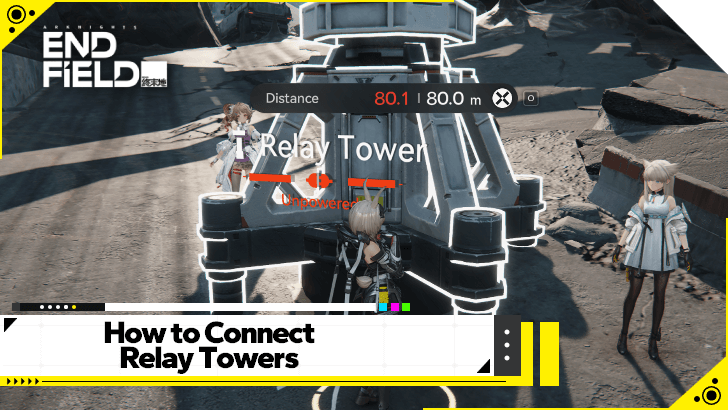 How to Connect Relay Towers
 How to Increase AIC Storage
 Differences Between Portable and Electric Mining
 How to Expand the Factory
AIC Factory Simulation Guides
| Reactor Expansion Guide | Depot Bus Integration Guide | Belt Integration Guide |
AIC Buildings by Type
| Resourcing | Logistics | Processing |
| Power | Combat | Exploration |
| Xiranite | - | - |
Comment



Author

Belt Integration Simulation Guide

Premium Articles
Rankings

Gaming News




![Nova Roma Review [Early Access] | Newer, Better, and More Confusing](https://img.game8.co/4455512/2cbf8926e9a1c72a3ff056088f801ef4.png/thumb)
Popular Games

Genshin Impact Walkthrough & Guides Wiki
Umamusume: Pretty Derby Walkthrough & Guides Wiki
Crimson Desert Walkthrough & Guides Wiki
Monster Hunter Stories 3: Twisted Reflection Walkthrough & Guides Wiki
Honkai: Star Rail Walkthrough & Guides Wiki
Pokemon Pokopia Walkthrough & Guides Wiki
The Seven Deadly Sins: Origin Walkthrough & Guides Wiki
Wuthering Waves Walkthrough & Guides Wiki
Zenless Zone Zero Walkthrough & Guides Wiki
Arknights: Endfield Walkthrough & Guides Wiki









Recommended Games
Fire Emblem Heroes (FEH) Walkthrough & Guides Wiki
Diablo 4: Vessel of Hatred Walkthrough & Guides Wiki
Cyberpunk 2077: Ultimate Edition Walkthrough & Guides Wiki
Yu-Gi-Oh! Master Duel Walkthrough & Guides Wiki
Super Smash Bros. Ultimate Walkthrough & Guides Wiki
Pokemon Brilliant Diamond and Shining Pearl (BDSP) Walkthrough & Guides Wiki
Elden Ring Shadow of the Erdtree Walkthrough & Guides Wiki
Monster Hunter World Walkthrough & Guides Wiki
The Legend of Zelda: Tears of the Kingdom Walkthrough & Guides Wiki
Persona 3 Reload Walkthrough & Guides Wiki










All rights reserved
Copyright © 2022 - 2025 GRYPHLINE. All Rights Reserved.
The copyrights of videos of games used in our content and other intellectual property rights belong to the provider of the game.
The contents we provide on this site were created personally by members of the Game8 editorial department.
We refuse the right to reuse or repost content taken without our permission such as data or images to other sites.