
How to Connect Relay Towers
✪ Check Game8 Endfield Twitter for daily tips!
★ Exclusive: Endfield's Connection to Arknights
★ Ver. 1.1: Release Date | Livestream | Maintenance
★ Tangtang (Build | Banner) | Rossi (Build | Banner)
★ Best Builds: Yvonne | Last Rite | Laevatain
★ Hot: Essence Tool | Blueprint | Best Dijiang Setup
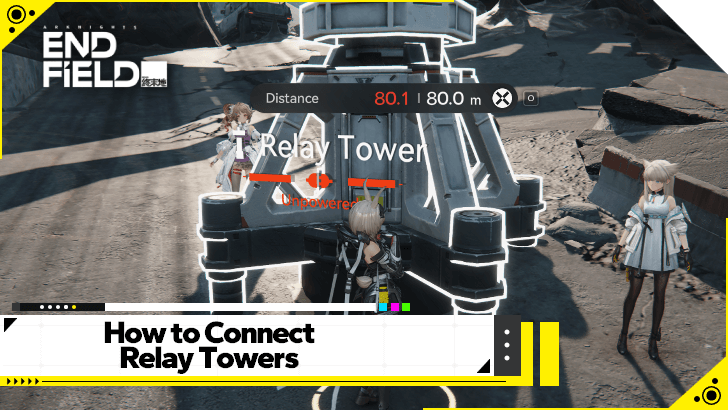
Relay Towers can be used to expand your power grid in Arknights: Endfield. Learn how to connect relay towers and expand your electric grid in this guide!
How to Connect Relay Towers
| Connecting Relay Towers |
|---|
|
|

Approach a Power Source and Start Transmission
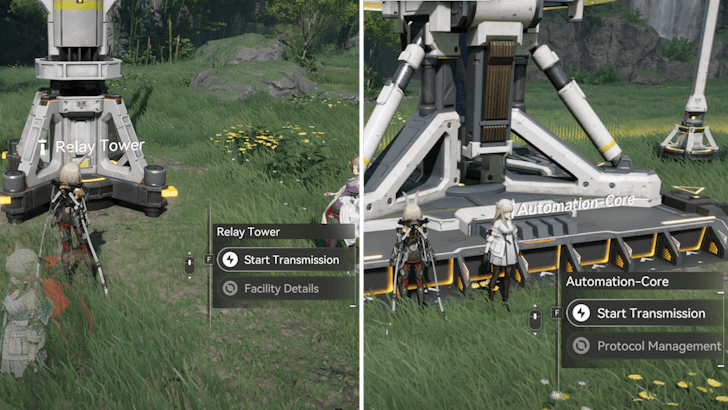
To start connecting Relay Towers, you must first approach a power source and interact with it to Start Transmission.
A power source you can start a Power Transmission from by default includes the Automation-Core, as well as powered Relay Towers.
Electric Pylons Can Transmit After Upgrading
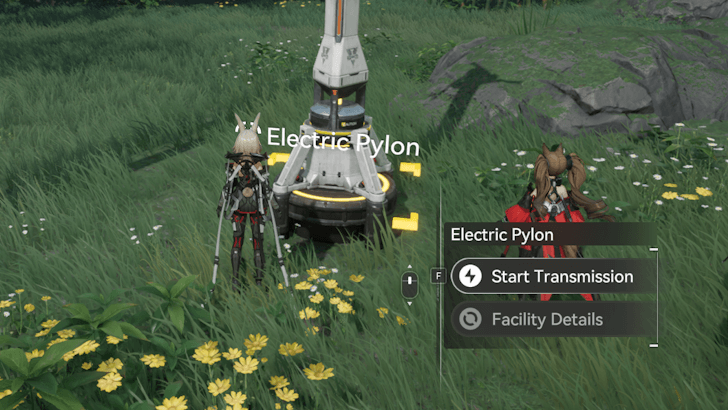
Once you unlock the Pylon Relaying node in the Basic AIC Plan, Electric Pylons will now start acting as mini Relay Towers, giving them the ability to Start Transmission as well.
Walk Toward Your Target Destination
Once you have started a transmission, start walking toward where you want to bring the power. Take note that your power transmission cables can only reach a certain length between Relays.
Power transmission cables from the Automation-Core and Relay Tower can reach 80 meters in length, while those that start from Electric Pylons can only reach 30 meters in length.
Build Another Relay Tower
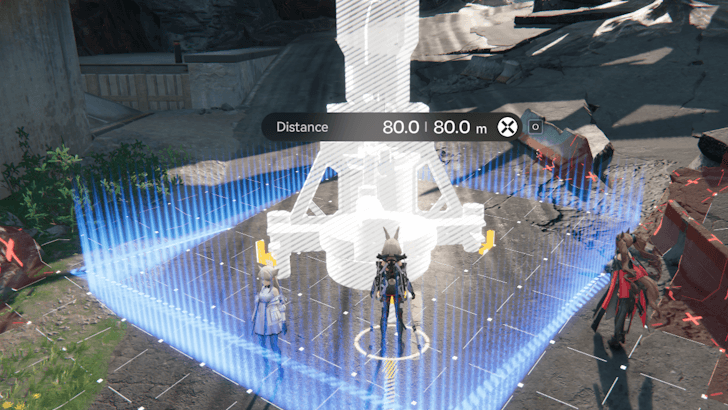
Once you have reached the distance limit of your power transmission cable (or if you have reached a good spot), you must then build another Relay Tower or Electric Pylon.
We recommend using Electric Pylons if you will be powering up Combat or Resourcing Facilities, and using Relay Towers if you will continue expanding your power grid.
Plug The Transmission Cable
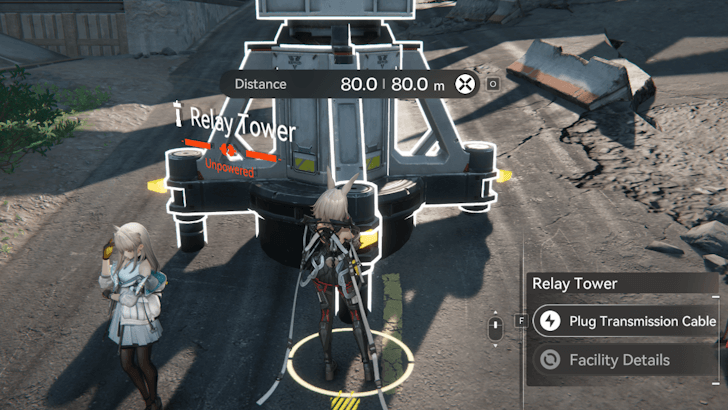
Once you've built another Relay Tower or Electric Pylon, approach it and select the option to Plug the Transmission Cable. A short animation will play, showing that it is now connected to your other Pylons.
Tips and Tricks When Connecting Relay Towers
Try to Walk in a Straight Line
When connecting Relay Towers, try to walk in a straight line, as the transmission cable measures your distance traveled instead of the actual distance between Relay Towers. This will allow you to place towers over longer distances.
Avoid Jumping To Shorten Distance Traveled
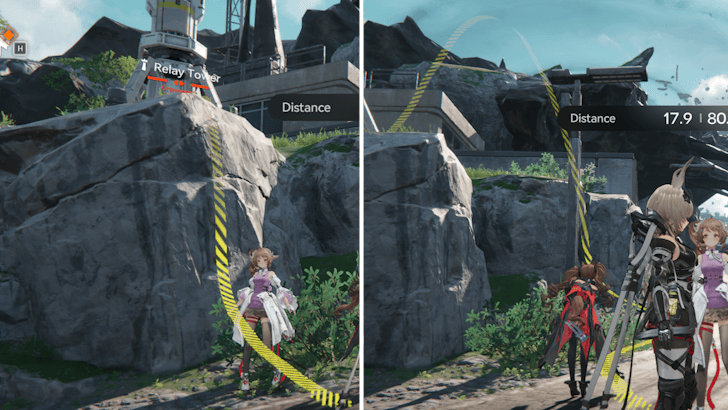
As the transmission cable's length is based on your distance traveled, try to avoid jumping, as the vertical movement also adds to your total distance traveled.
Connect to Relay Towers a Little Further Than 80 Meters
Since you can interact with Relay Towers from around 2 to 3 meters away, it is possible to connect to Relay Towers that are a little further than 80 meters away. As long as you stay within the allotted 80-meter distance for transmission cables, and you can interact with a Relay Tower, you will be able to connect it to your power grid.
Use Electric Pylons in Smaller Areas
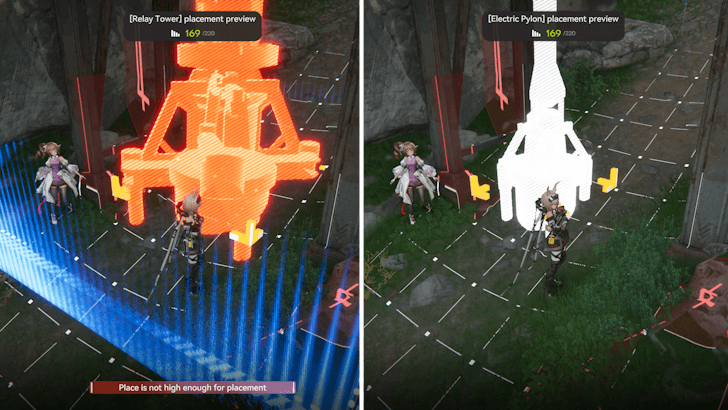
Because of its height, Relay Towers can only be built if there is enough vertical space in the area. For locations with low ceilings, such as caves or buildings, using an Electric Pylon is ideal, as they are shorter than Relay Towers and take up less space.
Take note, however, that you need to unlock the Pylon Relaying to allow power transmissions from Electric Pylons. This is available in the Basic AIC Plan once you reach Basic AIC II.
What are Relay Towers?
Relay Tower Information
| AIC Building Information | ||
|---|---|---|
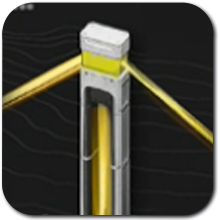 Relay Tower Relay Tower
|
Tree | Power |
| AIC Tier | Basic II | |
| Node | Power Relay | |
| Research Cost | 0 Index Pt(s). | |
| Area | 3x3 | |
| How to Use | ||
| The key power transmission facility that is used to transport power from the main source (AIC PAC) to other Towers, Pylons, and Electric Nexuses. | ||
Bring Power to Different Parts of the Map
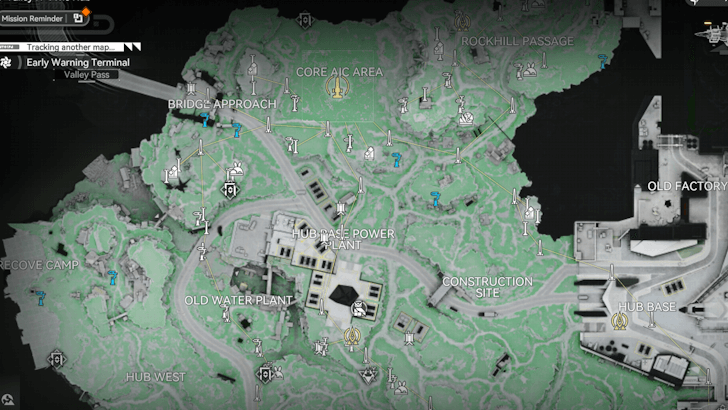
Relay Towers allow you to bring power to different parts of the map, which lets you power up AIC facilities such as Ziplines, Electric Mining Rigs, and even Combat Facilities. They do not produce power on their own.
Divert Power to Areas With No AICs

Some areas, such as the Aburrey Quarry and Origin Lodespring, do not have an AIC inside them that can provide power to nearby facilities. As such, you can use Relay Towers to bring power to said areas. This allows you to power facilities there, such as Electric Mining Rigs or even the scattered Electric Nexus.
Can Power Up Electric Nexus
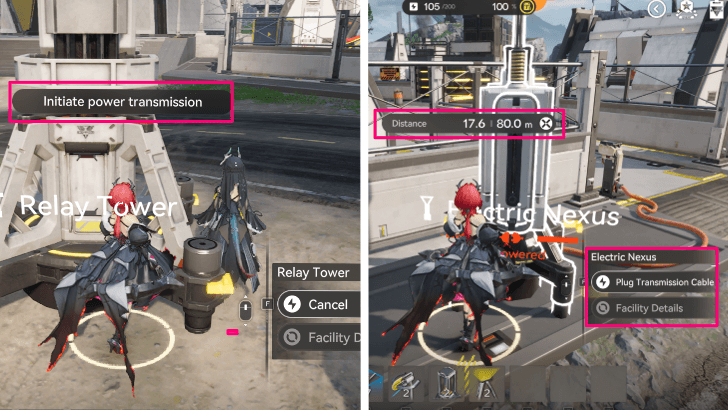
Relay Towers can also be used to power up the various Electric Nexus located around the map. These can give the player access to puzzles, chests, or even Aurylene!
Arknights: Endfield Related Guides

AIC Factory and Base Building Guide
Buildings by Type
| List of All Building Types | ||
|---|---|---|
| Resourcing | Logistics | Processing |
| Power | Combat | Exploration |
| Xiranite | - | - |
All Power Buildings
|
Relay Tower
|
 Electric Pylon Electric Pylon
|
 Thermal Bank Thermal Bank
|
 Depot Loader Depot Loader
|
 Depot Unloader Depot Unloader
|
Comment



Author

How to Connect Relay Towers

Premium Articles
Rankings
- We could not find the message board you were looking for.

Gaming News

![Monster Hunter Stories 3 Review [First Impressions] | Simply Rejuvenating](https://img.game8.co/4438641/2a31b7702bd70e78ec8efd24661dacda.jpeg/show)
![Monster Hunter Stories 3 Review [First Impressions] | Simply Rejuvenating](https://img.game8.co/4438641/2a31b7702bd70e78ec8efd24661dacda.jpeg/thumb)
![The Seven Deadly Sins: Origin [First Impressions] | A Promising Start](https://img.game8.co/4440581/584e0bfb87908f12c4eab6e846eb1afd.png/thumb)

Popular Games

Genshin Impact Walkthrough & Guides Wiki
Umamusume: Pretty Derby Walkthrough & Guides Wiki
Pokemon Pokopia Walkthrough & Guides Wiki
Honkai: Star Rail Walkthrough & Guides Wiki
Monster Hunter Stories 3: Twisted Reflection Walkthrough & Guides Wiki
Arknights: Endfield Walkthrough & Guides Wiki
Wuthering Waves Walkthrough & Guides Wiki
Zenless Zone Zero Walkthrough & Guides Wiki
Pokemon TCG Pocket (PTCGP) Strategies & Guides Wiki
Monster Hunter Wilds Walkthrough & Guides Wiki









Recommended Games
Fire Emblem Heroes (FEH) Walkthrough & Guides Wiki
Diablo 4: Vessel of Hatred Walkthrough & Guides Wiki
Cyberpunk 2077: Ultimate Edition Walkthrough & Guides Wiki
Yu-Gi-Oh! Master Duel Walkthrough & Guides Wiki
Super Smash Bros. Ultimate Walkthrough & Guides Wiki
Pokemon Brilliant Diamond and Shining Pearl (BDSP) Walkthrough & Guides Wiki
Elden Ring Shadow of the Erdtree Walkthrough & Guides Wiki
Monster Hunter World Walkthrough & Guides Wiki
The Legend of Zelda: Tears of the Kingdom Walkthrough & Guides Wiki
Persona 3 Reload Walkthrough & Guides Wiki










All rights reserved
Copyright © 2022 - 2025 GRYPHLINE. All Rights Reserved.
The copyrights of videos of games used in our content and other intellectual property rights belong to the provider of the game.
The contents we provide on this site were created personally by members of the Game8 editorial department.
We refuse the right to reuse or repost content taken without our permission such as data or images to other sites.