
Thermal Bank (Generator) Layouts and How to Use
✪ Check Game8 Endfield Twitter for daily tips!
★ Exclusive: Endfield's Connection to Arknights
★ Ver. 1.1: Release Date | Livestream | Maintenance
★ Tangtang (Build | Banner) | Rossi (Build | Banner)
★ Best Builds: Yvonne | Last Rite | Laevatain
★ Hot: Essence Tool | Blueprint | Best Dijiang Setup
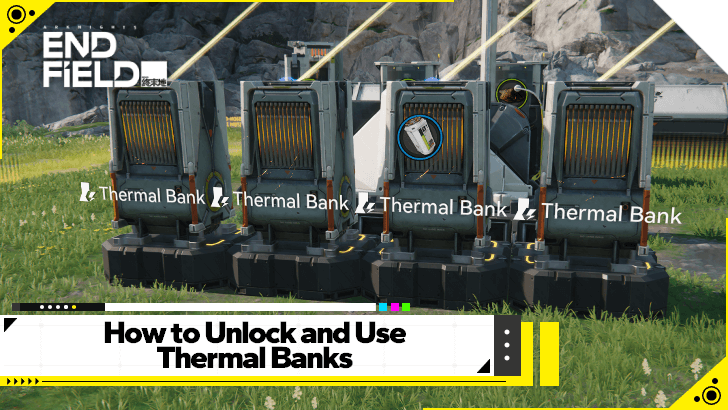
Thermal Bank is an AIC building in Arknights: Endfield. See how to unlock Thermal Bank, how to use the Thermal Bank, best Fuel to use, all Thermal Bank recipes, the best thermal bank layout, and more!
List of Contents
Thermal Bank Building Information
| AIC Building Information | ||
|---|---|---|
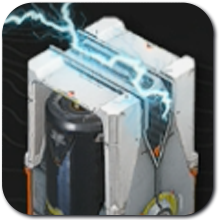 Thermal Bank Thermal Bank
|
Tree | Power |
| AIC Tier | Basic II | |
| Node | Power I | |
| Research Cost | 1 Index Pt(s). | |
| Area | 2x2 | |
| How to Use | ||
| A facility that accepts batteries or Originium Ores as fuel to convert into electrical power. Must be connected to the power grid to work. The generated power is based on the fuel used. | ||
All Thermal Bank Fuel Recipes
List of Fuel Types
| Input | Time | Output |
|---|---|---|
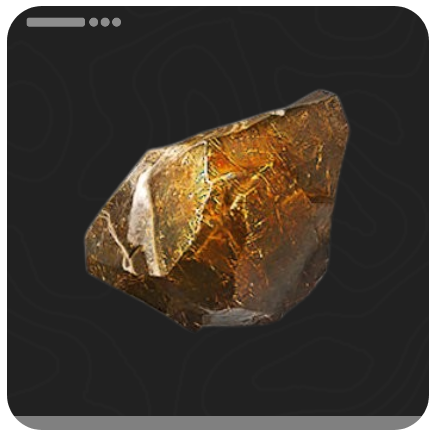 Originium Ore Originium Ore
|
8s | 50 Power |
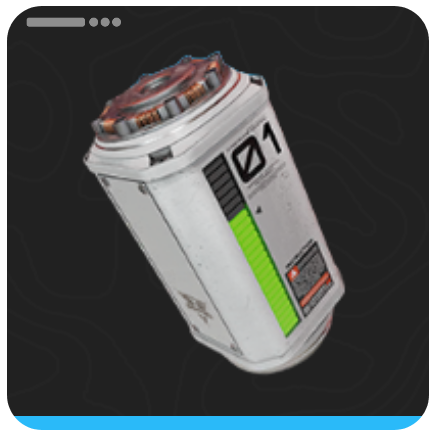 LC Valley Battery LC Valley Battery
|
40s | 220 Power |
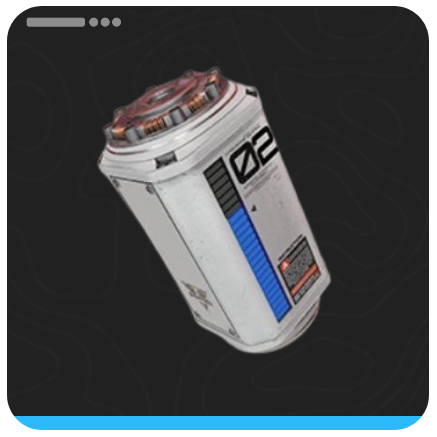 SC Valley Battery SC Valley Battery
|
40s | 420 Power |
 HC Valley Battery HC Valley Battery
|
40s | 1100 Power |
 LC Wuling Battery LC Wuling Battery
|
40s | 1600 Power |
The Thermal Bank can convert Originium Ore or batteries into Power, increasing your AIC's total power capacity. As long as the Thermal Bank has access to Originium Ore or batteries, it will continuously provide all of your AICs with power.
Batteries are More Efficient
Although you will start by powering your Thermal Bank with Originium Ore, it is essential to switch to Batteries as soon as possible to maximize your power output, as batteries have a more efficient Originium-to-power conversion.
For example, to provide 200 Power for 40 seconds using Originium Ore, you will need to burn 20 Originium Ore over four Thermal Banks. Converting the Originium Ore into LC Valley Batteries (10 Originium Ore per Battery) will provide 440 Power for 40 seconds over two Thermal Banks instead.
How to Unlock Thermal Bank
Unlock the Power I Node
To be able to build the Thermal Bank, players need to unlock the Power I Node in the AIC Planning Interface. This node can be found as part of the Power Tree, in the Basic II Tier.
The AIC Basic II Tier can be unlocked using the Basic Expansion Core, which you receive by completing the Main Quest Paving the Way.
Once you have unlocked the AIC Basic II Tier, you can then use a Basic AIC Index to unlock the Power I Node. Make sure that the Electricity I and Power Relay Nodes are also unlocked, as these are prerequisites for the Power I Node.
How to Craft Thermal Bank
| Thermal Bank Crafting Materials | ||
|---|---|---|
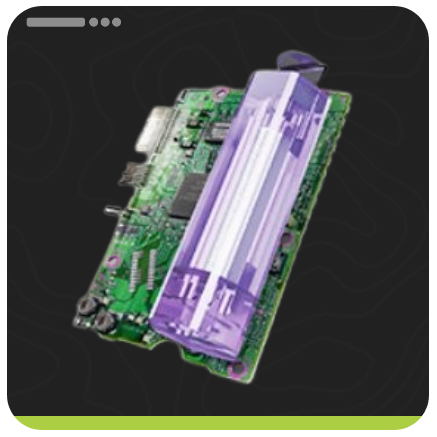 Amethyst Part x10 Amethyst Part x10
|
 Origocrust x10 Origocrust x10
|
|
To craft the Thermal Bank, you will need Origocrust and Amethyst Parts. Origocrust can be crafted by putting Originium Ore through a Refining Unit. Amethyst Parts, on the other hand, are made by putting Amethyst Ore through a Refining Unit to get Amethyst Fiber, which you then feed through a Fitting Unit to get Amethyst Parts.
How to Use Thermal Bank
| Thermal Bank Setup |
|---|
|
|

Expand to Increase Power Grid Output
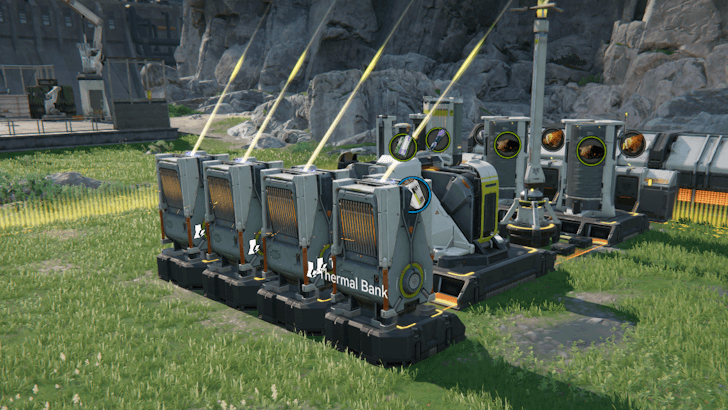
Additional Thermal Banks will increase your total Power Grid Output, allowing you to place down more AIC facilities. As such, make sure to expand your Thermal Bank setup as you progress the game to ensure that you have enough energy for your facilities.
You will, however, need to make sure that your power source production can support your Thermal Banks, as failure to do so can lead to power fluctuations.
Decide What Power Source to Use
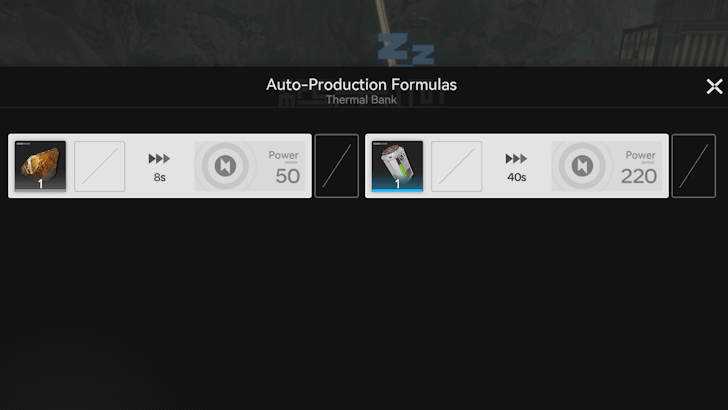
When using a Thermal Bank, you must first decide what power source you will use. You will likely be using Originium Ore when starting, as it is the simplest power source for your Thermal Bank. Once you unlock Packaging Units, you can then swap over to LC Valley Batteries.
Create Power Source Production Line
If you are using Originium Ore to power your Thermal Bank, it is enough to directly connect your Thermal Bank to a PAC Output Port that outputs Originium Ore. Otherwise, you will need to create a battery production line that automatically crafts batteries for your Thermal Bank.
Sample Battery Production Line
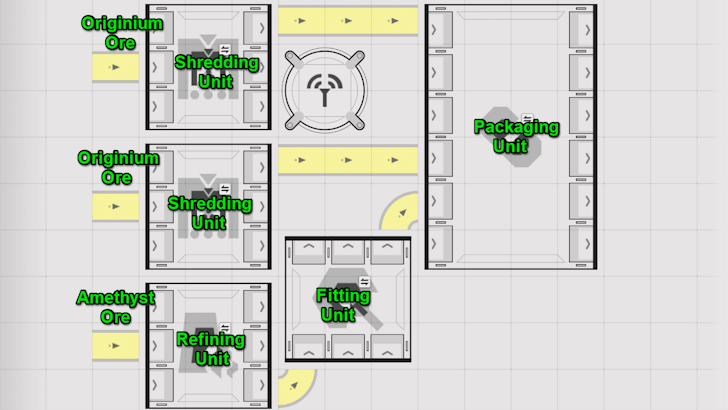
Above is a sample production line that automates the production of LC Valley Batteries.
Place Down Thermal Bank
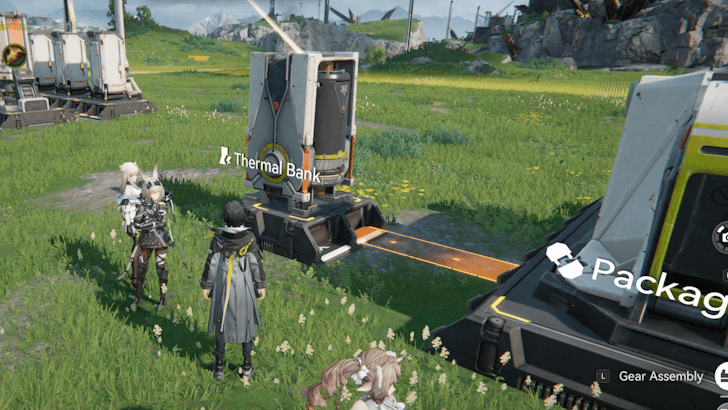
Once your power source logistics are laid out, you must then place down your Thermal Bank to start producing power. Make sure that the conveyor belts are feeding into the Thermal Bank.
Best Thermal Bank Layouts
Use 4 Thermal Banks per AIC Output
For the most efficient power generation, it is highly suggested to use 4 Thermal Banks for every output of the PAC. You may either use the manifold layout or the load-balanced layout to feed the batteries into your Thermal Banks.
Manifold Layout
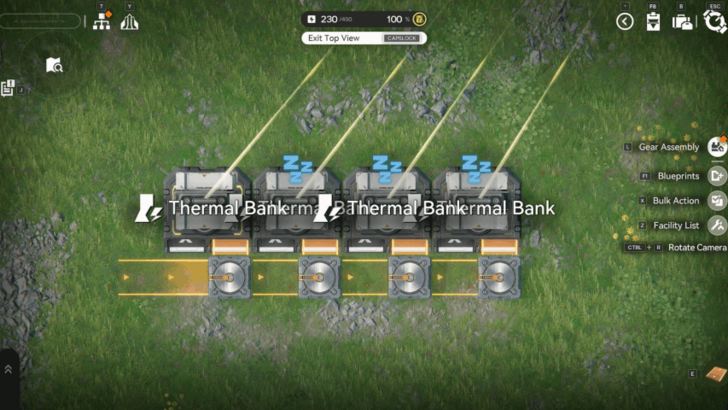
The easiest layout to make is the manifold, as it will only require a small amount of space and the thermal banks form a straight line. This makes manifolds a easy fit in every factory, especially if you're managing space.
The drawback for this is the required ramp-up time. Since the fuel will come from a single line and will split four times, the farthest Thermal Bank will take a long time to fill. To bypass this, fill the farthest two thermal banks with fuel to kickstart the manifold quicker.
Load Balanced Layout
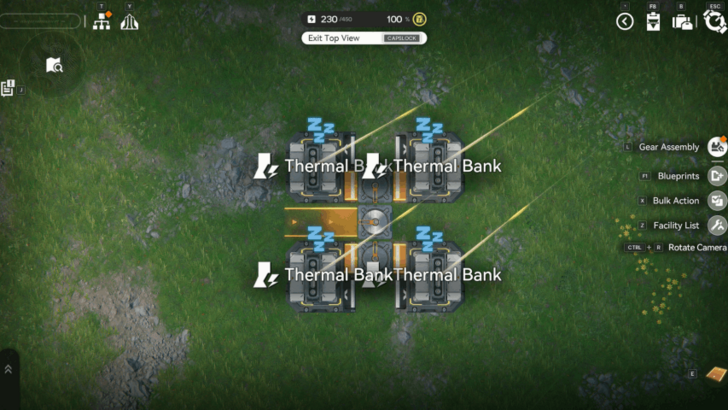
The most efficient layout to make on the other hand is the load balanced layout. This ensures that all Thermal Banks are always working at the same time, eliminating the need for any ramping up.
The drawback for this layout is mostly the space, as it is marginally bigger than the Manifold. It is also a lot harder to fit these in factories, especially if you're managing space.
Arknights: Endfield Related Guides
AIC Factory and Base Building Guide
Buildings by Type
| List of All Building Types | ||
|---|---|---|
| Resourcing | Logistics | Processing |
| Power | Combat | Exploration |
| Xiranite | - | - |
All Power Buildings
 Relay Tower Relay Tower
|
 Electric Pylon Electric Pylon
|
Thermal Bank
|
 Depot Loader Depot Loader
|
 Depot Unloader Depot Unloader
|
Comment



Author

Thermal Bank (Generator) Layouts and How to Use

Premium Articles
Rankings

Gaming News




![Nova Roma Review [Early Access] | Newer, Better, and More Confusing](https://img.game8.co/4455512/2cbf8926e9a1c72a3ff056088f801ef4.png/thumb)
Popular Games

Genshin Impact Walkthrough & Guides Wiki
Umamusume: Pretty Derby Walkthrough & Guides Wiki
Crimson Desert Walkthrough & Guides Wiki
Monster Hunter Stories 3: Twisted Reflection Walkthrough & Guides Wiki
Honkai: Star Rail Walkthrough & Guides Wiki
Pokemon Pokopia Walkthrough & Guides Wiki
The Seven Deadly Sins: Origin Walkthrough & Guides Wiki
Wuthering Waves Walkthrough & Guides Wiki
Zenless Zone Zero Walkthrough & Guides Wiki
Arknights: Endfield Walkthrough & Guides Wiki









Recommended Games
Fire Emblem Heroes (FEH) Walkthrough & Guides Wiki
Diablo 4: Vessel of Hatred Walkthrough & Guides Wiki
Cyberpunk 2077: Ultimate Edition Walkthrough & Guides Wiki
Yu-Gi-Oh! Master Duel Walkthrough & Guides Wiki
Super Smash Bros. Ultimate Walkthrough & Guides Wiki
Pokemon Brilliant Diamond and Shining Pearl (BDSP) Walkthrough & Guides Wiki
Elden Ring Shadow of the Erdtree Walkthrough & Guides Wiki
Monster Hunter World Walkthrough & Guides Wiki
The Legend of Zelda: Tears of the Kingdom Walkthrough & Guides Wiki
Persona 3 Reload Walkthrough & Guides Wiki










All rights reserved
Copyright © 2022 - 2025 GRYPHLINE. All Rights Reserved.
The copyrights of videos of games used in our content and other intellectual property rights belong to the provider of the game.
The contents we provide on this site were created personally by members of the Game8 editorial department.
We refuse the right to reuse or repost content taken without our permission such as data or images to other sites.