
Stock Redistribution Guide (Stock Market)
✪ Check Game8 Endfield Twitter for daily tips!
★ Exclusive: Endfield's Connection to Arknights
★ Ver. 1.1: Release Date | Livestream | Maintenance
★ Tangtang (Build | Banner) | Rossi (Build | Banner)
★ Best Builds: Yvonne | Last Rite | Laevatain
★ Hot: Essence Tool | Blueprint | Best Dijiang Setup
Stock Redistribution is a feature in Arknights: Endfield that allows you to buy materials and trade in Elastic Goods. Learn how to control the Stock Trade of Talos-II, how to unlock and upgrade, as well as the items available here!
| Regional Development Management Guides | |
|---|---|
| RDM Main Guide | Stock Redistribution |
| Operator Liaison | Development Level |
| Outpost Management | Environment Monitoring |
| Depot Node Guide | How to Deliver Goods |
List of Contents
How to Unlock Stock Redistribution
Get to Level 15 by Spending Sanity and Doing Node Tasks
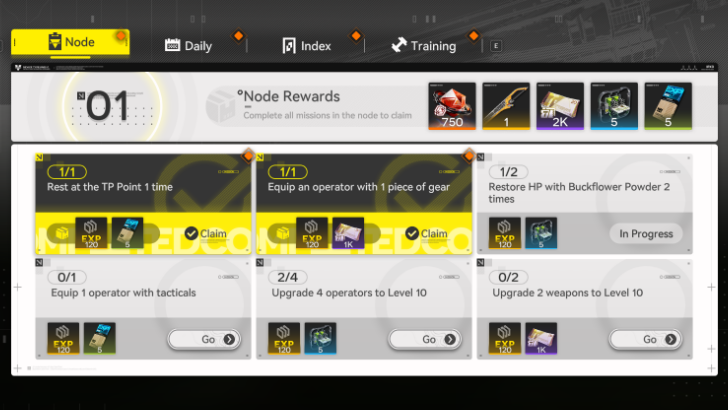
To unlock the Stock Redistribution function, players must reach Level 15, which is a relatively long milestone to reach in the Early Game. Do the node tasks and spend Sanity on Protocol Spaces to get to level 15 as soon as possible!
Finish the Restart Area Stock Redistribution I Quest
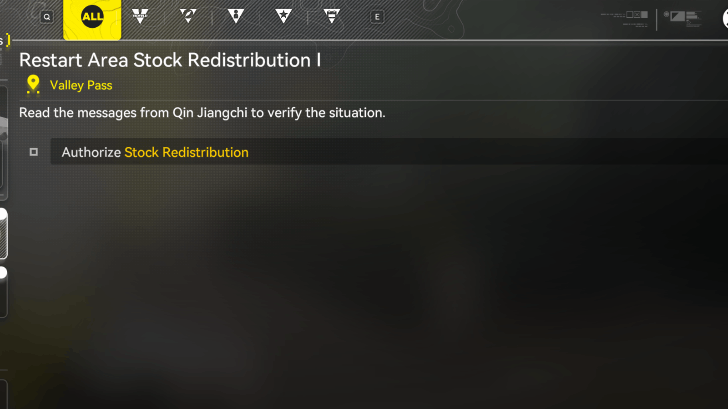
You can then access the Restart Area Stock Redistribution Quest, which will be available after a Baker call. Find Lucky Carrot near The Hub to start the quest and follow through the instructions to have your Stock Redistribution feature unlocked!
Restart Area Stock Redistribution I Guide
How to Upgrade Stock Redistribution
Interact with a Stock Redistribution Terminal
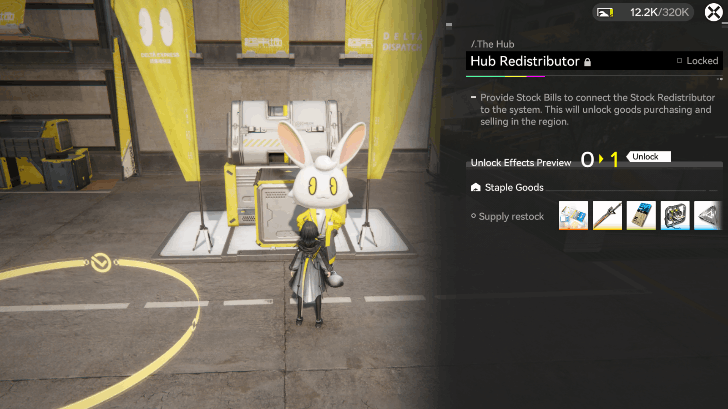
To upgrade the Stock Redistribution feature, talk to Lucky Carrot and the Stock Terminal. Hit the Upgrade button when you're ready to do so.
Stock Terminals can be upgraded to improve the features of Stock Redistribution. Make sure to have more than the sufficient amount before proceeding to upgrade so you're not out of Stock Bills!
How to Add Stock Redistributors
Locate a Stock Redistribution Terminal
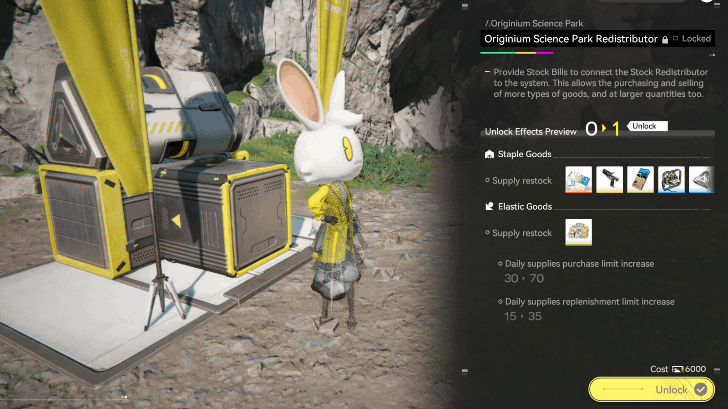
You must locate a Stock Redistributor terminal to add a stock redistributor. You will automatically have one in Talos-II when you go through the Restart Stock Redistribution I Quest.
Refer to our locations guide below for the locations of the other Stock Redistribution Terminals!
Stock Redistritbution Terminal Locations
| Jump to a Section Here! | |
|---|---|
| The Hub (Valley IV) | Originium Science Park (Valley IV) |
| OMV Dijiang | - |
The Hub Terminal
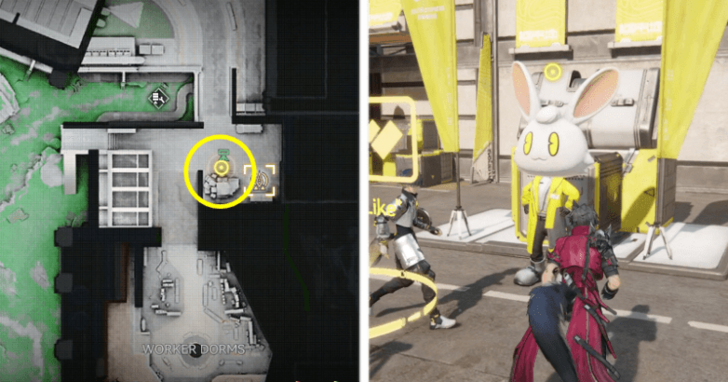
The first Redistribution Terminal is located in The Hub. This Terminal will be part of the Restart Area Stock Redistribution I Guide quest, and cannot be missed.
Valley IV Interactive Map and Locations
The Hub Stock Terminal Upgrades
| Level | Stock Bill Cost | Upgrades Provided |
|---|---|---|
| 0-1 |  500 Valley Stock 500 Valley Stock |
• Staple Goods Supply Restock |
| 1-2 | 4500 Valley Stock |
• Staple Goods Supply Restock • Unlocks Elastic Goods • Elastic Goods Restock |
| 2-3 | 33000 Valley Stock |
• Staple Goods Supply Restock • Elastic Goods Restock • Daily Supplies Purchase Increase • Daily Supplies Replenishment Increase |
| 3-4 | 380000 Valley Stock |
• Staple Goods Supply Restock • Elastic Goods Restock • Daily Supplies Purchase Increase • Daily Supplies Replenishment Increase |
Originium Science Park Terminal
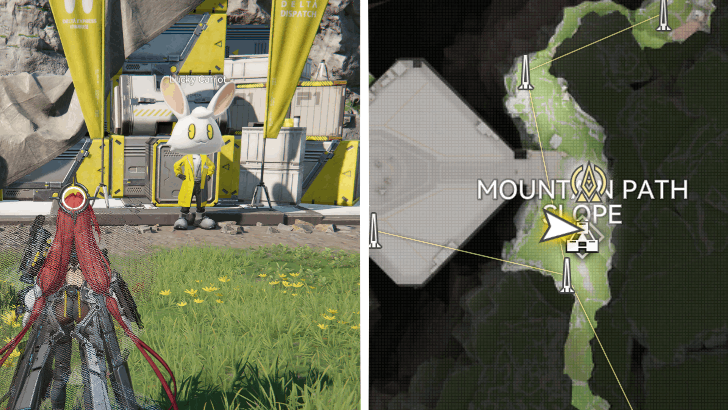
Another Redistribution Terminal can be located in Originium Science Park, on the Mountain Slope subarea on the right side of the map.
OMV Dijiang Terminal
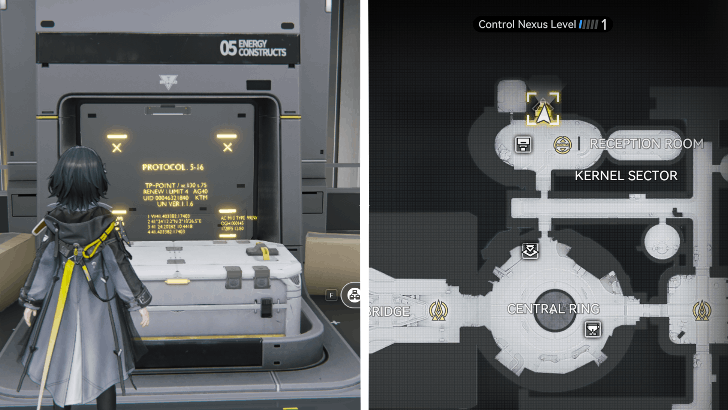
The Dijiang also has a Redistribution Terminal located on the Kernel Sector of the ship. Thiis terminal does not have any upgrade functions, but can still trade stocks.
OMV Dijiang Location Guide
Staple Goods Explained
Fixed Material Shop Replenished Via Upgrades
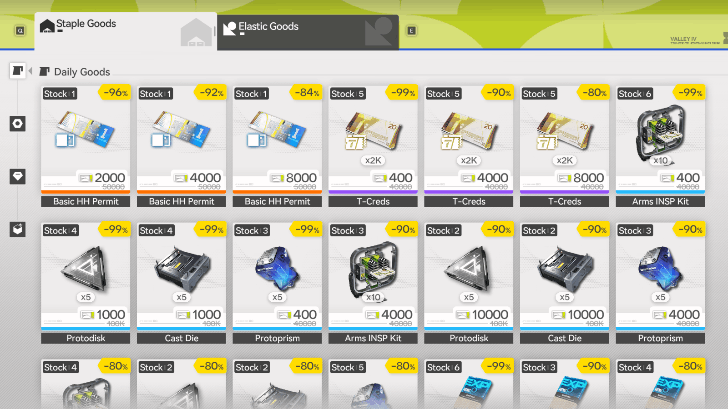
Staple Goods basically act as a supply shop where you can buy set items with Stock Bills. The items here are permanent and will be sold out when bought.
More Items will unlock when you upgrade the Stock Terminal, so make sure to get these and max out your Staple Goods purchase!
Staple Goods Rewards List
All Staple Goods
| Item | Stock Bill Cost |
|---|---|
 Basic HH Permit Basic HH Permit
|
2,000-8,000 |
 T-Creds T-Creds
|
400-8,000 |
| 400 |
|
| 1,000-10,000 |
|
| 1,000-10,000 |
|
| 1,000 |
|
| 4,000 |
|
| 8,000 |
|
| 2,000 |
|
Keen Valley Detector |
1,000-5,000 |
Keen Valley Compass |
1,000-5,000 |
Tastes of V4: Workers Borscht |
2,500 |
Training Material: Of Wildlife and Aggeloi |
15,000 |
Mr. Rammu |
100 |
| Operator Gifts | 100-300 |
 Arms INSP Kit
 Protodisk
 Cast Die
 Fortmaker
 Opus: The Living
 Finishing Call
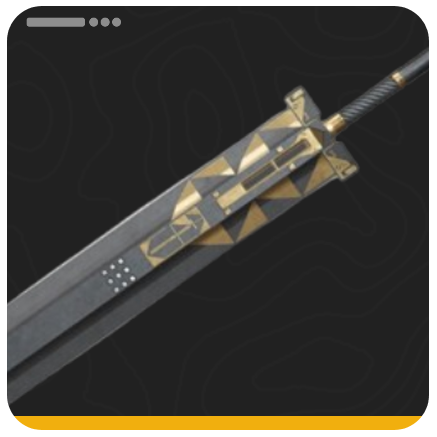 Seeker of Dark Lung
The following are the available rewards that can be purchased permanently at the shop. These materials will not expire and are permanent throughout the game. Just make sure to purchase them when you have sufficient Stock Bills!
Elastic Goods Explained
Materials Shop with Stock Market Elements
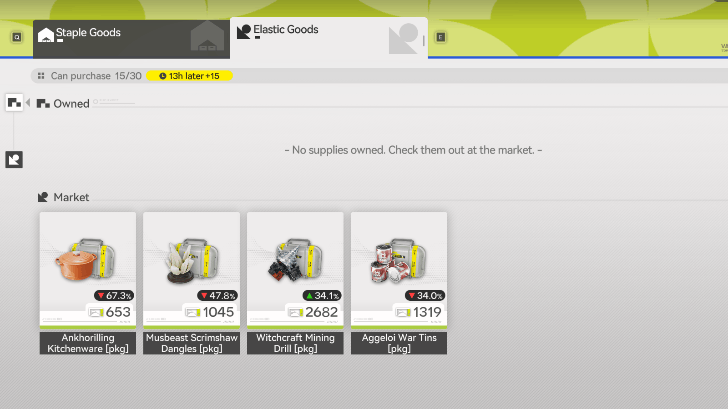
Compared to the permanency of Staple Goods, Elastic Goods features a Stock Market-esque system where you'll have to buy and sell materials, earning Stock Bills by looking at the proper prices of the materials in the system.
Buy Low, Sell High
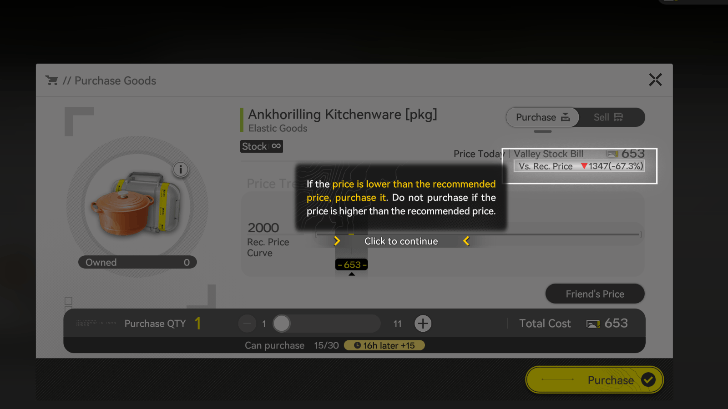
Like with all stock market mechanics, the goal here is to look at the fluctuating Stock Bill prices and follow the principle: Buy Low, Sell High. Look at the Total Cost of the product first, then refer to the Recommended Price, you can then follow these guidelines:
- When Buying, if the recommended price is lower than the Total Cost, buy it. If the recommended price is higher than the Total Cost, do not buy it.
- When Selling, if the recommended price is lower than the Total Cost, do not sell it. If the recommended price is higher than the Total Cost, sell it.
Note that the prices of these products change everyday, so make sure to look carefully when buying and selling, as your goal here is to make Stock Bill income from the purchases.
Sell to Friends
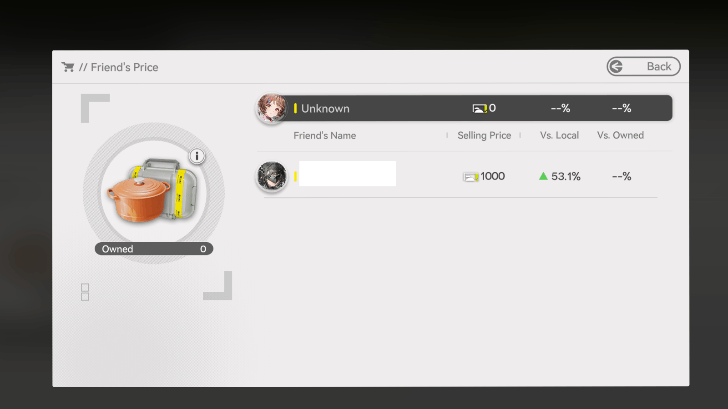
You can also sell to friends and see their prices. The more friends you have, and the better your materials production is, the more you can do trade and make more Stock Bills.
You can check our Friends Board to add friends should you need trading partners!
What are Stock Bills?
Currency Used to Buy in Stock Redistribution
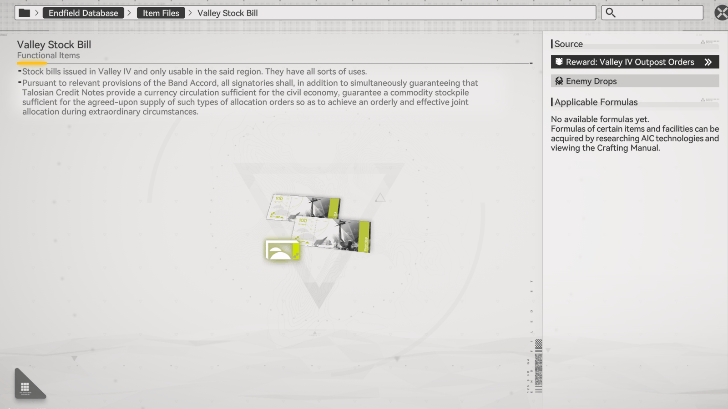
Stock Bills are the currency used in Stock Redistribution, and can be collected by trading with outposts in the game. The better your Outposts are, and the higher your Development Level, the more Stock Bills you can have!
Stock Bills Vary Per Region
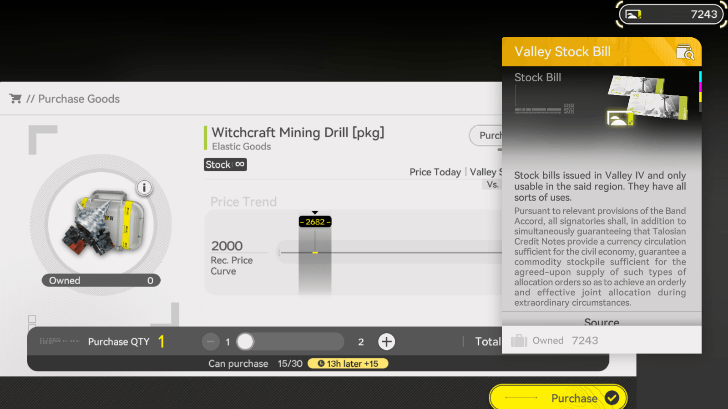
Note that every region has its own variant of Stock Bills, and items can only be purchased with their respective Stock Bills.
Valley IV items will use Valley Stock Bills, while Wuling items will use Wuling Stock Bills and so on, so make sure to check the indicated currency when trading!
What is Stock Redistribution?
Market Shop Used to Spend Stock Bills
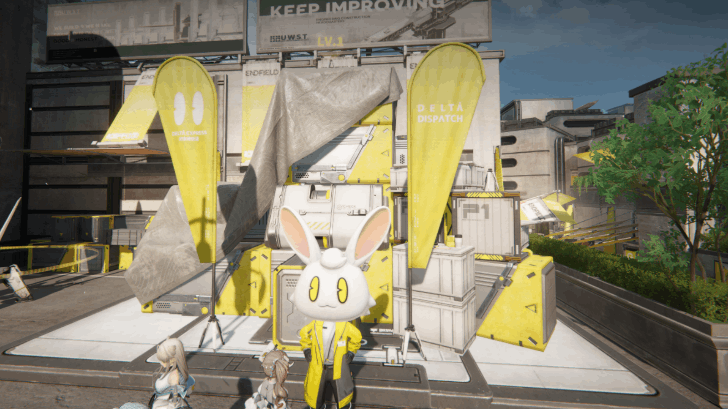
Stock Redistribution is one of the functions of the Regional Development Management system, acting as a supply shop with stock market elements, allowing you to trade with Stock Bills earned from Outpost Management.
Regional Development Management Guide
Arknights: Endfield Related Guides

Regional Development Management Guide
All Regional Development Guides
| Stock Redistribution Guide |
 Operator Liaison Guide Operator Liaison Guide |
 Regional Development Level Regional Development Level |
 Outpost Management Outpost Management |
 Environment Monitoring Guide Environment Monitoring Guide |
 Depot Node Guide Depot Node Guide |
 How to Deliver Goods Fast How to Deliver Goods Fast |
Comment
 Anonymous 2 months
Any information on when the staple goods reset after buying out? The UI says it's daily goods but does not reset. Mainly looking for the standard pulls since the game does not have recurring standard pulls yet and I assume this should be it?



Author

Stock Redistribution Guide (Stock Market)

Premium Articles
Rankings

Gaming News




![Nova Roma Review [Early Access] | Newer, Better, and More Confusing](https://img.game8.co/4455512/2cbf8926e9a1c72a3ff056088f801ef4.png/thumb)
Popular Games

Genshin Impact Walkthrough & Guides Wiki
Umamusume: Pretty Derby Walkthrough & Guides Wiki
Crimson Desert Walkthrough & Guides Wiki
Monster Hunter Stories 3: Twisted Reflection Walkthrough & Guides Wiki
Honkai: Star Rail Walkthrough & Guides Wiki
Pokemon Pokopia Walkthrough & Guides Wiki
The Seven Deadly Sins: Origin Walkthrough & Guides Wiki
Wuthering Waves Walkthrough & Guides Wiki
Zenless Zone Zero Walkthrough & Guides Wiki
Arknights: Endfield Walkthrough & Guides Wiki









Recommended Games
Fire Emblem Heroes (FEH) Walkthrough & Guides Wiki
Diablo 4: Vessel of Hatred Walkthrough & Guides Wiki
Cyberpunk 2077: Ultimate Edition Walkthrough & Guides Wiki
Yu-Gi-Oh! Master Duel Walkthrough & Guides Wiki
Super Smash Bros. Ultimate Walkthrough & Guides Wiki
Pokemon Brilliant Diamond and Shining Pearl (BDSP) Walkthrough & Guides Wiki
Elden Ring Shadow of the Erdtree Walkthrough & Guides Wiki
Monster Hunter World Walkthrough & Guides Wiki
The Legend of Zelda: Tears of the Kingdom Walkthrough & Guides Wiki
Persona 3 Reload Walkthrough & Guides Wiki










All rights reserved
Copyright © 2022 - 2025 GRYPHLINE. All Rights Reserved.
The copyrights of videos of games used in our content and other intellectual property rights belong to the provider of the game.
The contents we provide on this site were created personally by members of the Game8 editorial department.
We refuse the right to reuse or repost content taken without our permission such as data or images to other sites.
Hi! Based on our experience, the staple goods replenish after upgrading nodes, meaning you can only get a set number of Basic HH permits. We'll try to dig into this a bit deeper and update the page later if we have any new information!