
Best Settings
✪ Check Game8 Endfield Twitter for daily tips!
★ Exclusive: Endfield's Connection to Arknights
★ Ver. 1.1: Release Date | Livestream | Maintenance
★ Tangtang (Build | Banner) | Rossi (Build | Banner)
★ Best Builds: Yvonne | Last Rite | Laevatain
★ Hot: Essence Tool | Blueprint | Best Dijiang Setup
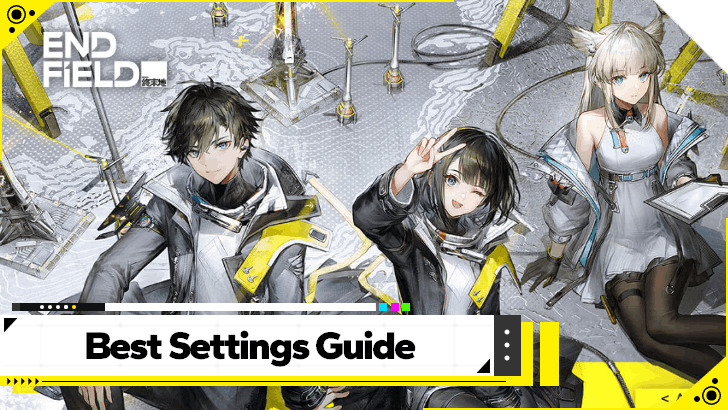
Be amazed at the world of Arknights Endfield by making sure the settings are rightfully optimized for your device. See the recommended settings, system requirements, and which settings are best for PC and Mobile.
List of Contents
Best Settings for PC
| Jump to a Setting! | |||||
|---|---|---|---|---|---|
| Graphics | Audio | Controls | |||
| Keybinds | Language | ||||
Recommended Graphics Settings for PC
| Graphics Quality | Custom Graphics presets to make selection easier. |
|---|---|
| Resolution | Game Default Follow monitor resolution indicated by the in-game settings. |
| FPS | 60 Game will automatically set your frames per second (FPS), aim for 60 if you can or higher. |
| Render Scale | 100% Game's render quality, higher settings, the more clear rendering is. |
| Vertical Sync | On Keep on unless you have G-Sync or FreeSync on. |
| Shadow Quality | Game Default Follow in-game default for Shadows. |
| Shadow Quality | Game Default Follow in-game default for Shadows. |
| Volumetric Fog | Game Default Follow in-game default for Shadows. |
| Anisotropic Sampling | 8x Choose max option to reduce blurriness from jagged edges. |
| Scene Details | Game Default Follow in-game default settings. |
| Ambient Occlusion | Game Default Follow default game settings to determine ambient quality. |
| Ambient Details | Game Default Follow default game settings. |
| Vegetation Density | Game Default Adjust depending on how much environment foliage you want visible. |
| Chromatic Aberration | Off Keep it off unless you want lens defect effects. |
| Screen Space Reflections | Game Default Adjust according to preference. |
| Image Enhancement | TAAU Adjust according to preference. |
| Contact Shadows | On Adjust according to preference. |
Graphics Settings dictate how your game will look. The PC version offers more settings than mobile, make sure your PC is able to handle the settings input you will change here!
Endfield System Requirements and File Size
Recommended Audio Settings for PC
| Master Volume | User Preference Affects all in-game volume settings. |
|---|---|
| Voice Volume | User Preference Put slightly higher over other options for clearer voices. |
| Music Volume | User Preference |
| SE Volume | User Preference |
| Output Mode | Game Default This setting should change depending on your available audio hardware. |
| Mute When Window is Inactive | User Preference Turn on if you want to mute the game audio after alt-tabbing/inactivity. |
| Speaker for Controller | Off Only turn on if you need your controller to act as a speaker. |
PC provides additional options such as Speaker for Controllers and Output Mode Changes, which allows you to customize your sound experience more.
Recommended Control Settings for PC
| Horizontal Camera Sensitivity | User Preference Adjust accordingly depending on preference. |
|---|---|
| Vertical Camera Sensitivity | User Preference Adjust accordingly depending on preference. |
| Top View Mode Camera Sensitivity | User Preference Adjust accordingly depending on preference. |
| Invert Horizontal Camera | Off Adjust if you prefer inverted camera controls. |
| Invert Vertical Camera | Off Adjust if you prefer inverted camera controls. |
| Activate Far Camera | User Preference Adjust accordingly if you prefer having a larger situational view. |
| Combo Skill Camera Movement | User Preference Adjust accordingly depending on preference. |
| Combat Camera Correction | User Preference Adjust accordingly depending on preference. |
| Screen Shake | Medium Set to low if you feel dizzy/have orientation issues. |
| Walk/Dash Sensitivity | Game Default Sets the walk-to-dash sensitivity threshold. |
| Vibration Function | On Turn off if you feel discomfort with controller vibration. |
| Unstuck | Press to Unstuck Triggers how the Unstuck feature would trigger if you are stuck in terrain. |
Controls mostly dictate camera and control movement, as well as the Unstuck function of the game to free the character from being stuck.
Recommended Keybinds for PC
Arknights: Endfield supports customizable keybinds for PC. Go to the settings menu to view the different keybinds and select the active button to change it.
Controller Remapping is Currently Limited
| Actions | Available Settings |
|---|---|
| Dash/Jump | Switchable with  / /  |
| Cast Skill/Combo Skill | Switchable with  / /  |
| Activate Ultimate Casting | ON | OFF |
| Auto-Perform Basic Attacks When Opening the Skill Wheel | ON | OFF |
Controller Remapping in the PS5 version of the game is currently limited to four settings, and players here will be mostly using the default controller binds for the most part.
Recommended Language Settings for PC
| Text Language | User Preference Select the language of the text appearing in dialogue and cutscenes. |
・Traditional Chinese ・Simplified Chinese ・Deutsch ・English ・Español ・Français ・Bahasa Indonesia ・Italiano ・Japanese ・Korean ・Portugeuse ・Russian ・Thai ・Vietnamese |
|---|---|---|
| Voice-Over | User Preference Select the vocals spoken by characters in dialogue and cutscenes. |
・Chinese ・English ・Japanese ・Korean |
Language options dictate the Voice-Over of all characters and the text format you use in-game. The game supports 4 vocal languages and multiple text languages.
Best Settings for Mobile
| Jump to a Setting! | |||
|---|---|---|---|
| Graphics | Audio | ||
| Controls | Language | ||
Recommended Graphics Settings for Mobile
| Graphics Quality | Custom Graphics presets to make selection easier. |
|---|---|
| Resolution | Game Default Follow monitor resolution indicated by the in-game settings. |
| Render Scale | Game Default Game's render quality, higher settings, the more clear rendering is. |
| Special Effects Quality | User Preference Defines Special Effects |
| Custom Margins | User Preference Sets the custom margins of the game's borders. |
| Shadow Quality | Game Default Follow in-game default for Shadows. |
| Scene Details | Game Default Follow in-game default settings. |
| Vegetation Density | Game Default Adjust depending on how much environment foliage you want visible. |
| Chromatic Aberration | Off Keep it off unless you want lens defect effects. |
The mobile version features less settings than the PC version. Be more sensitive with your options settings here as mobile devices will be less powerful than PCs when running the game!
Recommended Audio Settings for Mobile
| Master Volume | User Preference Affects all in-game volume settings. |
|---|---|
| Voice Volume | User Preference Put slightly higher over other options for clearer voices. |
| Music Volume | User Preference |
| SE Volume | User Preference |
Mobile has lesser functions than the PC version, providing a basic audio setting setup only including the Master Volume and other options.
Recommended Control Settings for Mobile
| Controller Button Customization | User Preference Adjust controller buttons as intended. |
|---|---|
| Horizontal Camera Sensitivity | User Preference Adjust accordingly depending on preference. |
| Vertical Camera Sensitivity | User Preference Adjust accordingly depending on preference. |
| Top View Mode Camera Sensitivity | User Preference Adjust accordingly depending on preference. |
| Invert Horizontal Camera | Off Adjust if you prefer inverted camera controls. |
| Invert Vertical Camera | Off Adjust if you prefer inverted camera controls. |
| Activate Far Camera | User Preference Adjust accordingly if you prefer having a larger situational view. |
| Combo Skill Camera Movement | User Preference Adjust accordingly depending on preference. |
| Combat Camera Correction | User Preference Adjust accordingly depending on preference. |
| Screen Shake | Medium Set to low if you feel dizzy/have orientation issues. |
| Walk/Dash Sensitivity | Game Default Sets the walk-to-dash sensitivity threshold. |
| Auto-Dash | Off Set to on if you want to automatically dash when running. |
| Vibration Function | On Turn off if you feel discomfort with controller vibration. |
| Unstuck | Press to Unstuck Triggers how the Unstuck feature would trigger if you are stuck in terrain. |
Mobile controls feature different options from the PC Version due to the touch inputs required when playing the game.
Recommended Language Settings for Mobile
| Text Language | User Preference Select the language of the text appearing in dialogue and cutscenes. |
・Traditional Chinese ・Simplified Chinese ・Deutsch ・English ・Español ・Français ・Bahasa Indonesia ・Italiano ・Japanese ・Korean ・Portugeuse ・Russian ・Thai ・Vietnamese |
|---|---|---|
| Voice-Over | User Preference Select the vocals spoken by characters in dialogue and cutscenes. |
・Chinese ・English ・Japanese ・Korean |
Language options remain mostly the same for PC and mobile and will only change the voice-over and the language settings of the game.
Arknights: Endfield Related Guides

Beginner Guides
 How to Level Up Fast How to Level Up Fast |
Best Settings
|  Early Game Tips Early Game Tips |
 Level Up Guide Level Up Guide |
 Upgrade Weapons Upgrade Weapons |
- |
Combat Guides
 Arts Reaction Guide Arts Reaction Guide |
 Combat System Tips and Tricks Combat System Tips and Tricks |
 How to Do Perfect Dodge How to Do Perfect Dodge |
 Arts Bursts Guide Arts Bursts Guide |
 Physical Status Guide Physical Status Guide |
 How to Stagger Enemies How to Stagger Enemies |
 How to Use Combo Skills How to Use Combo Skills |
- | - |
General Guides
 Top Up Guide
 Main Character Differences
 Ways to Spend Currency
 Dailies Guide
 Reset Times
  Easter Eggs
 Credit Store Guide
 Clue Room Guide
  Trust Guide
 All Puzzles and How to Solve
 Originium Repair Module Guide
 Weeklies and Things to Do Every Week
 How to Recover Sanity
 How to Heal
 Reception Room Guide
 All Roles Explained
Technical Guides
 List of Controls List of Controls |
 Controller Support Controller Support |
 How to Download How to Download |
 How to Link Accounts How to Link Accounts |
- | - |
Frequently Asked Questions
 What is Purity
 Backpack Guide
 How to Change Genders
 How to Revive Allies
 How to Raise Exploration Lv.
 How to Drain Water
 How to Power Aburrey Quarry
 How to Power Originium Science Park
 How to Power Electric Nexus
 How to Increase Inventory
 How to Change Name
 When Do Materials Spawn?
 How to Spray and Change Water Types
 Can You Skip Cutscenes?
 Can You Remove Endministrator's Mask?
 Is There a Death Penalty?
 Can You Climb?
 How to Fast Travel
 How to Repair and Share Facilities
 How to Recover Lost Mail In-Game
 Is Buying the Protocol Pass Worth It?
Comment



Author


Premium Articles
Rankings

Gaming News




![Nova Roma Review [Early Access] | Newer, Better, and More Confusing](https://img.game8.co/4455512/2cbf8926e9a1c72a3ff056088f801ef4.png/thumb)
Popular Games

Genshin Impact Walkthrough & Guides Wiki
Umamusume: Pretty Derby Walkthrough & Guides Wiki
Crimson Desert Walkthrough & Guides Wiki
Monster Hunter Stories 3: Twisted Reflection Walkthrough & Guides Wiki
Honkai: Star Rail Walkthrough & Guides Wiki
Pokemon Pokopia Walkthrough & Guides Wiki
The Seven Deadly Sins: Origin Walkthrough & Guides Wiki
Wuthering Waves Walkthrough & Guides Wiki
Zenless Zone Zero Walkthrough & Guides Wiki
Arknights: Endfield Walkthrough & Guides Wiki









Recommended Games
Fire Emblem Heroes (FEH) Walkthrough & Guides Wiki
Diablo 4: Vessel of Hatred Walkthrough & Guides Wiki
Cyberpunk 2077: Ultimate Edition Walkthrough & Guides Wiki
Yu-Gi-Oh! Master Duel Walkthrough & Guides Wiki
Super Smash Bros. Ultimate Walkthrough & Guides Wiki
Pokemon Brilliant Diamond and Shining Pearl (BDSP) Walkthrough & Guides Wiki
Elden Ring Shadow of the Erdtree Walkthrough & Guides Wiki
Monster Hunter World Walkthrough & Guides Wiki
The Legend of Zelda: Tears of the Kingdom Walkthrough & Guides Wiki
Persona 3 Reload Walkthrough & Guides Wiki










All rights reserved
Copyright © 2022 - 2025 GRYPHLINE. All Rights Reserved.
The copyrights of videos of games used in our content and other intellectual property rights belong to the provider of the game.
The contents we provide on this site were created personally by members of the Game8 editorial department.
We refuse the right to reuse or repost content taken without our permission such as data or images to other sites.