
How to Save
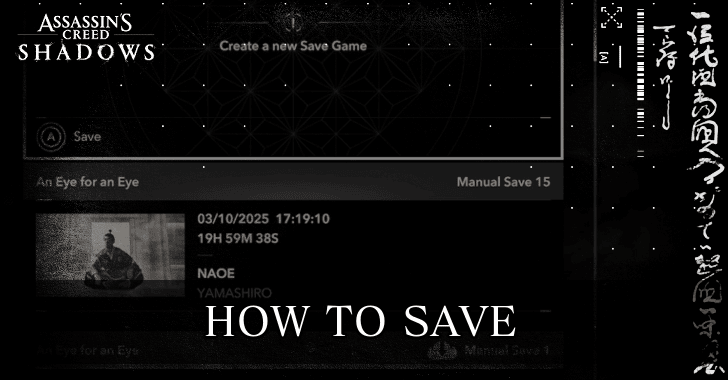
Players will be able to manually save their game via the System Menu of Assassin's Creed Shadows (AC Shadows). Read on to learn how to save your game and the maximum number of manual saves you can use while playing the game.
List of Contents
How to Save
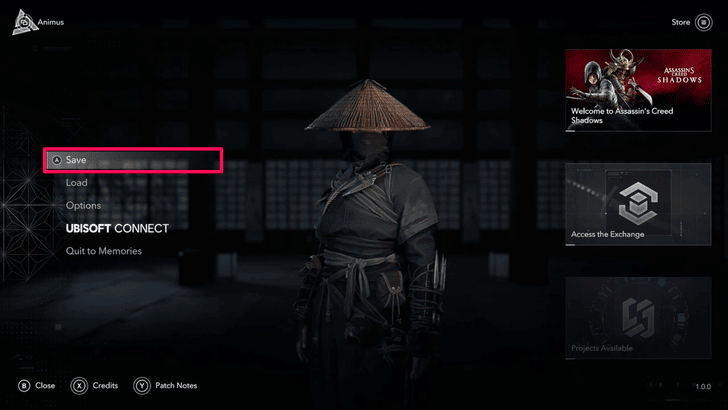
Manually Save from the Animus Menu
 |
|
| How to Open the System Menu | |
|---|---|
| PC | Press  then press then press  to open the System menu. to open the System menu. |
| PS5 | Press the  touchpad, then press it again to open the System menu. touchpad, then press it again to open the System menu. |
| Xbox | Press  , then press again to open the System menu. , then press again to open the System menu. |
Players can save their game by opening their Map or Inventory, then pressing an additional input to open the System Menu. The input will vary depending on your platform. However, once the System Menu is open, simply hit Save to reach the save screen where you can create a Manual Save.
Game Autosaves at Regular Intervals
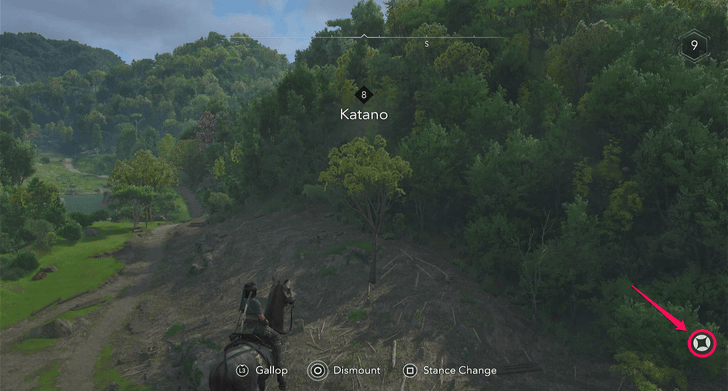
AC Shadows also has an autosave function. Every few minutes, an icon will pop up on the bottom right corner of the screen, indicating that an autosave is being created. You will have a max of five autosaves, with each following save overwriting the earliest autosave.
What is the Max Number of Manual Saves?
Maximum of 20 Manual Saves
Assassin's Creed Shadows will only have a maximum of 20 manual saves and 5 autosaves. Since the game will feature dialogue choices that affect the story, keep in mind that it will be difficult to save scum to get your desired results.
It is recommended that you either play in Canon mode if you don't want to miss out on story content, or keep a manual save before starting a quest chain so that you can reload should things go awry.
Assassin's Creed Shadows Related Guides
All Tips and Tricks Guides
Comment



Author

Rankings
- We could not find the message board you were looking for.
Gaming News





Popular Games

Genshin Impact Walkthrough & Guides Wiki
Umamusume: Pretty Derby Walkthrough & Guides Wiki
Crimson Desert Walkthrough & Guides Wiki
Monster Hunter Stories 3: Twisted Reflection Walkthrough & Guides Wiki
Honkai: Star Rail Walkthrough & Guides Wiki
Pokemon Pokopia Walkthrough & Guides Wiki
The Seven Deadly Sins: Origin Walkthrough & Guides Wiki
Wuthering Waves Walkthrough & Guides Wiki
Zenless Zone Zero Walkthrough & Guides Wiki
Arknights: Endfield Walkthrough & Guides Wiki










Recommended Games
Fire Emblem Heroes (FEH) Walkthrough & Guides Wiki
Diablo 4: Vessel of Hatred Walkthrough & Guides Wiki
Cyberpunk 2077: Ultimate Edition Walkthrough & Guides Wiki
Yu-Gi-Oh! Master Duel Walkthrough & Guides Wiki
Super Smash Bros. Ultimate Walkthrough & Guides Wiki
Pokemon Brilliant Diamond and Shining Pearl (BDSP) Walkthrough & Guides Wiki
Elden Ring Shadow of the Erdtree Walkthrough & Guides Wiki
Monster Hunter World Walkthrough & Guides Wiki
The Legend of Zelda: Tears of the Kingdom Walkthrough & Guides Wiki
Persona 3 Reload Walkthrough & Guides Wiki










All rights reserved
© 2024 Ubisoft Entertainment. All Rights Reserved. Assassin’s Creed, Ubisoft, and the Ubisoft logo are registered or unregistered trademarks of Ubisoft Entertainment in the US and/or other countries.
The copyrights of videos of games used in our content and other intellectual property rights belong to the provider of the game.
The contents we provide on this site were created personally by members of the Game8 editorial department.
We refuse the right to reuse or repost content taken without our permission such as data or images to other sites.