
How to Switch Characters
★ Best Naoe Build | Best Yasuke Build
☆ Romance Options: Hori | Koshiro
★ How to Switch Characters
☆ Best Hideout Building Priority
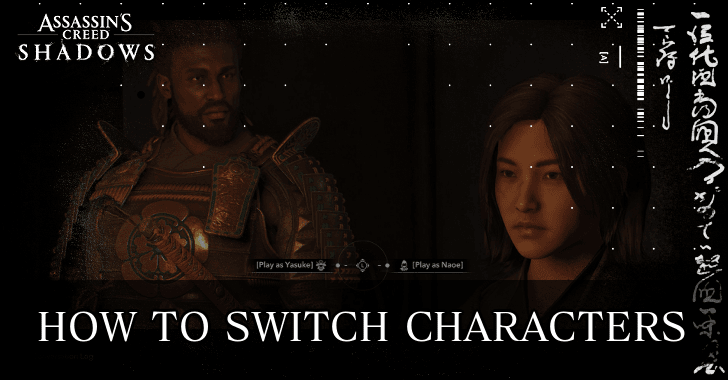
Switch between characters in Assassin's Creed Shadows (AC Shadows) through fast-travel and inventory management. Read on how to unlock switching characters, when to switch, and more!
| Related Character Guides | |
|---|---|
| When Can You Play as Yasuke? | How to Switch Characters |
How to Switch Characters
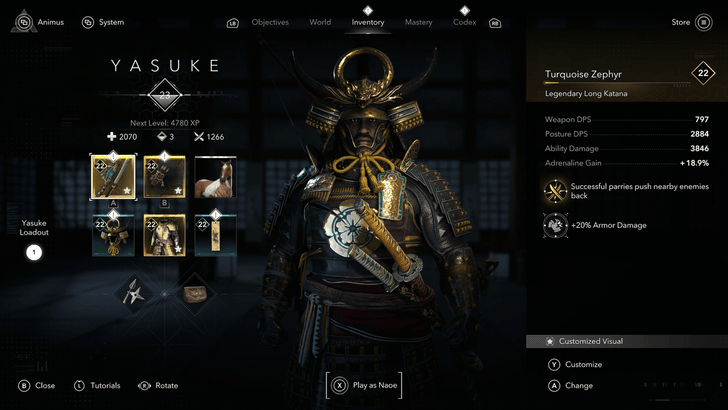
Switch Characters Through the Inventory Screen
| How to Switch via Inventory | |
|---|---|
 |
|
| Platform | Input |
| PC | Hold  in the inventory screen in the inventory screen |
| PS5 | Hold  in the inventory screen in the inventory screen |
| Xbox | Hold  in the inventory screen in the inventory screen |
After unlocking Yasuke, players will have the option to switch characters through the inventory screen, indicated by a held input at the bottom of the screen. Use this method to gear up before continuing as the character you wish to play.
Switch Characters Through Fast-Travel
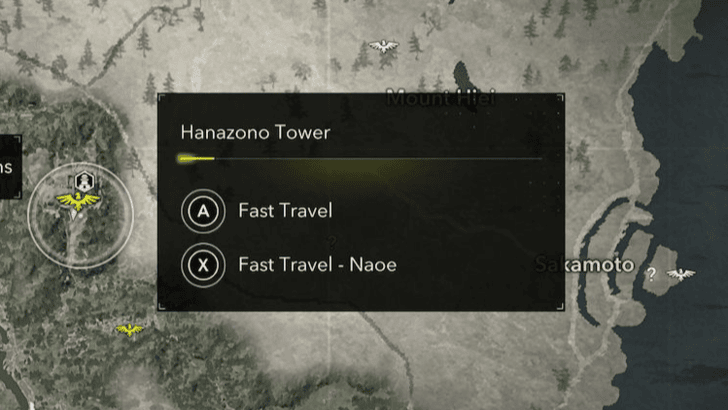
Players will also be able to switch characters while fast-travelling. This is indicated by an alternate input when looking at the map.
You Can Only Switch Outside of Combat and Conflict Zones
Players cannot switch characters while in combat or in a Conflict Zone. If it is absolutely necessary, escape and fall back to switch before approaching the mission again.
Talk to Yasuke or Naoe in the Hideout to Switch
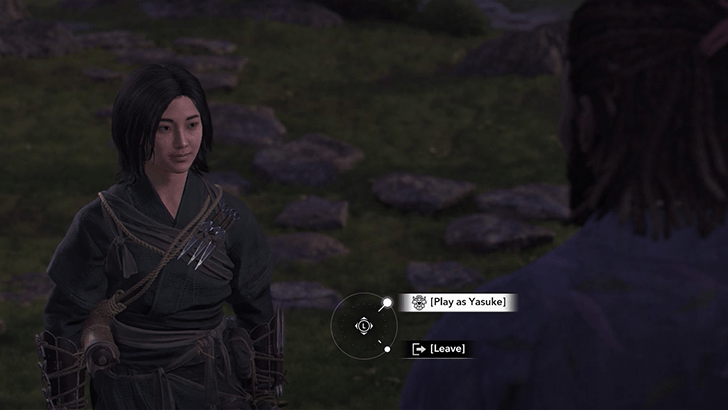
Finally, you can also switch characters back at the Hideout by simply finding either Yasuke or Naoe, then speaking to them. Choose the option to switch in order to play as the other character.
When Can You Switch Characters?
Unlocked After Completing Mibuno Showdown
Players need to progress the main story quest to unlock Yasuke. After completing Mibuno Showdown, Yasuke will be unlocked and players will be able to freely switch between the two.
Why Should You Switch Characters?
Choose Between Stealth and Combat
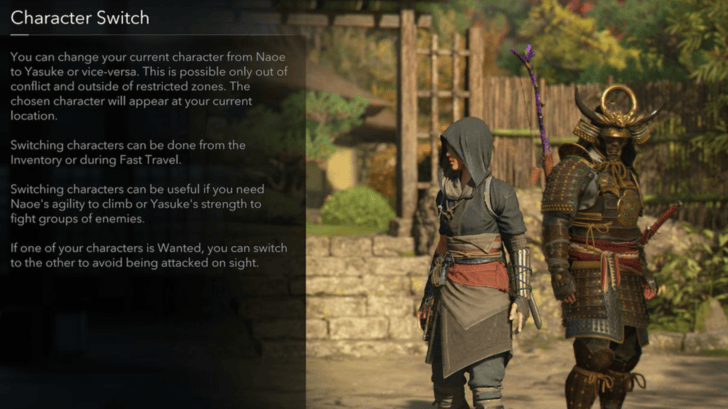
Both Naoe and Yasuke have their individual strengths. Play as Naoe when the story requires stealth and infiltration, and switch to Yasuke if combat is to be expected.
Switch to Avoid Guards
Your actions in the game may cause you to become wanted in major settlements. Switch between characters in order to avoid being attacked on sight. However, this won't work if both characters are wanted.
Assassin's Creed Shadows Related Guides
All Tips and Tricks Guides
Comment



Author
Assassin's Creed Shadows (AC Shadows) Walkthrough & Guides Wiki
How to Switch Characters

Rankings
- We could not find the message board you were looking for.
Gaming News





Popular Games

Genshin Impact Walkthrough & Guides Wiki
Umamusume: Pretty Derby Walkthrough & Guides Wiki
Crimson Desert Walkthrough & Guides Wiki
Monster Hunter Stories 3: Twisted Reflection Walkthrough & Guides Wiki
Honkai: Star Rail Walkthrough & Guides Wiki
Pokemon Pokopia Walkthrough & Guides Wiki
The Seven Deadly Sins: Origin Walkthrough & Guides Wiki
Wuthering Waves Walkthrough & Guides Wiki
Zenless Zone Zero Walkthrough & Guides Wiki
Arknights: Endfield Walkthrough & Guides Wiki










Recommended Games
Fire Emblem Heroes (FEH) Walkthrough & Guides Wiki
Diablo 4: Vessel of Hatred Walkthrough & Guides Wiki
Cyberpunk 2077: Ultimate Edition Walkthrough & Guides Wiki
Yu-Gi-Oh! Master Duel Walkthrough & Guides Wiki
Super Smash Bros. Ultimate Walkthrough & Guides Wiki
Pokemon Brilliant Diamond and Shining Pearl (BDSP) Walkthrough & Guides Wiki
Elden Ring Shadow of the Erdtree Walkthrough & Guides Wiki
Monster Hunter World Walkthrough & Guides Wiki
The Legend of Zelda: Tears of the Kingdom Walkthrough & Guides Wiki
Persona 3 Reload Walkthrough & Guides Wiki










All rights reserved
© 2024 Ubisoft Entertainment. All Rights Reserved. Assassin’s Creed, Ubisoft, and the Ubisoft logo are registered or unregistered trademarks of Ubisoft Entertainment in the US and/or other countries.
The copyrights of videos of games used in our content and other intellectual property rights belong to the provider of the game.
The contents we provide on this site were created personally by members of the Game8 editorial department.
We refuse the right to reuse or repost content taken without our permission such as data or images to other sites.