
How to Engrave Weapons and Armor
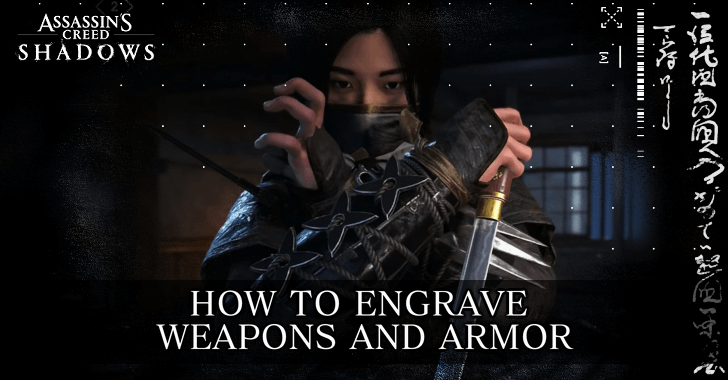
Engraving your Weapons, Armor, Headgear, and Trinkets grants perks that enhance your combat and gameplay in Assassin's Creed Shadows (AC Shadows). Learn how to Engrave your equipment and acquire Engravings here!
List of Contents
How to Engrave Weapons and Armor
Attach Engravings at a Level 2 Hideout Forge
Engravings can be attached to your Rare, Epic, and Legendary Rarity Weapons and Armor, providing additional perks and boosts to your gameplay. You can start applying non-Legendary Engravings once you upgrade the Hideout Forge to Level 2.
| # | Steps to Upgrade the Forge | |
|---|---|---|
| 1 | 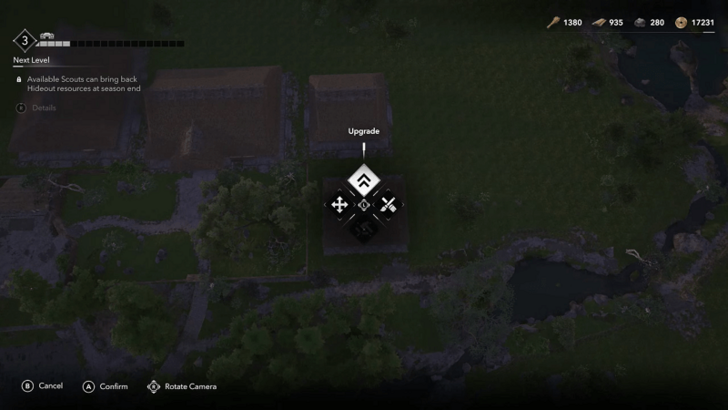 After building your Hideout's Forge, hover over it in the Improve Hideout menu, and select it to see the upgrade menu. ▶ How to Upgrade the Hideout |
|
| 2 | 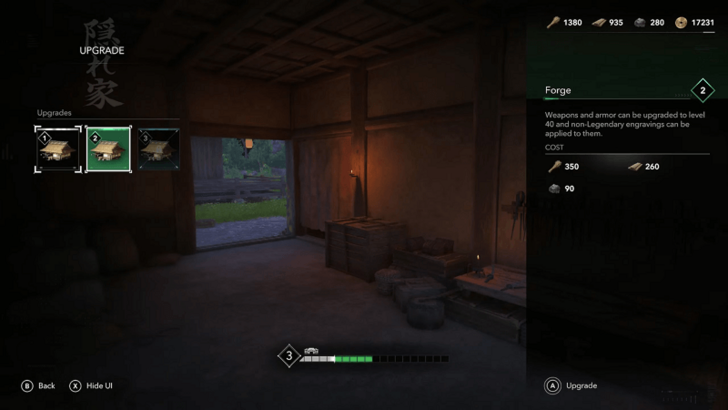 You can choose your next upgrade from this menu, which requires a certain amount of Hideout Resources. |
|
| 3 | 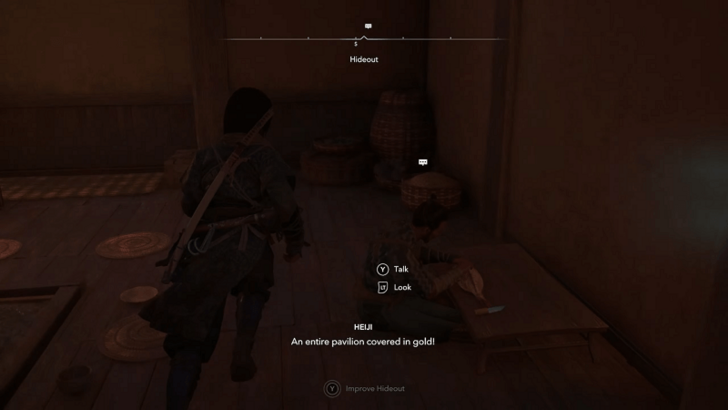 Once you have a Level 2 Forge, head on over and speak to Heiji to access his shop. |
|
| 4 | 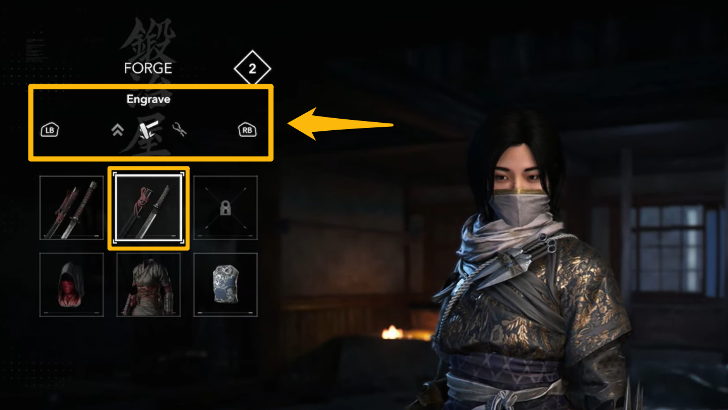 On the top left of the shop menu, scroll towards the Engrave tab. Select the equipment slot you want Engraved. |
|
| 5 | 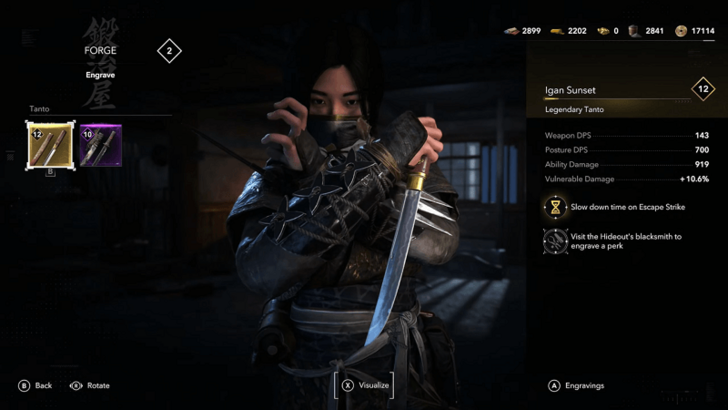 Select a specific piece of Epic or Legendary gear. |
|
| 6 | 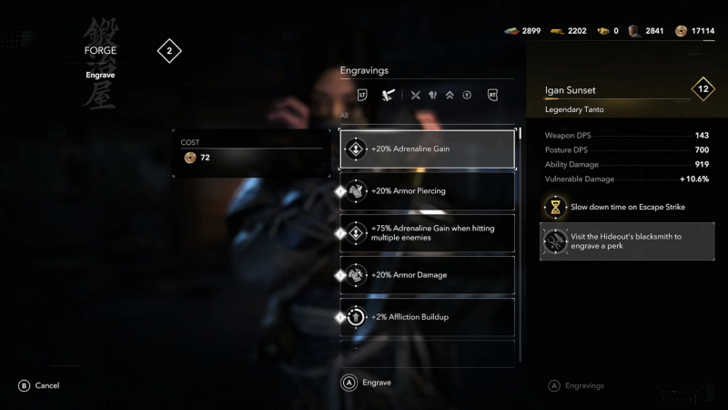 Select an Engraving to attach to your piece of equipment. With a Level 2 Forge, you won't be able to attach Legendary Engravings. | |
| 7 | 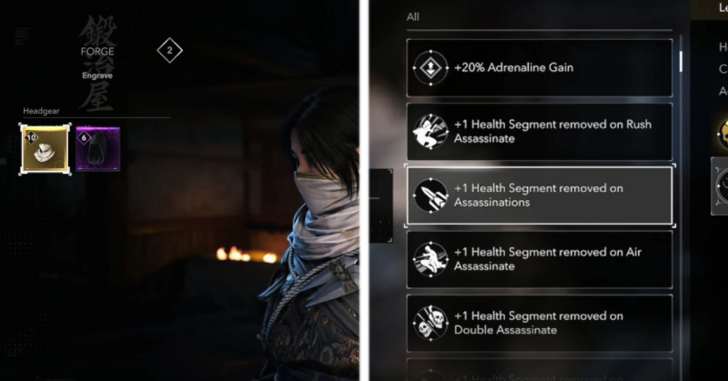 Repeat the same process to Engrave other pieces of gear, such as Headgear, Armor, and Trinkets. |
Upgrade the Forge to Level 3 to Add Legendary Engravings
To attach Legendary Engravings, you must upgrade the Forge to Level 3. This upgrade is well worth it, as it also allows you to further enhance your equipment.
How to Get Engravings
Find Engravings In Set Locations
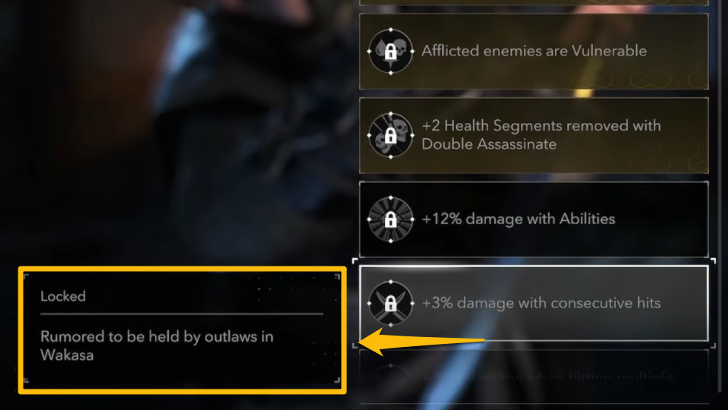
You can find Engravings in set locations throughout the world. In the Engrave menu, you can scroll to the locked options and read clues about their locations, often in areas such as Castles or hostile POIs.
Get Legendary Engravings Getting Legendary Items
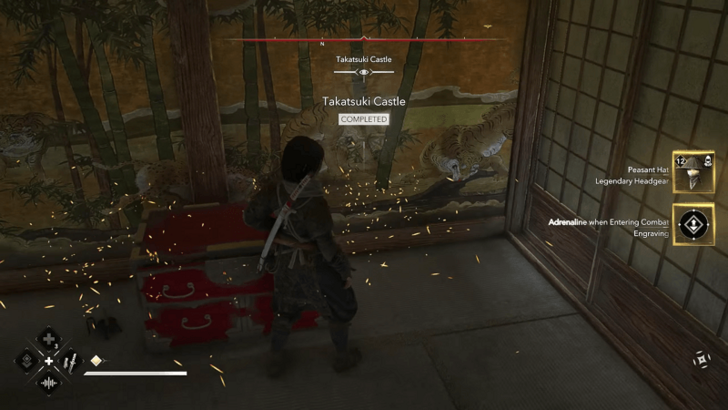
Legendary Engravings become available whenever you loot a Legendary Weapon or Armor piece. When you pick one up, the "default engraving" of the Legendary item can be re-used on other pieces of equipment.
Assassin's Creed Shadows Related Guides
All Tips and Tricks Guides



Author

Assassin's Creed Shadows (AC Shadows) Walkthrough & Guides Wiki
How to Engrave Weapons and Armor

Rankings
- We could not find the message board you were looking for.
Gaming News





Popular Games

Genshin Impact Walkthrough & Guides Wiki
Umamusume: Pretty Derby Walkthrough & Guides Wiki
Crimson Desert Walkthrough & Guides Wiki
Monster Hunter Stories 3: Twisted Reflection Walkthrough & Guides Wiki
Honkai: Star Rail Walkthrough & Guides Wiki
Pokemon Pokopia Walkthrough & Guides Wiki
The Seven Deadly Sins: Origin Walkthrough & Guides Wiki
Wuthering Waves Walkthrough & Guides Wiki
Zenless Zone Zero Walkthrough & Guides Wiki
Arknights: Endfield Walkthrough & Guides Wiki










Recommended Games
Fire Emblem Heroes (FEH) Walkthrough & Guides Wiki
Diablo 4: Vessel of Hatred Walkthrough & Guides Wiki
Cyberpunk 2077: Ultimate Edition Walkthrough & Guides Wiki
Yu-Gi-Oh! Master Duel Walkthrough & Guides Wiki
Super Smash Bros. Ultimate Walkthrough & Guides Wiki
Pokemon Brilliant Diamond and Shining Pearl (BDSP) Walkthrough & Guides Wiki
Elden Ring Shadow of the Erdtree Walkthrough & Guides Wiki
Monster Hunter World Walkthrough & Guides Wiki
The Legend of Zelda: Tears of the Kingdom Walkthrough & Guides Wiki
Persona 3 Reload Walkthrough & Guides Wiki










All rights reserved
© 2024 Ubisoft Entertainment. All Rights Reserved. Assassin’s Creed, Ubisoft, and the Ubisoft logo are registered or unregistered trademarks of Ubisoft Entertainment in the US and/or other countries.
The copyrights of videos of games used in our content and other intellectual property rights belong to the provider of the game.
The contents we provide on this site were created personally by members of the Game8 editorial department.
We refuse the right to reuse or repost content taken without our permission such as data or images to other sites.
Great guides! Thanks for putting them together.