
Lockpicking Explained: How to Lockpick
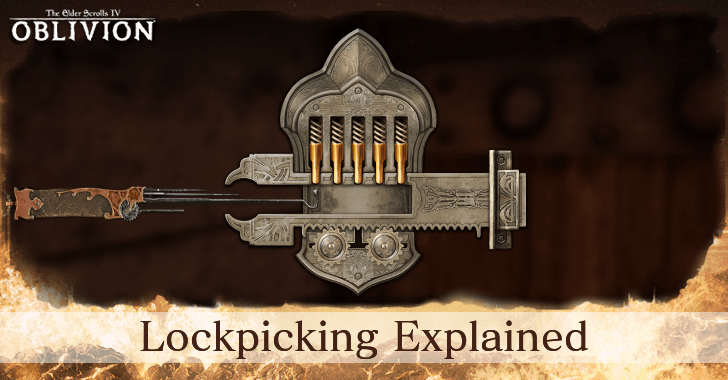
Lockpicking in The Elder Scrolls IV Oblivion Remastered requires carefully pushing up tumblers and setting them once they hit the top of the lock. Read on to learn how to lockpick and open locked chests and containers, as well as how to get more lockpicks!
How to Lockpick
Keep Pushing the Tumblers Up to Find its Slowest Drop
The key to lockpicking in Oblivion and correctly setting a tumbler is to pay attention to the tumbler's "stickiness". While pushing it up, you'll notice that the tumbler starts "slowing down" and "sticking" to the top of the locking mechanism at random intervals.
Familiarize yourself with this slow drop and the pause of the tumbler at the apex of the cylinder by spamming the Move Pick button. Being able to spot it and react to it will be the key to setting the tumbler correctly while lockpicking.
The Number of Tumblers Increases Depending on the Difficulty of the Lock
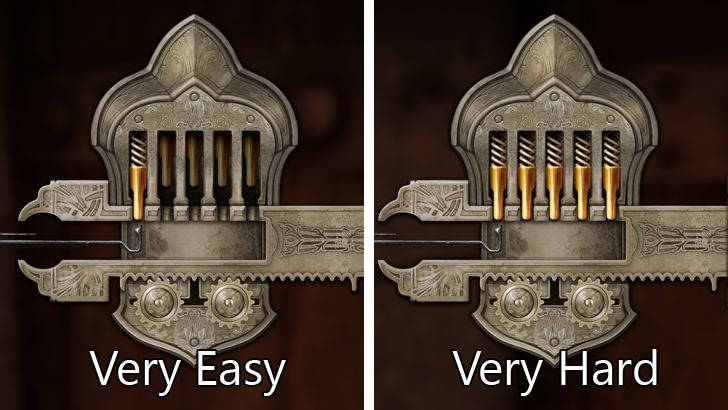
Locks will have a lockpicking difficulties that range from Very Easy to Very Hard. Very Easy locks will only require you to set 1 tumbler while Very Hard locks will have you set as many as 5 tumblers.
Set the Tumbler on its Slowest Setting
Once you start reacting to the noticeable "pause" of the tumbler when it hits the top of the cylinder, you'll be able to correctly set the tumblers during these slow drop windows. When you spot the momentary pause, hit Space (PC), A (Xbox), or X (PS5) to set the tumbler.
Remember, if you set a tumbler too soon or too late in its animation, your lockpick will break. When a lockpick breaks, it is consumed. The only lockpick that won't break is the Skeleton Key that you get later in the game in a level 10 questline.
Incorrectly Setting a Tumbler Resets Your Lockpicking Progress
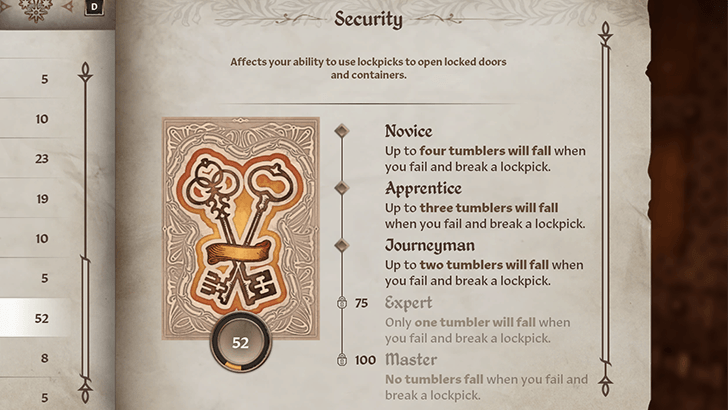
The difficulty of lockpicking stems from its reset mechanic. If you have a low Security skill, up to 4 tumblers will fall if you fail to set a tumbler while lockpicking. Raising your Security skill will make this mechanic much more forgiving.
| Level | Expertise Effect |
|---|---|
| Novice | Up to four tumblers will fall when you fail and break a lockpick. |
| Apprentice | Up to three tumblers will fall when you fail and break a lockpick. |
| Journeyman | Up to two tumblers will fall when you fail and break a lockpick. |
| Expert | Only one tumbler will fall when you fail and break a lockpick. |
| Master | No tumblers fall when you fail and break a lockpick. |
Use Auto Attempt to Pick a Lock by Brute Force
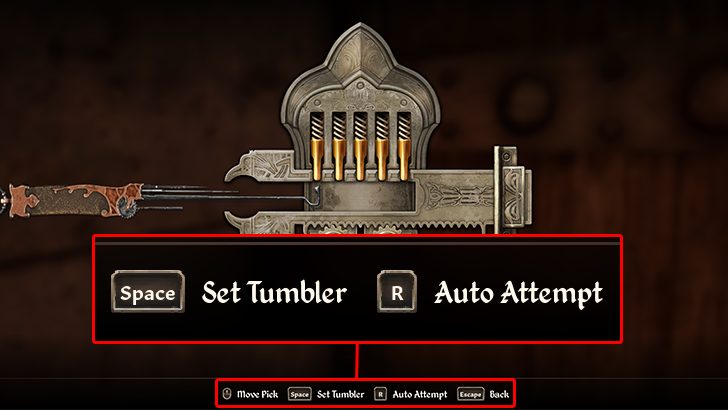
If you have lockpicks to spare and don't want to bother with the rather finicky lockpicking process, then you can simply spam Auto Attempt until you finally unlock the locked door or container. Just make sure to create a save beforehand so you can reload if you end up breaking more lockpicks than you can spare.
How to Make Lockpicking Easy
Reach Level 10 and Get the Skeleton Key
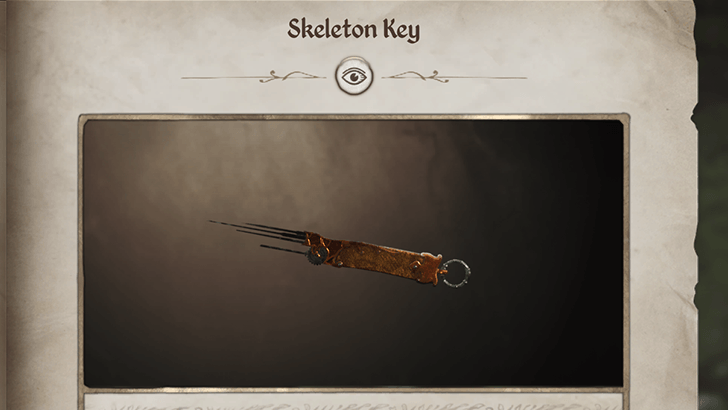
Players who really don't want to bother with lockpicking, can ignore this mechanic until their character hits Level 10. Once you hit Level 10, you can head over to the Shrine of Nocturnal and complete its related questline to get the Skeleton Key.
Spam Auto Attempt with the Skeleton Key
With the Skeleton Key safely in your inventory, you can spam Auto Attempt with abandon since the key will never break. This allows you to open any lock at the press (or multiple presses) of a button, regardless of difficulty.
How to Get Lockpicks
Purchase Lockpicks from Shady Sam
| Map Location | 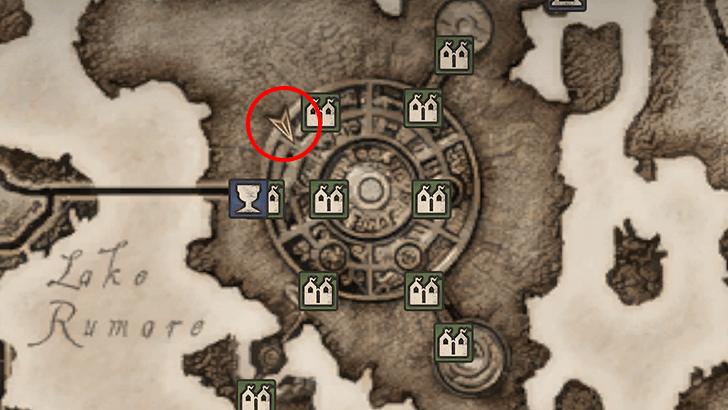 |
|---|---|
| World View | 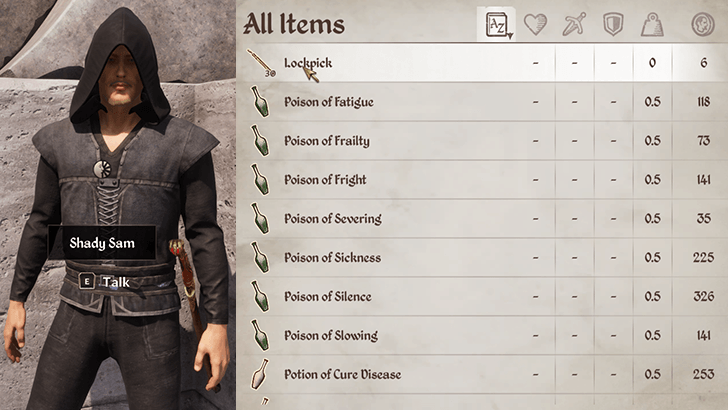 |
The easiest way to get more lockpicks during the early game (before you join any of the factions) is by purchasing them from an NPC named Shady Sam located just outside the northwestern wall of the Imperial City.
Shady Sam sells 30 Lockpicks at a time for 6 Gold each, and you can refresh his stock by sleeping for 24 hours. There's a nearby bedroll that you can use at the Chestnut Handy Stables so you don't have to go too far just to reset his inventory.
Oblivion Remastered Related Guides

All Tips and Tricks Guides
Comment



Author

Lockpicking Explained: How to Lockpick

Rankings
- We could not find the message board you were looking for.
Gaming News
![Animal Crossing: New Horizons Review [Switch 2] | Needlessly Crossing Over to a New Generation](https://img.game8.co/4391759/47d0408b0b8a892e453a0b90f54beb8a.png/show)



Popular Games

Genshin Impact Walkthrough & Guides Wiki
Honkai: Star Rail Walkthrough & Guides Wiki
Arknights: Endfield Walkthrough & Guides Wiki
Umamusume: Pretty Derby Walkthrough & Guides Wiki
Wuthering Waves Walkthrough & Guides Wiki
Pokemon TCG Pocket (PTCGP) Strategies & Guides Wiki
Abyss Walkthrough & Guides Wiki
Zenless Zone Zero Walkthrough & Guides Wiki
Digimon Story: Time Stranger Walkthrough & Guides Wiki
Clair Obscur: Expedition 33 Walkthrough & Guides Wiki









Recommended Games
Fire Emblem Heroes (FEH) Walkthrough & Guides Wiki
Pokemon Brilliant Diamond and Shining Pearl (BDSP) Walkthrough & Guides Wiki
Diablo 4: Vessel of Hatred Walkthrough & Guides Wiki
Super Smash Bros. Ultimate Walkthrough & Guides Wiki
Yu-Gi-Oh! Master Duel Walkthrough & Guides Wiki
Elden Ring Shadow of the Erdtree Walkthrough & Guides Wiki
Monster Hunter World Walkthrough & Guides Wiki
The Legend of Zelda: Tears of the Kingdom Walkthrough & Guides Wiki
Persona 3 Reload Walkthrough & Guides Wiki
Cyberpunk 2077: Ultimate Edition Walkthrough & Guides Wiki










All rights reserved
© 2025 ZeniMax Media Inc. All Rights Reserved.
The copyrights of videos of games used in our content and other intellectual property rights belong to the provider of the game.
The contents we provide on this site were created personally by members of the Game8 editorial department.
We refuse the right to reuse or repost content taken without our permission such as data or images to other sites.