
How to Get Electricity to Power Your Island
★ Tip: Use Frames to organize your Storage.
☆ Build Habitats with Ditto's Moves.
★ Build Houses and Structures for your Pokemon
☆ Increase Comfort & Environment Levels.
★ Redeem Mystery Gifts for free items & furniture.
☆ Limited Time Event: Befriend Hoppip until 3/24!
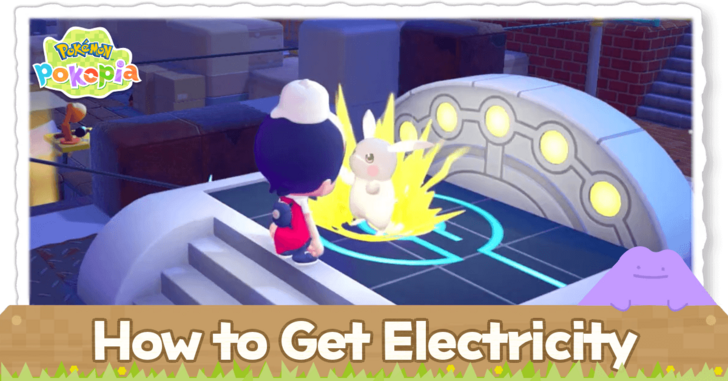
You can power your island with electricity by using utility poles to connect power sources to electrical appliances in Pokemon Pokopia. Read on to learn how to get electricity to power your your island and the benefits of having access to electricity.
How to Get Electricity to Power Your Island
|
|
 Find or Build Power Sources
Find or Build Power Sources
| Power Source | Energy | How to Power |
|---|---|---|
| Windmill | 10 units (lower elevation) 20 units (higher elevation) |
Constantly generates power |
| Waterwheel | 20 units | Have running water under the wheel |
| Furnace | 30 units | Put burnable objects inside |
The game has a few power sources, which include windmills, waterwheels, and furnaces. You may find any of these power sources in the overworld or purchase building kits for them in the PC Shop if you wish to place an additional one.
Each unit of energy from a power source can typically power one item. However, some structures may require several units of energy in order to work.
Relocate or Demolish Existing Power Sources
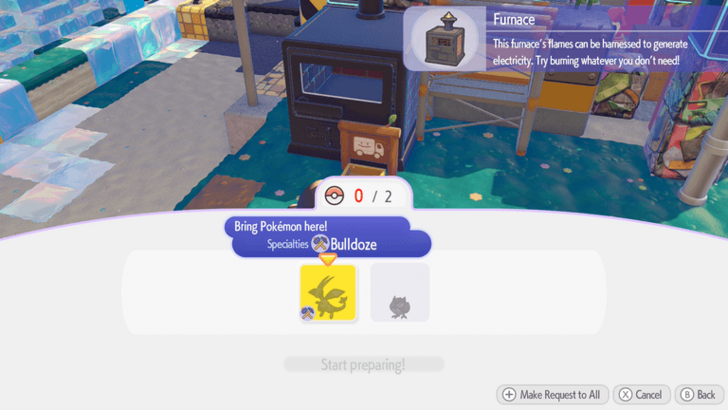
Like other structures that require building kits, you may relocate or demolish power sources. You will just need to purchase a relocation kit or demolition kit from the PC shop and place it in front of the item.
You will need one Pokemon with the Bulldoze specialty and one additional Pokemon in the biome in order to use one of these kits.
Bulldoze Specialty Guide and How to Use
Connect Power Sources to Items With Utility Poles
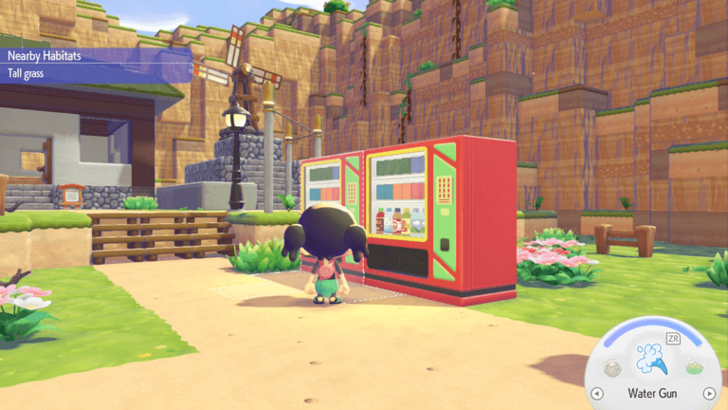
Place utility poles to create a line that connects from an item to a power generator. Keep in mind that you will need to place them close to each other in order for them to be properly connected.
You can tell a utility pole is connected to a generator if it lights up once you've set it in place. Each utility pole can power up to 20 items.
Obtain the Utility Pole Recipe in Bleak Beach
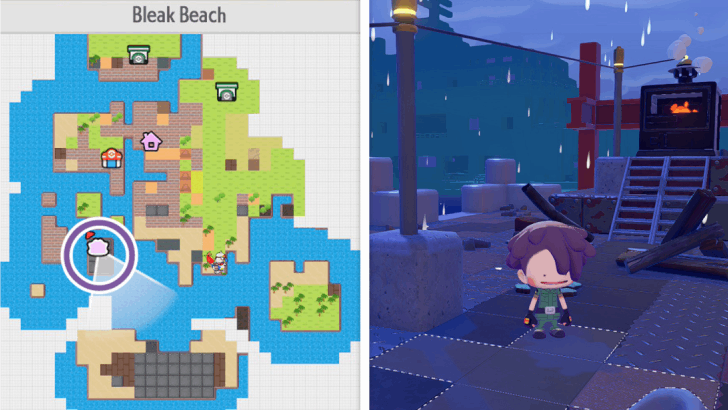
The recipe for crafting utility poles is found on an island near the southwest corner of Bleak Beach. You can obtain it from a Pokeball near a furnace.
Hide Utility Poles Underground For Less Clutter
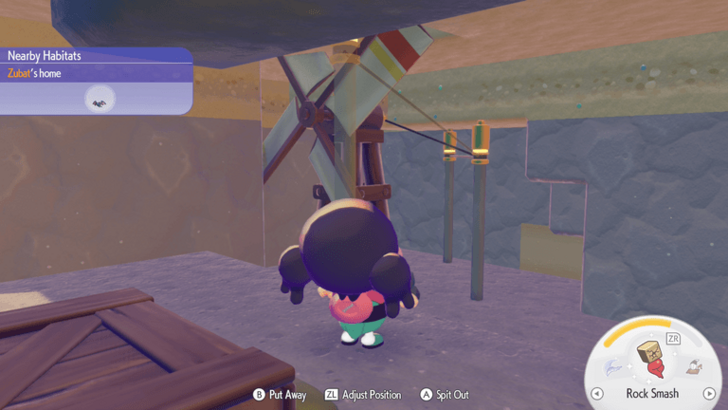
You may put your power sources and utility poles underground to lessen clutter. Try to make it so that the pole and the item are separated by only one block. They will need to be as close to each other as possible in order for the item to get powered.
Power Items With Generate
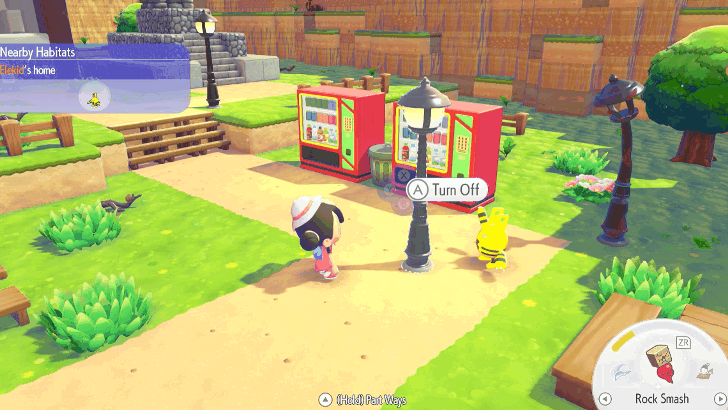
The Generate Specialty is used to power up an item or machine temporarily. Find a befriended Pokemon with Generate Specialty, ask them to follow you, and lead it to the item.
Keep in mind that the item will lose power after you pick it up. You will need to find another Generate Pokemon or a source of electricity once you place it in the overworld again.
Benefits of Having Electricity
Increase an Area's Brightness

Some items produce light when powered with electricity. You may use these items to create bright homes or habitats for certain Pokemon.
Create Habitats
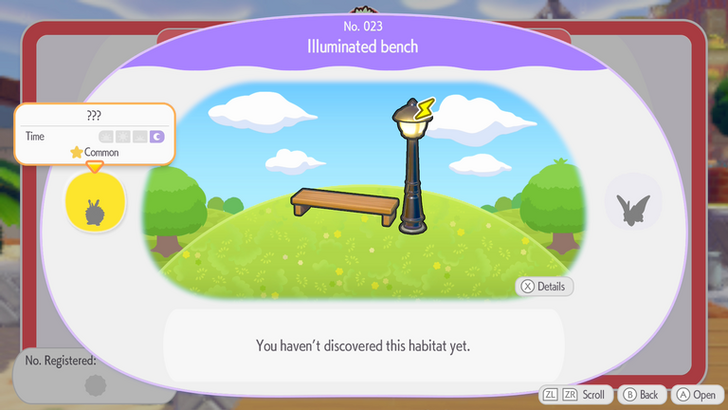
Some habitats in the Habitat Dex will have a power icon next to one of the required items. This means that this item will have to be powered by electricity in order to summon Pokemon.
Having electricity in each biome will allow you to discover and befriend more Pokemon through these habitats.
Use Vending Machines
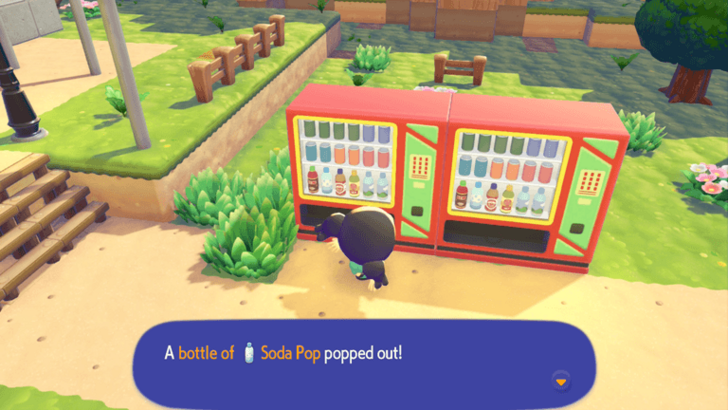
Once it is powered by electricity, a vending machine can give you one random drink per day. Each drink will put a different type of liquid in Ditto's mouth.
You can use these drinks to place bodies of water or lava in the overworld.
Use the Illuminate Specialty
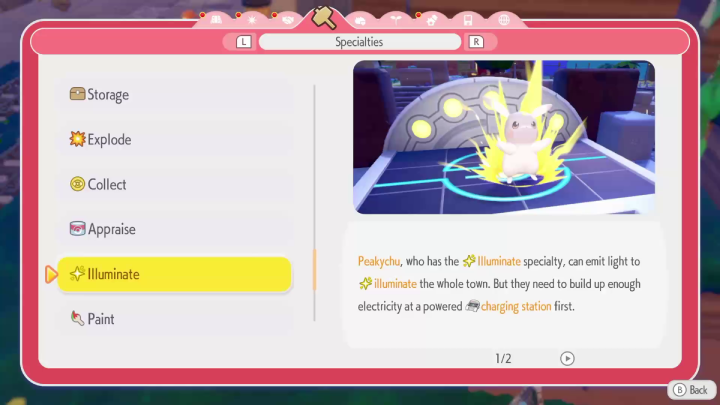
The Illuminate Specialty enables Peakychu to illuminate a town. This gets the Pokemon who are in the town to be more active during the night when the specialty is active.
Do note that you will first need to build up enough electricity through a charging station first, which can be done by connecting the charging station to generators using utility poles.
From there, you will need to bring Peakychu to the charging station so that she charges up enough electrical power to use the Illuminate specialty.
Illuminate Specialty Guide and How to Use
Pokemon Pokopia Related Guides

Beginner's Guide to Pokopia: Tips and Tricks
All Tips and Tricks
Comment



Author

How to Get Electricity to Power Your Island

Rankings
- We could not find the message board you were looking for.

Gaming News





Popular Games

Genshin Impact Walkthrough & Guides Wiki
Umamusume: Pretty Derby Walkthrough & Guides Wiki
Pokemon Pokopia Walkthrough & Guides Wiki
Honkai: Star Rail Walkthrough & Guides Wiki
Monster Hunter Stories 3: Twisted Reflection Walkthrough & Guides Wiki
Arknights: Endfield Walkthrough & Guides Wiki
Wuthering Waves Walkthrough & Guides Wiki
Zenless Zone Zero Walkthrough & Guides Wiki
Pokemon TCG Pocket (PTCGP) Strategies & Guides Wiki
Monster Hunter Wilds Walkthrough & Guides Wiki









Recommended Games
Fire Emblem Heroes (FEH) Walkthrough & Guides Wiki
Diablo 4: Vessel of Hatred Walkthrough & Guides Wiki
Cyberpunk 2077: Ultimate Edition Walkthrough & Guides Wiki
Yu-Gi-Oh! Master Duel Walkthrough & Guides Wiki
Super Smash Bros. Ultimate Walkthrough & Guides Wiki
Pokemon Brilliant Diamond and Shining Pearl (BDSP) Walkthrough & Guides Wiki
Elden Ring Shadow of the Erdtree Walkthrough & Guides Wiki
Monster Hunter World Walkthrough & Guides Wiki
The Legend of Zelda: Tears of the Kingdom Walkthrough & Guides Wiki
Persona 3 Reload Walkthrough & Guides Wiki










All rights reserved
©2025 Pokémon. ©1995–2025 Nintendo / Creatures Inc. / GAME FREAK inc. ©KOEI TECMO GAMES
The copyrights of videos of games used in our content and other intellectual property rights belong to the provider of the game.
The contents we provide on this site were created personally by members of the Game8 editorial department.
We refuse the right to reuse or repost content taken without our permission such as data or images to other sites.