
List of Highlight Reels
★ Tip: Use Frames to organize your Storage.
☆ Build Habitats with Ditto's Moves.
★ Build Houses and Structures for your Pokemon
☆ Increase Comfort & Environment Levels.
★ Redeem Mystery Gifts for free items & furniture.
☆ Limited Time Event: Befriend Hoppip until 3/24!
Highlight reels are a collection of completed photo ops in Pokemon Pokopia. Read on for a list of all highlight reels and learn how to complete photo ops here!
 |
This page is a work in progress! Sign in and select  under the page's title to be notified of any updates! under the page's title to be notified of any updates! |
|---|
List of All Highlight Reels
| # | Photo Example | Requirements |
|---|---|---|
| 1 |
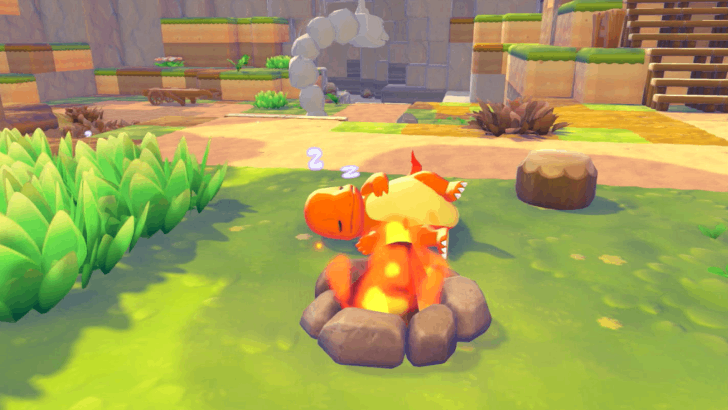 Reward: Fire Spin photo frame |
Pokemon: Any Items: • Campfire Other: Photo op only appears during nighttime. |
| 2 |
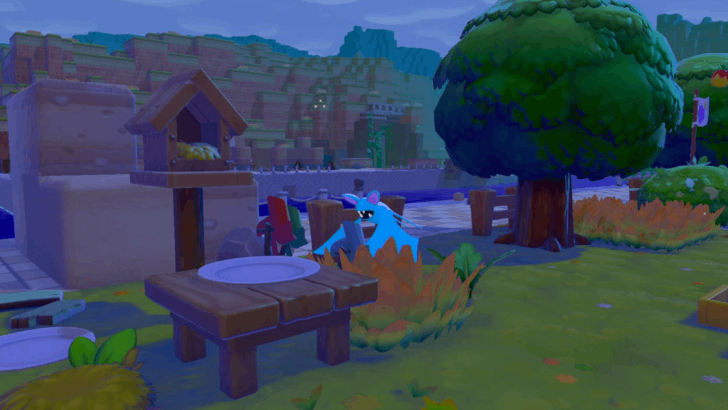 Reward: None |
Pokemon: Any Flying Pokemon Items: • Pinwheels |
| 3 |
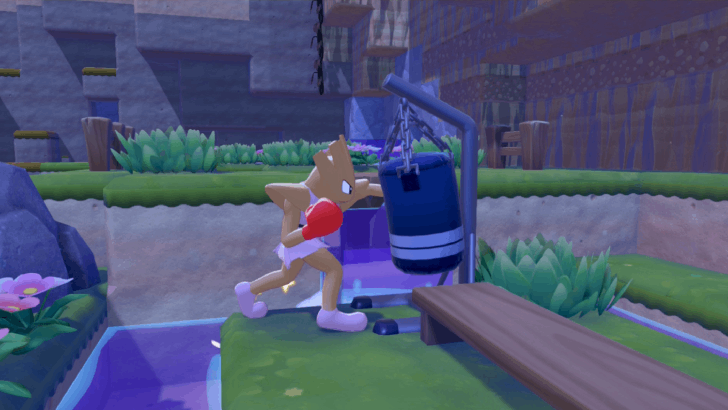 Reward: Impact photo frame |
Pokemon: Items: • Punching bag |
| 4 |
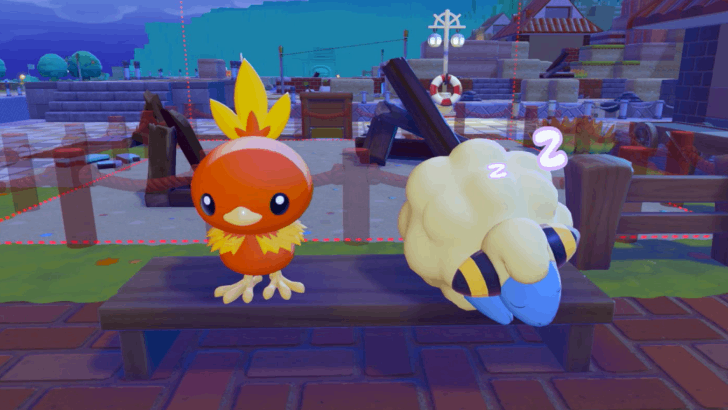 Reward: None |
Pokemon: Any Items: Any large bed or wide bench Other: Photo op only appears during nighttime. |
| 8 |
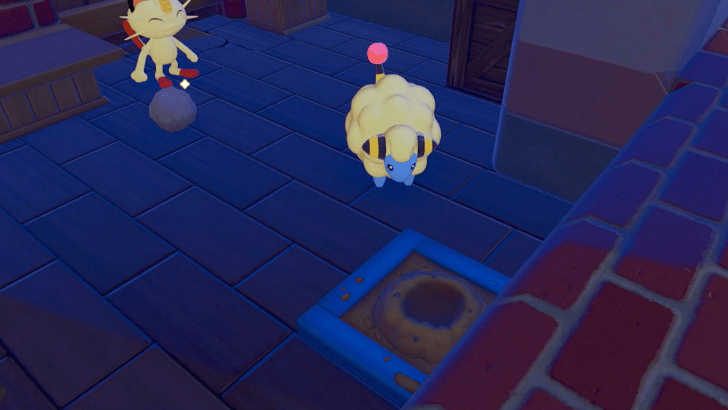 Reward: Dusty Cloud photo frame |
Pokemon: Any Items: • Sandbox |
| 9 |
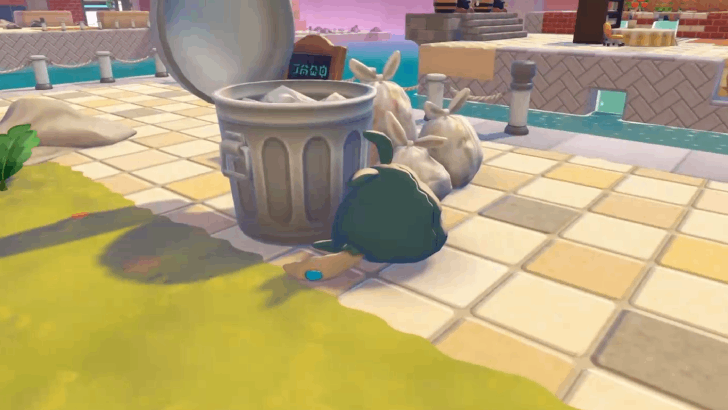 Reward: None |
Pokemon:
•
 Trubbish TrubbishItems: • Small garbage can |
| 10 |
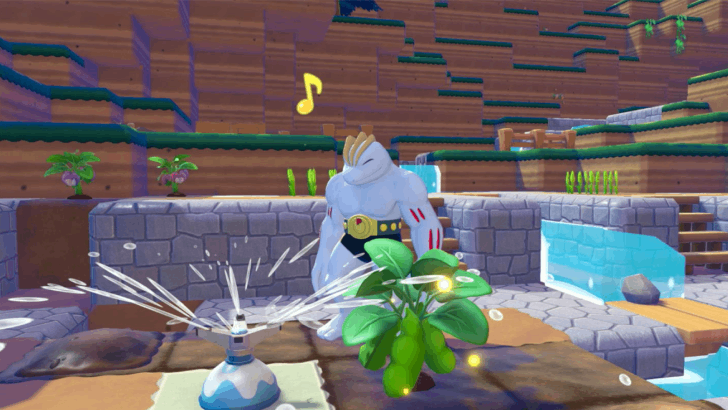 Reward: Bubbles photo frame |
Pokemon: Any Items: • Shower • Sprinkler |
| 16 |
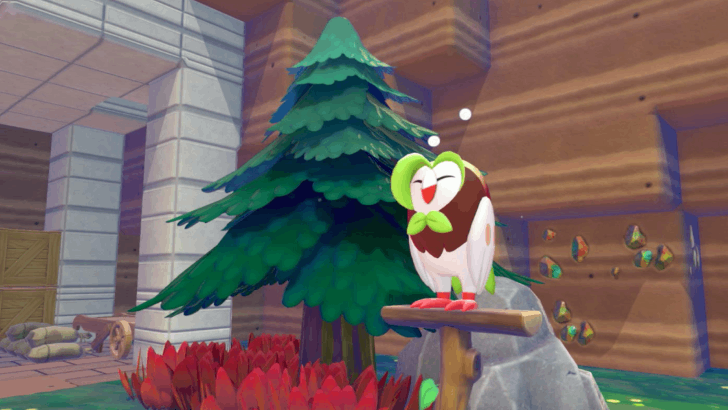 Reward: None |
Pokemon: Any Flying Pokemon Items: • Perch |
| 17 |
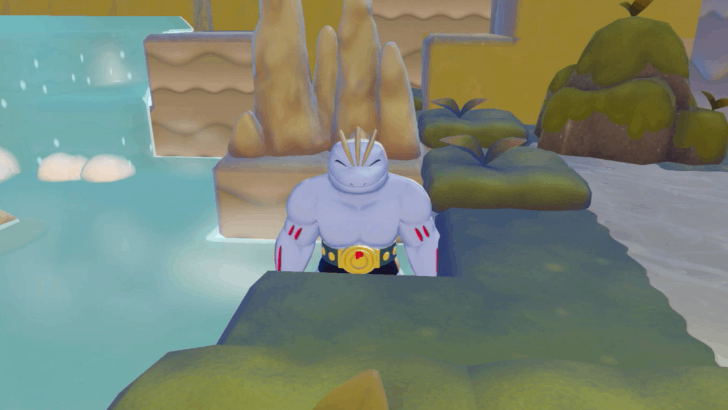 Reward: None |
Pokemon: Any Items: Any hot spring |
| 37 |
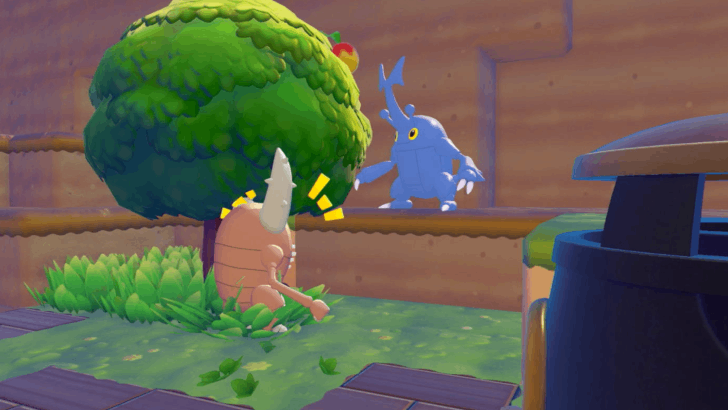 Reward: None |
Pokemon: Items: None |
| 43 |
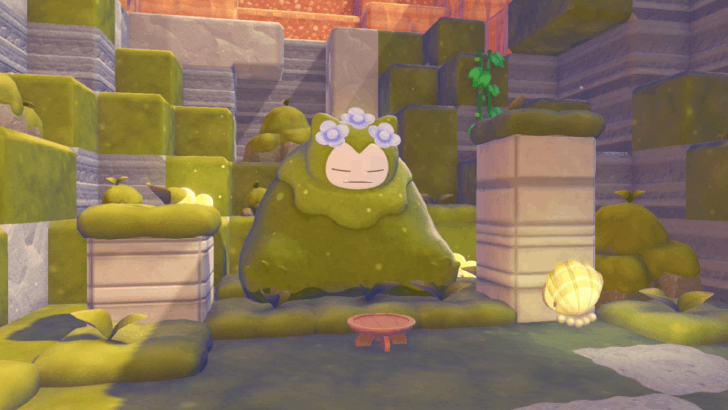 Reward: BAM! photo frame |
Pokemon: Items: None Other: Photo op only appears after waking up Mosslax in Bleak Beach |
| 44 |
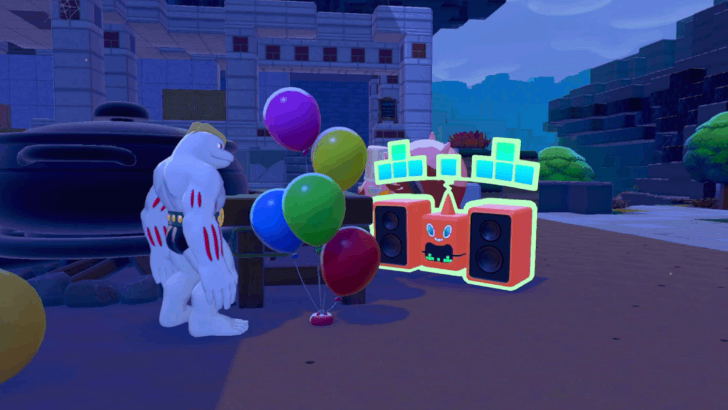 Reward: None |
Pokemon: Items: None |
 Hitmonchan
 Pinsir
 Heracross
 Snorlax (Mosslax)
 Rotom (DJ Rotom)
How to Complete Photo Ops
Look Out for Notifications
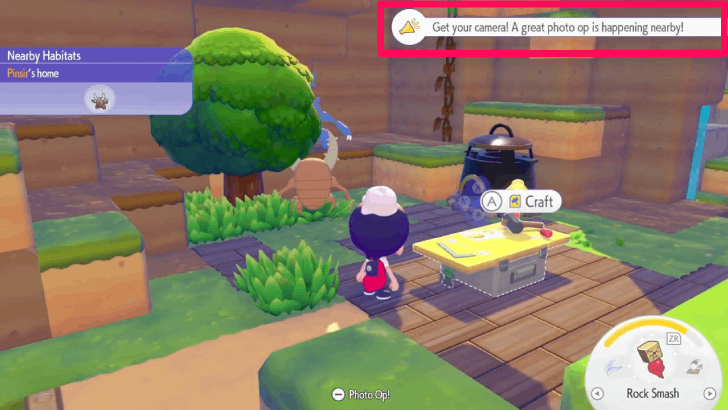
As you explore your surroundings, you may receive notifications to let you know of any active photo ops nearby. Be sure to keep an eye out for these messages.
Follow the Marker
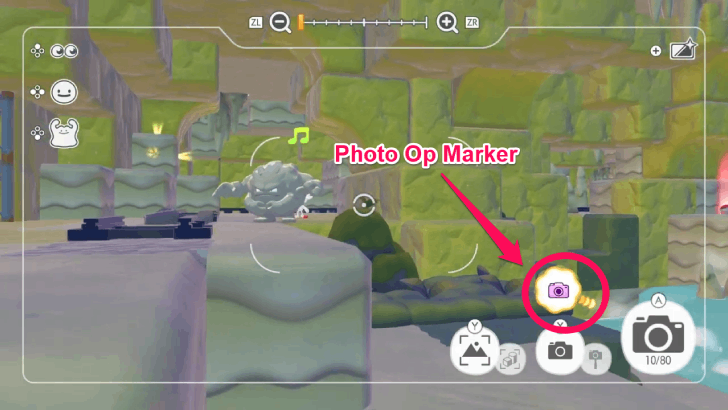
After receiving the notification, use your camera and a marker will appear to show you where the photo op is taking place. Simply follow the marker, and you should find the highlight reel easily.
Snap a Photo
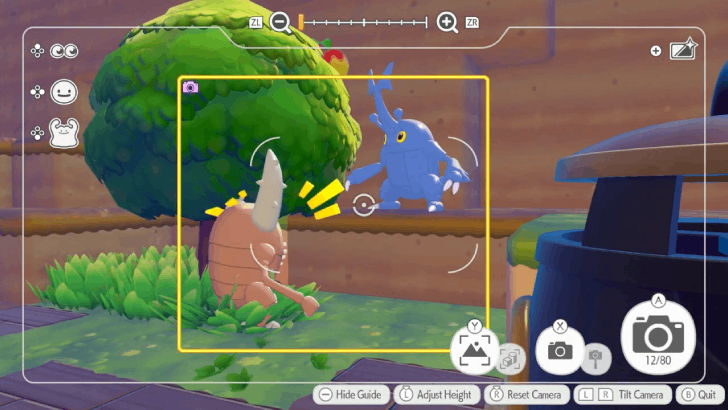
Once you find the photo op, point the camera towards the required Pokemon and take the picture. Take note that there is currently no way to redo photo ops, so make sure that you are satisfied with your picture before snapping it!
Pokemon Pokopia Related Guides

Pokemon Pokopia Guides by Category
 Walkthrough Walkthrough
|
 Pokemon Pokemon |
 News and Game Info News and Game Info |
 Habitat Habitat |
 Crafting Crafting |
 Tips and Tricks Tips and Tricks |
 Moves Moves |
 Materials Materials |
 Items Items |
 NPCs NPCs |
 Areas and Biomes Areas and Biomes |
 Requests Requests |
 Specialties Specialties |
 Ancient Artifacts Ancient Artifacts |
 Human Records Human Records |
 Highlight Reels Highlight Reels |
 Events Events |
- |
Message Boards
| Cloud Island Sharing Board | - |
Comment



Author

List of Highlight Reels

Rankings
- We could not find the message board you were looking for.

Gaming News





Popular Games

Genshin Impact Walkthrough & Guides Wiki
Umamusume: Pretty Derby Walkthrough & Guides Wiki
Pokemon Pokopia Walkthrough & Guides Wiki
Honkai: Star Rail Walkthrough & Guides Wiki
Monster Hunter Stories 3: Twisted Reflection Walkthrough & Guides Wiki
Arknights: Endfield Walkthrough & Guides Wiki
Wuthering Waves Walkthrough & Guides Wiki
Zenless Zone Zero Walkthrough & Guides Wiki
Pokemon TCG Pocket (PTCGP) Strategies & Guides Wiki
Monster Hunter Wilds Walkthrough & Guides Wiki









Recommended Games
Fire Emblem Heroes (FEH) Walkthrough & Guides Wiki
Diablo 4: Vessel of Hatred Walkthrough & Guides Wiki
Cyberpunk 2077: Ultimate Edition Walkthrough & Guides Wiki
Yu-Gi-Oh! Master Duel Walkthrough & Guides Wiki
Super Smash Bros. Ultimate Walkthrough & Guides Wiki
Pokemon Brilliant Diamond and Shining Pearl (BDSP) Walkthrough & Guides Wiki
Elden Ring Shadow of the Erdtree Walkthrough & Guides Wiki
Monster Hunter World Walkthrough & Guides Wiki
The Legend of Zelda: Tears of the Kingdom Walkthrough & Guides Wiki
Persona 3 Reload Walkthrough & Guides Wiki










All rights reserved
©2025 Pokémon. ©1995–2025 Nintendo / Creatures Inc. / GAME FREAK inc. ©KOEI TECMO GAMES
The copyrights of videos of games used in our content and other intellectual property rights belong to the provider of the game.
The contents we provide on this site were created personally by members of the Game8 editorial department.
We refuse the right to reuse or repost content taken without our permission such as data or images to other sites.