
How to Find Missing Pokemon
★ Tip: Use Frames to organize your Storage.
☆ Build Habitats with Ditto's Moves.
★ Build Houses and Structures for your Pokemon
☆ Increase Comfort & Environment Levels.
★ Redeem Mystery Gifts for free items & furniture.
☆ Limited Time Event: Befriend Hoppip until 3/24!
You may locate Pokemon you can't find by using the Fly and Teleport specialties or the Honey item in Pokemon Pokopia. Read on to learn how to find missing Pokemon, how to find homeless Pokemon, and what specialties and items you may need to find Pokemon who have disappeared.
List of Contents
How to Find Missing Pokemon
|
|
 Use Search to Find Pokemon
Use Search to Find Pokemon
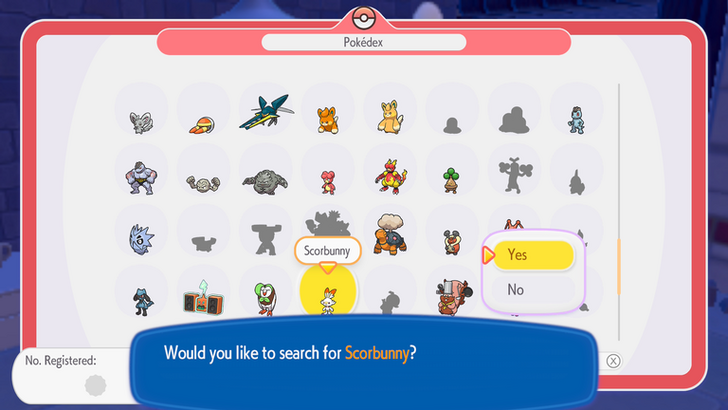
You may use the Pokedex in order to look for Pokemon. Hover your cursor over the Pokemon you are looking for, then press the Plus (+) button. Once you have done this, you may ask the other Pokemon where to find who you are looking for.
Use Fly or Teleport to Fast Travel to a Pokemon
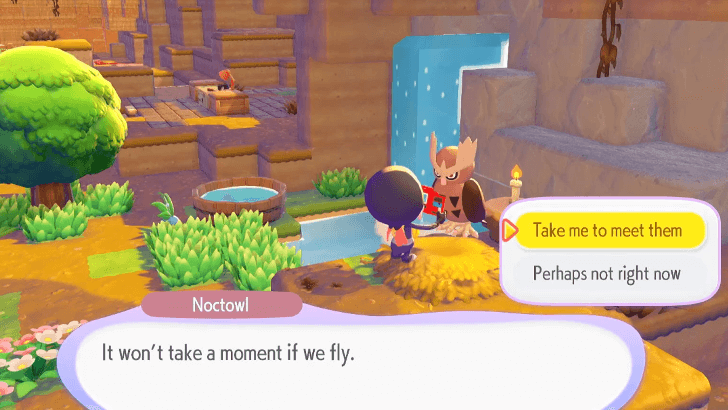
Players can approach Pokemon with the Fly or Teleport specialties to help find missing Pokemon. You will need to ask them to follow you and select the missing Pokemon from the Pokedex.
Since this is a helpful specialty, it is best if you have at least one Pokemon with either of these specialties in all biomes. If you have multiple Fly or Teleport Pokemon in one biome, it might be best to transfer one of them to a biome that does not have one.
List of Pokemon by Specialties
How to Use Fly or Teleport
| How to Use Teleport Specialty Walkthrough | |
|---|---|
| 1 |  Approach a Pokemon with the Teleport or Fly Specialty and make them follow you. |
| 2 | 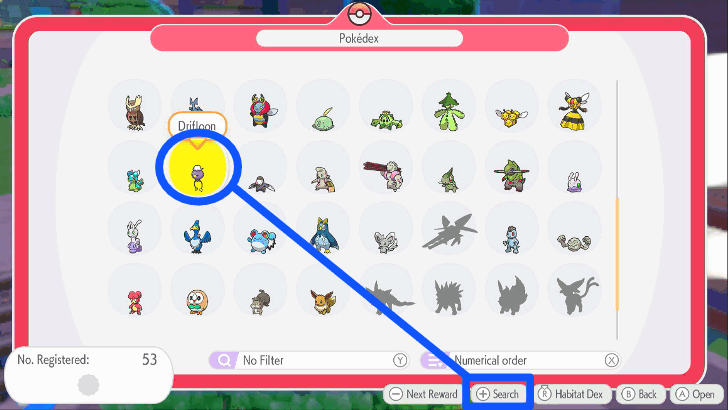 Open up the Pokedex and look for the Pokemon that you are trying to find. Once you do click on the Plus (+) button to start searching for it. |
| 3 |  Then, talk to the Pokemon with the Fly or Teleport Specialty to fast travel to the Pokemon you are currently looking for. |
Use Honey to Attract a Disappearing Pokemon
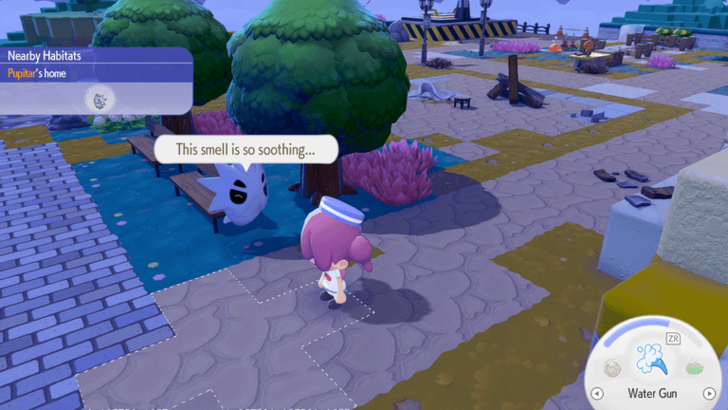
Sometimes, the Pokemon you are looking for may not be in the map at all. Each biome seems to only load a maximum of 22-24 Pokemon at a time, causing some Pokemon to not appear. This will prevent you from finding them using Search, Fly, or Teleport.
To solve this, you may use Honey to attract a Pokemon and return them to their home or habitat. To use it, take it out from your inventory, then press the A Button while you're at the habitat of the Pokemon you're looking for.
Take note that this may also cause other Pokemon to despawn to maintain the maximum number of Pokemon.
How to Find Homeless Pokemon
Transfer Pokemon to Other Biomes
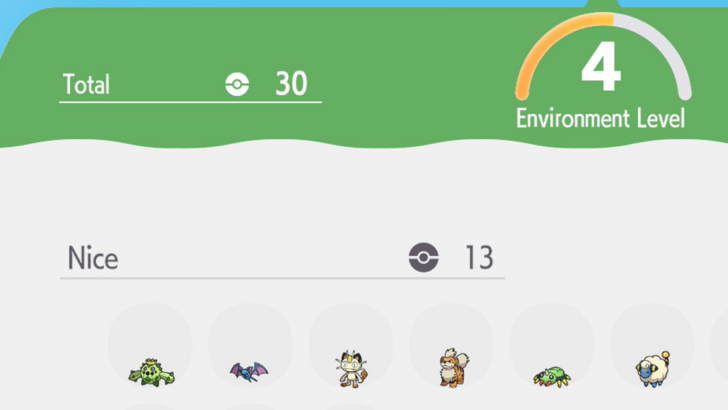
Each biome seems to only load 22-24 Pokemon at a time, which causes some Pokemon to go missing. It is especially hard to find Pokemon with no home, as you cannot summon them with Honey.
To avoid this, you may move Pokemon between biomes to keep the population relatively low. You can check how many Pokemon you have in each biome by booting up the area's PC and checking the Environment Level details.
Keep in mind that some Pokemon will refuse to leave their biomes if they are vital to ongoing or future requests. Additionally, there are around 300 Pokemon in the game, so keeping the population low may not be possible to maintain once you further your game progress.
How to Move Pokemon Between Areas
Wait A Few Hours For Them to Come Back
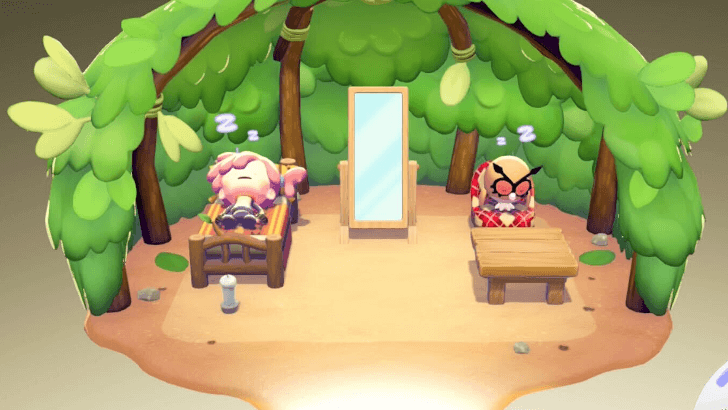
If your Pokemon doesn't have a home because you removed their habitat, they can be tricky to find, or may not appear in the map at all. In this case, you may just need to wait a few hours.
As long as they show up in the details of your Environment Level through the PC, they are still a part of the biome. If you need them urgently, you may consider time travelling to speed up the game.
Time Traveling Guide: How to Change the Time of Day
Where to Usually Find Pokemon
Other Pokemon Habitats
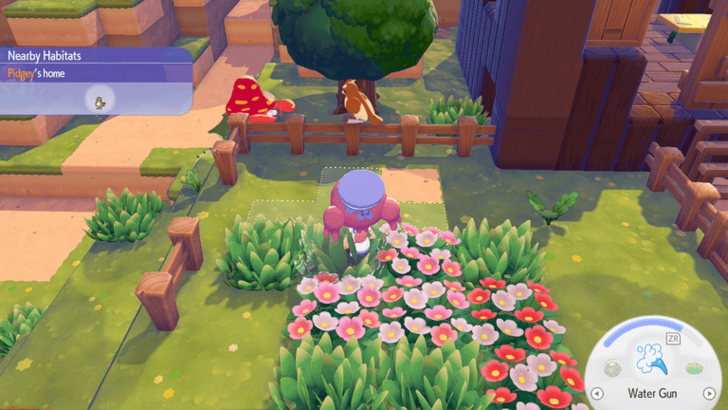
You will often find Pokemon visiting and interacting with each other near one of their habitats. You may try to look at habitats around the biome to see if the Pokemon you are looking for is chatting with someone else.
Removed Habitat

If you took away a Pokemon's habitat while they weren't around, they might come back to it. You may find them staying in that spot until you give them a new home.
How to Avoid Losing Pokemon
Make Sure They Have A Home
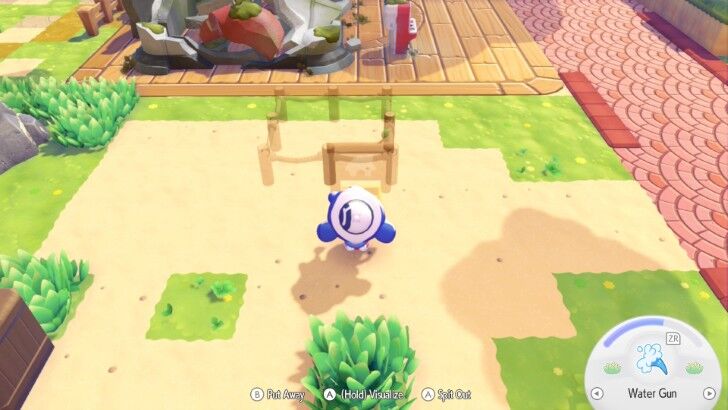
You may build Pokemon homes using either building kits or by creating a house from blocks. Make sure to include a piece of Relaxation furniture, as you will find them sleeping there during certain times of day.
Pokemon may be harder to find if they do not have homes or habitats, as you will not be able to summon them with Honey.
How to Build Houses and Structures
Move Houses Close to Other Pokemon
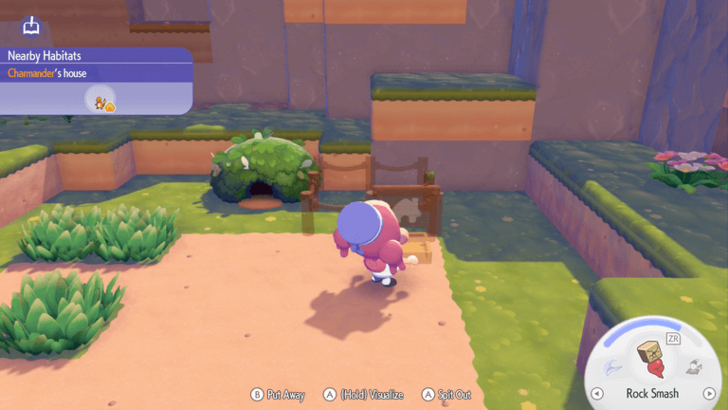
Some Pokemon like talking to their friends that may live far from them. You may place your Pokemon's homes or habitats next to each other in order to keep them in the same area.
Build Roads
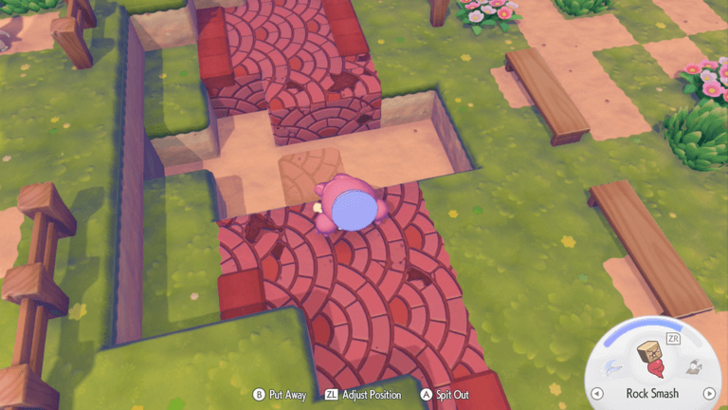
Pokemon can travel easier when you build roads for them to walk on. This can allow the player to have an easier time finding them.
However, this can also backfire, since roads allow Pokemon to travel further. You will have to carefully plan where you place your blocks to avoid Pokemon straying too far.
Pokemon Pokopia Related Guides

Beginner's Guide to Pokopia: Tips and Tricks
All Tips and Tricks
Comment



Author

How to Find Missing Pokemon

Rankings
- We could not find the message board you were looking for.

Gaming News




![Nova Roma Review [Early Access] | Newer, Better, and More Confusing](https://img.game8.co/4455512/2cbf8926e9a1c72a3ff056088f801ef4.png/thumb)
Popular Games

Genshin Impact Walkthrough & Guides Wiki
Umamusume: Pretty Derby Walkthrough & Guides Wiki
Crimson Desert Walkthrough & Guides Wiki
Monster Hunter Stories 3: Twisted Reflection Walkthrough & Guides Wiki
Honkai: Star Rail Walkthrough & Guides Wiki
Pokemon Pokopia Walkthrough & Guides Wiki
The Seven Deadly Sins: Origin Walkthrough & Guides Wiki
Wuthering Waves Walkthrough & Guides Wiki
Zenless Zone Zero Walkthrough & Guides Wiki
Arknights: Endfield Walkthrough & Guides Wiki









Recommended Games
Fire Emblem Heroes (FEH) Walkthrough & Guides Wiki
Diablo 4: Vessel of Hatred Walkthrough & Guides Wiki
Cyberpunk 2077: Ultimate Edition Walkthrough & Guides Wiki
Yu-Gi-Oh! Master Duel Walkthrough & Guides Wiki
Super Smash Bros. Ultimate Walkthrough & Guides Wiki
Pokemon Brilliant Diamond and Shining Pearl (BDSP) Walkthrough & Guides Wiki
Elden Ring Shadow of the Erdtree Walkthrough & Guides Wiki
Monster Hunter World Walkthrough & Guides Wiki
The Legend of Zelda: Tears of the Kingdom Walkthrough & Guides Wiki
Persona 3 Reload Walkthrough & Guides Wiki










All rights reserved
©2025 Pokémon. ©1995–2025 Nintendo / Creatures Inc. / GAME FREAK inc. ©KOEI TECMO GAMES
The copyrights of videos of games used in our content and other intellectual property rights belong to the provider of the game.
The contents we provide on this site were created personally by members of the Game8 editorial department.
We refuse the right to reuse or repost content taken without our permission such as data or images to other sites.