
How to Give Ditto a House
★ Tip: Use Frames to organize your Storage.
☆ Build Habitats with Ditto's Moves.
★ Build Houses and Structures for your Pokemon
☆ Increase Comfort & Environment Levels.
★ Redeem Mystery Gifts for free items & furniture.
☆ Limited Time Event: Befriend Hoppip until 3/24!
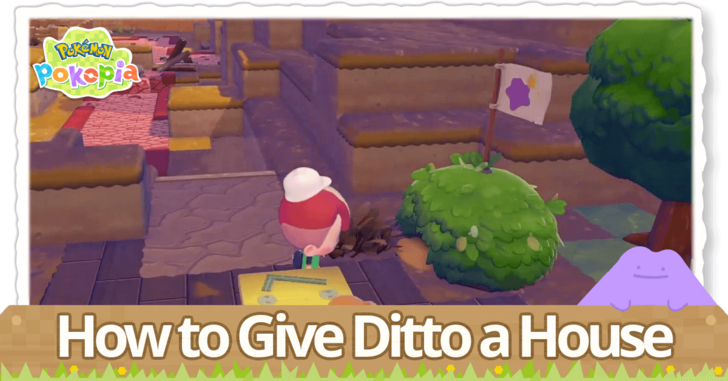
Ditto can have their own house in Pokemon Pokopia, which serves as a checkpoint and base of operations for them in the game. See how to give Ditto their own house, what it does, and other information about it here!
List of Contents
How to Give Ditto a House
Acquire a Ditto Flag
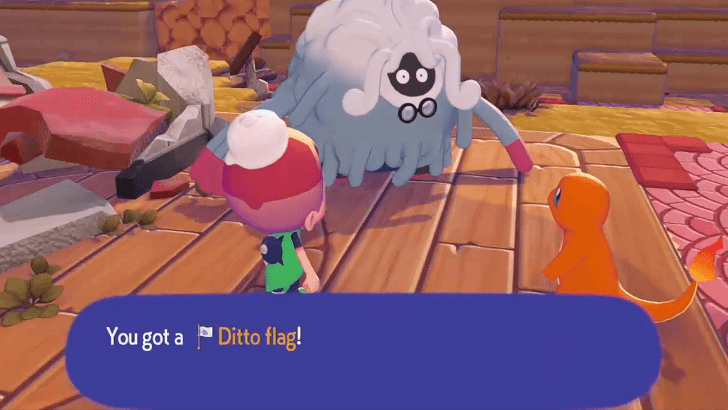
In order to assign a house to Ditto, you must first have the Ditto Flag to mark the desired house. The first Ditto Flag can be acquired from progressing in the game, creating a house and eventually being able to ask Professor Tangrowth about living there.
This gives you access to the Make your own house challenge, and asking the Professor about it will put you through a request that leads to getting your first Ditto Flag.
Craft Subsequent Ditto Flags
| Materials | Amount Needed |
|---|---|
| Sturdy stick | 1 |
| Twine | 1 |
| Leppa Berry | 1 |
Subsequent flags will need to be crafted, in which the recipe can be obtained after setting up your first Ditto house, requiring a Sturdy stick, a Twine, and a Leppa Berry.
Shortly after completing this task, you will receive the Ditto Flag recipe and can craft it at any Workbench with the aforementioned materials.
Place the Ditto Flag on a Building
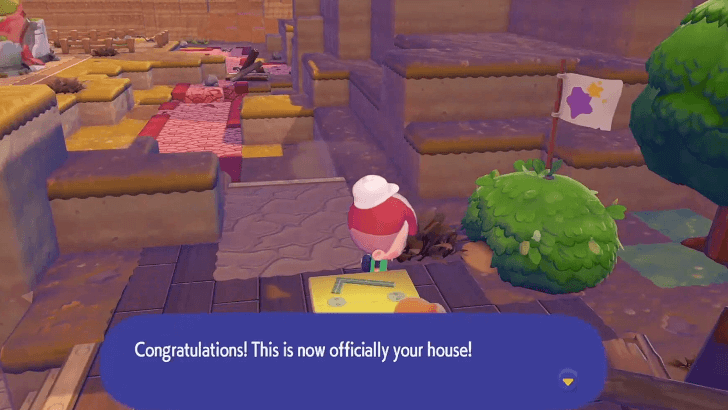
Once you have the Ditto Flag, set it on top, inside, or near the building you wish to claim as yours in order to mark it. Any house that you create can be assigned as Ditto houses, even if they are already occupied by another Pokemon.
This means that you can live with other Pokemon in the same space if you wish to do so.
Place the Ditto Flag Walkthrough
How to Change Your House
Move the Flag to Change Houses
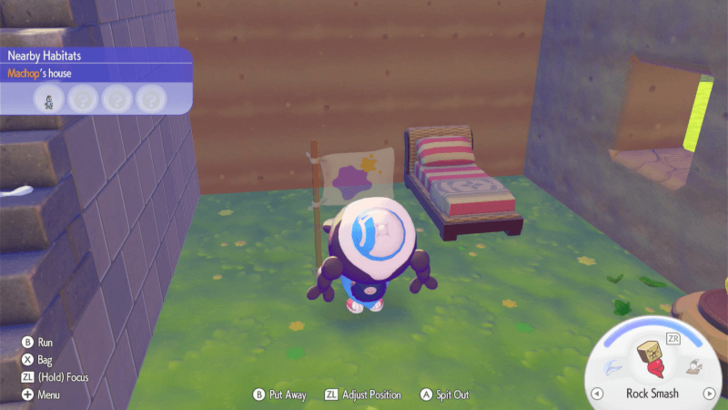
If you want to change your current house, simply pick up the Ditto Flag, then place it within the vicinity of your new house.
If you want to keep your current house but change its location, you can use a Relocation Kit to move a house built using a building kit. Houses built using blocks must be moved manually, block by block.
Benefits of Having Your Own House
Serves as Fast Travel Point
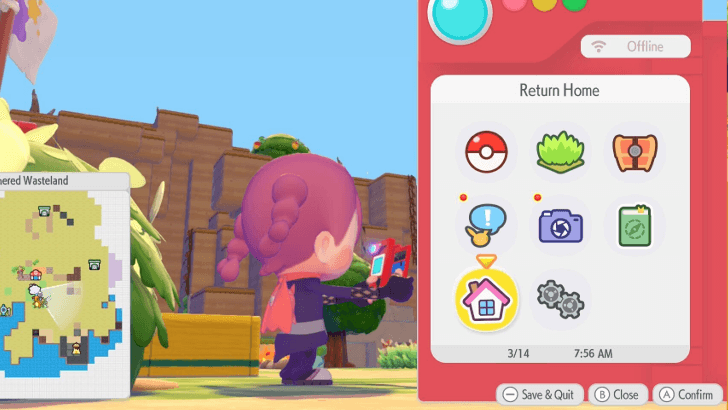
Having a Ditto house allows you to Fast Travel to that particular house, allowing you to save time on traversal especially as you set up more houses around the land.
Helps Increase Environment Level
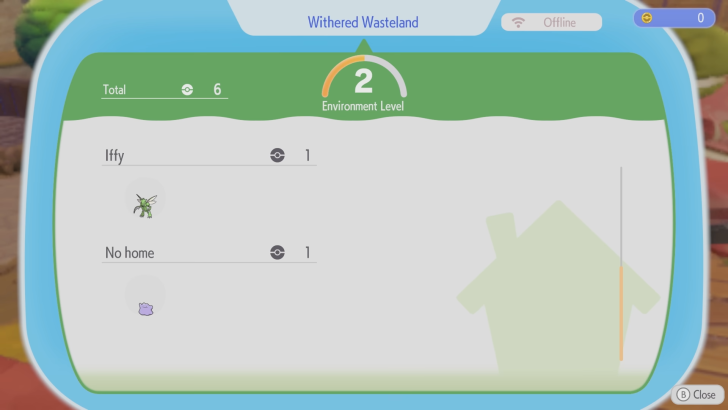
As Ditto now has their own house, this raises the Environment Level and makes it more comfortable for the area as Ditto now has a nearby house that they can return to.
How to Raise Environment Level
Pokemon Pokopia Related Guides

Beginner's Guide to Pokopia: Tips and Tricks
All Tips and Tricks
Comment



Author

How to Give Ditto a House

Rankings
- We could not find the message board you were looking for.

Gaming News




![Nova Roma Review [Early Access] | Newer, Better, and More Confusing](https://img.game8.co/4455512/2cbf8926e9a1c72a3ff056088f801ef4.png/thumb)
Popular Games

Genshin Impact Walkthrough & Guides Wiki
Umamusume: Pretty Derby Walkthrough & Guides Wiki
Crimson Desert Walkthrough & Guides Wiki
Monster Hunter Stories 3: Twisted Reflection Walkthrough & Guides Wiki
Honkai: Star Rail Walkthrough & Guides Wiki
Pokemon Pokopia Walkthrough & Guides Wiki
The Seven Deadly Sins: Origin Walkthrough & Guides Wiki
Wuthering Waves Walkthrough & Guides Wiki
Zenless Zone Zero Walkthrough & Guides Wiki
Arknights: Endfield Walkthrough & Guides Wiki









Recommended Games
Fire Emblem Heroes (FEH) Walkthrough & Guides Wiki
Diablo 4: Vessel of Hatred Walkthrough & Guides Wiki
Cyberpunk 2077: Ultimate Edition Walkthrough & Guides Wiki
Yu-Gi-Oh! Master Duel Walkthrough & Guides Wiki
Super Smash Bros. Ultimate Walkthrough & Guides Wiki
Pokemon Brilliant Diamond and Shining Pearl (BDSP) Walkthrough & Guides Wiki
Elden Ring Shadow of the Erdtree Walkthrough & Guides Wiki
Monster Hunter World Walkthrough & Guides Wiki
The Legend of Zelda: Tears of the Kingdom Walkthrough & Guides Wiki
Persona 3 Reload Walkthrough & Guides Wiki










All rights reserved
©2025 Pokémon. ©1995–2025 Nintendo / Creatures Inc. / GAME FREAK inc. ©KOEI TECMO GAMES
The copyrights of videos of games used in our content and other intellectual property rights belong to the provider of the game.
The contents we provide on this site were created personally by members of the Game8 editorial department.
We refuse the right to reuse or repost content taken without our permission such as data or images to other sites.