
How to Change the Weather
★ Tip: Use Frames to organize your Storage.
☆ Build Habitats with Ditto's Moves.
★ Build Houses and Structures for your Pokemon
☆ Increase Comfort & Environment Levels.
★ Redeem Mystery Gifts for free items & furniture.
☆ Limited Time Event: Befriend Hoppip until 3/24!
Weather can be changed to either Rainy or Sunny in Pokemon Pokopia. Check out how to change the weather, all weather conditions, their effects, and weather-exclusive Pokemon in this guide!
List of Contents
How to Change the Weather
Use the Rain Dance or Sunny Day Site
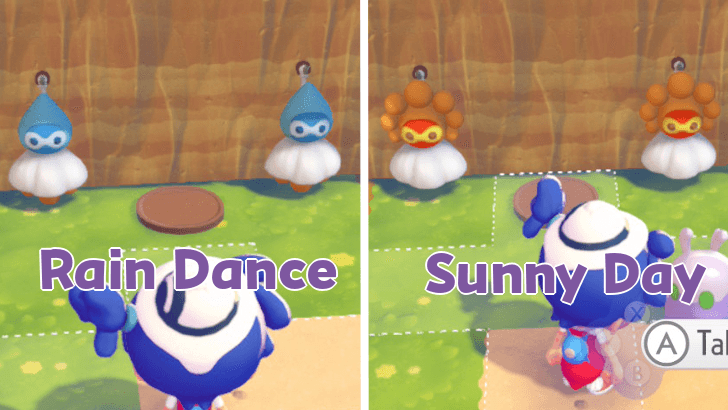
You can change the weather depending on the Habitat that you have created based on the color of Castform weather charms, which you can change by going near it and inspecting it. The charms will flip and change colors. Place food, like Leppa Berries, on the wooden plate as an offering.
The blue Castform weather charms create a Rain Dance site habitat, while the orange Castform weather charms create a Sunny Day site.
Depending on the color of your site, you can bring a Water or Burn specialty Pokemon there in order to change the weather. Lead them to the area and let them eat the offering that was placed on the wooden plate. After a short while, the weather will change.
How to Build Every Type of Habitat
How to Change to Sunny Weather
| Step | Objective |
|---|---|
| 1 | 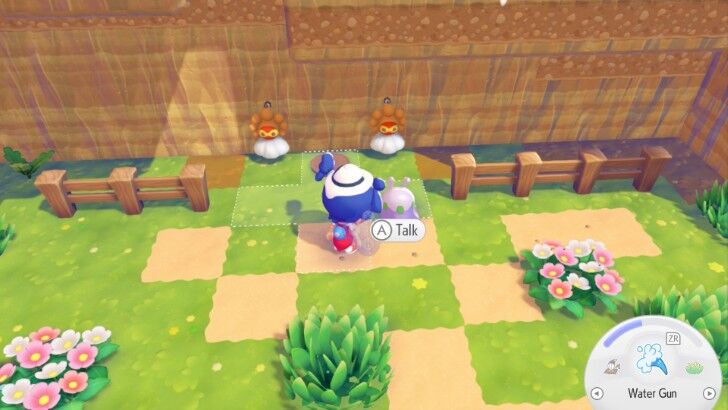 Make the habitat a Sunny Day Site by having the Castform charms show the Sunny form. Place food as an offering on the wooden plate, as it will be part of the process. |
| 2 | 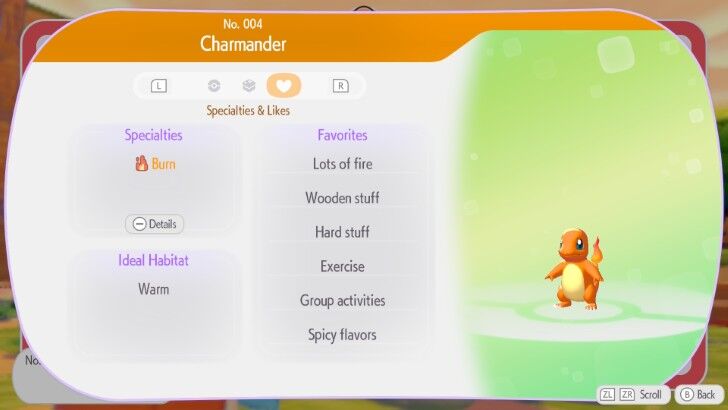 Find a Burn specialty Pokemon and let them follow you to the habitat. Charmander is a good example of a Pokemon with Burn specialty. |
| 3 | 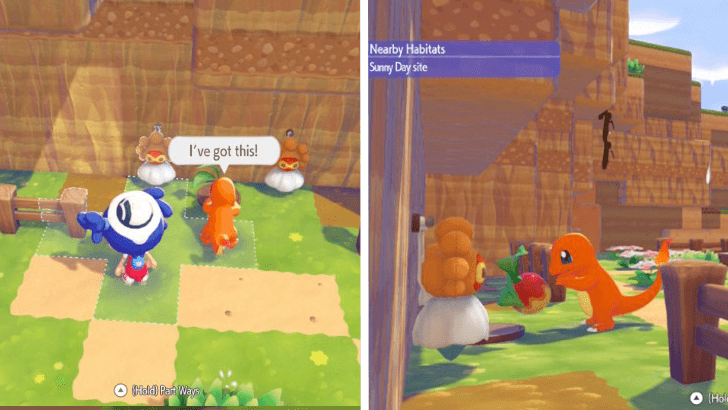 Approach the habitat with the Burn Pokemon and let them eat the offering. |
| 4 |  Wait for a short while, and the weather will change to Sunny. |
How to Change to Rainy Weather
| Step | Objective |
|---|---|
| 1 | 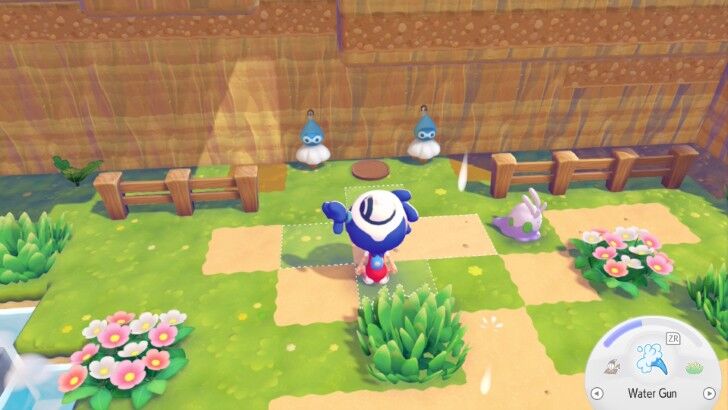 Make the habitat a Rain Dance Site by having the Castform charms show the Rainy form. Place food as an offering on the wooden plate, as it will be part of the process. |
| 2 | 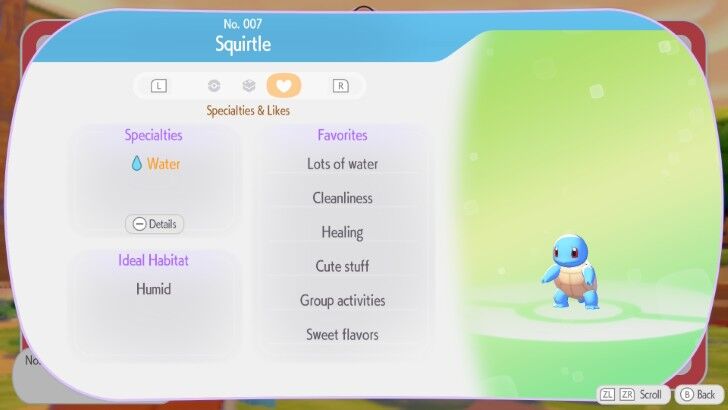 Find a Water specialty Pokemon and let them follow you to the habitat. Squirtle is a good example of a Pokemon with Water specialty. |
| 3 | 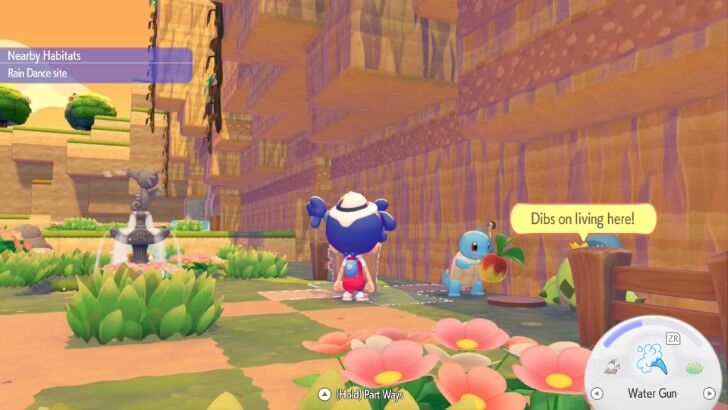 Approach the habitat with the Water Pokemon and let them eat the offering. |
| 4 | 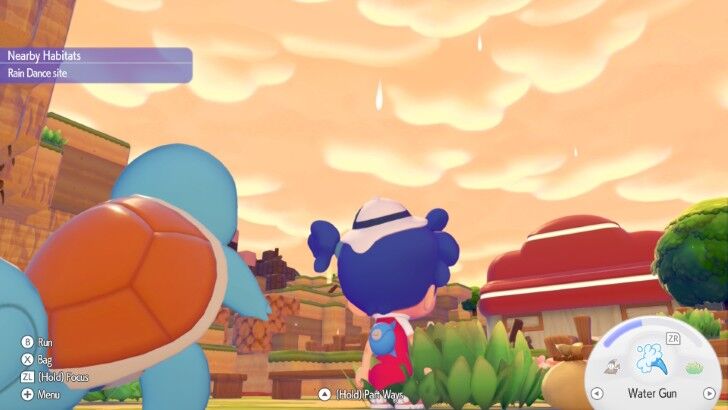 Wait for a short while, and the weather will change to Rainy. |
Weather Types and Effects
Rainy, Sunny, and Cloudy

There are two weather types that you can change from: Rainy or Sunny. Both of these weather types have different effects on their environment, and some Pokemon will only appear depending on the current weather.
Rain can hydrate any dry land and vegetation that isn't covered, allowing it to increase the humidity of an area.
Cloudy is another weather condition that can occur in the game. This is a natural weather type, and there is currently no known method to change the weather to this type. Most Pokemon will be able to appear under this weather.
Ho-Oh and Lugia Appears Depending On the Weather
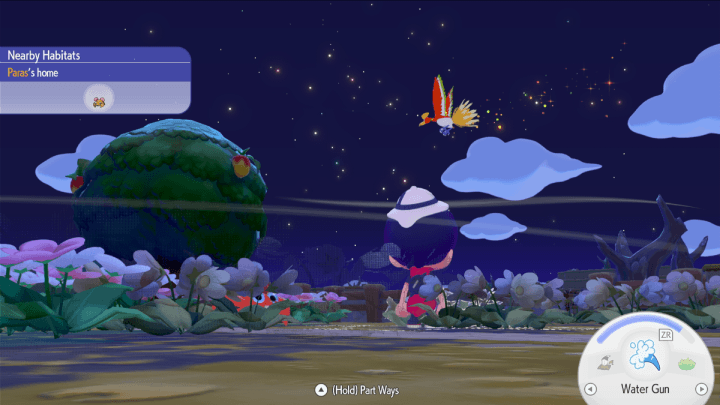
Ho-Oh and Lugia's appearances over the island also depend on the weather. Ho-Oh will only appear during Sunny Days while Lugia appears during Rainy Days.
List of Weather-Exclusive Pokemon
| No. | Pokemon | Weather |
|---|---|---|
| #055 |
 Cacnea Cacnea

|
 Sunny Sunny
|
| #074 |
 Goomy Goomy

|
 Rainy Rainy
|
| #075 |
 Sliggoo Sliggoo
|
Rainy
|
| #076 |
 Goodra Goodra
|
Rainy
|
| #116 |
 Azumarill Azumarill


|
Rainy
|
Certain Pokemon will appear only during Rainy weather, while others will show up exclusively in Sunny weather. This is the primary reason you will need to change the weather if you want to complete your Pokedex.
Full Pokopia Pokedex: List of All Pokemon
Pokemon Pokopia Related Guides

Beginner's Guide to Pokopia: Tips and Tricks
All Tips and Tricks
Comment



Author

How to Change the Weather

Rankings
- We could not find the message board you were looking for.

Gaming News




![Nova Roma Review [Early Access] | Newer, Better, and More Confusing](https://img.game8.co/4455512/2cbf8926e9a1c72a3ff056088f801ef4.png/thumb)
Popular Games

Genshin Impact Walkthrough & Guides Wiki
Umamusume: Pretty Derby Walkthrough & Guides Wiki
Crimson Desert Walkthrough & Guides Wiki
Monster Hunter Stories 3: Twisted Reflection Walkthrough & Guides Wiki
Honkai: Star Rail Walkthrough & Guides Wiki
Pokemon Pokopia Walkthrough & Guides Wiki
The Seven Deadly Sins: Origin Walkthrough & Guides Wiki
Wuthering Waves Walkthrough & Guides Wiki
Zenless Zone Zero Walkthrough & Guides Wiki
Arknights: Endfield Walkthrough & Guides Wiki









Recommended Games
Fire Emblem Heroes (FEH) Walkthrough & Guides Wiki
Diablo 4: Vessel of Hatred Walkthrough & Guides Wiki
Cyberpunk 2077: Ultimate Edition Walkthrough & Guides Wiki
Yu-Gi-Oh! Master Duel Walkthrough & Guides Wiki
Super Smash Bros. Ultimate Walkthrough & Guides Wiki
Pokemon Brilliant Diamond and Shining Pearl (BDSP) Walkthrough & Guides Wiki
Elden Ring Shadow of the Erdtree Walkthrough & Guides Wiki
Monster Hunter World Walkthrough & Guides Wiki
The Legend of Zelda: Tears of the Kingdom Walkthrough & Guides Wiki
Persona 3 Reload Walkthrough & Guides Wiki










All rights reserved
©2025 Pokémon. ©1995–2025 Nintendo / Creatures Inc. / GAME FREAK inc. ©KOEI TECMO GAMES
The copyrights of videos of games used in our content and other intellectual property rights belong to the provider of the game.
The contents we provide on this site were created personally by members of the Game8 editorial department.
We refuse the right to reuse or repost content taken without our permission such as data or images to other sites.