
How to Move Pokemon Between Areas
★ Tip: Use Frames to organize your Storage.
☆ Build Habitats with Ditto's Moves.
★ Build Houses and Structures for your Pokemon
☆ Increase Comfort & Environment Levels.
★ Redeem Mystery Gifts for free items & furniture.
☆ Limited Time Event: Befriend Hoppip until 3/24!
You can move a Pokemon to another area by asking them to move to a house or habitat in another biome in Pokemon Pokopia. Read on to learn how to move Pokemon between areas and the benefits of moving Pokemon.
List of Contents
How to Move Pokemon Between Areas
Prepare a House or Habitat in Another Biome
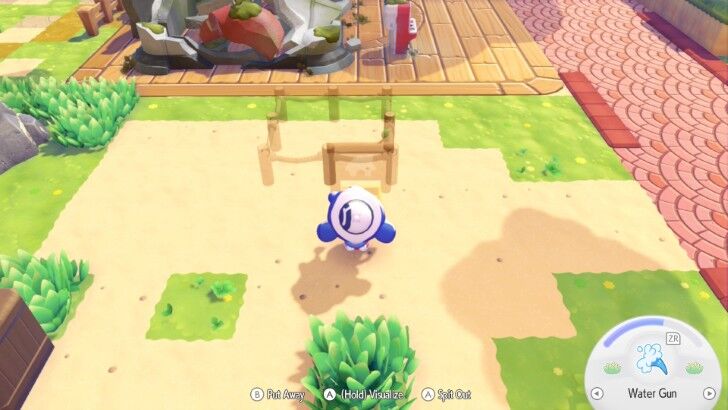
You will need to prepare a suitable house or habitat for the Pokemon in the area you intend to move them to. You may either build a house or create one of their habitats listed in the Pokedex.
To ensure their Comfort Level will be high, be sure to check the Pokedex for their ideal habitat type and likes. This will guide you in creating the best home for them.
Habitat Dex: How to Build All Habitats
Ask a Pokemon to Follow You
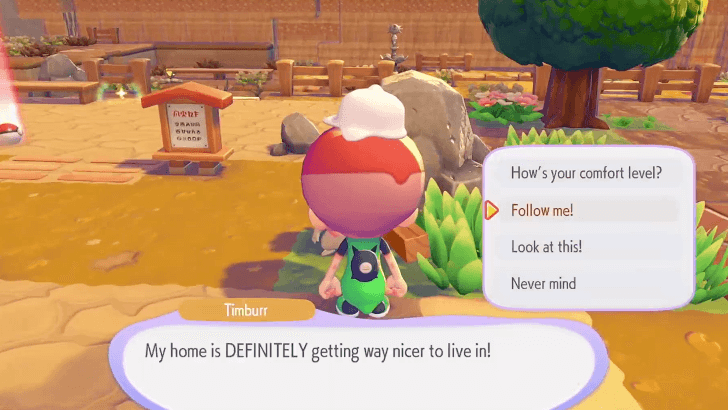
Ask a Pokemon to follow you by speaking to them. You may also press the Up Button on the D-pad while in front of them.
You may then walk or fast travel to another biome with the Pokemon following you. You can freely do this even if you have not completed a biome's storyline.
Depending on the terrain, they may have a hard time keeping up. Be prepared to destroy and place blocks when needed.
How to Have Pokemon Follow You
Pokemon May Refuse to Go to Different Areas
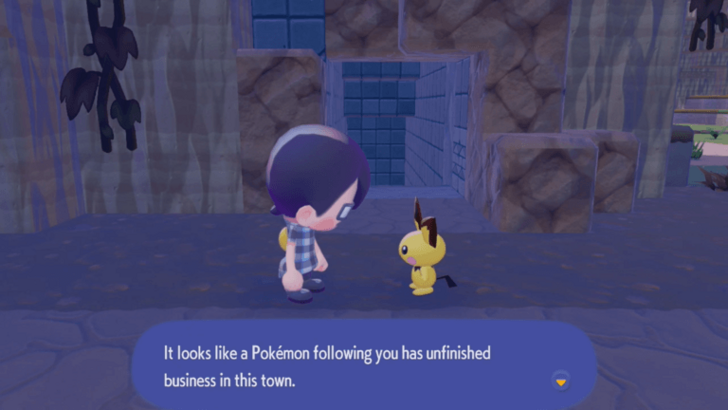
Some Pokemon may refuse to leave their biomes, and the game will state that they still have unfinished business.
You may need to unlock or finish certain requests before they can move. You may also choose to move a different Pokemon instead.
Ask the Pokemon to Move to Their New Home
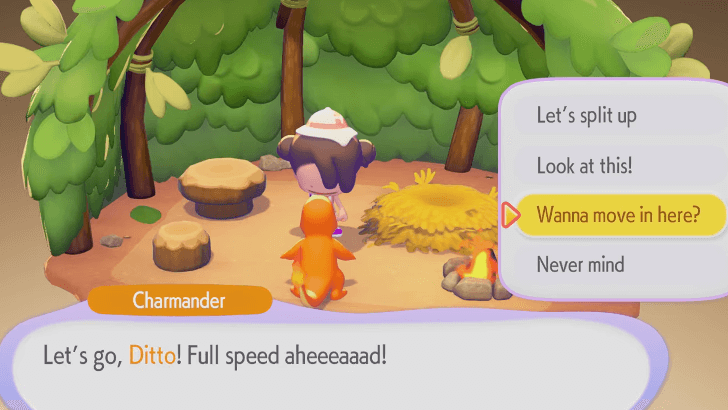
Bring the Pokemon close to their new habitat or house. Afterwards, speak to them again and ask if they want to move.
If their new home is suitable for them, they will agree to move in. They will then stay in their new designated biome after moving.
Pokemon May Refuse Their New Homes
Pokemon may refuse to move if the habitat or house is not to their liking. If this happens, you may need to remove items or furniture that they dislike or choose an area that is more suitable to them.
Benefits of Moving Pokemon
Have Useful Specialties in Each Biome
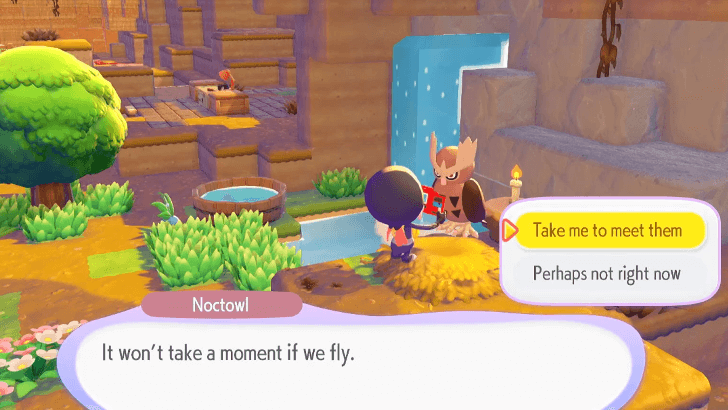
It is useful to have Pokemon of different Specialties in each biome. If you have multiple Pokemon of a certain Specialty in one biome, it might be best to transfer one of them to a biome that does not have one.
List of Pokemon by Specialties
Unlock Unique Interactions

Some Pokemon have unique interactions with certain other species. You may want to have certain Pokemon in the same biome to unlock these conversations.
Some Pokemon may randomly approach you saying that they wish to be closer to another Pokemon. This may be a hint as to which pairs have unique dialogue with each other.
Control the Population of Each Area
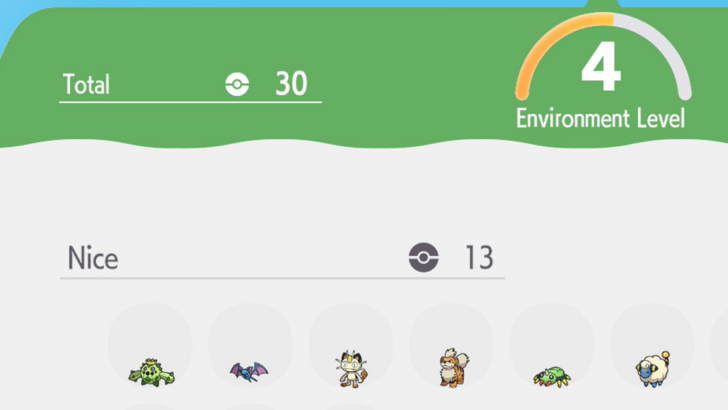
Each biome seems to only load 20-30 Pokemon at a time, which causes some Pokemon to go missing. Keeping each biome's population low can help avoid this. You can check how many Pokemon you have in each biome by booting up the area's PC.
Keep in mind that there are around 300 Pokemon in the game. Because of this, keeping the population low may not be possible to maintain once you further your game progress.
Pokemon Pokopia Related Guides

Beginner's Guide to Pokopia: Tips and Tricks
All Tips and Tricks
Comment



Author

How to Move Pokemon Between Areas

Rankings
- We could not find the message board you were looking for.

Gaming News





Popular Games

Genshin Impact Walkthrough & Guides Wiki
Umamusume: Pretty Derby Walkthrough & Guides Wiki
Pokemon Pokopia Walkthrough & Guides Wiki
Honkai: Star Rail Walkthrough & Guides Wiki
Monster Hunter Stories 3: Twisted Reflection Walkthrough & Guides Wiki
Arknights: Endfield Walkthrough & Guides Wiki
Wuthering Waves Walkthrough & Guides Wiki
Zenless Zone Zero Walkthrough & Guides Wiki
Pokemon TCG Pocket (PTCGP) Strategies & Guides Wiki
Monster Hunter Wilds Walkthrough & Guides Wiki









Recommended Games
Fire Emblem Heroes (FEH) Walkthrough & Guides Wiki
Diablo 4: Vessel of Hatred Walkthrough & Guides Wiki
Cyberpunk 2077: Ultimate Edition Walkthrough & Guides Wiki
Yu-Gi-Oh! Master Duel Walkthrough & Guides Wiki
Super Smash Bros. Ultimate Walkthrough & Guides Wiki
Pokemon Brilliant Diamond and Shining Pearl (BDSP) Walkthrough & Guides Wiki
Elden Ring Shadow of the Erdtree Walkthrough & Guides Wiki
Monster Hunter World Walkthrough & Guides Wiki
The Legend of Zelda: Tears of the Kingdom Walkthrough & Guides Wiki
Persona 3 Reload Walkthrough & Guides Wiki










All rights reserved
©2025 Pokémon. ©1995–2025 Nintendo / Creatures Inc. / GAME FREAK inc. ©KOEI TECMO GAMES
The copyrights of videos of games used in our content and other intellectual property rights belong to the provider of the game.
The contents we provide on this site were created personally by members of the Game8 editorial department.
We refuse the right to reuse or repost content taken without our permission such as data or images to other sites.