
How to Unlock Emotes
★ Tip: Use Frames to organize your Storage.
☆ Build Habitats with Ditto's Moves.
★ Build Houses and Structures for your Pokemon
☆ Increase Comfort & Environment Levels.
★ Redeem Mystery Gifts for free items & furniture.
☆ Limited Time Event: Befriend Hoppip until 3/24!
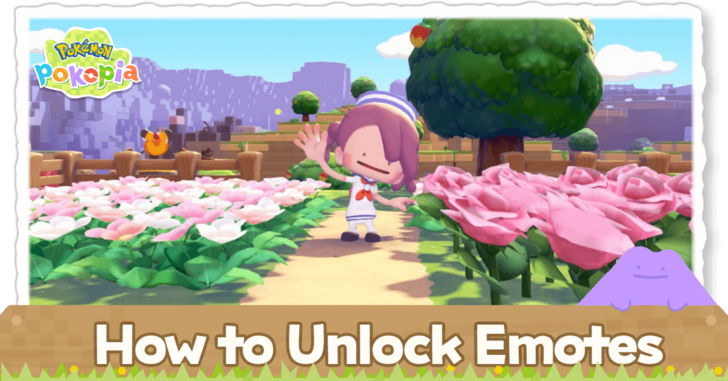
You can unlock Emotes by finding human records in the areas in Pokemon Pokopia. Learn how to unlock emotes, their locations, and how to use them here!
 |
This page is a work in progress! Sign in and select  under the page's title to be notified of any updates! under the page's title to be notified of any updates! |
|---|
List of Contents
List of Emotes
| Jump to a Section! | ||
|---|---|---|
| Human Record | Pokemon | Available From the Start |
Human Record Emotes
| Emote | Map Location | Overworld |
|---|---|---|
 |
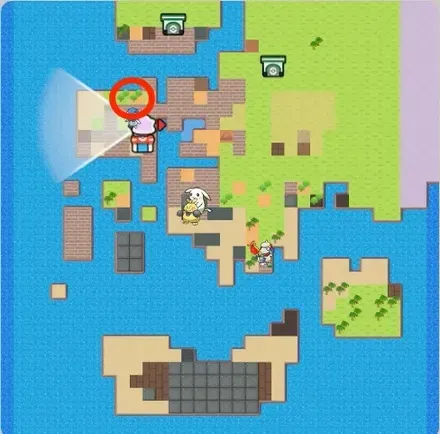
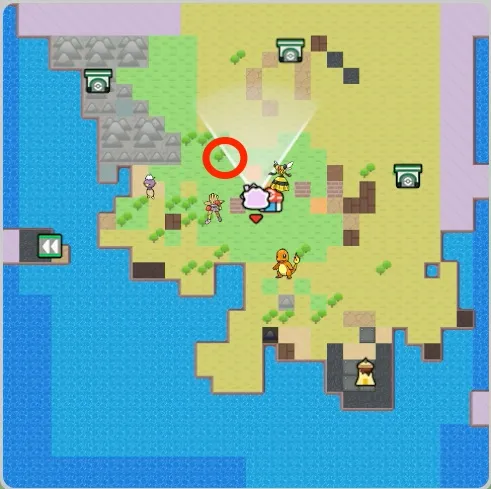 Withered Wasteland |
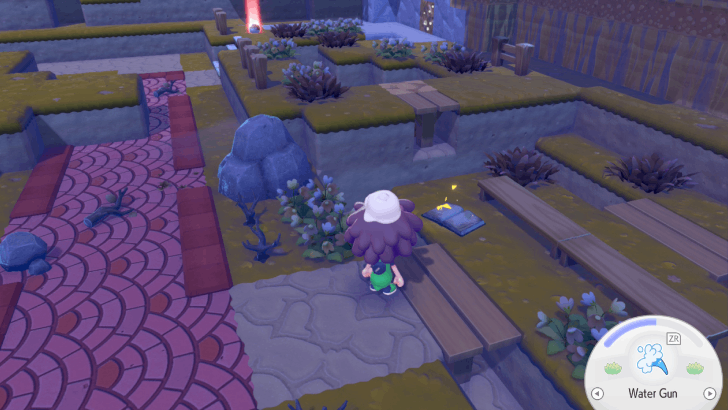 Northwest of Pokemon Center |
 |
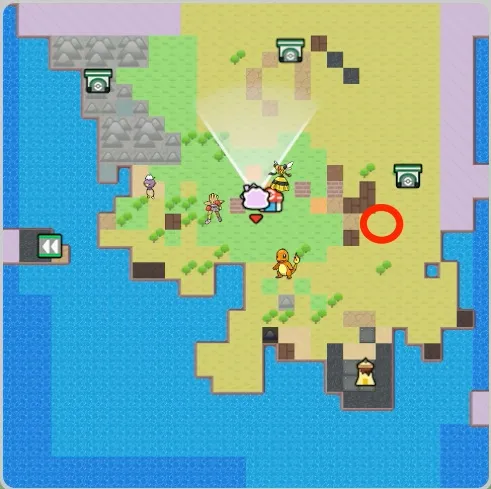 Withered Wasteland |
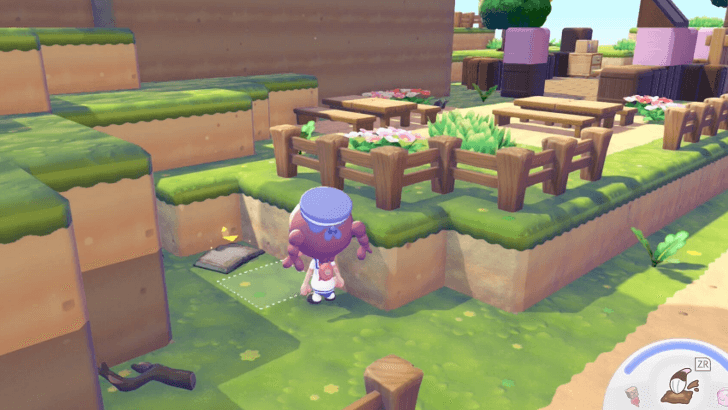 Beside the fence |
 |
 Bleak Beach |
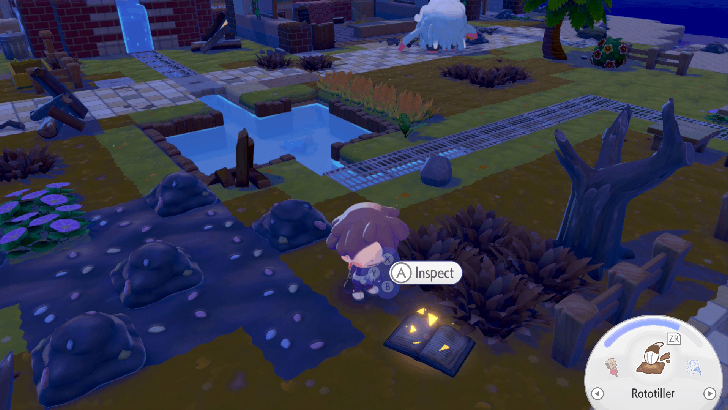 North of the Pokemon Center |
 |
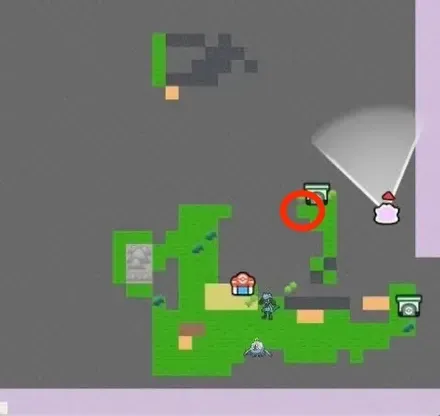 Rocky Ridges |
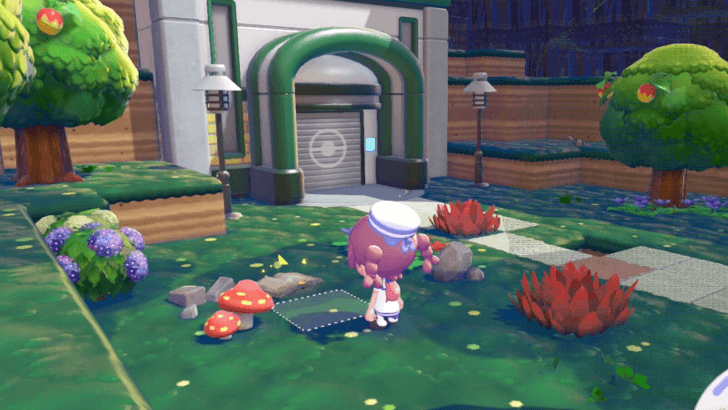 Next to the North Area Gate |
 |
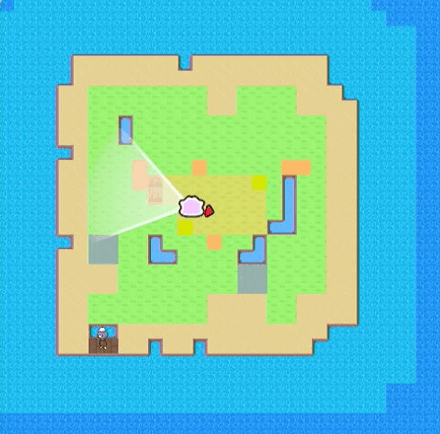 Dream Island (Eevee) |
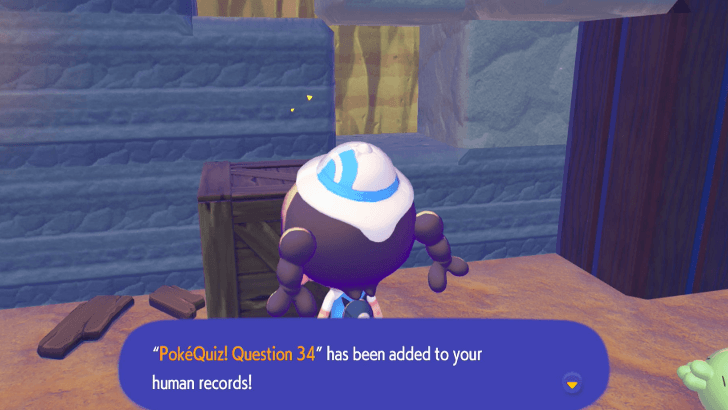 In a cavern in the middle |
 |
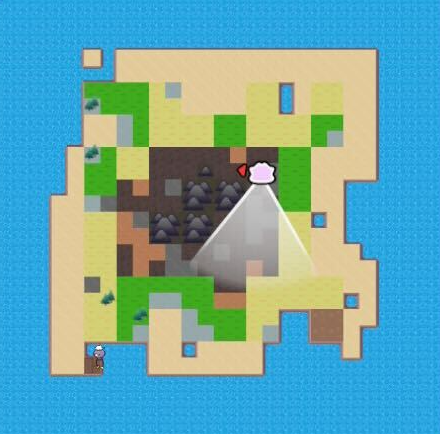 Dream Island (Arcanine) |
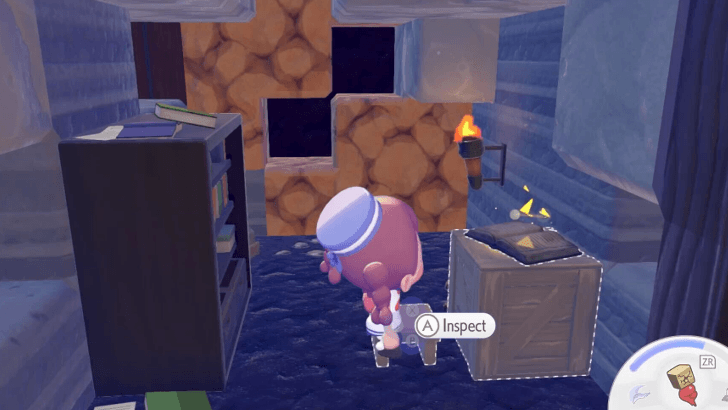 In a hidden room sealed by rocks |
The above are Emotes you can get from collecting Human Records in the area. After interacting with a record, you will immediately receive the emote.
Pokemon Emotes
 |
 |
 |
The listed Emotes can be received by talking to Pokemon. These interactions happen at random and can occur at any location.
Full Pokopia Pokedex: List of All Pokemon
Available From the Start
 |
 |
 |
 |
 |
 |
These are the Emotes that are available from the Start and can be immediately used by the player.
How to Unlock Emotes
Collect Human Records
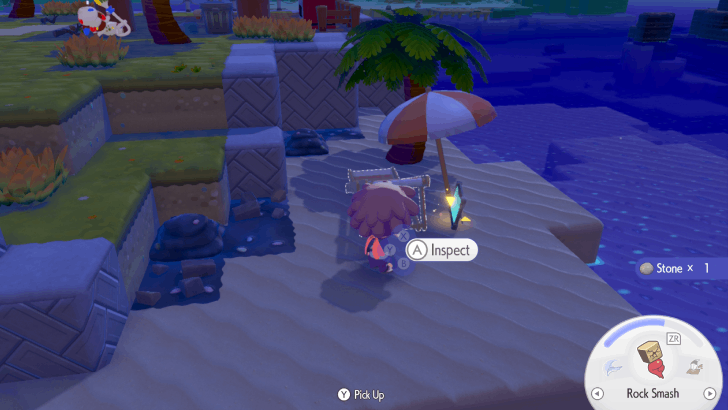
You can get emotes by collecting Human Records which are scattered around the areas. Human records are usually newspapers, journals, pictures, magazine ads and letters!
Talk to Pokemon
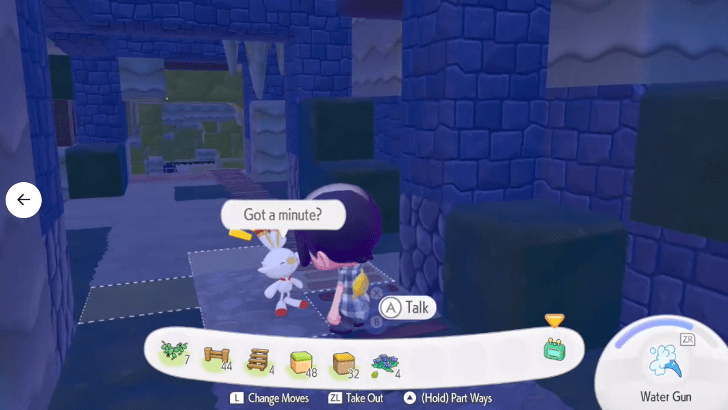
You can also get emotes by talking to Pokemon. When a Pokemon has a speech bubble over its head, it means it has something it wants to say to the player. There's a good chance that one of these interactions will lead to a new emote!
How to Use Emotes
|
|

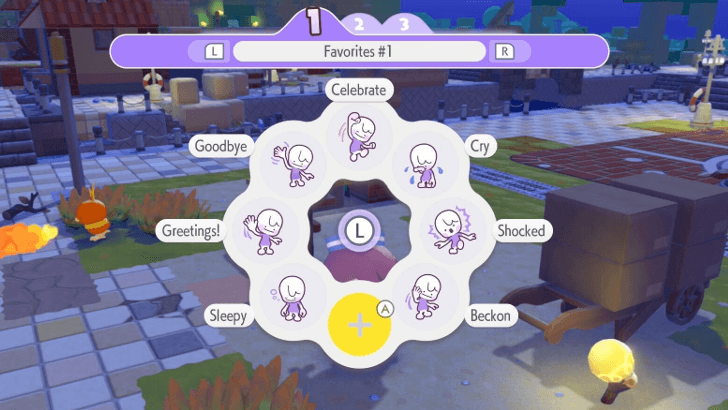
Press Down on the D-Pad
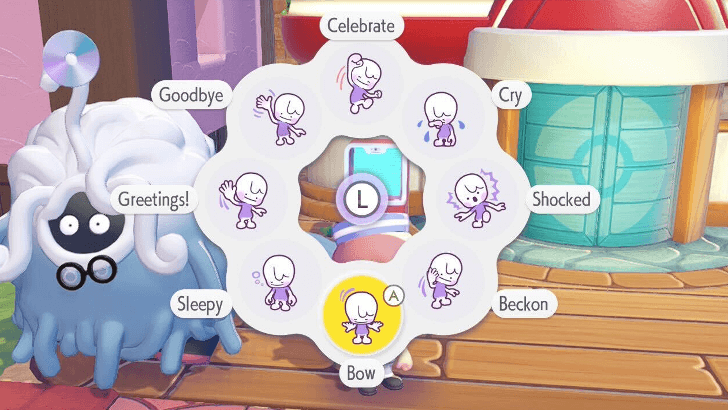
You use emotes by pressing Down on the D-Pad. Scroll through the emotes using the Left Joystick, and select the one you want to use with A.
Adjust the Wheel To Your Preference
 |
|
| Controls | |
|---|---|
 |
Remove an Emote |
 |
Register an Emote |
  |
Change between Wheels |
You can personalize the Emotes according to your preference. Use Y to remove an Emote, and X to add one. You adjust up to three sets of Emotes, so you can customize each Wheel depending on the occasion.
List of Controller and Mouse Mode Controls
Press Left or Right on the D-Pad For Photos

You can also use emotes to spice up your photos in Photo Mode by pressing the Left or Right D-Pad buttons. However, if you don't have the tripod, you will not be able to use emotes since you are holding the camera!
Photo Mode Guide
Pokemon Pokopia Related Guides

Recommended Guides
 How Long to Beat
 Postgame Guide
 Character Customization Guide
 All Daily Activities
 Time Traveling Guide
 When Does a New Day Start?
 Money Farming Guide
 How to Expand Your Bag
 How to GameShare Pokopia
 How to Complete the Mysterious Mural
 Cloud Island Guide
 List of All Outfits and Clothing
 List of All Hairstyles
 Ending Explained
Comment



Author

How to Unlock Emotes

Rankings
- We could not find the message board you were looking for.

Gaming News





Popular Games

Genshin Impact Walkthrough & Guides Wiki
Umamusume: Pretty Derby Walkthrough & Guides Wiki
Pokemon Pokopia Walkthrough & Guides Wiki
Honkai: Star Rail Walkthrough & Guides Wiki
Monster Hunter Stories 3: Twisted Reflection Walkthrough & Guides Wiki
Arknights: Endfield Walkthrough & Guides Wiki
Wuthering Waves Walkthrough & Guides Wiki
Zenless Zone Zero Walkthrough & Guides Wiki
Pokemon TCG Pocket (PTCGP) Strategies & Guides Wiki
Monster Hunter Wilds Walkthrough & Guides Wiki









Recommended Games
Fire Emblem Heroes (FEH) Walkthrough & Guides Wiki
Diablo 4: Vessel of Hatred Walkthrough & Guides Wiki
Cyberpunk 2077: Ultimate Edition Walkthrough & Guides Wiki
Yu-Gi-Oh! Master Duel Walkthrough & Guides Wiki
Super Smash Bros. Ultimate Walkthrough & Guides Wiki
Pokemon Brilliant Diamond and Shining Pearl (BDSP) Walkthrough & Guides Wiki
Elden Ring Shadow of the Erdtree Walkthrough & Guides Wiki
Monster Hunter World Walkthrough & Guides Wiki
The Legend of Zelda: Tears of the Kingdom Walkthrough & Guides Wiki
Persona 3 Reload Walkthrough & Guides Wiki










All rights reserved
©2025 Pokémon. ©1995–2025 Nintendo / Creatures Inc. / GAME FREAK inc. ©KOEI TECMO GAMES
The copyrights of videos of games used in our content and other intellectual property rights belong to the provider of the game.
The contents we provide on this site were created personally by members of the Game8 editorial department.
We refuse the right to reuse or repost content taken without our permission such as data or images to other sites.