
3D Printer Guide: Best Things to Copy
★ Tip: Use Frames to organize your Storage.
☆ Build Habitats with Ditto's Moves.
★ Build Houses and Structures for your Pokemon
☆ Increase Comfort & Environment Levels.
★ Redeem Mystery Gifts for free items & furniture.
☆ Limited Time Event: Befriend Hoppip until 3/24!
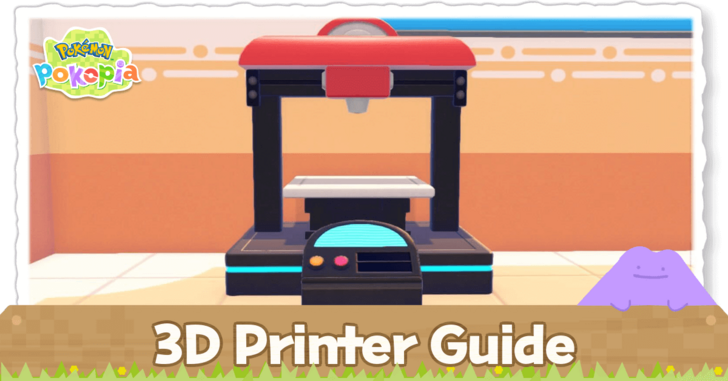
The 3D Printer can be used to print furniture in Pokemon Pokopia. Read on to learn how to use the 3D Printer, how to take reference photos, and the best things to copy.
How to Use The 3D Printer
Duplicate Furniture in Exchange For Pokemetal
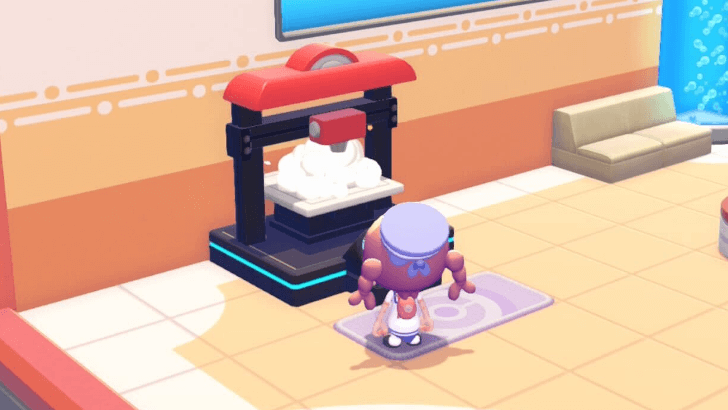
You can use the 3D Printer found in the Pokemon Center to duplicate furniture using Pokemetal without needing a crafting recipe.
Simply take a reference photo of the object you want to duplicate, then submit it to the 3D Printer. Set the quantity that you want, and exchange it for the required amount of Pokemetal. You will shortly receive the item after.
Bigger Objects Need More Pokemetal
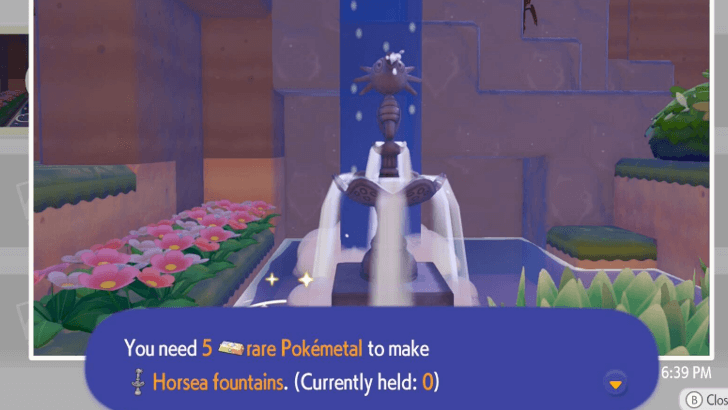
Bigger objects will need more Pokemetal to craft than others. At minimum, one block furniture items require 2 Pokemetal to print.
Some objects may require Rare Pokemetal depending on its size and features such as the Horsea Fountain.
Press Y While Using the Camera to Take References
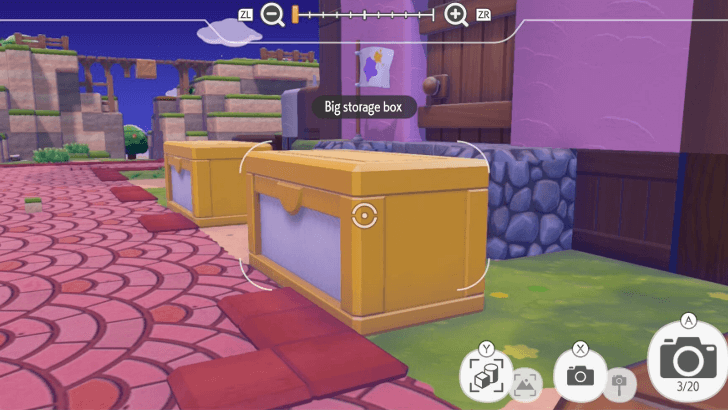
Press Y while using the Camera to change the Camera Mode. This will allow you to take reference photos.
Keep in mind that you only get 20 Album Slots for references, so you may need to delete photos to make space for more if needed.
Best Things to Copy
|
|

Furniture Used For Habitats
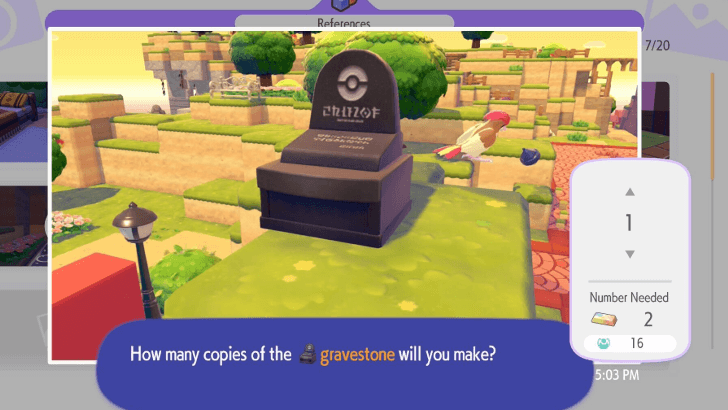
The 3D Printer can help you obtain items that are needed for rare habitats. If a habitat needs an uncommon item, such as the Gravestone, you can take a picture and print a copy—especially if its recipe is hard to come by.
Habitat Dex: How to Build Every Type of Habitat
Furniture With Unique Patterns
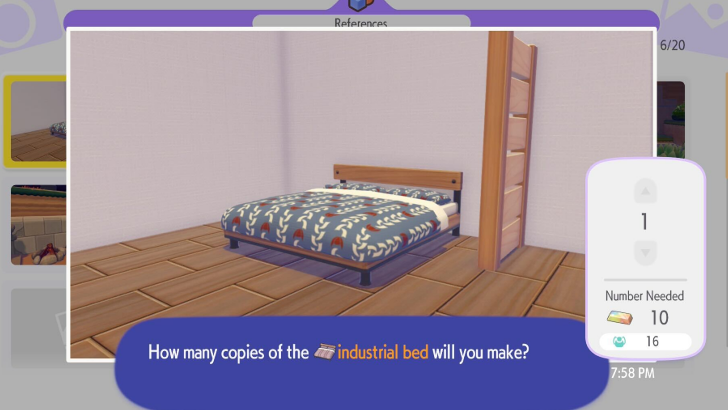
Furniture items with unique patterns and styles can also be reproduced in the 3D Printer. If you encounter a print or style of furniture that you like, but don't have the resources for, you can have it printed instead.
How to Customize Items
How to Unlock 3D Printer
Rebuild the Pokemon Center
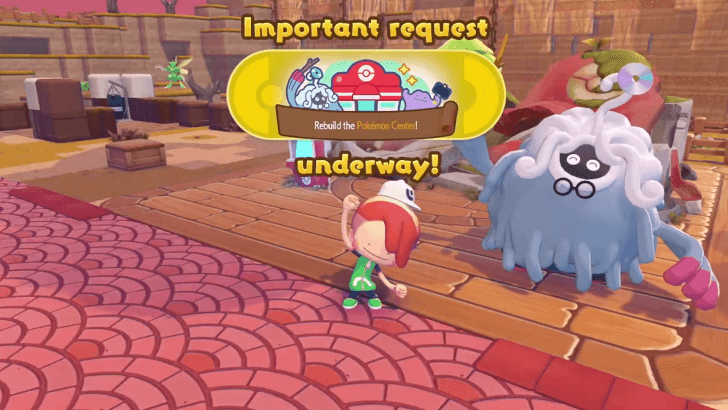
The 3D Printer is automatically unlocked once you finish rebuilding the Pokemon Center. It can be accessed in any Pokemon Center location, and can be used an unlimited number of times per day.
Rebuild the Pokemon Center Walkthrough
Pokemon Pokopia Related Guides

Recommended Guides
 How Long to Beat
 Postgame Guide
 Character Customization Guide
 All Daily Activities
 Time Traveling Guide
 When Does a New Day Start?
 Money Farming Guide
 How to Expand Your Bag
 How to GameShare Pokopia
 How to Complete the Mysterious Mural
 Cloud Island Guide
 List of All Outfits and Clothing
 List of All Hairstyles
 Ending Explained
Comment



Author

3D Printer Guide: Best Things to Copy

Rankings
- We could not find the message board you were looking for.

Gaming News




![Nova Roma Review [Early Access] | Newer, Better, and More Confusing](https://img.game8.co/4455512/2cbf8926e9a1c72a3ff056088f801ef4.png/thumb)
Popular Games

Genshin Impact Walkthrough & Guides Wiki
Umamusume: Pretty Derby Walkthrough & Guides Wiki
Crimson Desert Walkthrough & Guides Wiki
Monster Hunter Stories 3: Twisted Reflection Walkthrough & Guides Wiki
Honkai: Star Rail Walkthrough & Guides Wiki
Pokemon Pokopia Walkthrough & Guides Wiki
The Seven Deadly Sins: Origin Walkthrough & Guides Wiki
Wuthering Waves Walkthrough & Guides Wiki
Zenless Zone Zero Walkthrough & Guides Wiki
Arknights: Endfield Walkthrough & Guides Wiki









Recommended Games
Fire Emblem Heroes (FEH) Walkthrough & Guides Wiki
Diablo 4: Vessel of Hatred Walkthrough & Guides Wiki
Cyberpunk 2077: Ultimate Edition Walkthrough & Guides Wiki
Yu-Gi-Oh! Master Duel Walkthrough & Guides Wiki
Super Smash Bros. Ultimate Walkthrough & Guides Wiki
Pokemon Brilliant Diamond and Shining Pearl (BDSP) Walkthrough & Guides Wiki
Elden Ring Shadow of the Erdtree Walkthrough & Guides Wiki
Monster Hunter World Walkthrough & Guides Wiki
The Legend of Zelda: Tears of the Kingdom Walkthrough & Guides Wiki
Persona 3 Reload Walkthrough & Guides Wiki










All rights reserved
©2025 Pokémon. ©1995–2025 Nintendo / Creatures Inc. / GAME FREAK inc. ©KOEI TECMO GAMES
The copyrights of videos of games used in our content and other intellectual property rights belong to the provider of the game.
The contents we provide on this site were created personally by members of the Game8 editorial department.
We refuse the right to reuse or repost content taken without our permission such as data or images to other sites.