
Multiplayer Guide: How to Play Multiplayer
★ Tip: Use Frames to organize your Storage.
☆ Build Habitats with Ditto's Moves.
★ Build Houses and Structures for your Pokemon
☆ Increase Comfort & Environment Levels.
★ Redeem Mystery Gifts for free items & furniture.
☆ Limited Time Event: Befriend Hoppip until 3/24!
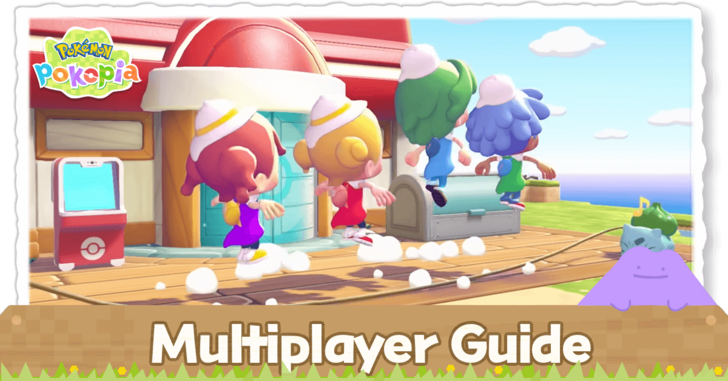
Both online and local multiplayer are available in Pokemon Pokopia for up to four players. Learn how to play in multiplayer, the available multiplayer modes, and the things you can do in multiplayer in this guide.
List of Contents
Pokopia Multiplayer Guide
| Multiplayer Modes | ||
|---|---|---|
| Mode Differences | ||
| Online | Local | GameShare |
Multiplayer Mode Differences
| Feature | Online / Local Multiplayer | GameShare |
|---|---|---|
| Crafting | ✓ | X |
| Mini Games | ✓ | X |
| Creating Habitats | ✓ | ✓ |
| Meeting New Pokemon | ✓ | ✓ |
| Building With Blocks | ✓ | ✓ |
| Building With Kits | ✓ | X |
| Number of Players | 2-4 | 2 |
Listed above are the differences between the multiplayer modes in Pokopia. Keep in mind that online and local multiplayer requires all players to have a copy of the game. On the other hand, GameShare only requires the host to have a game copy.
Online Multiplayer
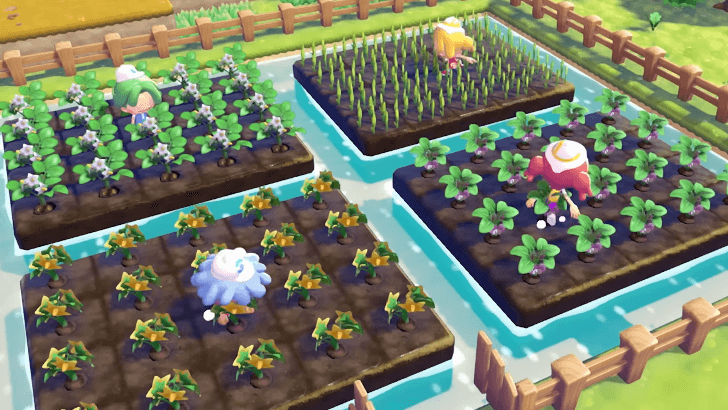
To play online multiplayer, all players must have an active Nintendo Switch Online membership, a stable internet connection, and a copy of the game on their own consoles.
Online multiplayer is required if you want to play with friends who are far away from you.
Local Multiplayer
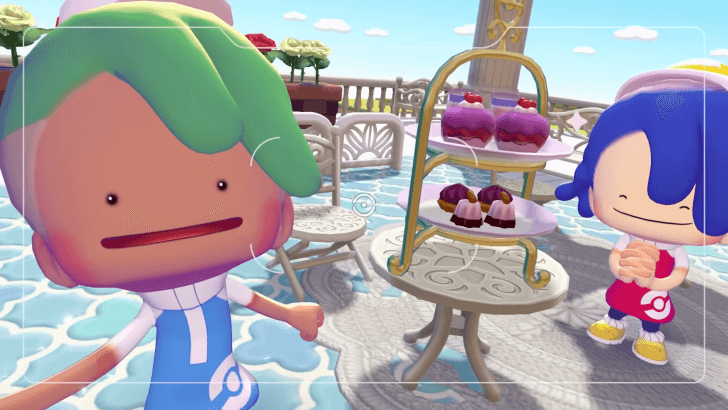
If you want to play with someone in your household or with friends visiting you in person, local multiplayer is the best way to play. You only need to be in the same room together to play local multiplayer.
A Nintendo Switch Online subscription is not required for any players when playing locally. An internet connection is also unnecessary. However, all players still need a copy of the game on their own Nintendo Switch 2 consoles.
Can You Play Pokopia on Switch 1
GameShare
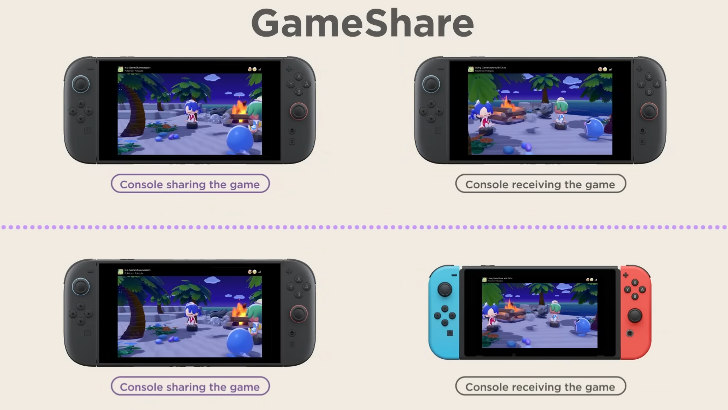
Pokopia supports GameShare, which allows one person with the game to share it with another person without the game. However, you can only share to one console at a time.
A player with a copy of Pokopia on a Nintendo Switch 2 system can share the game with another Nintendo Switch 2 or a Nintendo Switch system. The player receiving the game will not be able to keep the game on their system once the GameShare session ends, and can only have access to it while on GameShare.
How to Play Multiplayer
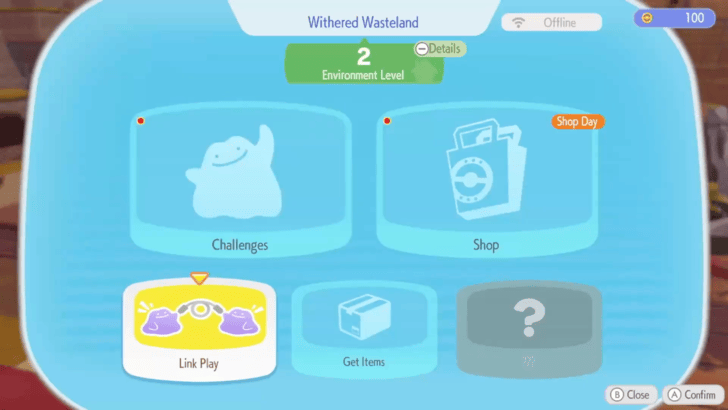
Select Link Play on the PC in the Pokemon Center
| Multiplayer Options | Details |
|---|---|
| Invite Others to Visit | Host: Player
Map: Player Host's Map Connections: Online and Local Opens your personal Island to invited friends. |
| GameShare | Host: Player
Map: Host's Palette Town Connections: Online and Local Opens your Palette Town to friends that do not have the game. Friends will have limited gameplay options. |
| Visit a Friend | Host: Friend
Map: Friend Host's Map Connections: Online and Local Head to a friend's personal island once they allow visitors. |
| Play on Cloud Island | Host: None
Map: Cloud Island Connections: Online Only Allows you and your friends to go to a separate island by entering a shared code. |
Select Link Play on the PC in the Pokemon Center to play with friends. Through the PC, you can invite players to your world, join other players in their world, or create a Cloud Island for your group.
Link Play becomes available on the Pokemon Center PC once you reach Environment Level 2. The GameShare option is only available in the Palette Town PC.
Bring a Follower as a Visitor
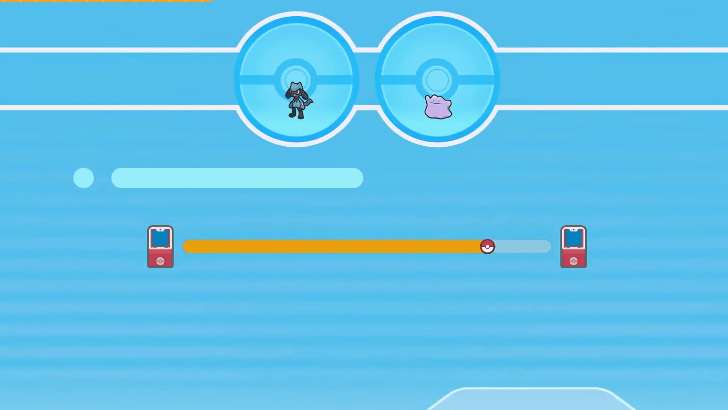
As a visitor, you can also bring along a Pokemon from your main island. This can be any Pokemon, and if you plan to build or decorate your friend’s island, bring a Pokemon with a specialty that will be useful.
How to Have Pokemon Follow You
Online Connection Requires Nintendo Switch Online
Access to Online Connection multiplayer requires a subscription to Nintendo Switch Online. Which means you will have to pay extra money for multiplayer access.
Local Connection is free as long as you are playing with people in the same physical space.
GameShare Only Available in Palette Town
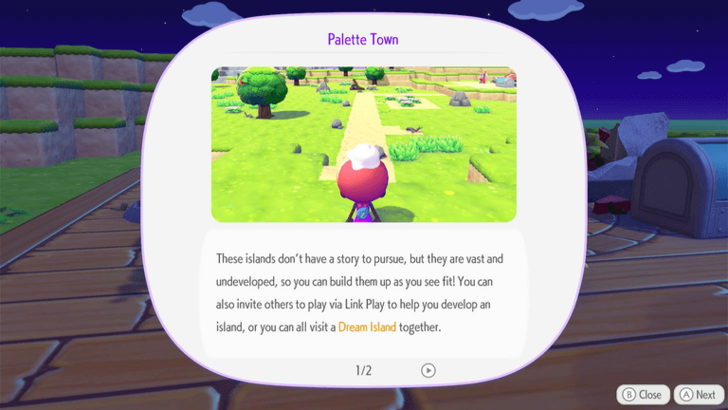
To unlock GameShare, you will need to unlock Palette Town, which is an area that you can rename. You will need to boot up the Palette Town PC and befriend Eevee before you are able to unlock GameShare and other multiplayer features.
You will be limited to playing in this area when using GameShare. No other area will allow you to start a GameShare session.
Share Your Codes for Cloud Island
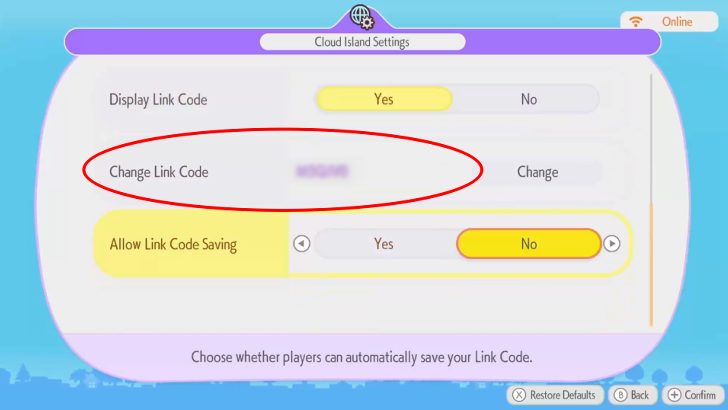
When playing on Cloud Island, make sure to share your Link Code and Cloud Island Address with your friends for them to be able to join your instance. You can also use your friends' code to join theirs.
You can find and confirm your Cloud Island Address and Link Code at the PC in the Pokemon Center.
View Other Cloud Islands With the Mysterious Goggles
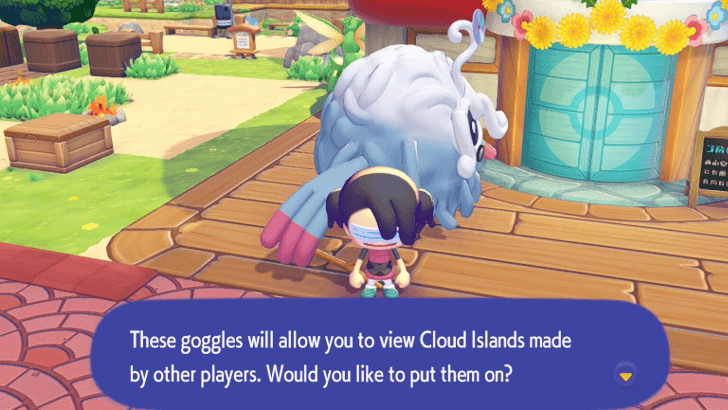
You may view other Cloud Islands using the Mysterious Goggles item you can purchase at the PC Shop. You will not be able to use moves that change the environment, but you will be able to take reference photos and take note of habitats that you may not have yet.
You may use these goggles to view developer Cloud Islands as well.
List of Developer Island Codes
Multiplayer Host and Guest Differences
Guests Have a Separate Inventory
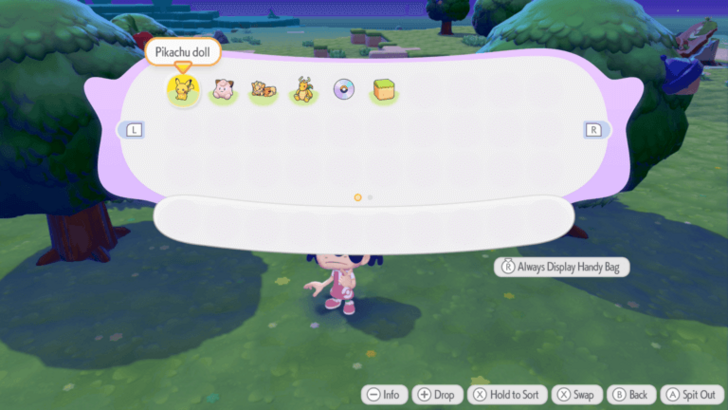
When you are playing as a guest on another player's world, you will have a separate inventory. This means that you cannot bring or take home items from your multiplayer sessions.
Keep in mind that in Cloud Islands, all players including the host will have separate inventories.
Host Can Edit Cloud Island Settings
While any player can visit a public Cloud Island at any time, only the host can change its settings. They can also opt to delete the Cloud Island in order to create a new one.
Things to Do in Multiplayer
Build Your Island with Friends
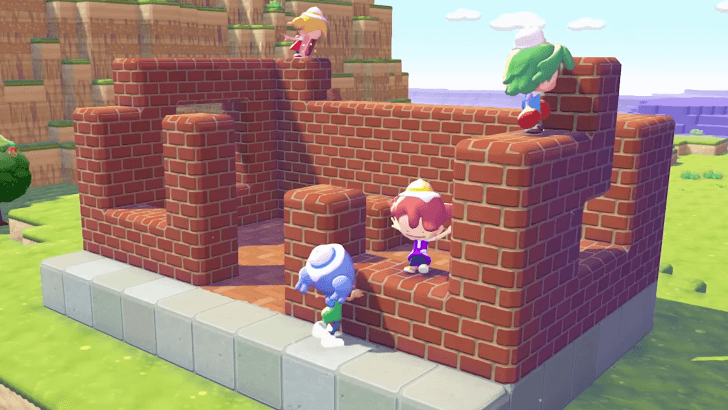
When playing multiplayer, all players will spawn in the world of the host player and will be able to modify the environment, craft furniture, build structures, and plant crops there. Even when the other players leave, the changes made to the host's island should remain intact.
Build Without Limits
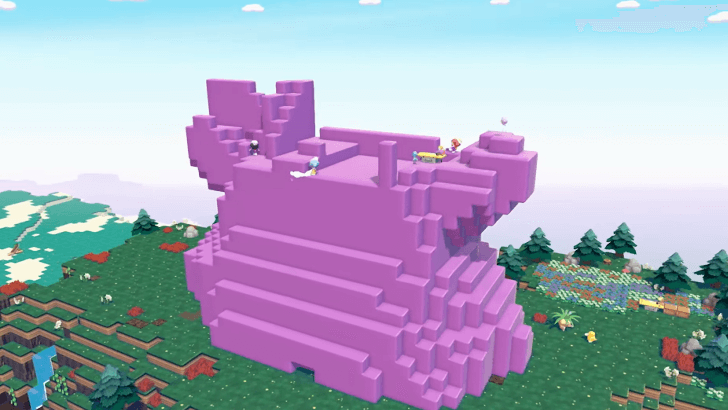
You can build anything in Multiplayer Mode, even something as large as a skyscraper. The sky is the limit, and it is up to you and your friends' creativity to shape your entire island!
Register Pokemon in Your Pokedex
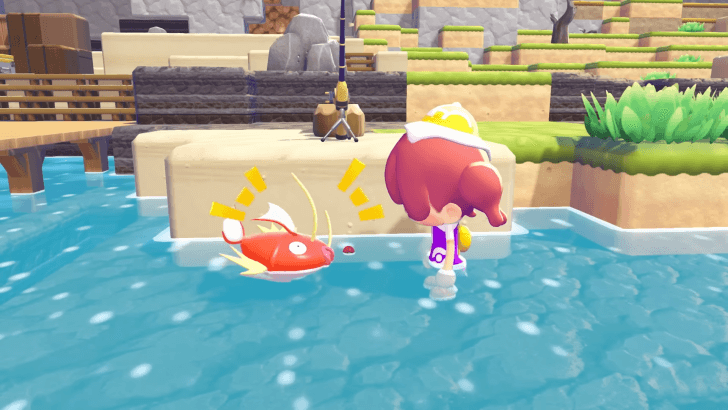
Playing multiplayer is a great way to fill your Pokedex with friends. Even if you're playing on a friend's island, you should be able to register Pokemon you discover there into your own Pokedex.
Play Hide-and-Seek
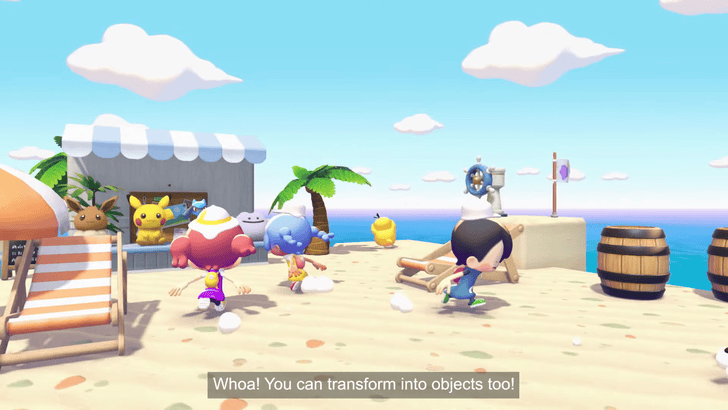
You can also play Hide-and-Seek as a minigame in Multiplayer Mode. In this mode, most players hide while one seeker searches for everyone. You can even transform into an object for a better disguise.
How to Play Hide-and-Seek
Pokemon Pokopia Related Guides
Available Mystery Gifts
| Code/Method | Reward | Availability |
|---|---|---|
| Redeem Serial Code | Commemorative Gift Set: 2 Leppa Berries, 2 Fresh Carrots, 2 Beans |
Code: February 27, 2026 - March 5, 2026 Redemption: March 5, 2026 - February 28, 2027 |
| Get via Internet | Ditto Rug | March 5, 2026 - January 31, 2027 |
List of News and Game Info
-
![]()
Release Time and Countdown
Updated 3/5/2026
See a countdown to the release of Pokopia!
-
![]()
All Game Editions
Updated 3/5/2026
Pokopia is available in physical and digital editions!
-
![]()
How to Preload
Updated 2/27/2026
Pre-order Pokopia to preload the game before its release!
-
![]()
Pre-Order Bonuses
Updated 3/3/2026
Get special rewards when you pre-order Pokopia!
-
![]()
Can You Play Pokopia on Switch 1?
Updated 3/6/2026
Pokopia is a Switch 2 exclusive that can be played on Switch 1 through GameShare!
-
![]()
Multiplayer Guide
Updated 3/16/2026
Pokopia can be played on both online and local multiplayer!
-
![]()
Developer Island Codes
Updated 3/13/2026
Check out the Developer Islands using these codes!
-
![]()
Does Pokemon Pokopia Have DLC?
Updated 2/24/2026
Learn more about possible future DLC content!
-
![]()
Is There a Pokopia Demo?
Updated 2/24/2026
A demo was available at EUIC from Feb. 13-15. Check here for updates on its availability!
-
![]()
Version 1.0.2 Patch Notes
Updated 3/18/2026
Check out the patch notes for Version 1.0.2 of Pokopia!


Comment



Author

Multiplayer Guide: How to Play Multiplayer

Rankings
- We could not find the message board you were looking for.

Gaming News





Popular Games

Genshin Impact Walkthrough & Guides Wiki
Umamusume: Pretty Derby Walkthrough & Guides Wiki
Pokemon Pokopia Walkthrough & Guides Wiki
Honkai: Star Rail Walkthrough & Guides Wiki
Monster Hunter Stories 3: Twisted Reflection Walkthrough & Guides Wiki
Arknights: Endfield Walkthrough & Guides Wiki
Wuthering Waves Walkthrough & Guides Wiki
Zenless Zone Zero Walkthrough & Guides Wiki
Pokemon TCG Pocket (PTCGP) Strategies & Guides Wiki
Monster Hunter Wilds Walkthrough & Guides Wiki









Recommended Games
Fire Emblem Heroes (FEH) Walkthrough & Guides Wiki
Diablo 4: Vessel of Hatred Walkthrough & Guides Wiki
Cyberpunk 2077: Ultimate Edition Walkthrough & Guides Wiki
Yu-Gi-Oh! Master Duel Walkthrough & Guides Wiki
Super Smash Bros. Ultimate Walkthrough & Guides Wiki
Pokemon Brilliant Diamond and Shining Pearl (BDSP) Walkthrough & Guides Wiki
Elden Ring Shadow of the Erdtree Walkthrough & Guides Wiki
Monster Hunter World Walkthrough & Guides Wiki
The Legend of Zelda: Tears of the Kingdom Walkthrough & Guides Wiki
Persona 3 Reload Walkthrough & Guides Wiki










All rights reserved
©2025 Pokémon. ©1995–2025 Nintendo / Creatures Inc. / GAME FREAK inc. ©KOEI TECMO GAMES
The copyrights of videos of games used in our content and other intellectual property rights belong to the provider of the game.
The contents we provide on this site were created personally by members of the Game8 editorial department.
We refuse the right to reuse or repost content taken without our permission such as data or images to other sites.