
How to GameShare Pokopia
★ Tip: Use Frames to organize your Storage.
☆ Build Habitats with Ditto's Moves.
★ Build Houses and Structures for your Pokemon
☆ Increase Comfort & Environment Levels.
★ Redeem Mystery Gifts for free items & furniture.
☆ Limited Time Event: Befriend Hoppip until 3/24!
You can use GameShare only in Palette Town to play together with friends in Pokemon Pokopia. Read on to learn how to use GameShare in Pokopia, its features, and limitations.
How to GameShare Pokopia
| Jump to a Section! | |
|---|---|
| How to Unlock | |
| Local GameShare | Online GameShare |
Unlock Palette Town
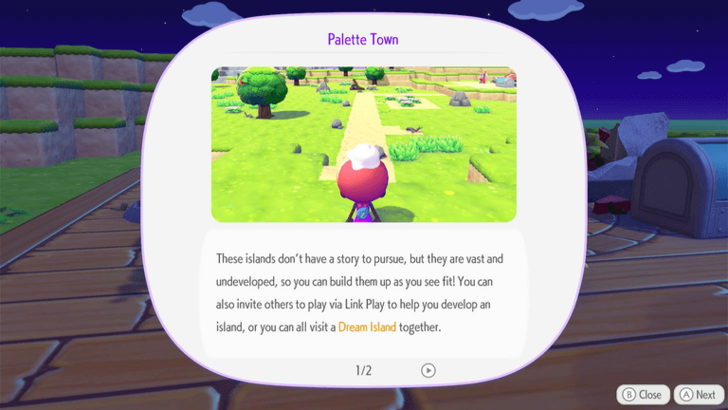
To unlock GameShare, you will need to unlock Palette Town, which is an area that you can rename. You will need to boot up the Palette Town PC and befriend Eevee before you are able to unlock GameShare and other multiplayer features.
You will be limited to playing in this area when using GameShare. No other area will allow you to start a GameShare session.
Found to the West of Withered Wasteland
The Palette Town area can be found to the west of Withered Wasteland. You will need Rock Smash to access this area, as well as blocks to build a bridge in order to cross the gap.
Local GameShare
Pokopia's local GameShare allows players with any Switch system console to play with the host. This means that GameShare can be done between a Switch 2 and a Switch 1, or between two Switch 2 consoles.
| # | Step by Step |
|---|---|
| 1 |
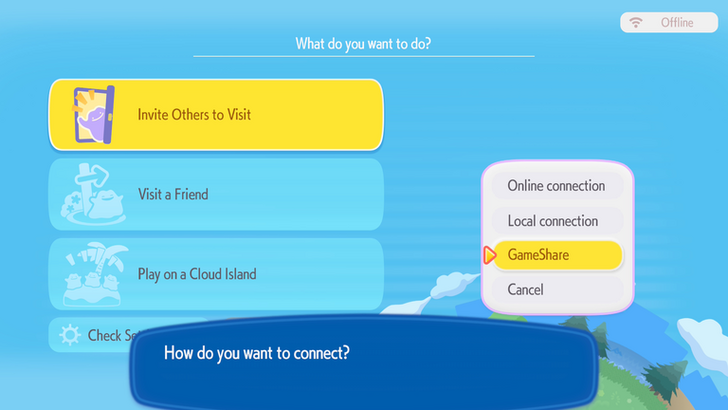 The host will have to go to the Palette Town PC and select Link Play. Afterwards, select Invite Others to Visit, then choose GameShare. Afterwards, choose to start your GameShare session with neary players. |
| 2 |
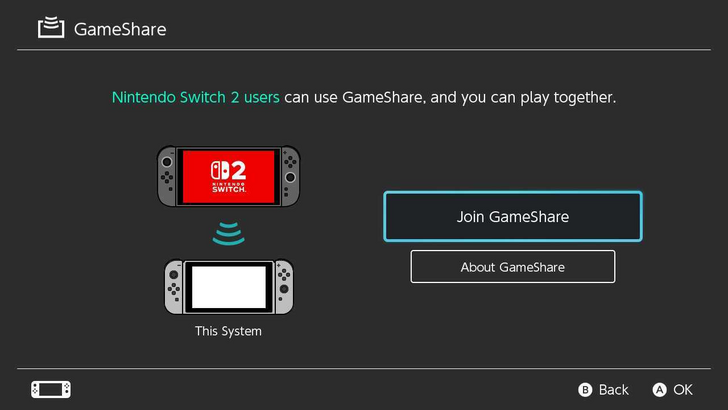 Have the nearby players select GameShare on their Switch system menus. After selecting Join GameShare, they will be able to join the session. |
| 3 |
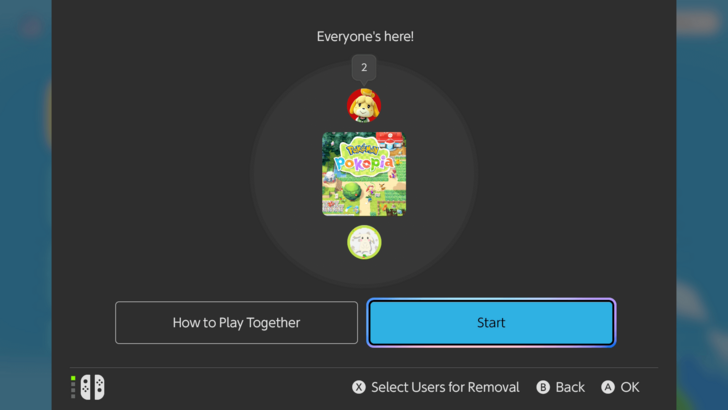 Select Start on the host's Switch 2 to begin the GameShare. Each GameShare player will then be able to control a randomized Ditto character. |
| 4 | 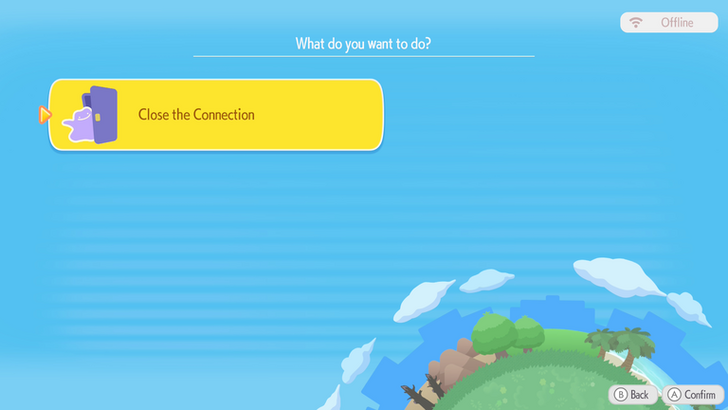 The host may choose to end the session using Close the Connection. Alternatively, GameShare players may leave the game by pressing the Home Button. |
Online GameShare via GameChat
Online GameShare is only available via GameChat. This means that this can only be done between players with Switch 2 consoles.
| # | Step by Step |
|---|---|
| 1 | 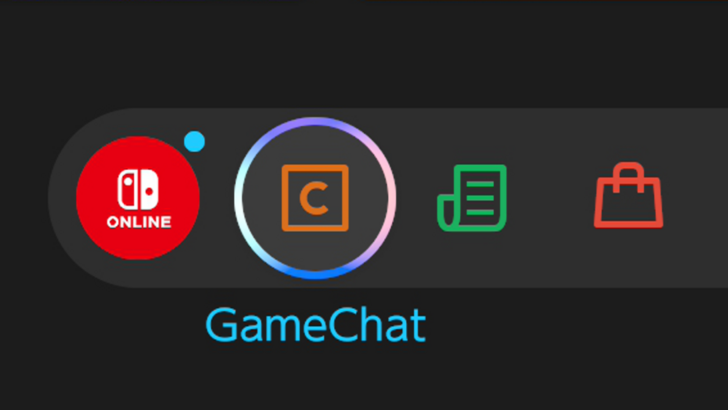 The host will need to select GameChat on their Switch 2 menu and create a chat. They will then select 1-3 friends to make a GameChat room with. Keep in mind that all participants will need to set up their GameChat beforehand. Additionally, the host will need to add the other players as friends on their Nintendo account. |
| 2 | The host will have to go to the Palette Town PC and select Link Play. Afterwards, select Invite Others to Visit, then choose GameShare. Afterwards, choose to start your GameShare session via GameChat. |
| 3 | 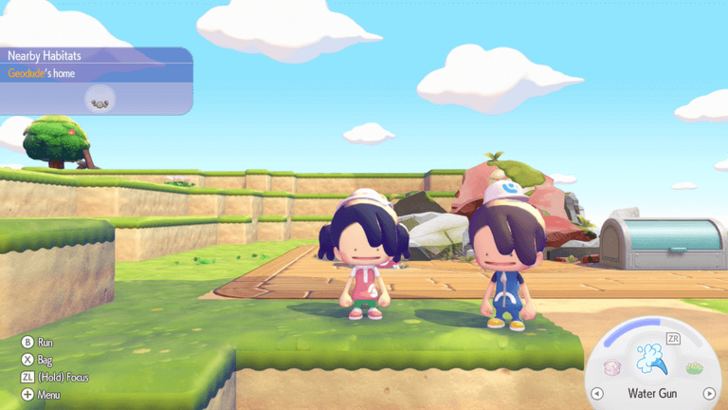 Have the other players join the GameShare via the GameChat room. Once the session starts, each GameShare player will then be able to control a randomized Ditto character. |
| 4 | The host may choose to end the session using Close the Connection. Alternatively, GameShare players may leave the game first by exiting the GameShare or GameChat room. |
GameShare Features
|
|
 Share the Game for Free
Share the Game to Another Console for Free
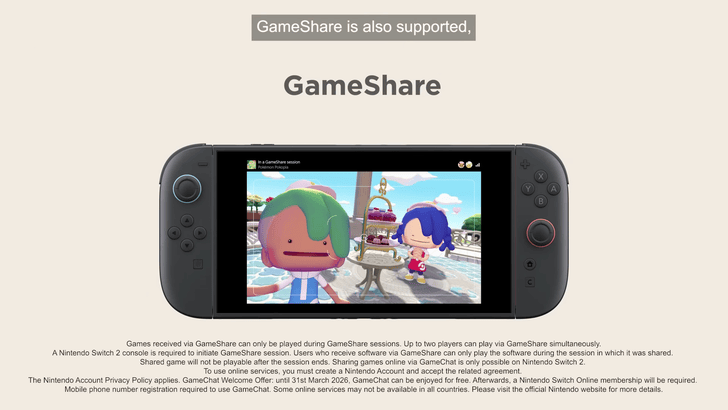
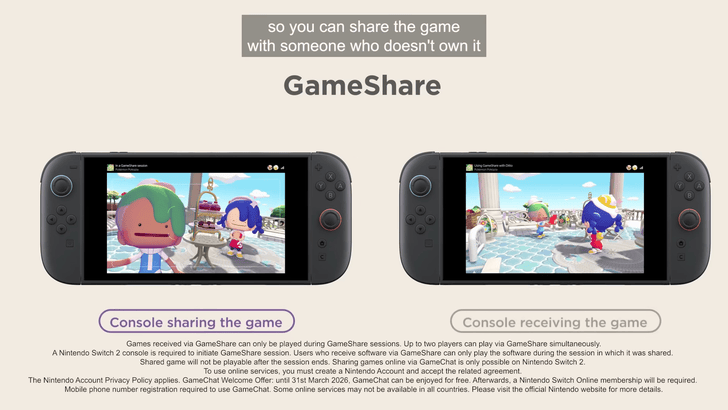
GameShare is a feature that allows you to share the game for free with another console. This is a multiplayer option you can opt for if you are playing with someone who does not own the game, whether they have a Switch 1 or Switch 2.
Available for All Switch Consoles in Local Multiplayer
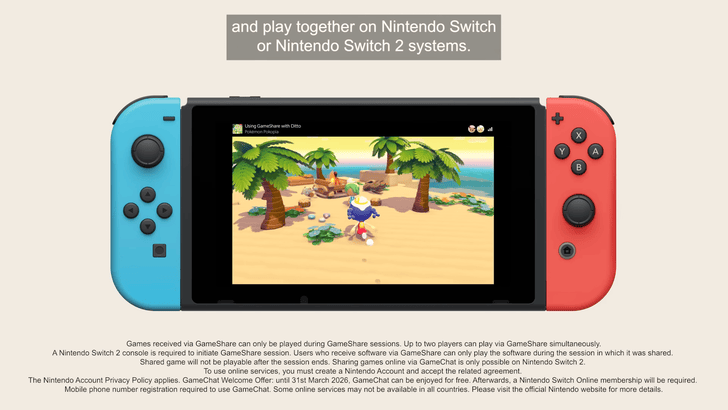
You can use GameShare locally to share the game with either a Switch 1 or Switch 2 console. This is the only way to share the game with Switch 1, as sharing it online requires GameChat, which Switch 1 does not have.
Local play only requires you to be near another Switch to use GameShare. It is wireless, and no internet is required to play or share the game via GameShare.
Play Online Multiplayer via GameChat
For online play, GameChat is required to use GameShare. This online multiplayer feature is currently free to use for all Nintendo Switch 2 users. However, starting March 31, 2026, GameChat will become an Nintendo Switch Online-exclusive feature, requiring a paid Nintendo Switch Online membership.
While this technically doesn't make the game free anymore, it is still a cheaper way to get the game if the other player does not plan on getting it. Both players will now just need a paid NSO membership to play.
Limited to Palette Town
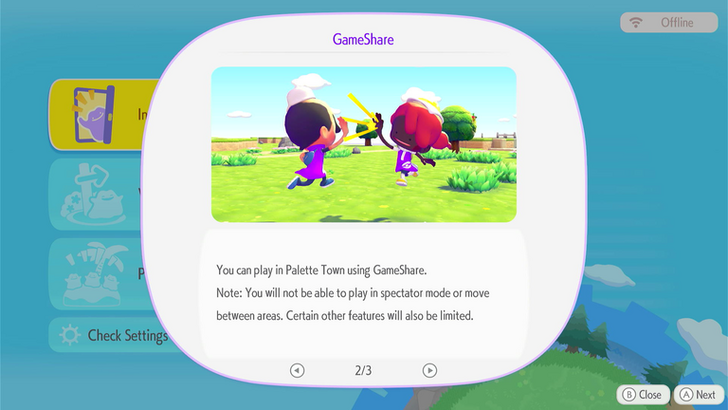
You can only play in Palette Town when using GameShare. The host and the other players will be unable to travel to other areas.
Host and Participants Share Certain Features
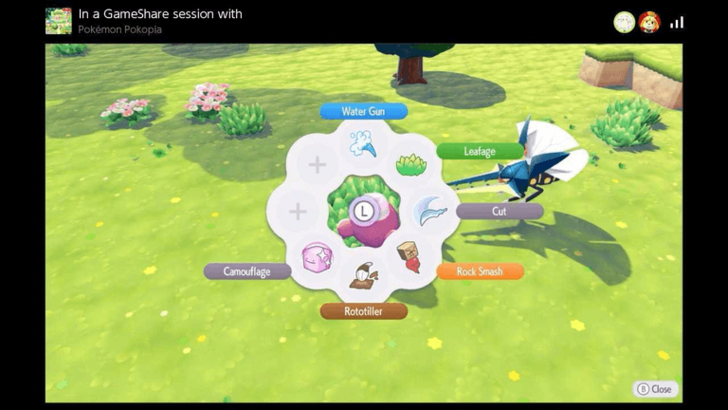
Each player will share the moves and emotes that the host has. This means that if the host has progressed further in GamePlay, then the GameShare players will have more features to play with.
The Go Home feature for GameShare participants is also linked to the host. When using this, the player will be teleported to the host's location.
Separate Inventories Per Player
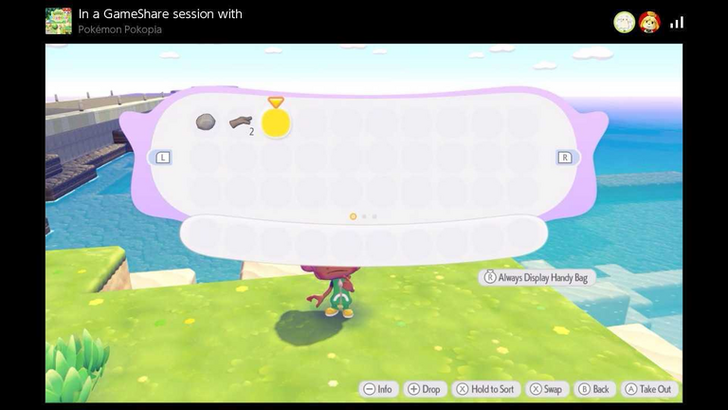
Each player will have their own inventories to store items in. The capacity will depend on how many inventory expansions the host has done, so each player will share the same number of slots.
GameShare Items Will Be Stored in Lost and Found
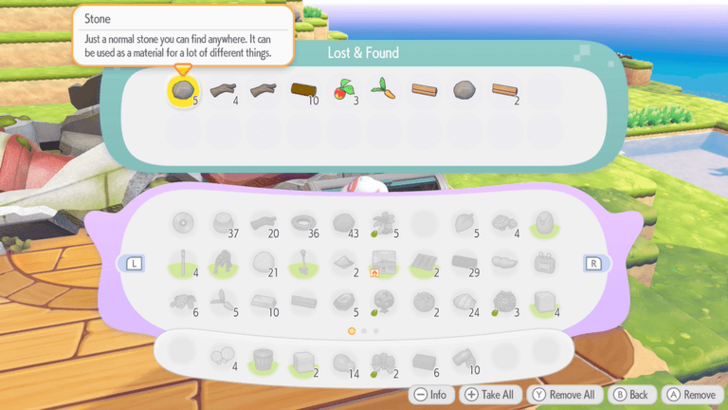
Once the GameShare session is finished, items from GameShare participants will be stored in the Lost and Found box. This can be found in front of the Palette Town Pokemon Center.
Mini Games Cannot Be Played
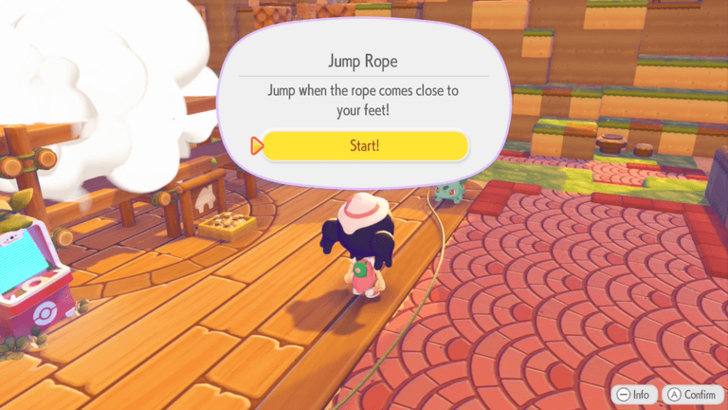
Once GameShare is active, it will remove the option to play mini games when speaking to certain Pokemon. The host can neither play them alone nor do them together with the GameShare players.
GameShare Limitations
List of Participant Limitations
| GameShare Limitations |
|---|
 Cannot customize character Cannot build, craft, or use the PC Cannot enter houses Cannot examine Pokemon Traces Cannot deposit building materials Cannot ask other Pokemon to follow them Cannot open the Lost and Found box Cannot customize character Cannot build, craft, or use the PC Cannot enter houses Cannot examine Pokemon Traces Cannot deposit building materials Cannot ask other Pokemon to follow them Cannot open the Lost and Found box |
GameShare players have many limitations in regards to what they can do. Features such as customization, building, and asking Pokemon to follow you are all limited to the host.
Due to these limitations, it is likely best to communicate well with the host and fellow players when playing on GameShare.
Best For Building Full-Sized Structures
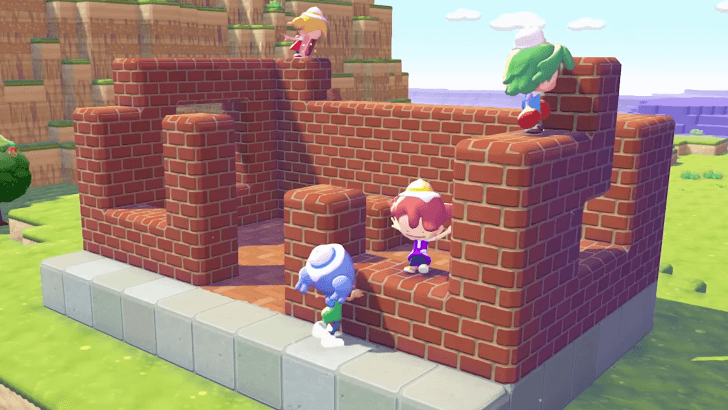
GameShare players cannot contribute to building pre-made structures because of their limitations. However, they can still destroy and place blocks. GameShare is best for building structures with the host block by block in order to create something unique.
How to Build Houses and Structures
Pokemon Pokopia Related Guides

Beginner's Guide to Pokopia: Tips and Tricks
All Tips and Tricks
Comment



Author

How to GameShare Pokopia

Rankings
- We could not find the message board you were looking for.

Gaming News




Popular Games

Genshin Impact Walkthrough & Guides Wiki
Umamusume: Pretty Derby Walkthrough & Guides Wiki
Pokemon Pokopia Walkthrough & Guides Wiki
Honkai: Star Rail Walkthrough & Guides Wiki
Monster Hunter Stories 3: Twisted Reflection Walkthrough & Guides Wiki
Arknights: Endfield Walkthrough & Guides Wiki
Wuthering Waves Walkthrough & Guides Wiki
Zenless Zone Zero Walkthrough & Guides Wiki
Pokemon TCG Pocket (PTCGP) Strategies & Guides Wiki
Monster Hunter Wilds Walkthrough & Guides Wiki









Recommended Games
Fire Emblem Heroes (FEH) Walkthrough & Guides Wiki
Diablo 4: Vessel of Hatred Walkthrough & Guides Wiki
Cyberpunk 2077: Ultimate Edition Walkthrough & Guides Wiki
Yu-Gi-Oh! Master Duel Walkthrough & Guides Wiki
Super Smash Bros. Ultimate Walkthrough & Guides Wiki
Pokemon Brilliant Diamond and Shining Pearl (BDSP) Walkthrough & Guides Wiki
Elden Ring Shadow of the Erdtree Walkthrough & Guides Wiki
Monster Hunter World Walkthrough & Guides Wiki
The Legend of Zelda: Tears of the Kingdom Walkthrough & Guides Wiki
Persona 3 Reload Walkthrough & Guides Wiki










All rights reserved
©2025 Pokémon. ©1995–2025 Nintendo / Creatures Inc. / GAME FREAK inc. ©KOEI TECMO GAMES
The copyrights of videos of games used in our content and other intellectual property rights belong to the provider of the game.
The contents we provide on this site were created personally by members of the Game8 editorial department.
We refuse the right to reuse or repost content taken without our permission such as data or images to other sites.