
Beginner's Guide to Pokopia: Tips and Tricks
★ Tip: Use Frames to organize your Storage.
☆ Build Habitats with Ditto's Moves.
★ Build Houses and Structures for your Pokemon
☆ Increase Comfort & Environment Levels.
★ Redeem Mystery Gifts for free items & furniture.
☆ Limited Time Event: Befriend Hoppip until 3/24!
Here is a beginner's guide to Pokemon Pokopia! Check out gameplay tips and tricks as well as guides that can help you as you play the game.
List of Contents
Beginner's Guide to Pokopia
| Beginner Tips |
|---|
| |

Inspect Sparkles for Habitat Hints
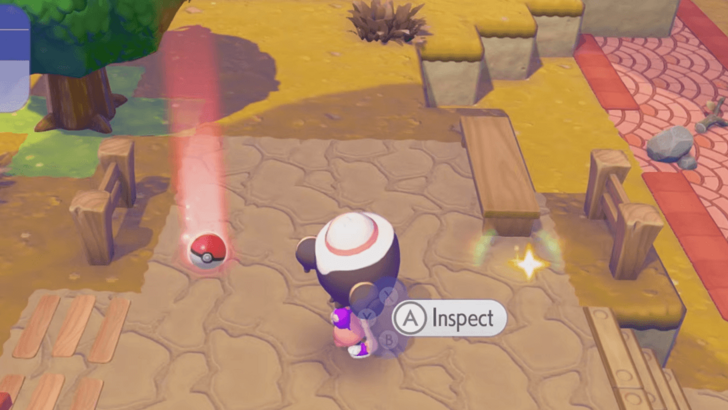
You may occasionally see sparkles near an object in the world. Inspecting these sparkles may give you a hint on a possible habitat you can create using that object.
Sparkling spots in water may instead lead you to items. It's worth taking a look at any unusual spots you see in the world. You're bound to discover something interesting!
Habitat Dex: How to Build Every Type of Habitat
Pokopia Follows the Real-Time Clock
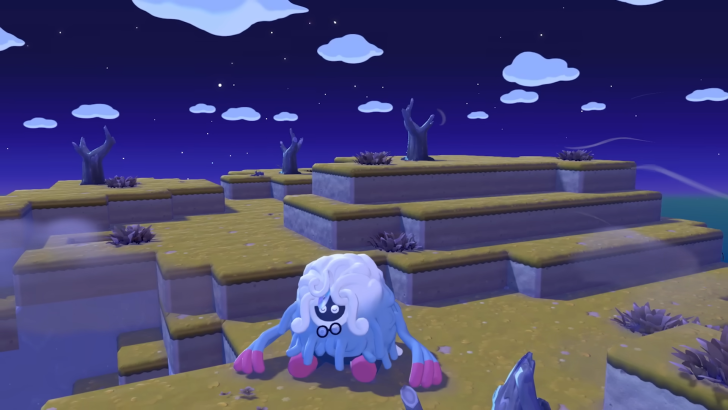
The game follows the clock on your Nintendo Switch 2 system, which means that the current time in-game should be the same as the current time where you live. If it's daytime where you are, it'll be daytime in-game.
Keep this in mind when trying to find Pokemon with specific time of day requirements and when waiting for construction projects to complete at specific times.
Time Traveling Guide: How to Change the Time of Day
Hold Y to Inhale Items
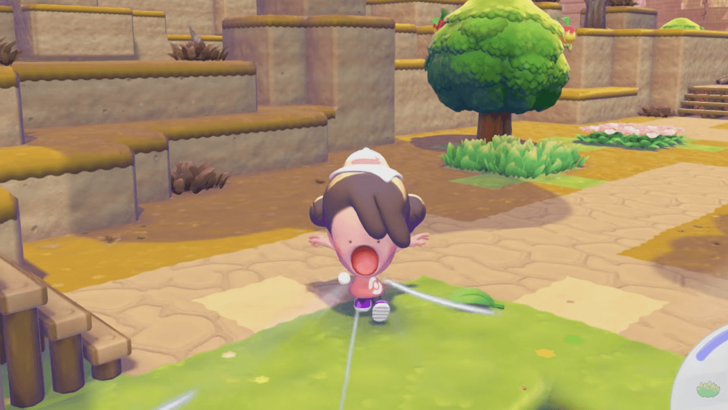
You can pick up items individually by approaching them and pressing Y. However, if there are multiple items on the ground that you want to get, you can save time by holding the Y button to inhale all loose items in front of you.
Eat Food to Replenish PP
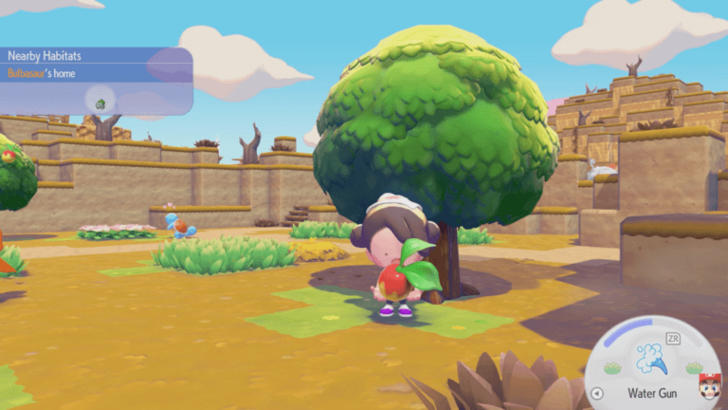
Moves that Ditto learns from other Pokemon consume PP. The PP meter is the blue curved bar that can be seen at the bottom right part of the screen, above the active move.
If you run out of PP, you'll get tired whenever you try to use a move. You can recover PP by eating food such as berries.
Utilize Pokemon Specialties
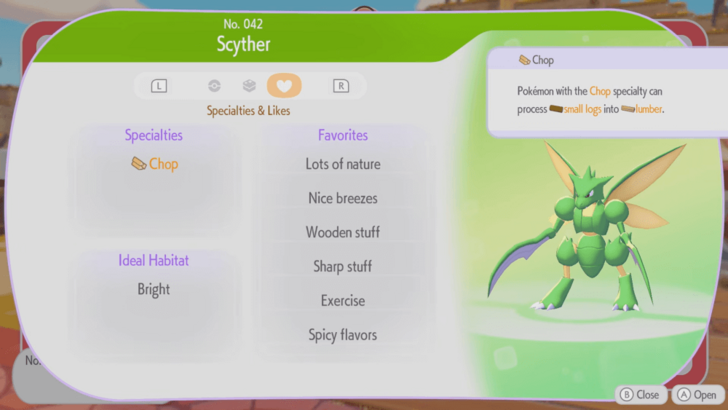
Each Pokemon has at least one specialty that can allow them to help out in rebuilding the island. Check your Pokedex to see what specialties a Pokemon has.
If a Pokemon has a specialty you need, you can ask the Pokemon to follow you by talking to it or by pressing up on the D-pad. Then, lead it to the item or location you need its help for.
List of Pokemon by Specialties
Increase Pokemon Comfort Levels
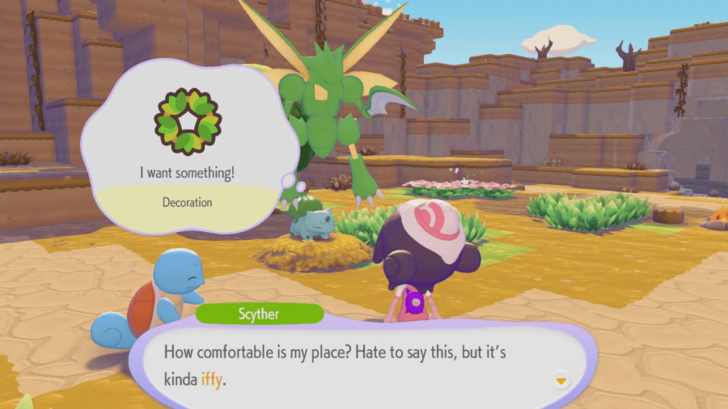
Each Pokemon has a particular preference for how their habitat should be like. This influences their comfort level.
Ask a Pokemon, "How's your comfort level?", in order to see if their habitat needs improvement. They'll give you hints for what they want, and you can place the appropriate items within their habitat.
The comfort levels of all your Pokemon friends directly influence your Environment Level.
Construct Buildings
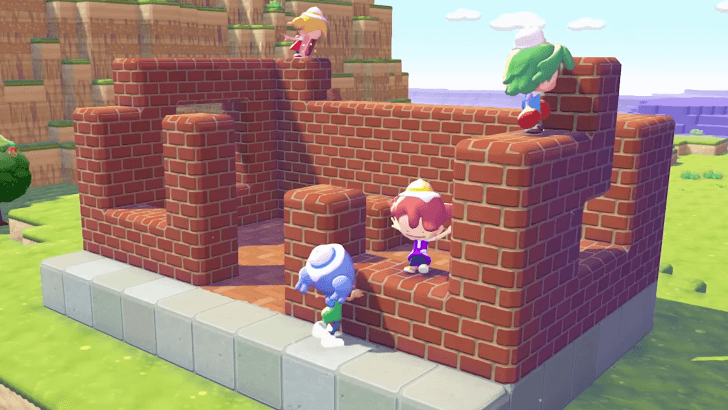
Although many Pokemon enjoy the outdoors, you can create homes for them to increase their comfort levels. Buildings can be constructed using building kits or by making one yourself block-by-block.
Building kits are built by Pokemon with specialties that match the building requirements as long as the materials required have been provided. Buildings take time to complete, and you will be notified on when construction will finish.
A building made by hand using blocks requires at least four walls and must be at least two blocks in height in order to classify as a building. This is the best way to make large or tall buildings that you can use in a variety of ways.
How to Build Houses and Structures
Add 3 Furniture Items to Make a Home
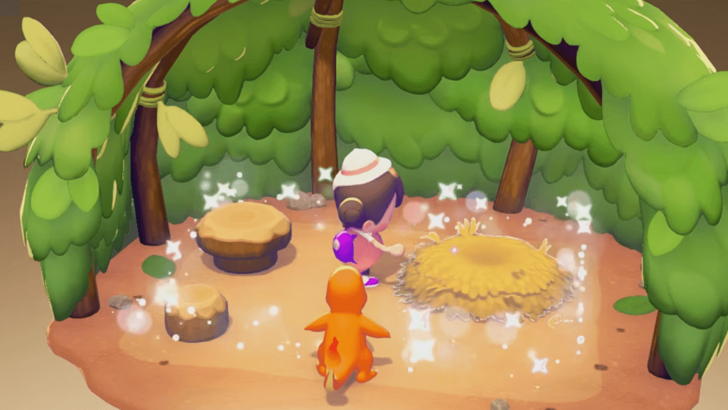
If you want to turn a building into a home, place at least three furniture items inside it. Then, when it's ready, you can ask a Pokemon to follow you and reassign them the house as their new habitat.
Place a Storage Box Next to a Workbench
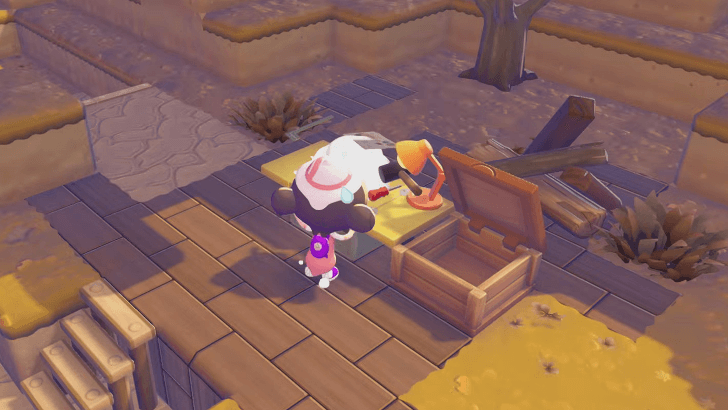
It's best to place a storage box right next to a workbench. Doing so allows you to draw materials from the storage box instead of your inventory when crafting at the workbench.
Just remember to add materials in the storage box beforehand!
Crafting Guide: How to Craft Items
Power Items with Electricity
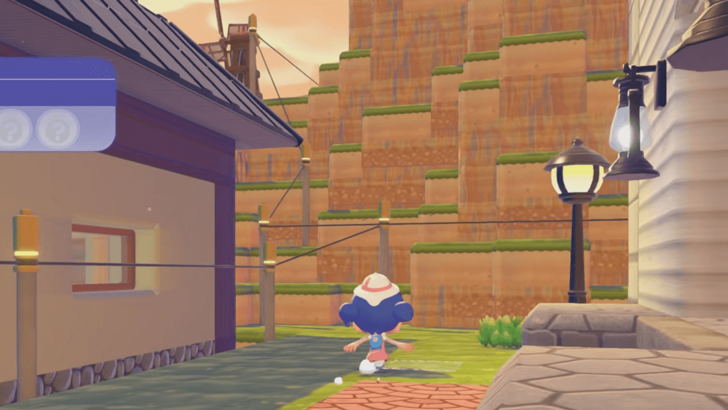
Some items such as lamps and other lighting fixtures require electricity in order to function. Electricity can be generated from Electric-type Pokemon or from energy sources such as windmills and distributed through power lines.
If you're thinking of using electrical items in your buildings, consider planning an electrical grid for an organized distribution of electricity on your island.
Video Guide
List of Tips and Tricks Guides
All Tips and Tricks
Pokemon Pokopia Related Guides

Pokemon Pokopia Guides by Category
 Walkthrough Walkthrough
|
 Pokemon Pokemon |
 News and Game Info News and Game Info |
 Habitat Habitat |
 Crafting Crafting |
 Tips and Tricks Tips and Tricks |
 Moves Moves |
 Materials Materials |
 Items Items |
 NPCs NPCs |
 Areas and Biomes Areas and Biomes |
 Requests Requests |
 Specialties Specialties |
 Ancient Artifacts Ancient Artifacts |
 Human Records Human Records |
 Highlight Reels Highlight Reels |
 Events Events |
- |
Message Boards
| Cloud Island Sharing Board | - |
Comment



Author

Beginner's Guide to Pokopia: Tips and Tricks

Rankings
- We could not find the message board you were looking for.

Gaming News




![Nova Roma Review [Early Access] | Newer, Better, and More Confusing](https://img.game8.co/4455512/2cbf8926e9a1c72a3ff056088f801ef4.png/thumb)
Popular Games

Genshin Impact Walkthrough & Guides Wiki
Umamusume: Pretty Derby Walkthrough & Guides Wiki
Crimson Desert Walkthrough & Guides Wiki
Monster Hunter Stories 3: Twisted Reflection Walkthrough & Guides Wiki
Honkai: Star Rail Walkthrough & Guides Wiki
Pokemon Pokopia Walkthrough & Guides Wiki
The Seven Deadly Sins: Origin Walkthrough & Guides Wiki
Wuthering Waves Walkthrough & Guides Wiki
Zenless Zone Zero Walkthrough & Guides Wiki
Arknights: Endfield Walkthrough & Guides Wiki









Recommended Games
Fire Emblem Heroes (FEH) Walkthrough & Guides Wiki
Diablo 4: Vessel of Hatred Walkthrough & Guides Wiki
Cyberpunk 2077: Ultimate Edition Walkthrough & Guides Wiki
Yu-Gi-Oh! Master Duel Walkthrough & Guides Wiki
Super Smash Bros. Ultimate Walkthrough & Guides Wiki
Pokemon Brilliant Diamond and Shining Pearl (BDSP) Walkthrough & Guides Wiki
Elden Ring Shadow of the Erdtree Walkthrough & Guides Wiki
Monster Hunter World Walkthrough & Guides Wiki
The Legend of Zelda: Tears of the Kingdom Walkthrough & Guides Wiki
Persona 3 Reload Walkthrough & Guides Wiki










All rights reserved
©2025 Pokémon. ©1995–2025 Nintendo / Creatures Inc. / GAME FREAK inc. ©KOEI TECMO GAMES
The copyrights of videos of games used in our content and other intellectual property rights belong to the provider of the game.
The contents we provide on this site were created personally by members of the Game8 editorial department.
We refuse the right to reuse or repost content taken without our permission such as data or images to other sites.