
How to Organize Your Storage
★ Tip: Use Frames to organize your Storage.
☆ Build Habitats with Ditto's Moves.
★ Build Houses and Structures for your Pokemon
☆ Increase Comfort & Environment Levels.
★ Redeem Mystery Gifts for free items & furniture.
☆ Limited Time Event: Befriend Hoppip until 3/24!
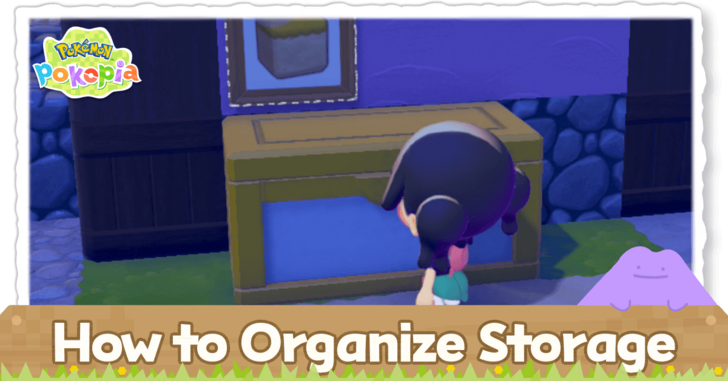
You may place frames that display items above your large storage boxes in order to organize your storage more effectively in Pokemon Pokopia. Read on to learn the different methods of organizing your storage, how to create storage boxes, and how to store items.
List of Contents
How to Organize Your Storage
|
|
 Craft a Large Storage Box
Craft Big Storage Boxes
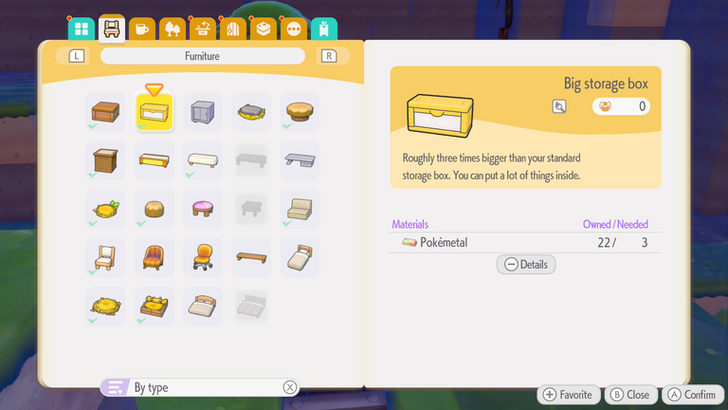
You may craft a big storage box with 3 Pokemetal to organize your items more efficiently. Each big storage box has 60 item slots, which is three times as big as the regular storage box.
Obtain the Recipe by Registering 30 Pokemon in the Pokedex
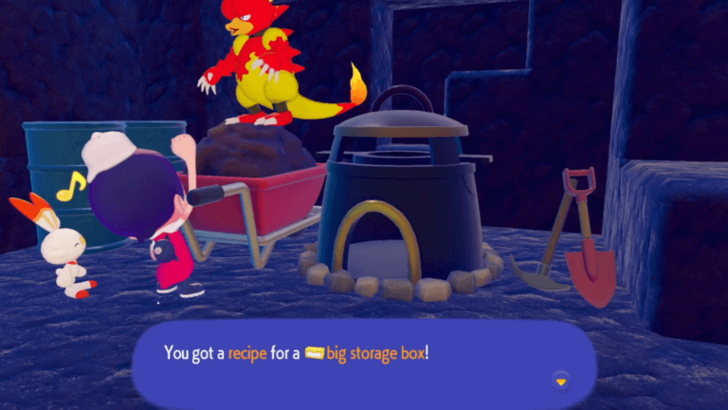
You may obtain this recipe by having 30 Pokemon registered in your Pokedex. You may achieve this by creating more habitats for Pokemon to spawn in.
Habitat Dex: How to Build All Habitats
Organize Each Storage Box by Item Type
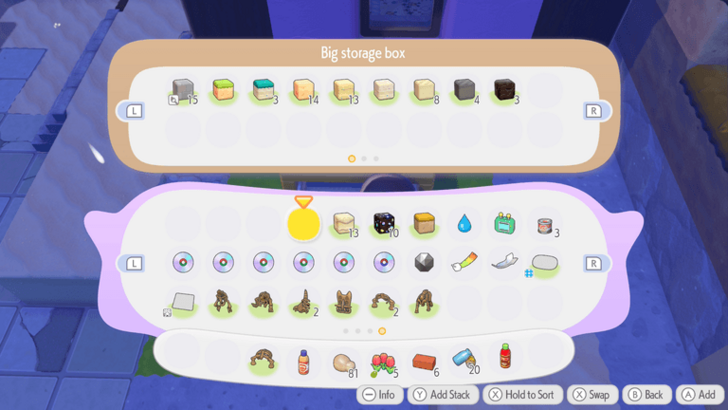
If you hold the X button while your inventory or storage is open, you will sort the items that you have. Once they are sorted, you may organize your storage so that each box contains only one type of item.
You may keep each box near each other so you have a dedicated area where you can get your items.
Use Frames to Label Each Box
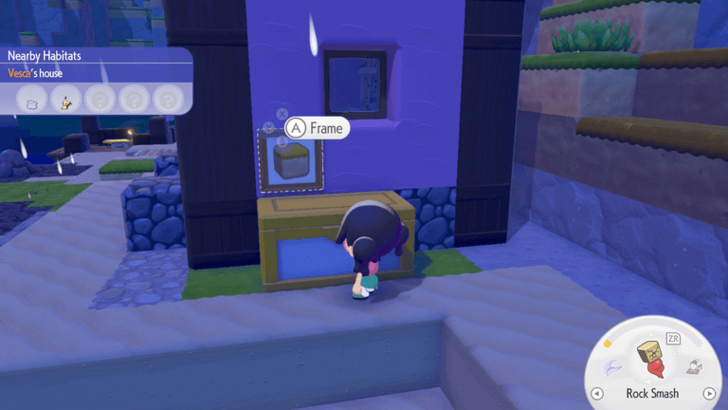
You may use frames to hang above each storage box. Once they are displayed, put an item from the same category as the ones stored inside the nearby storage box inside the frame. This can be a helpful to remind you of what you put inside the storage.
Use Rock Smash on Storage Boxes to Drop All Items
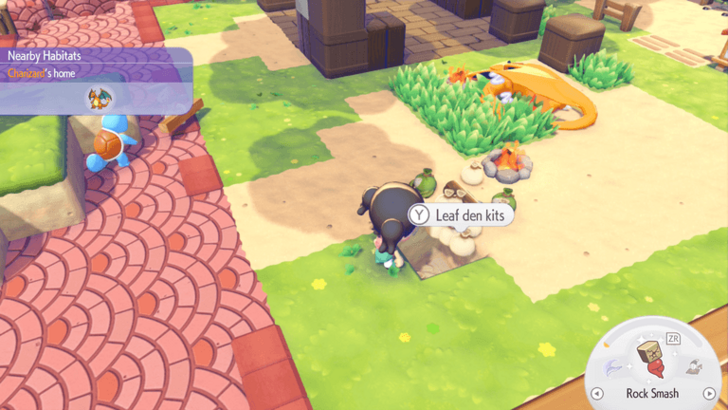
You may use Rock Smash on storage boxes in order to drop all items. You can then inhale both the box and the stored items into your inventory.
Afterwards, you may place the storage box in the overworld again, then sort your items again. This can be a quick and convenient way to empty storage boxes.
Do Not Use Too Many Boxes
If you use too many boxes to store items, it may be difficult to keep track of everything. It is best to try to keep your number of boxes low in order to minimize confusion.
Place Storage Boxes Next to Your Workbench
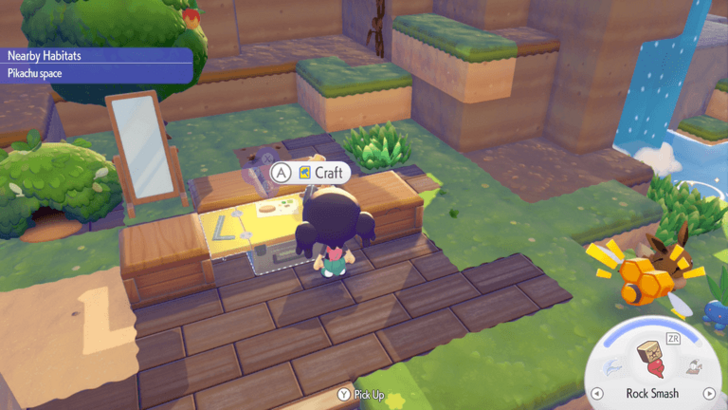
Placing a storage box next to a Workbench allows you to use the items inside the box while crafting. The storage box must be directly touching the workbench in order for this to work. This is useful especially when you are running out of inventory space.
You can place up to four storage boxes around each workbench. This allows you to pull from materials inside each box.
You may use big storage boxes in order to use as many materials as you can if you are crafting in bulk.
Crafting Guide: How to Craft Items
Increase Your Inventory Limit
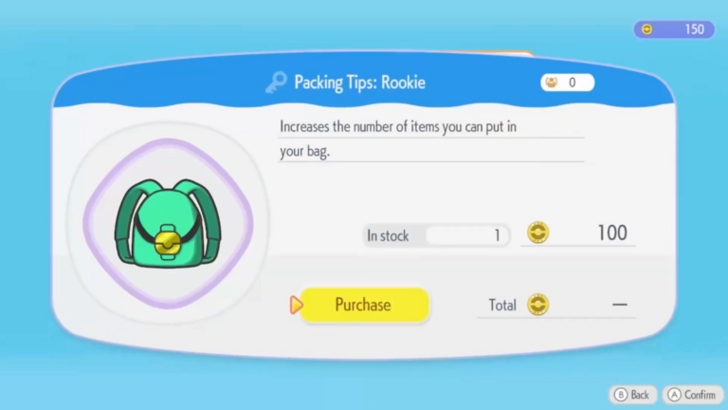
You may purchase Packing Tips in the PC Shop in order to increase the number of items you can carry.
More packing tips are unlocked with each new biome you discover. In order to unlock these biomes, you will need to progress the story.
Travel With Pokemon With the Storage Specialty
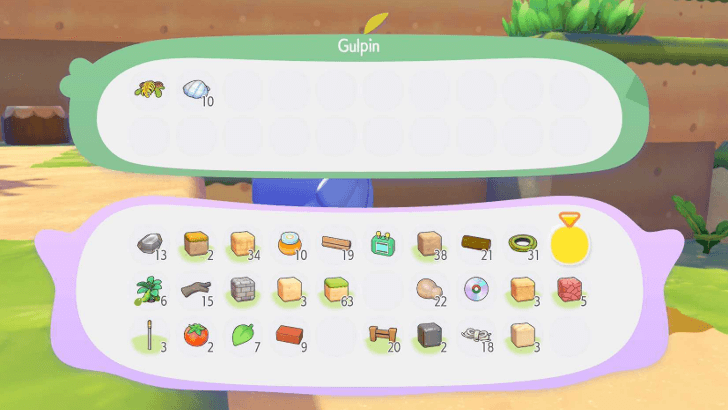
You may ask Pokemon with the Storage Specialty to store additional items for you. If you ask the Pokemon to follow you, you will be able to use the items that they stored for crafting.
Have Pokemon With the Gather Specialty in Each Biome
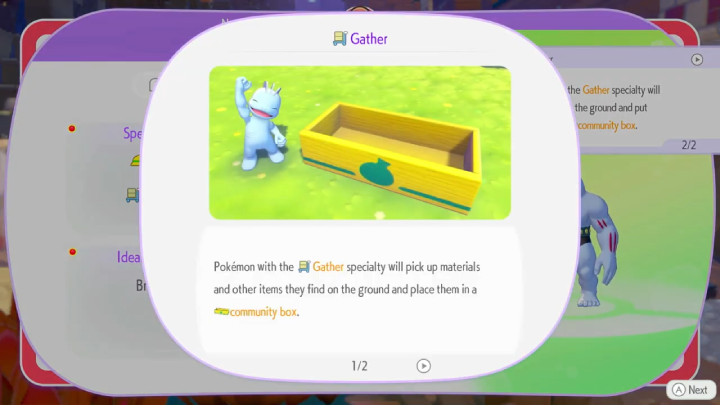
Pokemon with the Gather Specialty will pick up items and materials they find on the ground and store them in community boxes. Additionally, they can also bring materials that are stored inside community boxes to places where these materials can be processed, with one example being the Smelting Furnace.
If you do not have a Pokemon with the Gather Specialty in one biome, you may create more habitats in order to find one. Alternatively, you may transfer a Pokemon with Gather from one biome to another.
Gather Specialty Guide and How to Use
Trade Unused Items
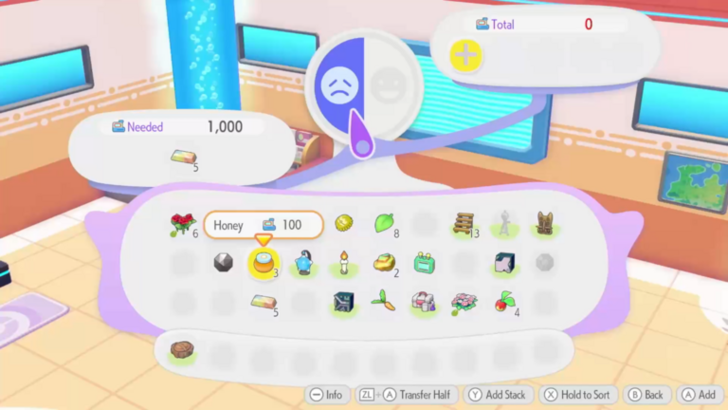
If you have excess items that you might not be able to store in the future, you may trade them off for other items.
You may trade items in a repaired Pokemon center or anywhere with a powered cash register and a table. These both require a Pokemon with the Trade Specialty.
Trade Specialty Guide and How to Use
How to Store Items
Create a Storage Box
| Item | Recipe | Capacity |
|---|---|---|
 Storage Box Storage Box
|
 Lumber
x1 Lumber
x1 |
20 items |
 Big Storage Box Big Storage Box
|
 Pokemetal
x3 Pokemetal
x3 |
60 items |
To store items outside your inventory, you must first create a storage box. You may craft one on any workbench.
Transfer Inventory Items to the Storage
| Button | Controls |
|---|---|
 |
Put in Container |
 |
Back |
 |
Swap Out |
Hold |
Sort |
 |
Transfer All |
 |
Transfer Half |
 |
Info |
Once you place your newly made storage box in the overworld, you may transfer items from your inventory into the box. Listed above are the controls for when you are using the storage box.
List of Controller and Mouse Mode Controls
Pokemon Pokopia Related Guides

Beginner's Guide to Pokopia: Tips and Tricks
All Tips and Tricks
Comment



Author

How to Organize Your Storage

Rankings

Gaming News





Popular Games

Genshin Impact Walkthrough & Guides Wiki
Umamusume: Pretty Derby Walkthrough & Guides Wiki
Pokemon Pokopia Walkthrough & Guides Wiki
Honkai: Star Rail Walkthrough & Guides Wiki
Monster Hunter Stories 3: Twisted Reflection Walkthrough & Guides Wiki
Arknights: Endfield Walkthrough & Guides Wiki
Wuthering Waves Walkthrough & Guides Wiki
Zenless Zone Zero Walkthrough & Guides Wiki
Pokemon TCG Pocket (PTCGP) Strategies & Guides Wiki
Monster Hunter Wilds Walkthrough & Guides Wiki









Recommended Games
Fire Emblem Heroes (FEH) Walkthrough & Guides Wiki
Diablo 4: Vessel of Hatred Walkthrough & Guides Wiki
Cyberpunk 2077: Ultimate Edition Walkthrough & Guides Wiki
Yu-Gi-Oh! Master Duel Walkthrough & Guides Wiki
Super Smash Bros. Ultimate Walkthrough & Guides Wiki
Pokemon Brilliant Diamond and Shining Pearl (BDSP) Walkthrough & Guides Wiki
Elden Ring Shadow of the Erdtree Walkthrough & Guides Wiki
Monster Hunter World Walkthrough & Guides Wiki
The Legend of Zelda: Tears of the Kingdom Walkthrough & Guides Wiki
Persona 3 Reload Walkthrough & Guides Wiki










All rights reserved
©2025 Pokémon. ©1995–2025 Nintendo / Creatures Inc. / GAME FREAK inc. ©KOEI TECMO GAMES
The copyrights of videos of games used in our content and other intellectual property rights belong to the provider of the game.
The contents we provide on this site were created personally by members of the Game8 editorial department.
We refuse the right to reuse or repost content taken without our permission such as data or images to other sites.