
How to Use Mouse Mode
★ Tip: Use Frames to organize your Storage.
☆ Build Habitats with Ditto's Moves.
★ Build Houses and Structures for your Pokemon
☆ Increase Comfort & Environment Levels.
★ Redeem Mystery Gifts for free items & furniture.
☆ Limited Time Event: Befriend Hoppip until 3/24!
Mouse Mode can be used to break blocks and build houses in Pokemon Pokopia. Learn how to use Mouse Mode, its controls, and what you can use it for here!
List of Contents
How to Use Mouse Mode
|
|

Turn Mouse Mode On in Settings
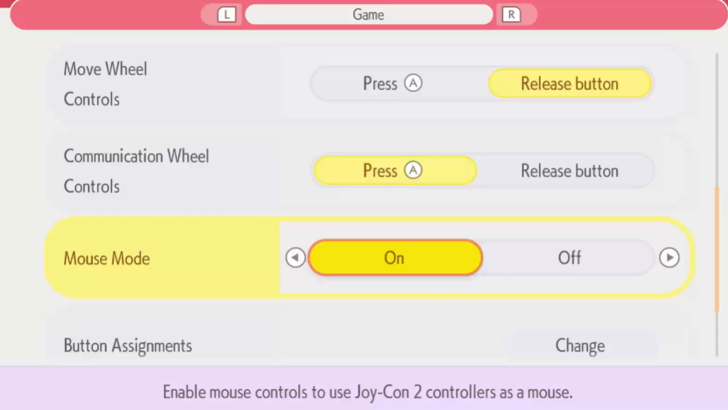
Check your Game Settings to see if Mouse Mode is On. After turning it on, remove your controllers from the dock.
Hold one of them on its side, the magnet facing the surface, as if you were holding an actual computer mouse. This will cause a cursor to appear on the screen.
Use The Cursor to Aim at Specific Blocks
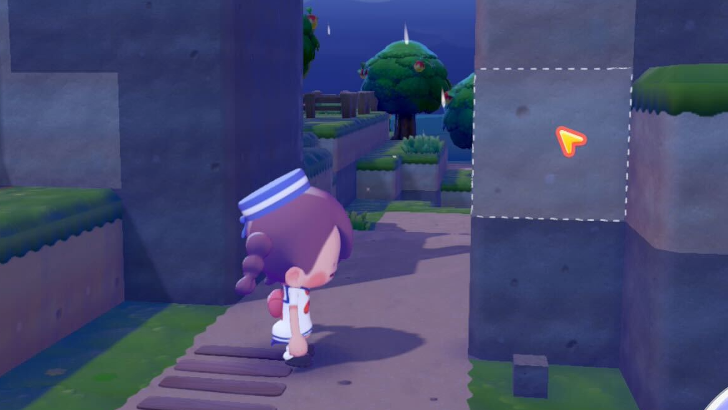
The cursor can be used to target specific blocks for either breaking with Rock Smash, or for placing new blocks while in Mouse Mode.
You Can Only Use Rock Smash While in Mouse Mode
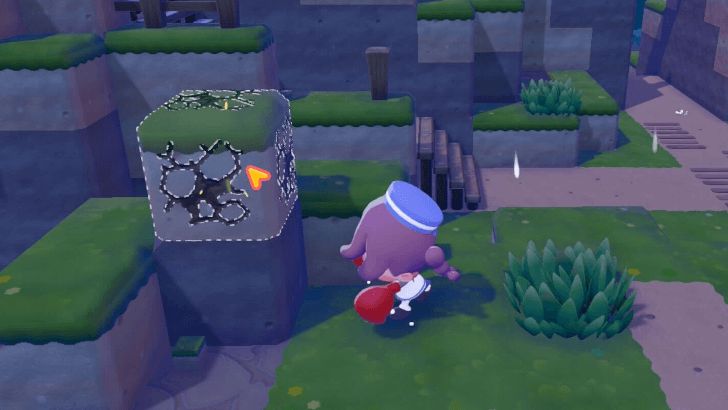
In Mouse Mode, you are unable to use any move other than Rock Smash. This severely limits your maneuverability, so Mouse Mode should only be used for certain actions.
Use Mouse Mode For Building
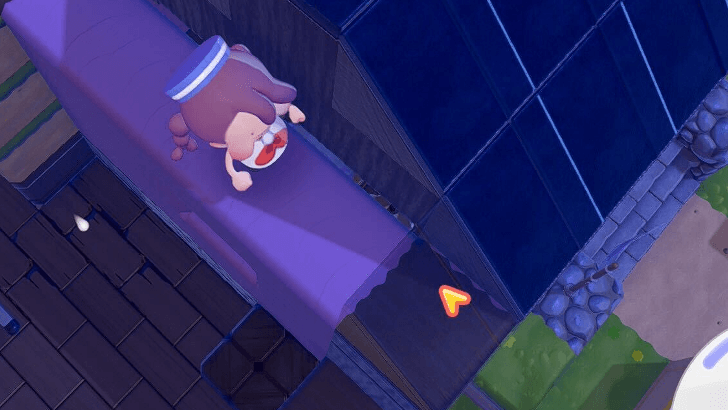
Mouse Mode is helpful for building structures out of blocks. Using a cursor allows for more precise aim with placing or destroying blocks, which makes it more efficient for building and town planning.
How to Build Houses and Structures
Mouse Mode Controls
Button Controls
| Button | Controls |
|---|---|
 (Right Mouse) |
Place Items |
 (Right Mouse) |
Rock Smash |
 (Left Mouse) |
Place Items |
 (Left Mouse) (Left Mouse) |
Rock Smash |
You can use either the Left controller or Right controller as the mouse depending on your dominant hand. The only difference is that the button functions will switch depending on the active mouse.
For example, if the Right Controller is being used as a mouse, then R and ZR will be the main buttons. However, if you use the Left Controller, then the main buttons will be L and ZL.
List of Controller and Mouse Mode Controls
Pokemon Pokopia Related Guides

Beginner's Guide to Pokopia: Tips and Tricks
All Tips and Tricks
Comment



Author

How to Use Mouse Mode

Rankings

Gaming News





Popular Games

Genshin Impact Walkthrough & Guides Wiki
Umamusume: Pretty Derby Walkthrough & Guides Wiki
Pokemon Pokopia Walkthrough & Guides Wiki
Honkai: Star Rail Walkthrough & Guides Wiki
Monster Hunter Stories 3: Twisted Reflection Walkthrough & Guides Wiki
Arknights: Endfield Walkthrough & Guides Wiki
Wuthering Waves Walkthrough & Guides Wiki
Zenless Zone Zero Walkthrough & Guides Wiki
Pokemon TCG Pocket (PTCGP) Strategies & Guides Wiki
Monster Hunter Wilds Walkthrough & Guides Wiki









Recommended Games
Fire Emblem Heroes (FEH) Walkthrough & Guides Wiki
Diablo 4: Vessel of Hatred Walkthrough & Guides Wiki
Cyberpunk 2077: Ultimate Edition Walkthrough & Guides Wiki
Yu-Gi-Oh! Master Duel Walkthrough & Guides Wiki
Super Smash Bros. Ultimate Walkthrough & Guides Wiki
Pokemon Brilliant Diamond and Shining Pearl (BDSP) Walkthrough & Guides Wiki
Elden Ring Shadow of the Erdtree Walkthrough & Guides Wiki
Monster Hunter World Walkthrough & Guides Wiki
The Legend of Zelda: Tears of the Kingdom Walkthrough & Guides Wiki
Persona 3 Reload Walkthrough & Guides Wiki










All rights reserved
©2025 Pokémon. ©1995–2025 Nintendo / Creatures Inc. / GAME FREAK inc. ©KOEI TECMO GAMES
The copyrights of videos of games used in our content and other intellectual property rights belong to the provider of the game.
The contents we provide on this site were created personally by members of the Game8 editorial department.
We refuse the right to reuse or repost content taken without our permission such as data or images to other sites.