
How to Move Houses
★ Tip: Use Frames to organize your Storage.
☆ Build Habitats with Ditto's Moves.
★ Build Houses and Structures for your Pokemon
☆ Increase Comfort & Environment Levels.
★ Redeem Mystery Gifts for free items & furniture.
☆ Limited Time Event: Befriend Hoppip until 3/24!
You can move Ditto or other village Pokemon to new homes in Pokemon Pokopia. See how you can move your habitats and relocate Ditto and other Pokemon to other houses here.
List of Contents
How to Move Built Houses
- Purchase and Use a Relocation Kit
- Bring the Required Pokemon
- Collect the Relocation Kit
- Place and Build the Relocation Kit
Purchase and Use a Relocation Kit
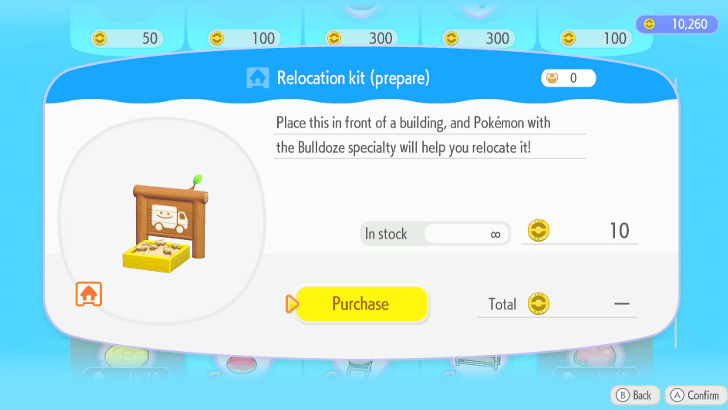
Moving buildings is a slightly longer process, first requiring you to buy a Relocation Kit from the shop.
Upon acquiring this Relocation Kit, place it in front of the house to designate it for moving.
Block Houses Cannot Be Relocated
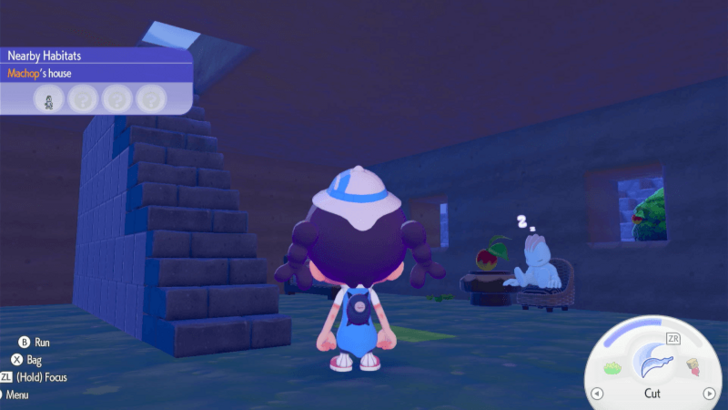
Take note that houses built using blocks cannot be relocated using a Relocation Kit. Only fixed houses and structures built using a building kit can be moved. Building kits that create block houses also cannot be moved.
Block houses must be rebuilt block-by-block if you want to move them.
Bring the Required Pokemon
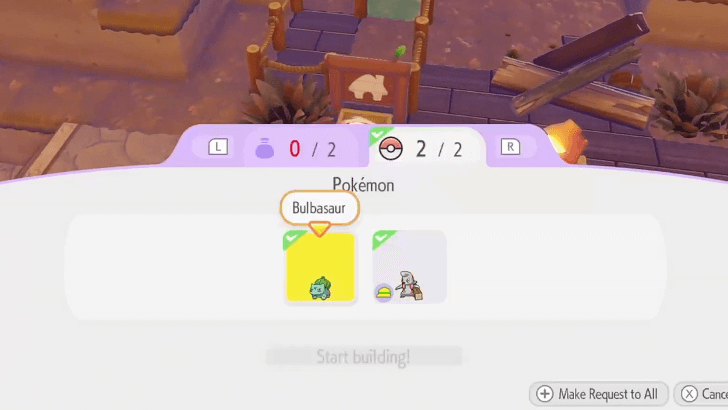
Afterwards, you must bring adequate Builder Pokemon who can help deconstruct and move the house.
If it is Ditto's House, Remove the Ditto Flag
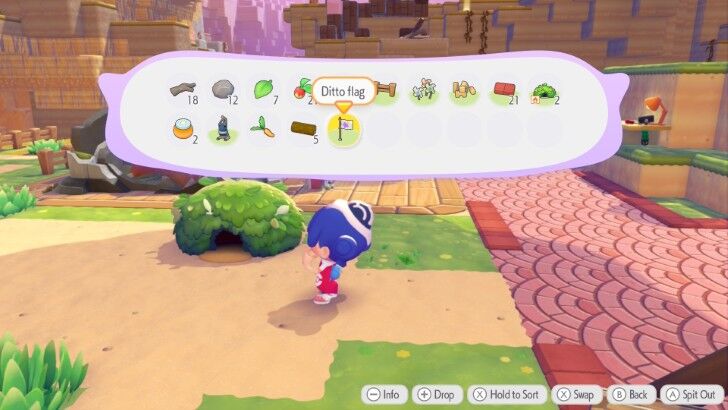
If you are moving Ditto's house, you must also remove your Ditto Flag during this time or else it will not proceed to the next part of the moving process.
Collect the Relocation Kit
With the Pokemon assigned, return to it at a later time once the Pokemon have finished packing up in order to retrieve the now-full Relocation Kit.
Place and Build the Relocation Kit
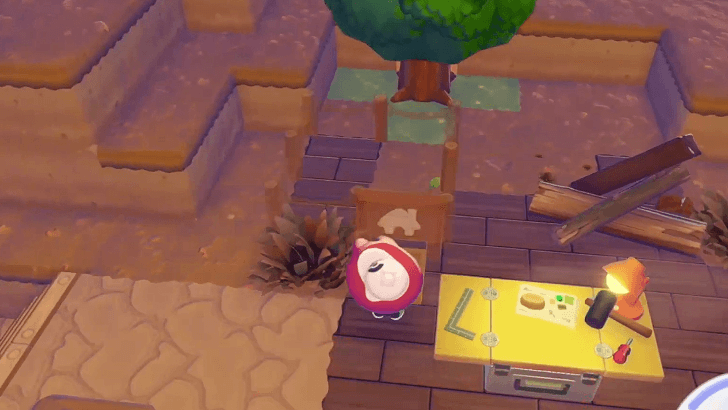
Take the Relocation Kit to a new area and set it down, where you will then need the Builder Pokemon to help you build it again, minus the materials.
After placing the Kit and assigning the Pokemon, all that's left to do is to wait and the house will finish up via the normal construction process.
How to Move Pokemon Habitats
- Create a new Habitat
- Get the Pokemon to Follow
- Go Near the New Habitat
- Ask the Pokemon to Move There
Create a New Habitat or House
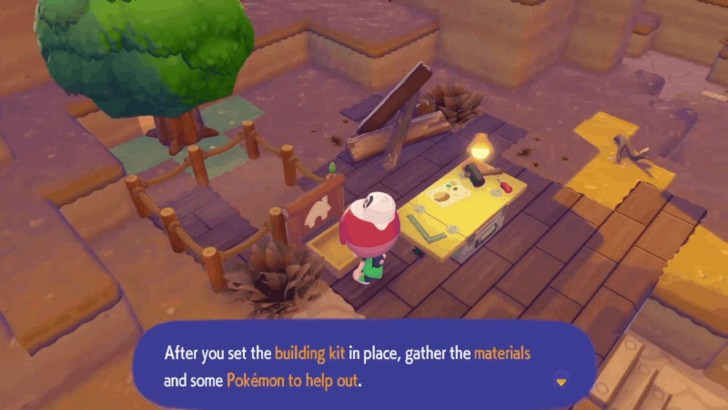
To start with moving Pokemon to new homes, you must first create a new and empty habitat or house for your Pokemon to move to.
How to Build Houses and Structures
Get the Pokemon to Follow
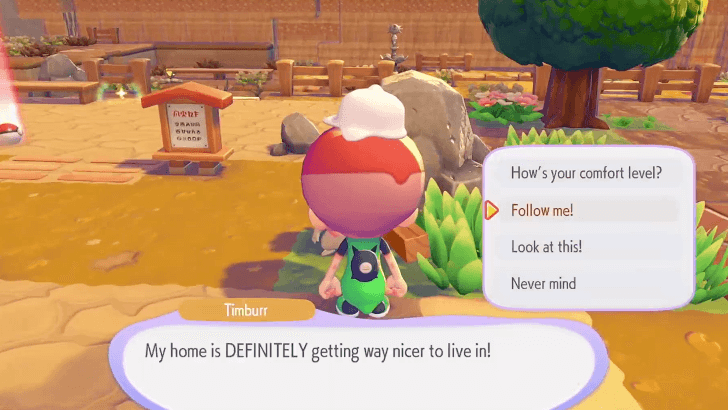
Once that is complete, ask the Pokemon in question to follow you.
How to Have Pokemon Follow You
Go Near the New Habitat
Take the Pokemon to the new habitat or house and talk to them.
Ask the Pokemon to Move There
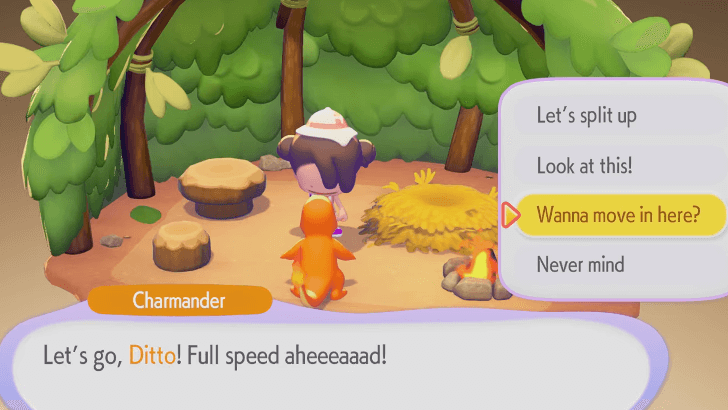
When near a new, empty, and suitable habitat or house, you can ask your Pokemon to move and they will live there instead, completely taking the new area as their home.
What to Do if You Can't Move
 Check if the House is Eligible
Check if the House is Eligible
Firstly, check if the house you are trying to move is eligible to be moved by a Relocation Kit. Certain light houses like Leaf Dens are simple and can be moved, but full-on constructed houses are not allowed.
This goes the same for habitats too, but you can simply circumvent that by building a new habitat as they do not eat up as much resources and time as full houses.
Check if There are Pokemon Inside
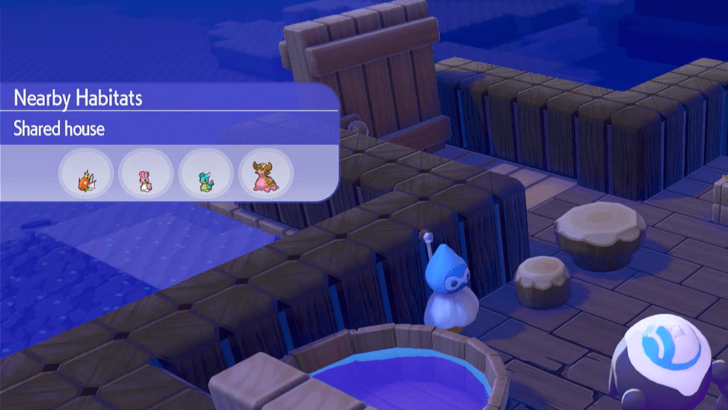
It is also possible that you cannot move the house because there are still Pokemon inside the area. Ensure that there are no Pokemon inside the house before attempting to move.
In addition, you could also remove the door or a wall block from the house to forcibly evict all the Pokemon inside.
Check if the Ditto Flag is Attached
Houses, particularly your own, cannot be removed if the Ditto Flag is still rested at the top of the house.
To fix, simply remove the Ditto Flag from the house to free it up for moving.
Check if the Pokemon are Eligible

Lastly, it is possible that the Pokemon you are trying to assign to the new habitat or home are simply not eligible for it.
This is often the case if you build the new house or habitat by certain terrain. For example, a Charmander would want to steer clear of a house built near Spring Water, and will not move there if these conditions are present.
Pokemon Pokopia Related Guides

Beginner's Guide to Pokopia: Tips and Tricks
All Tips and Tricks
Comment



Author

How to Move Houses

Rankings
- We could not find the message board you were looking for.

Gaming News




![Nova Roma Review [Early Access] | Newer, Better, and More Confusing](https://img.game8.co/4455512/2cbf8926e9a1c72a3ff056088f801ef4.png/thumb)
Popular Games

Genshin Impact Walkthrough & Guides Wiki
Umamusume: Pretty Derby Walkthrough & Guides Wiki
Crimson Desert Walkthrough & Guides Wiki
Monster Hunter Stories 3: Twisted Reflection Walkthrough & Guides Wiki
Honkai: Star Rail Walkthrough & Guides Wiki
Pokemon Pokopia Walkthrough & Guides Wiki
The Seven Deadly Sins: Origin Walkthrough & Guides Wiki
Wuthering Waves Walkthrough & Guides Wiki
Zenless Zone Zero Walkthrough & Guides Wiki
Arknights: Endfield Walkthrough & Guides Wiki









Recommended Games
Fire Emblem Heroes (FEH) Walkthrough & Guides Wiki
Diablo 4: Vessel of Hatred Walkthrough & Guides Wiki
Cyberpunk 2077: Ultimate Edition Walkthrough & Guides Wiki
Yu-Gi-Oh! Master Duel Walkthrough & Guides Wiki
Super Smash Bros. Ultimate Walkthrough & Guides Wiki
Pokemon Brilliant Diamond and Shining Pearl (BDSP) Walkthrough & Guides Wiki
Elden Ring Shadow of the Erdtree Walkthrough & Guides Wiki
Monster Hunter World Walkthrough & Guides Wiki
The Legend of Zelda: Tears of the Kingdom Walkthrough & Guides Wiki
Persona 3 Reload Walkthrough & Guides Wiki










All rights reserved
©2025 Pokémon. ©1995–2025 Nintendo / Creatures Inc. / GAME FREAK inc. ©KOEI TECMO GAMES
The copyrights of videos of games used in our content and other intellectual property rights belong to the provider of the game.
The contents we provide on this site were created personally by members of the Game8 editorial department.
We refuse the right to reuse or repost content taken without our permission such as data or images to other sites.