
List of All Hairstyles | How to Change Your Hair Color

There are a total of 24 hairstyles in Splatoon 3, 16 for Inklings, and 8 for Octolings. Read on to see a list of available hairstyles and find out how to change your character's hair color and hairstyle in the game!
List of Contents
List of All Hairstyles
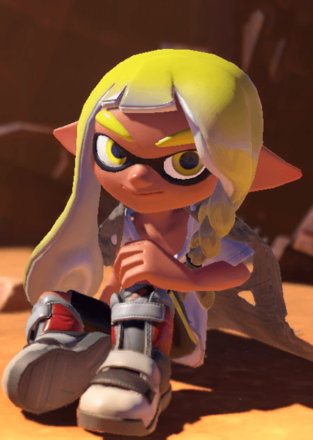
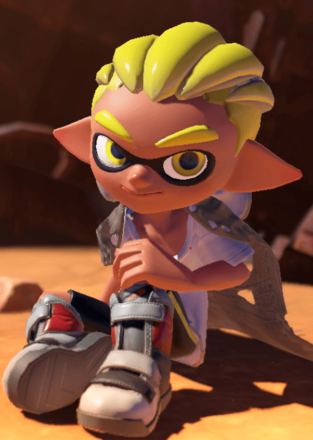
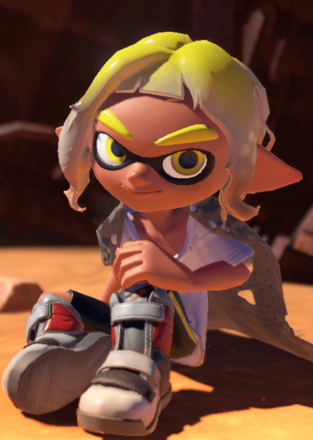
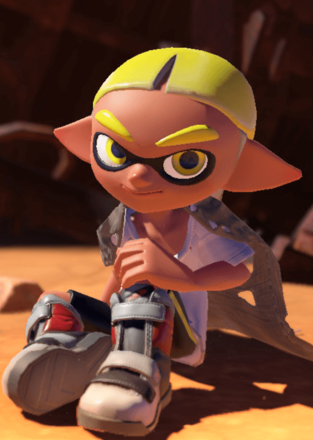
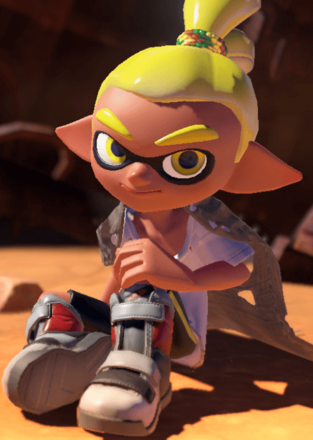
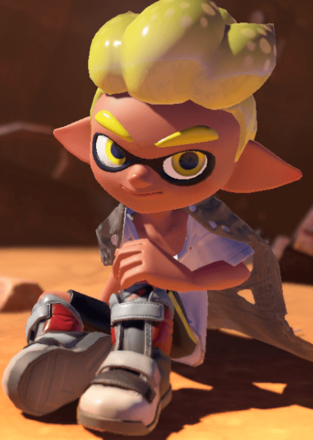
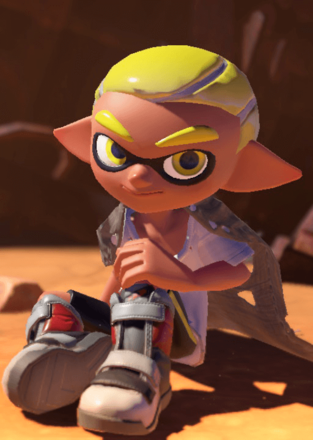
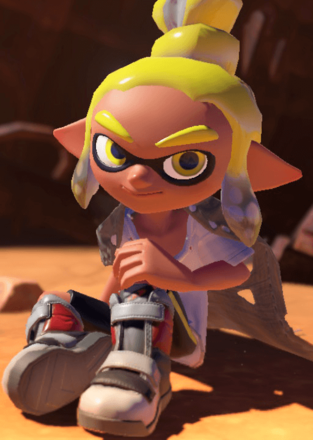
There are a total of 24 hairstyles to choose from with different lengths and styles to customize your character. Although you're required to select a hairstyle at the start of the game, you can change it anytime at the Player Options sub-menu in the Options Menu.
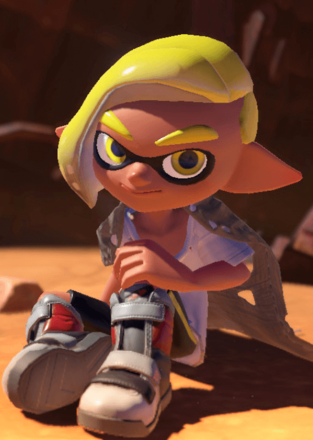
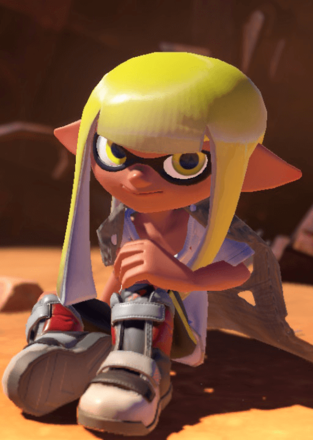
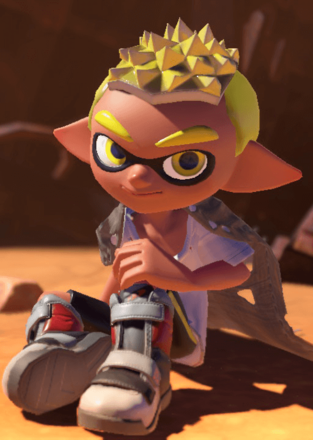
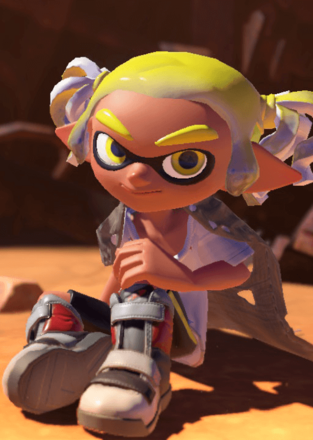
List of Inkling Hairstyles
16 of the 24 total hairstyles are exclusive to Inklings. If you see any of the hairstyles you like below, make sure to select Inkling when choosing the species of your character.
| All Inkling Hairstyles | |||
|---|---|---|---|
 |
 |
 |
 |
 |
 |
 |
 |
 |
 |
 |
 |
 |
 |
 |
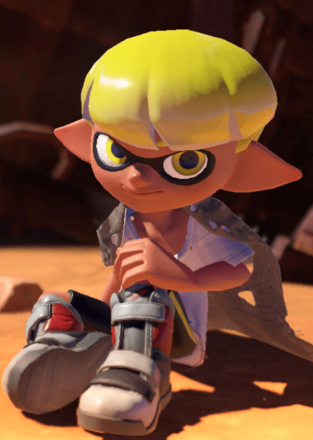 |
List of Octoling Hairstyles
Only 8 of the 24 total hairstyles are exclusive to Octolings, which is half the number of those available for Inklings. Choose to play as an Octoling if you like one of the hairstyles below!
| All Octoling Hairstyles | |||
|---|---|---|---|
 |
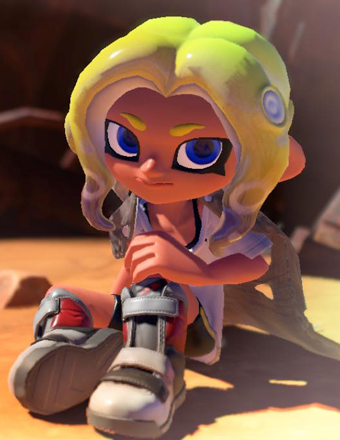 |
 |
 |
 |
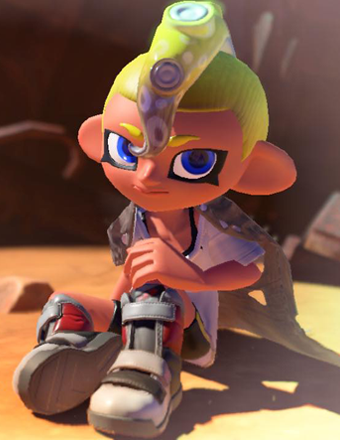 |
 |
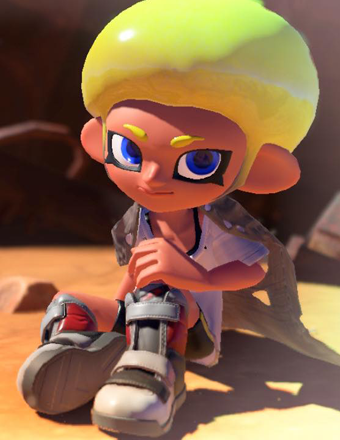 |
Inklings vs Octolings: Differences and How to Change
How to Change Your Hair Color
Hair Color is Randomized

There is currently no option to set or change your hair color in the game. While the tutorial gives you a set hair color, this is randomized every time you start the game and arrive at Splatsville, or reach a certain point in the game's story.
Hair Color Matches Your Last Team's Ink Color

Although hair color is randomized, you can change your Inkling or Octoling's hair color by participating in a Regular Battle or Turf War since your character's hair color will automatically get set to your last team's ink color once you return to Splatsville.
Keep in mind that you're not always guaranteed to get matched to the Yellow or Purple team, and your character's hair color will get randomized again once you start another match or exit the game.
How to Change Your Hairstyle
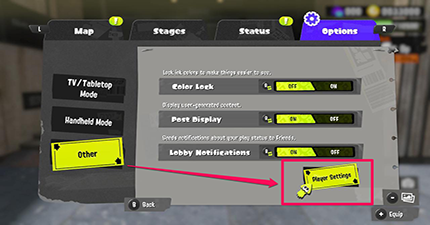
To change your character's hairstyle, you need to return to character creation by selecting Player Settings from the in-game menu. Player Settings is located in the Options tab under Others.
Splatoon 3 Related Guides

Tips and Tricks: Beginner's Guide to Splatoon



Author

List of All Hairstyles | How to Change Your Hair Color

Rankings
- We could not find the message board you were looking for.
Gaming News



![Death Stranding 2: On The Beach Review [PC] | A Port That Delivers](https://img.game8.co/4447392/15310a0c9aa1b6843bb713b2ea216930.jpeg/thumb)

Popular Games

Genshin Impact Walkthrough & Guides Wiki
Umamusume: Pretty Derby Walkthrough & Guides Wiki
Crimson Desert Walkthrough & Guides Wiki
Monster Hunter Stories 3: Twisted Reflection Walkthrough & Guides Wiki
Honkai: Star Rail Walkthrough & Guides Wiki
Pokemon Pokopia Walkthrough & Guides Wiki
The Seven Deadly Sins: Origin Walkthrough & Guides Wiki
Wuthering Waves Walkthrough & Guides Wiki
Zenless Zone Zero Walkthrough & Guides Wiki
Arknights: Endfield Walkthrough & Guides Wiki










Recommended Games
Fire Emblem Heroes (FEH) Walkthrough & Guides Wiki
Diablo 4: Vessel of Hatred Walkthrough & Guides Wiki
Cyberpunk 2077: Ultimate Edition Walkthrough & Guides Wiki
Yu-Gi-Oh! Master Duel Walkthrough & Guides Wiki
Super Smash Bros. Ultimate Walkthrough & Guides Wiki
Pokemon Brilliant Diamond and Shining Pearl (BDSP) Walkthrough & Guides Wiki
Elden Ring Shadow of the Erdtree Walkthrough & Guides Wiki
Monster Hunter World Walkthrough & Guides Wiki
The Legend of Zelda: Tears of the Kingdom Walkthrough & Guides Wiki
Persona 3 Reload Walkthrough & Guides Wiki










All rights reserved
© Nintendo
The copyrights of videos of games used in our content and other intellectual property rights belong to the provider of the game.
The contents we provide on this site were created personally by members of the Game8 editorial department.
We refuse the right to reuse or repost content taken without our permission such as data or images to other sites.