
Mail Glitch Guide: How to Duplicate Items
★ Best Pokemon Tier List
☆ Best Teams to Beat the Story
★ Celadon Game Corner Guide
☆ Farm EXP, Money, and Duplicate Items!
★ Shiny Hunting Guide and Shiny Odds
☆ How to Get Lugia, Ho-Oh, and Deoxys
You can duplicate items via the Mail Glitch method, also known as the Duplication Glitch, in Pokemon FireRed and LeafGreen (FRLG). See how to trigger the mail glitch, steps to duplicate items, and the best items to duplicate here!
List of Contents
Mail Glitch Guide: How to Duplicate Items
You can duplicate items by performing the Mail Glitch in Pokemon FireRed and LeafGreen. This exploit is available on the Nintendo Switch versions, and can be done to receive items like TMs and the Master Ball.
- Get Farfetch'd and the Knockoff Skill
- Get Mr. Mime and the Recycle Move
- Purchase an Oran Berry and Mail
- Have Three Pokemon in the Party
- Fight in a Double Battle
- Equip Retro Mail on a Full Party
- Equip the Item to be Duplicated on Farfetch'd
Get Farfetch'd and the Knock Off Skill
| Map | Overworld |
|---|---|
 |
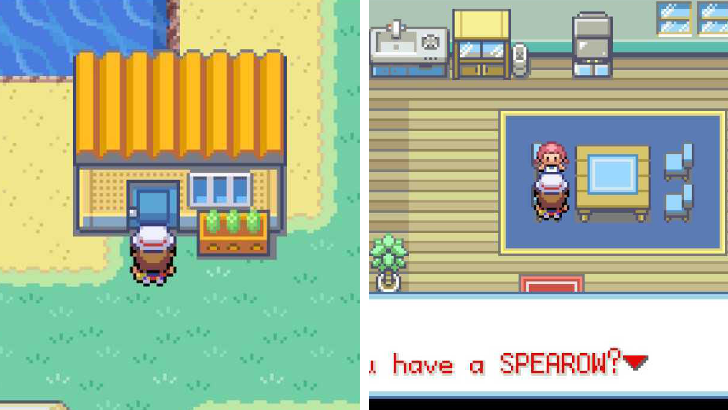 |
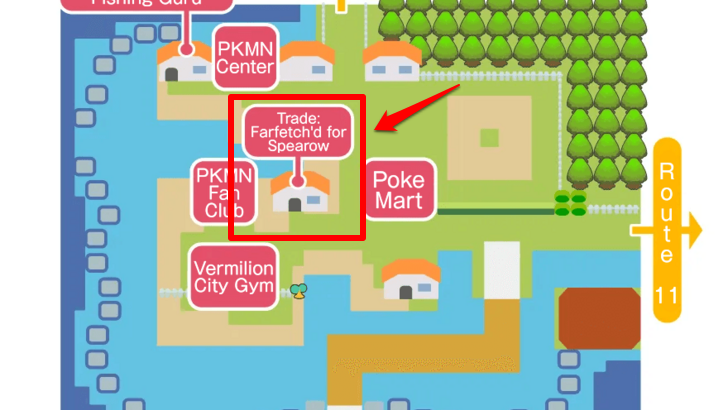
To trigger the Mail Glitch Guide, you must first get a Pokemon with the Knock Off move. Farfetch'd is the easiest to get here by trading Spearow for it in Vermilion City. Once you receive it and level it up to Lvl. 21, it automatically learns Knock Off.
All In-Game NPC Trades and Locations
Get Mr. Mime and the Recycle Move
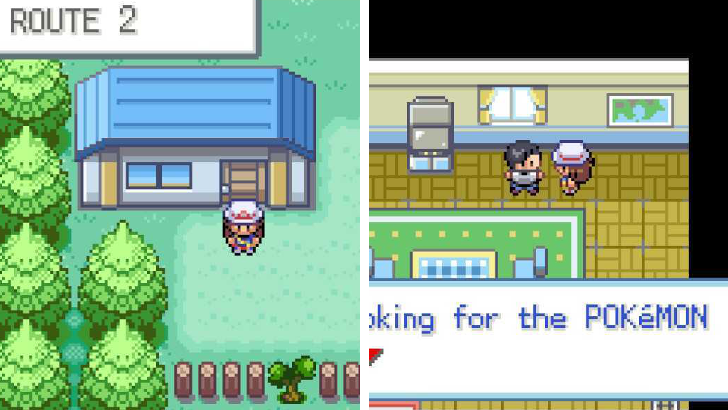
The second required Pokemon move to have is Recycle. Mr. Mime is the easiest to get, as you can trade for it with an NPC in Route 2 by giving him Abra, and it learns Recycle at Lvl. 33.
Mr. Mime Location, Evolution, and Stats
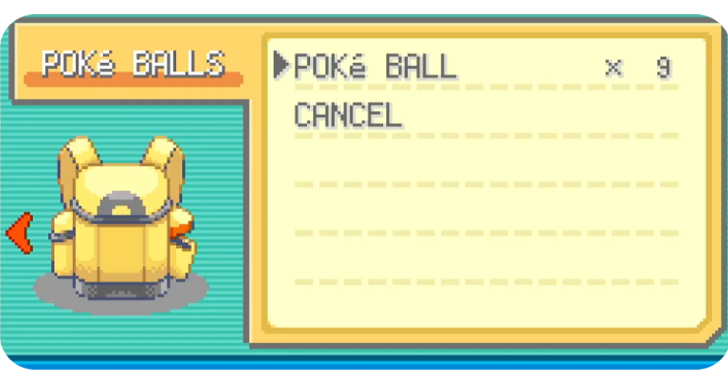
Purchase an Oran Berry and Mail
| Required Items | |
|---|---|
| Oran Berry * | Retro Mail |
* Any berry works.
The next step is to get a berry and as much Mail in your inventory. Oran Berries work the best, while Retro Mail is the easiest to get. It is important that the mail you have are identical copies, so you cannot use varying mail.
At least six copies of the mail item is required, with the sixth being consumed to generate the item you want to duplicate.
Have Three Pokemon in the Party
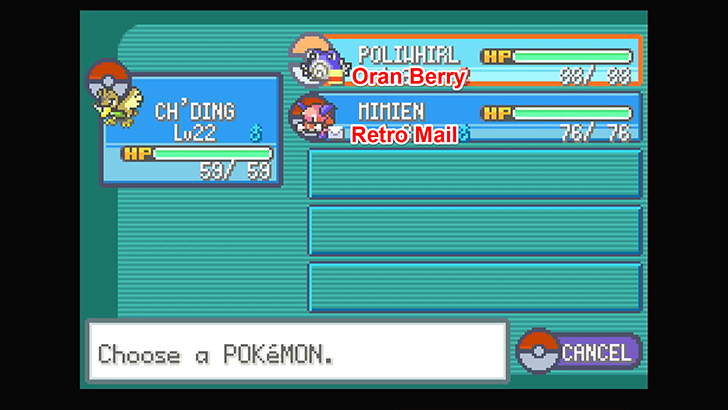
| First Pokemon (Lead) |
Second Pokemon | Third Pokemon |
|---|---|---|
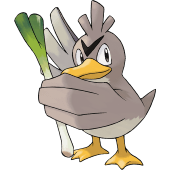 Farfetch'd Farfetch'd
|
Any Random Pokemon (Berry Held) |
 Mr. Mime Mr. Mime
(Retro Mail Held) |
Once you have a berry and mail, get three Pokemon in your inventory. The first two Pokemon should be Farfetch'd and a random Pokemon, while the third Pokemon should be Mr. Mime.
The random Pokemon must be holding the berry, while Mr. Mime should be holding the mail. Any message works, but you can use the word Abra for quick-access. Once done, press Save to ensure you don't lose progress.
Fight in a Double Battle
After saving, look for a double battle with Farfetch'd and the Random Pokemon in the field. The next steps are important to trigger the Mail Glitch.
Double Battle Steps
| # | Step by Step Objectives |
|---|---|
| 1 | 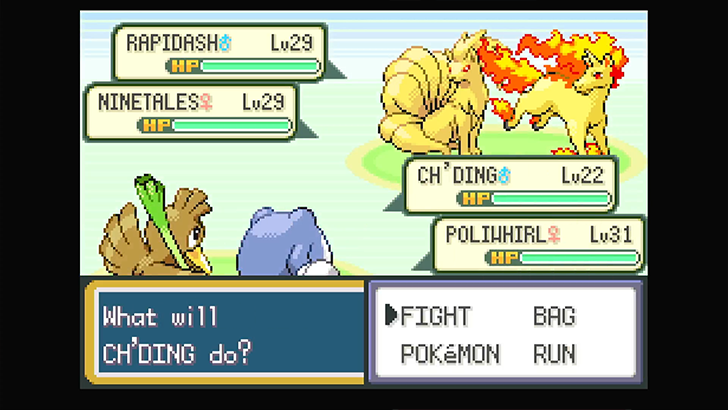 Have Farfetch'd and the Random Pokemon Fight Together Ensure that the first two Pokemon that appears in the fight is Farfetch'd and the Random Pokemon. Mr. Mime is required to sub in later on. |
| 2 | 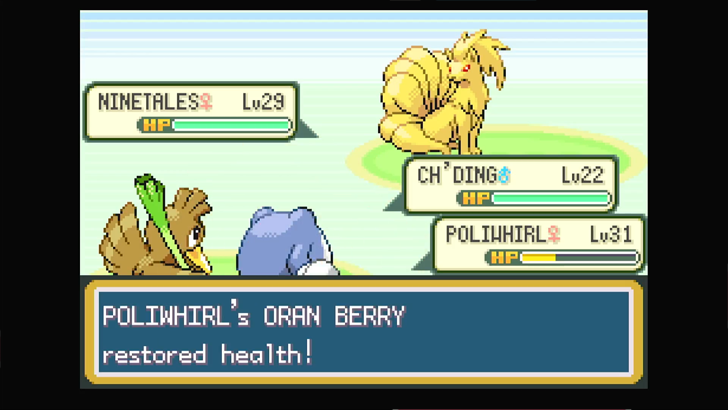 Have the Second Pokemon Use the Berry Let the secondary Pokemon's HP reach 50% so the Oran Berry is eaten. |
| 3 | 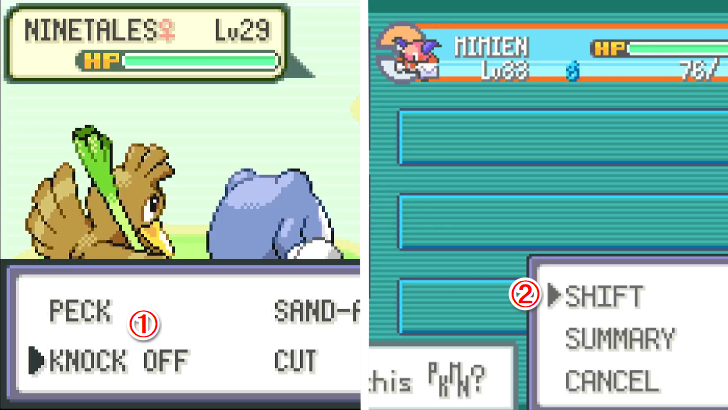 Use Knock Off on the Second Pokemon and Swap to Mr. Mime With the Oran Berry eaten, have Farfetch'd use its Knock Off skill on the Second Pokemon. Then, have the Second Pokemon switch out to Mr. Mime before it happens. Note: This is a crucial step, as the item that must be Knocked Off is the Retro Mail. |
| 4 | 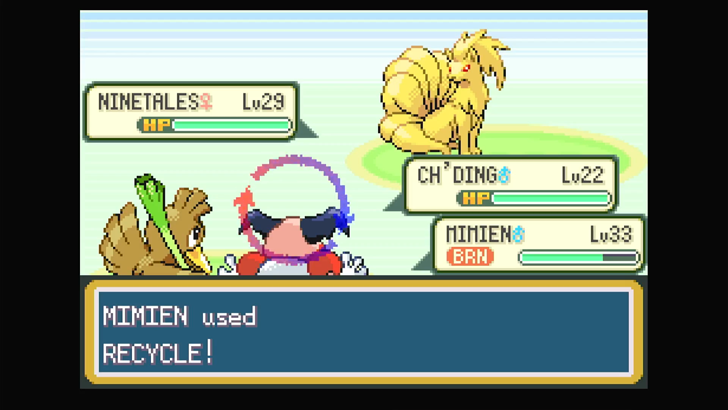 Have Mr. Mime Use Recycle Once the Retro Mail is knocked off Mr. Mime's hands, press Recycle during its turn. Instead of retrieving the Mail, it will get the Oran Berry. |
| 5 | 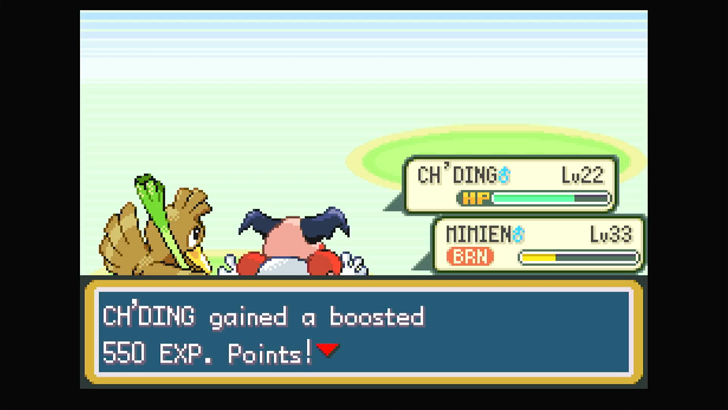 Complete the Fight After all the steps above are done, simply complete the fight. It doesn't matter if you win or lose or if Mr. Mime eats the Oran Berry. |
| 6 | 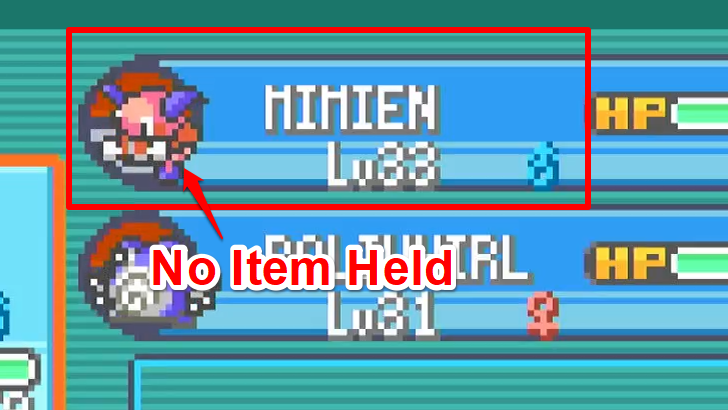 Check Party and Head to the Pokemon Center If you've done all the steps correctly, Mr. Mime should have no item being held. You can then head to the Pokemon Center and fill the rest of the party. |
Equip Retro Mail on a Full Party
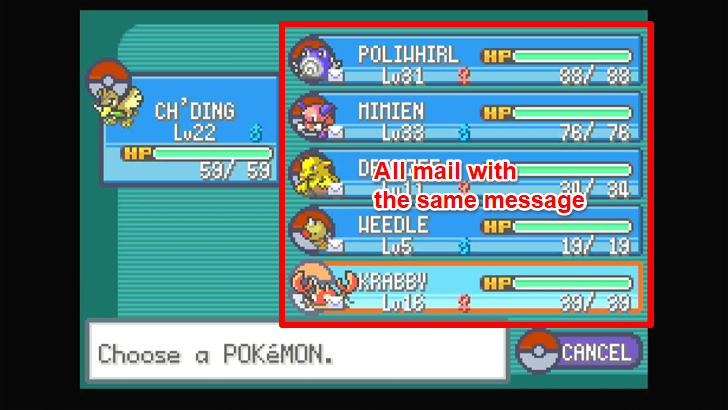
| Party Setup | ||
|---|---|---|
|
Farfetch'd
(Lead) |
Random Pokemon Used (Mail Held) |
Mr. Mime
(Mail Held) |
| Any Pokemon (Mail Held) |
Any Pokemon (Mail Held) |
Any Pokemon (Mail Held) |
| Note: The message of all five mail should be the same as the original mail that was lost. | ||
Go to a Pokemon Center and build a full party with the three initial Pokemon used included without their positions changed. Then, equip Retro Mail to the five Pokemon in the Party that's not Farfetch'd.
Equip the Item to be Duplicated on Farfetch'd
Lastly, give Farfetch'd the item you want to duplicate. Once it's held, replace it with another Retro Mail. If the Mail Message is showing ??? as the text prompts, you've done it correctly.
Skip naming the mail by simply pressing Ok, then Yes. If you check the party, Farfetch'd should still be holding an item, but the Mail should have been converted into the item.
Best Items to Duplicate
Best Items to Use the Mail Glitch On
| Item | Effect |
|---|---|
| Nugget | Can be sold for 5000 Poke Dollars |
| Rare Candy | Raises a Pokemon's level by 1 |
| Master Ball | Pokeball with a 100% guaranteed capture rate |
The Nugget, Rare Candy, and Master Ball are all recommended items to duplicate using the Mail Glitch. For the Nugget, this is an alternative to the Nugget Bridge Glitch as both lead to infinite money.
Infinite Rare Candies means that you can just level up any Pokemon on demand, while infinite Master Balls means that you can capture any Pokemon without any struggle.
Pokemon FireRed and LeafGreen Related Guides

Guides by Category
 Pokemon Pokemon |
 Walkthrough Walkthrough |
 Tips and Tricks Tips and Tricks |
 Moves Moves |
 HMs HMs |
 TMs TMs |
 Abilities Abilities |
 Natures Natures |
 Items Items |
 Locations Locations |
 Latest News Latest News |
- |
Recommended Guides
 Best Starter Pokemon
 Weakness and Type Chart
 All Status Effects
 Best Pokemon Tier List
 Best Teams to Beat the Story
 Best HM Pokemon
 EXP Farming Guide
 Money Farming Guide
 How to Duplicate Items
 List of Missable Content
 Post Game Guide
 All Legendary Pokemon
 Game Corner Guide
 Safari Zone Guide
 Breeding Guide
 All NPC Trades and Locations
 EV Training Guide
 How to Get Deoxys
 All Stone Evolutions
 All Trade Evolutions
 All Friendship Evolutions
 Fame Checker Guide
 Fishing Guide
 Berry Crush Minigame Guide
 Braille Guide
 IV Calculator


Author

Pokemon FireRed and LeafGreen (FRLG) Walkthrough & Guides Wiki
Mail Glitch Guide: How to Duplicate Items

Rankings
- We could not find the message board you were looking for.

Gaming News





Popular Games

Genshin Impact Walkthrough & Guides Wiki
Umamusume: Pretty Derby Walkthrough & Guides Wiki
Crimson Desert Walkthrough & Guides Wiki
Monster Hunter Stories 3: Twisted Reflection Walkthrough & Guides Wiki
Honkai: Star Rail Walkthrough & Guides Wiki
Pokemon Pokopia Walkthrough & Guides Wiki
The Seven Deadly Sins: Origin Walkthrough & Guides Wiki
Wuthering Waves Walkthrough & Guides Wiki
Zenless Zone Zero Walkthrough & Guides Wiki
Arknights: Endfield Walkthrough & Guides Wiki










Recommended Games
Fire Emblem Heroes (FEH) Walkthrough & Guides Wiki
Diablo 4: Vessel of Hatred Walkthrough & Guides Wiki
Cyberpunk 2077: Ultimate Edition Walkthrough & Guides Wiki
Yu-Gi-Oh! Master Duel Walkthrough & Guides Wiki
Super Smash Bros. Ultimate Walkthrough & Guides Wiki
Pokemon Brilliant Diamond and Shining Pearl (BDSP) Walkthrough & Guides Wiki
Elden Ring Shadow of the Erdtree Walkthrough & Guides Wiki
Monster Hunter World Walkthrough & Guides Wiki
The Legend of Zelda: Tears of the Kingdom Walkthrough & Guides Wiki
Persona 3 Reload Walkthrough & Guides Wiki










All rights reserved
©2004 Pokémon. ©1995-2004 Nintendo/Creatures Inc./GAME FREAK inc. Pokémon and Nintendo Switch are trademarks of Nintendo.
The copyrights of videos of games used in our content and other intellectual property rights belong to the provider of the game.
The contents we provide on this site were created personally by members of the Game8 editorial department.
We refuse the right to reuse or repost content taken without our permission such as data or images to other sites.
you show the party composition 3 different ways. Which way is it? farfetched mime and random or farfetched random and mime?