
How to Open the Main Menu
★ Best Pokemon Tier List
☆ Best Teams to Beat the Story
★ Celadon Game Corner Guide
☆ Farm EXP, Money, and Duplicate Items!
★ Shiny Hunting Guide and Shiny Odds
☆ How to Get Lugia, Ho-Oh, and Deoxys
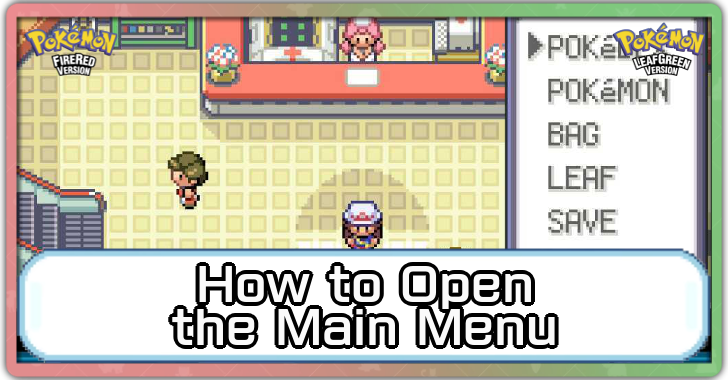
Press the Plus (+) Button on your Nintendo Switch to open the Main Menu for Pokemon FireRed and LeafGreen (FRLG). Learn about the in-game main menu, how to access it, and what it contains here!
List of Contents
How to Open the Main Menu
Press the Plus (+) Button on the Switch
Open the main menu by pressing the plus (+) button on your Nintendo Switch while in the overworld. You cannot access it during a conversation with an NPC or while engaging in a Pokémon battle.
Main Menu Features
| All Main Menu Features | ||
|---|---|---|
| Pokedex | Pokemon | Bag |
| Trainer | Save | Settings |
The Main Menu has six tabs that cover the basic features of the game, including your Pokedex, Pokemon team, items, etc. Check out what you can do for each tab here!
Access the Pokedex
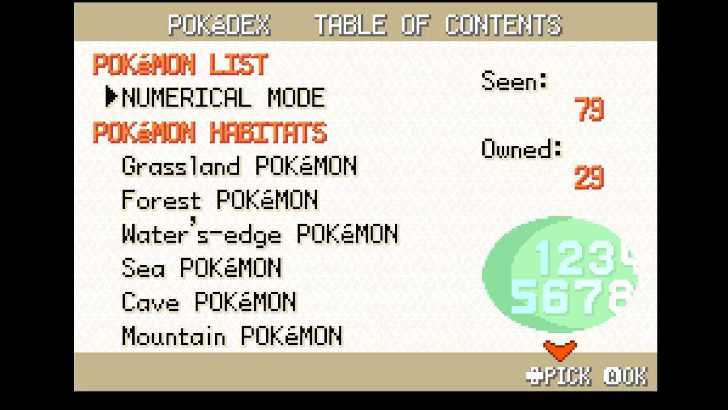
Check out the Pokedex from the Main Menu after getting it from Professor Oak. This lets you see all the Pokémon you encounter, including their details and numerical count for both the National Dex and Kanto Dex.
The Pokedex also lets you see where Pokémon are often found via their habitats, letting you capture them more efficiently!
Full Pokedex: All Pokemon in FireRed and LeafGreen (FRLG)
Observe your Pokemon
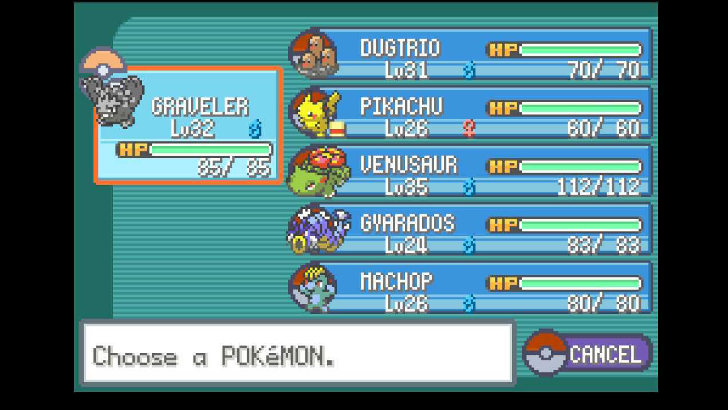
In the Pokémon menu, you can sort the team order, view your Pokemon's current health, and see their information summary. You can have up to six Pokémon in one team.
Use Items in Your Bag
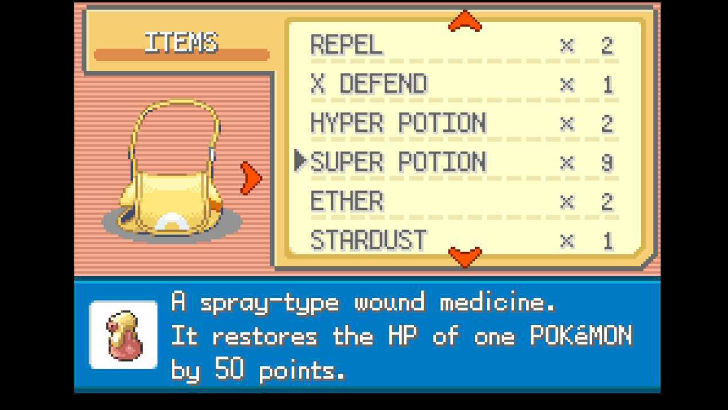
Using your bag, access the different items you have, including consumables, Key items for exploration and story progression, like your Map or Bike, and Poké Balls to capture the different Pokémon in the Kanto region!
Check Your Trainer Summary
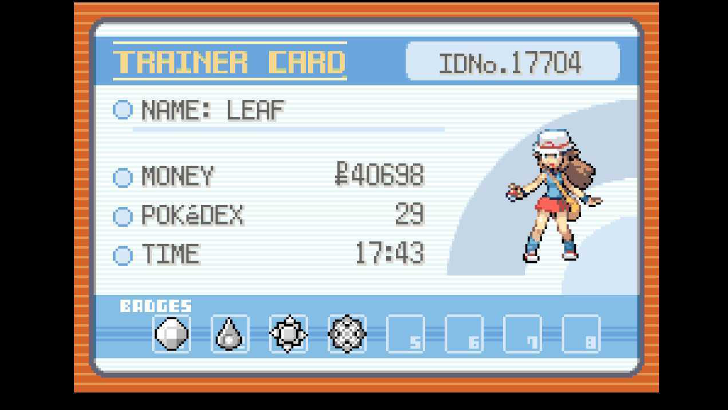
You can check your overall progress in the game by checking your Trainer Card. This includes your name, Trainer ID, available money, time played, and badges you've collected.
Can You Get a 4-Star Trainer Card?
Save the Game
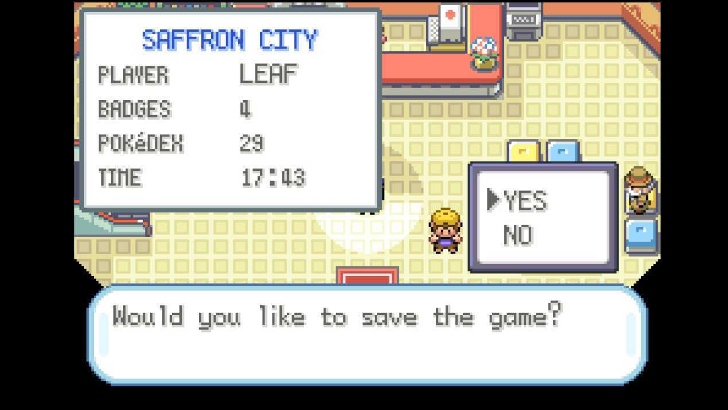
Save your game by going to the Main Menu, which is immediately accessible after entering the game. Make sure to do this before exiting the game so you can return to where you left off!
Change the Game Settings
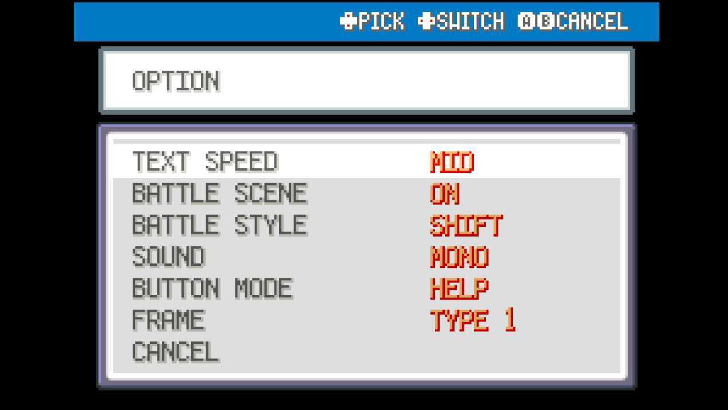
In-game settings can also be changed in the Main Menu. Go to settings to customize your preferred text speed, sound quality, and visual settings for Pokemon FireRed and LeafGreen.
Pokemon FireRed and LeafGreen Related Guides
List of Tips and Guides
Comment



Author

Pokemon FireRed and LeafGreen (FRLG) Walkthrough & Guides Wiki
How to Open the Main Menu

Rankings
- We could not find the message board you were looking for.

Gaming News

![Death Stranding 2: On The Beach [PC] Review | A Port That Delivers](https://img.game8.co/4447392/15310a0c9aa1b6843bb713b2ea216930.jpeg/show)



Popular Games

Genshin Impact Walkthrough & Guides Wiki
Umamusume: Pretty Derby Walkthrough & Guides Wiki
Crimson Desert Walkthrough & Guides Wiki
Monster Hunter Stories 3: Twisted Reflection Walkthrough & Guides Wiki
Honkai: Star Rail Walkthrough & Guides Wiki
Pokemon Pokopia Walkthrough & Guides Wiki
The Seven Deadly Sins: Origin Walkthrough & Guides Wiki
Wuthering Waves Walkthrough & Guides Wiki
Zenless Zone Zero Walkthrough & Guides Wiki
Arknights: Endfield Walkthrough & Guides Wiki










Recommended Games
Fire Emblem Heroes (FEH) Walkthrough & Guides Wiki
Diablo 4: Vessel of Hatred Walkthrough & Guides Wiki
Cyberpunk 2077: Ultimate Edition Walkthrough & Guides Wiki
Yu-Gi-Oh! Master Duel Walkthrough & Guides Wiki
Super Smash Bros. Ultimate Walkthrough & Guides Wiki
Pokemon Brilliant Diamond and Shining Pearl (BDSP) Walkthrough & Guides Wiki
Elden Ring Shadow of the Erdtree Walkthrough & Guides Wiki
Monster Hunter World Walkthrough & Guides Wiki
The Legend of Zelda: Tears of the Kingdom Walkthrough & Guides Wiki
Persona 3 Reload Walkthrough & Guides Wiki










All rights reserved
©2004 Pokémon. ©1995-2004 Nintendo/Creatures Inc./GAME FREAK inc. Pokémon and Nintendo Switch are trademarks of Nintendo.
The copyrights of videos of games used in our content and other intellectual property rights belong to the provider of the game.
The contents we provide on this site were created personally by members of the Game8 editorial department.
We refuse the right to reuse or repost content taken without our permission such as data or images to other sites.