
Is There a Minimap?
★ 17 active SHiFT Codes as of March 14, 2026
☆ Black Market Location
★ Elemental Weakness Chart
☆ Legendary Weapons
★ Builds: Vex | Amon | Rafa | Harlowe
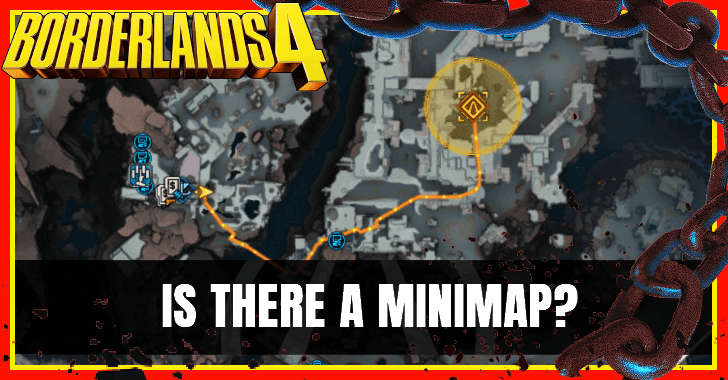
There is no minimap available in Borderlands 4. Learn how to navigate in the game with Echo-4 Drone or the map here.
List of Contents
Is There a Minimap?
No Traditional Minimap Available
Borderlands 4 does not feature a minimap on the HUD. Instead, players rely on the Echo-4 drone to project a highlighted navigation line to guide you toward your objective, or manually opening the full map.
Use the Echo-4 Drone for Navigation
| Echo-4 Drone Controls | |||
|---|---|---|---|
| PS5 |  |
||
| Xbox |  |
||
| PC |  (ECHO Location) (ECHO Location) (Ping) (Ping) |
||
| Types of Location Paths | |||
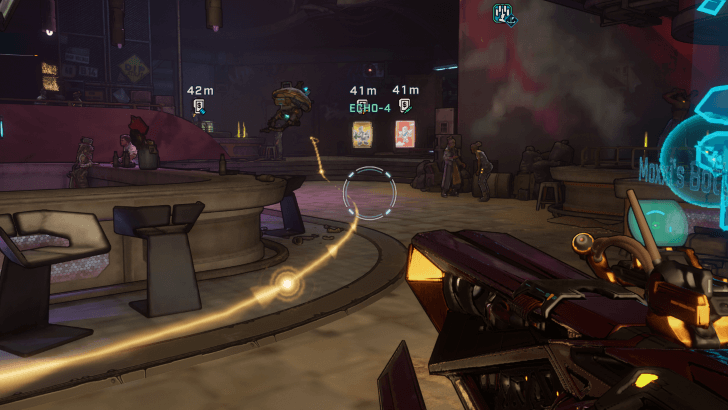 Main Mission Story Location Path |
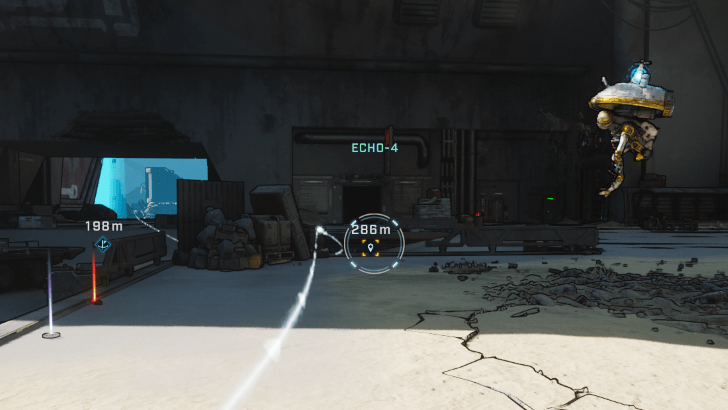 Custom Waypoint Location Path |
||
The Echo-4 drone provides a highlighted Location Path on the ground to guide you. This line changes depending on your target. A white line points to your personal ping or waypoint, while a yellow line leads to the main mission objective.
You can set waypoints on the map to create custom navigation paths, making it easier to explore without getting lost.
Set the Durability of the Location Path to Short
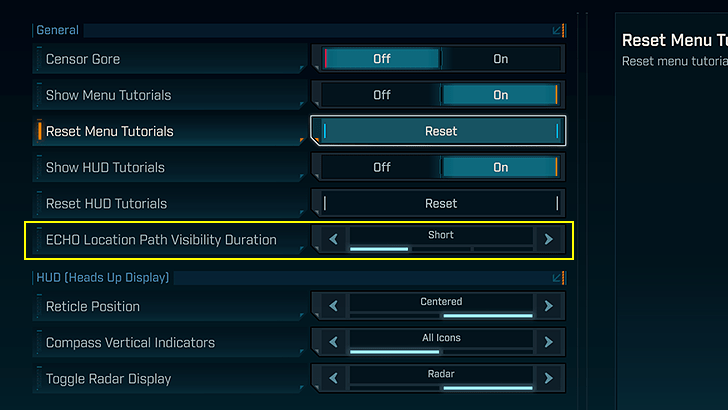
Change the duration of the Location Path by going into Settings and checking the Gameplay tab for it. If you tend to repeatedly use ECHO-4 for navigation, we recommend the Short option since it shortens ECHO-4's cooldown. Otherwise, you can experiment with Medium or Long depending on your preference.
Find Nearby Enemies By Using the Radar
 |
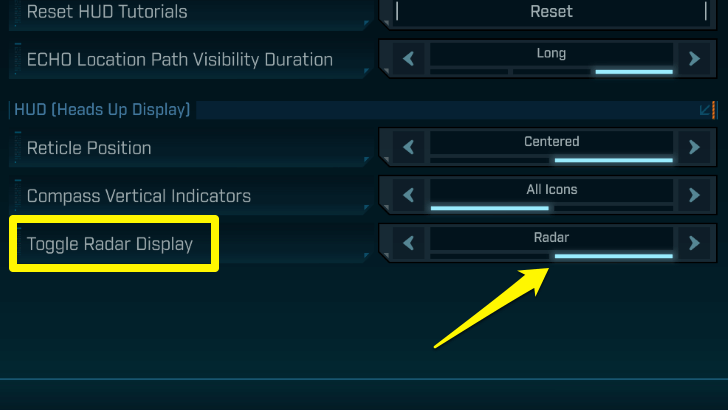 |
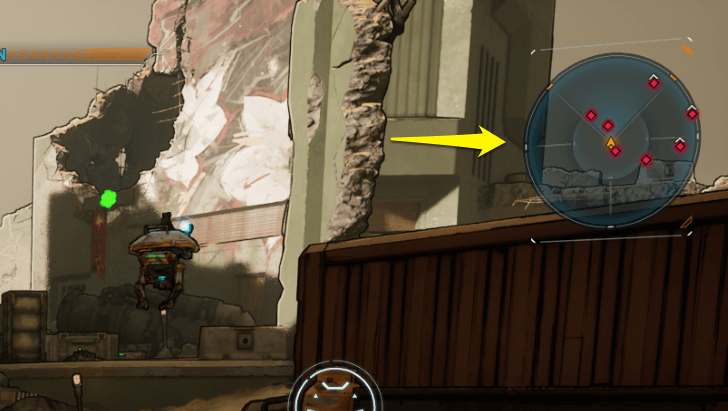
Borderlands 4 features a radar display to show nearby enemies as red markers at the edge of your HUD. This can be toggled in your Settings under Gameplay tab. Change the option from Compass to Radar.
Check the Full Map for Larger Routes
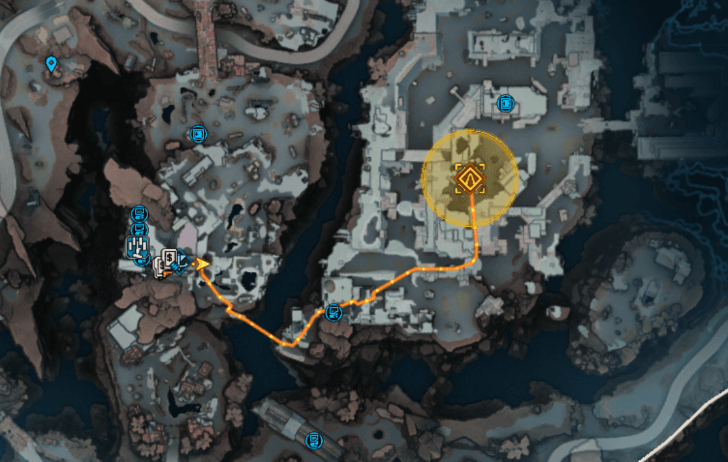
For wider navigation, you’ll need to open the full map screen. This gives a complete view of the region, including fast travel stations, order silos, and mission markers. It’s best used when plotting long distance travel or checking unexplored areas.
Borderlands 4 Related Guides

Beginner's Guide to Borderlands 4: Tips and Tricks
Tips and Tricks Guides
Comment



Author
Is There a Minimap?

Rankings
- We could not find the message board you were looking for.
Gaming News

![Marathon Cryo Archive Map Teased as [REDACTED] on Selection Screen](https://img.game8.co/4442236/6357203e58172f6de57f1991e7c39b22.png/thumb)


Popular Games

Genshin Impact Walkthrough & Guides Wiki
Umamusume: Pretty Derby Walkthrough & Guides Wiki
Pokemon Pokopia Walkthrough & Guides Wiki
Honkai: Star Rail Walkthrough & Guides Wiki
Monster Hunter Stories 3: Twisted Reflection Walkthrough & Guides Wiki
Arknights: Endfield Walkthrough & Guides Wiki
Wuthering Waves Walkthrough & Guides Wiki
Zenless Zone Zero Walkthrough & Guides Wiki
Pokemon TCG Pocket (PTCGP) Strategies & Guides Wiki
Monster Hunter Wilds Walkthrough & Guides Wiki










Recommended Games
Diablo 4: Vessel of Hatred Walkthrough & Guides Wiki
Cyberpunk 2077: Ultimate Edition Walkthrough & Guides Wiki
Fire Emblem Heroes (FEH) Walkthrough & Guides Wiki
Yu-Gi-Oh! Master Duel Walkthrough & Guides Wiki
Super Smash Bros. Ultimate Walkthrough & Guides Wiki
Pokemon Brilliant Diamond and Shining Pearl (BDSP) Walkthrough & Guides Wiki
Elden Ring Shadow of the Erdtree Walkthrough & Guides Wiki
Monster Hunter World Walkthrough & Guides Wiki
The Legend of Zelda: Tears of the Kingdom Walkthrough & Guides Wiki
Persona 3 Reload Walkthrough & Guides Wiki










All rights reserved
©2025 Gearbox Software. Published by 2K Games. Developed by Gearbox. Gearbox, Borderlands, and related logos are all trademarks of Gearbox Software, LLC. 2K and the 2K logo are trademarks of Take-Two Interactive Software, Inc. All other marks and trademarks are the property of their respective owners. All rights reserved.
The copyrights of videos of games used in our content and other intellectual property rights belong to the provider of the game.
The contents we provide on this site were created personally by members of the Game8 editorial department.
We refuse the right to reuse or repost content taken without our permission such as data or images to other sites.