
How to Save and Recover Lost Saves
★ 17 active SHiFT Codes as of March 14, 2026
☆ Black Market Location
★ Elemental Weakness Chart
☆ Legendary Weapons
★ Builds: Vex | Amon | Rafa | Harlowe
The only way to save any game progress in Borderlands 4 is through the autosave system. Learn more on when the game autosaves and how to recover lost save files here.
List of Contents
How to Save
|
|
 The Game Autosaves in The Background
The Game Autosaves in The Background
Borderlands 4 does not use a manual save system. Instead, the game constantly autosaves your progress in the background as you play.
Progress is Saved Automatically During Important Moments
Key actions such as picking up loot, completing missions, traveling between areas, or quitting the game will trigger an autosave. This ensures that you rarely lose more than a minute of progress.
However, your exact position in the world is not always saved. If the game crashes or you reload, you’ll respawn at a nearby New-U Station checkpoint.
Matchmaking Guide: How to Form a Party
New-U Stations are the Respawn Checkpoints
 |
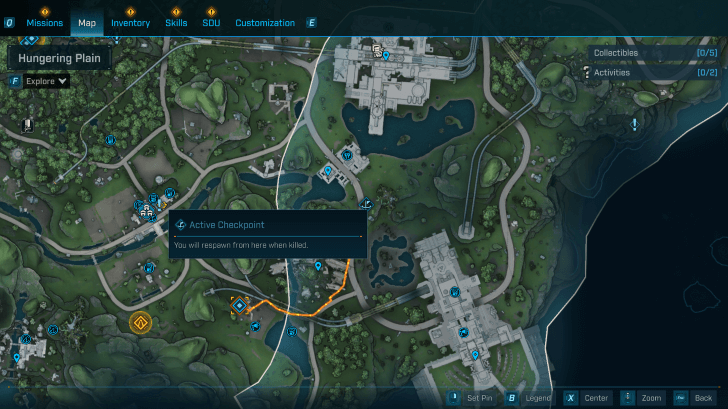 |
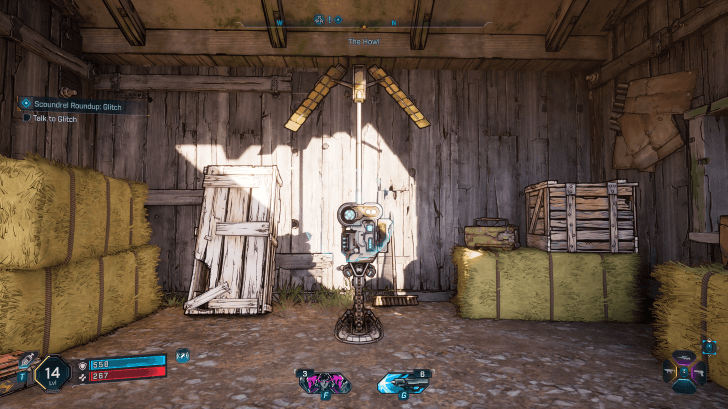
Whenever you die and respawn at a New-U Station, the game automatically records your checkpoint and progress.
These are found all around the map and will be active when passed by your character. These stations can act as reliable markers in case you need to reload.
Character and Mission Progress Is Saved During Matchmaking Sessions
When playing in matchmaking sessions, your character growth and mission progression are saved automatically. You will be grouped with other players near at the same mission progress as you.
This means you can keep leveling and advancing through quests with other players without worrying about lost progress.
How to Load a Different Save
Select Previous Vault Hunter Profiles in the Main Menu
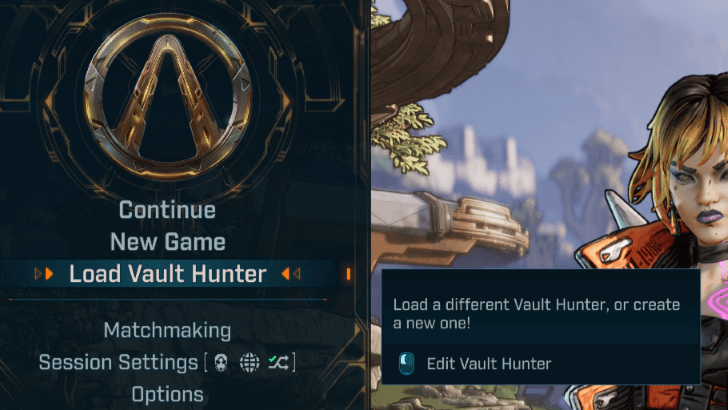
From the main menu, select a different Vault Hunter profile in the Load Vault Hunter option. Each character has their own separate campaign progress, loot, and level so each profile stores its own autosaves.
Can You Save Manually in Borderlands 4?
Force a Save by Heading to a Fast Travel Station
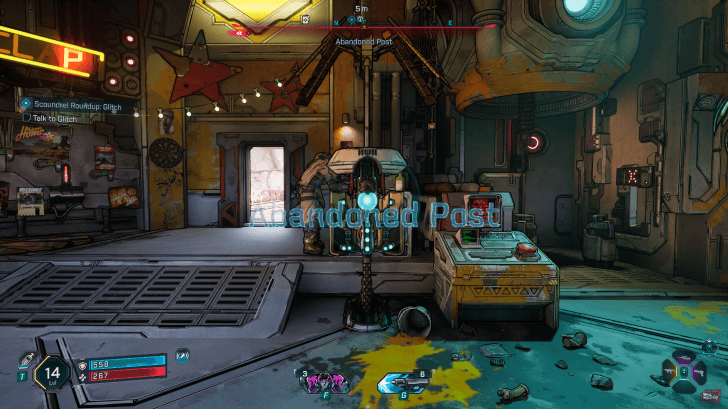
The closest thing to a manual save is using a Fast Travel station. Triggering one records your exact position, inventory, and quest progress, making it the safest way to lock in your progress before quitting the game or heading to main menu.
There is No Regular Manual Save Function
There is no option to manually save from the pause or options menu. Borderlands 4 relies entirely on the autosave system.
How to Recover a Lost Save File
Restore Progress After Save is Corrupted
Navigate to your Documents\My Games\Borderlands 4\Saved\SaveGames\ "User ID"\Profiles folder.
Look for two save files with unusual names instead of the standard 1.sav. If one of them has tmp in the filename, rename it to 1.sav. Launch the game again to check if your character is restored.
Borderlands 4 Related Guides

Beginner's Guide to Borderlands 4: Tips and Tricks
Tips and Tricks Guides
Comment



Author
How to Save and Recover Lost Saves

Rankings
- We could not find the message board you were looking for.
Gaming News

![Monster Hunter Stories 3 Review [First Impressions] | Simply Rejuvenating](https://img.game8.co/4438641/2a31b7702bd70e78ec8efd24661dacda.jpeg/show)
![Marathon Cryo Archive Map Teased as [REDACTED] on Selection Screen](https://img.game8.co/4442236/6357203e58172f6de57f1991e7c39b22.png/thumb)


Popular Games

Genshin Impact Walkthrough & Guides Wiki
Umamusume: Pretty Derby Walkthrough & Guides Wiki
Pokemon Pokopia Walkthrough & Guides Wiki
Honkai: Star Rail Walkthrough & Guides Wiki
Monster Hunter Stories 3: Twisted Reflection Walkthrough & Guides Wiki
Arknights: Endfield Walkthrough & Guides Wiki
Wuthering Waves Walkthrough & Guides Wiki
Zenless Zone Zero Walkthrough & Guides Wiki
Pokemon TCG Pocket (PTCGP) Strategies & Guides Wiki
Monster Hunter Wilds Walkthrough & Guides Wiki










Recommended Games
Diablo 4: Vessel of Hatred Walkthrough & Guides Wiki
Cyberpunk 2077: Ultimate Edition Walkthrough & Guides Wiki
Fire Emblem Heroes (FEH) Walkthrough & Guides Wiki
Yu-Gi-Oh! Master Duel Walkthrough & Guides Wiki
Super Smash Bros. Ultimate Walkthrough & Guides Wiki
Pokemon Brilliant Diamond and Shining Pearl (BDSP) Walkthrough & Guides Wiki
Elden Ring Shadow of the Erdtree Walkthrough & Guides Wiki
Monster Hunter World Walkthrough & Guides Wiki
The Legend of Zelda: Tears of the Kingdom Walkthrough & Guides Wiki
Persona 3 Reload Walkthrough & Guides Wiki










All rights reserved
©2025 Gearbox Software. Published by 2K Games. Developed by Gearbox. Gearbox, Borderlands, and related logos are all trademarks of Gearbox Software, LLC. 2K and the 2K logo are trademarks of Take-Two Interactive Software, Inc. All other marks and trademarks are the property of their respective owners. All rights reserved.
The copyrights of videos of games used in our content and other intellectual property rights belong to the provider of the game.
The contents we provide on this site were created personally by members of the Game8 editorial department.
We refuse the right to reuse or repost content taken without our permission such as data or images to other sites.